Best ClickTime Alternatives for Billable Time Tracking
So, you’re using ClickTime, and it’s treating you well.
Timesheets get filled in, invoices go out, and finance doesn’t yell at you at the end of every month. Doesn’t get any better than that, really.
But maybe you’ve been lurking around, wondering if there’s something that fits how you work just a teeny tiny bit better.
Maybe you want more automation than ClickTime’s AI mapping currently gives you or pricing without a phone call.
Whatever brought you here, welcome, dear reader. Let’s talk ClickTime alternatives and billable time tracking.
As someone who works for Memtime, a company that built an automatic time tracker, I know for a fact that billable hours live and die on completeness. Meaning, if you want to get the most out of them, you need them ALL gathered up and ready for billing.
Now, ClickTime automates a lot (think AI-assisted entry, reminders, and approvals), but at its core it is still a timesheet that one person fills in and another person reviews. That’s a totally different model from tools built to capture time automatically in the background by default.
So, today we’re gonna go through a list of ClickTime alternatives, specifically through the prism of billable hours. The goal is to find you a tool that captures most of your actual billable time, with the least effort from you.
We’ve got no time to waste, so let’s roll.
Oh, just a quick note before we begin: we’ll do a fast recap of what ClickTime is and does, and then jump into the alternatives. If you already know ClickTime inside and out, you can skip here.
Key Takeaways:
- ClickTime is a finance-first time tracker with an AI mapping feature, but it still relies on someone to fill in or review entries. It’s very different from tools built for automatic background capture.
- Billable hours are easiest to fully capture with automatic time tracking, since manually remembering and logging every task leaves hours unrecorded and unbilled.
- Automatic time tracking and employee surveillance aren’t the same; some tools capture activity for billing accuracy without monitoring mouse movement or keystrokes.
- Memtime, Timely, and DeskTime run passively in the background by default, capturing activity without requiring you to start or stop a timer.
- TimeCamp and Insightful sit in the middle: they track activity automatically but still need setup (keywords, categories, or app tagging) to sort it into projects.
- Toggl Track and Clockify are primarily manual, but both include an Auto Tracker that runs in the background and logs app and website activity you can turn into time entries later.
- Harvest, My Hours, and Hubstaff are primarily manual start/stop tools, so you have to add any unlogged time back in by hand.
What is ClickTime?
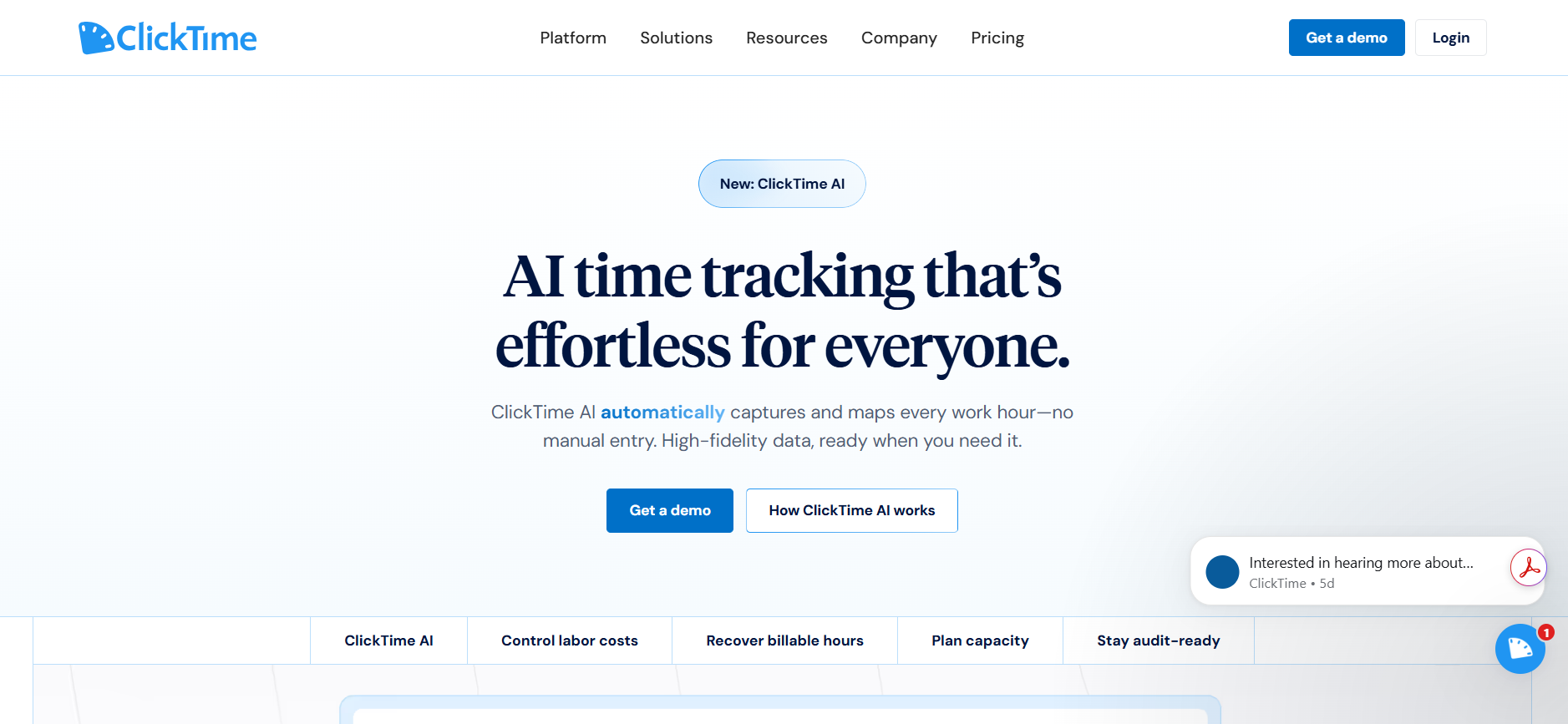
ClickTime is a time tracking and workforce management app.
It’s been around since 1999 (yep, it’s older than most apps on your phone). It started out as a basic timesheet tool and eventually evolved into a platform finance loves.
ClickTime describes itself as a finance-first time tracking platform, meaning its primary goal is to out-report every other time tracking app.
Did it reach its goal?
Well.. let’s see.
ClickTime users
The platform is mostly used by:
- Professional services firms that bill clients by the hour and deal with project budgets.
- Nonprofits and government contractors who need DCAA-compliant timesheets.
- Finance and operations teams who care more about labor cost visibility than the app’s UX.
- Agencies and consultancies that track profitability project by project, and client by client.
ClickTime’s key features
Here’s what you get with ClickTime:
- Timesheets and time tracking. You and your team can log time by project and task, mostly through timesheets. It’s not necessarily a tool that simply watches you work.
- Over 70 built-in reports. Dozens of reports, including budgets, utilization, capacity planning, employee performance, and so on. Whatever you need, ClickTime has probably already built the report for you.
- Project budgeting and resource planning. You can set budgets, compare planned vs. actual hours, and forecast staffing needs (on higher plans).
- Approval workflows and advanced billing rates. You can review and approve timesheets, and set different billable rates by client, project, or task.
- Expense tracking. Your team can upload receipts and get reimbursed without a separate tool.
- DCAA-compliant, audit-ready records. You get complete change history, audit trails, and two-factor authentication, which matters a lot for government contracts.
- Payroll and accounting integrations. You get native integrations with Sage Intacct, BambooHR, Rippling, Salesforce, and Slack.
As you can see, ClickTime is all about timesheets; someone opens a form and fills it in. However, there’s one more feature worth mentioning: ClickTime AI.
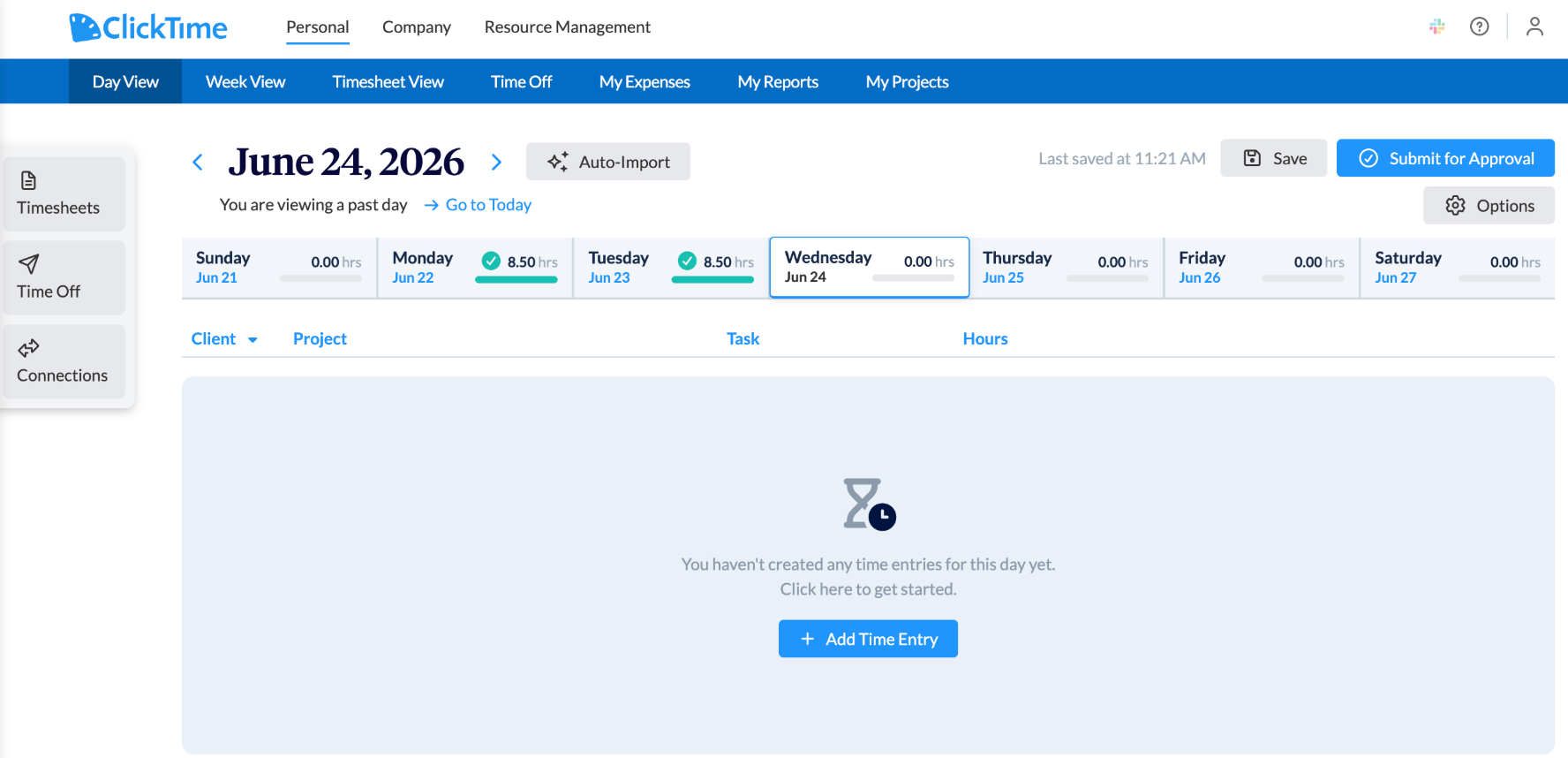
Here’s how it works:
- ClickTime’s automated tracker pulls activity from tools like Jira, GitHub, and your calendar (like Google Calendar and Outlook). Think closed tickets, commits, meetings, that kind of thing.
- It then maps that activity to the categories your finance team has already set up, like projects, GL codes, CapEx vs. OpEx, and R&D categories.
- The result is “automatic” time tracking; “every hour coded to the right projects and cost categories” as ClickTime puts it, without someone having to build it entry by entry.
So, with AI, you work from hours ClickTime has already tracked and categorized, then review and adjust them.
ClickTime pros & cons
No tool is perfect; not even an app that’s been around since 1999 and survived dial-up internet. So, let’s briefly go through ClickTime’s pros and cons.
Pros of ClickTime
- Good reporting features. With 70+ pre-built reports, ClickTime can chop up your data in more ways than you can even imagine. It’s actually impressive.
- Built for compliance-heavy industries. DCAA compliance, audit trails, and SOC 2 certification make it useful for government contractors and nonprofits handling a lot of money.
- Project budgeting tools. You can compare actual vs. planned hours, track utilization, and catch budget overruns all within one app.
- Pretty reasonable pricing. ClickTime’s pricing starts at $12 per user per month, which is competitive for the space. The company also offers nonprofit discounts.
Cons of ClickTime
- It’s still primarily a timesheet-based tool, even with ClickTime AI automating parts of the process. Your team still has to review and complete their time records, especially for work ClickTime AI doesn’t capture from connected tools.
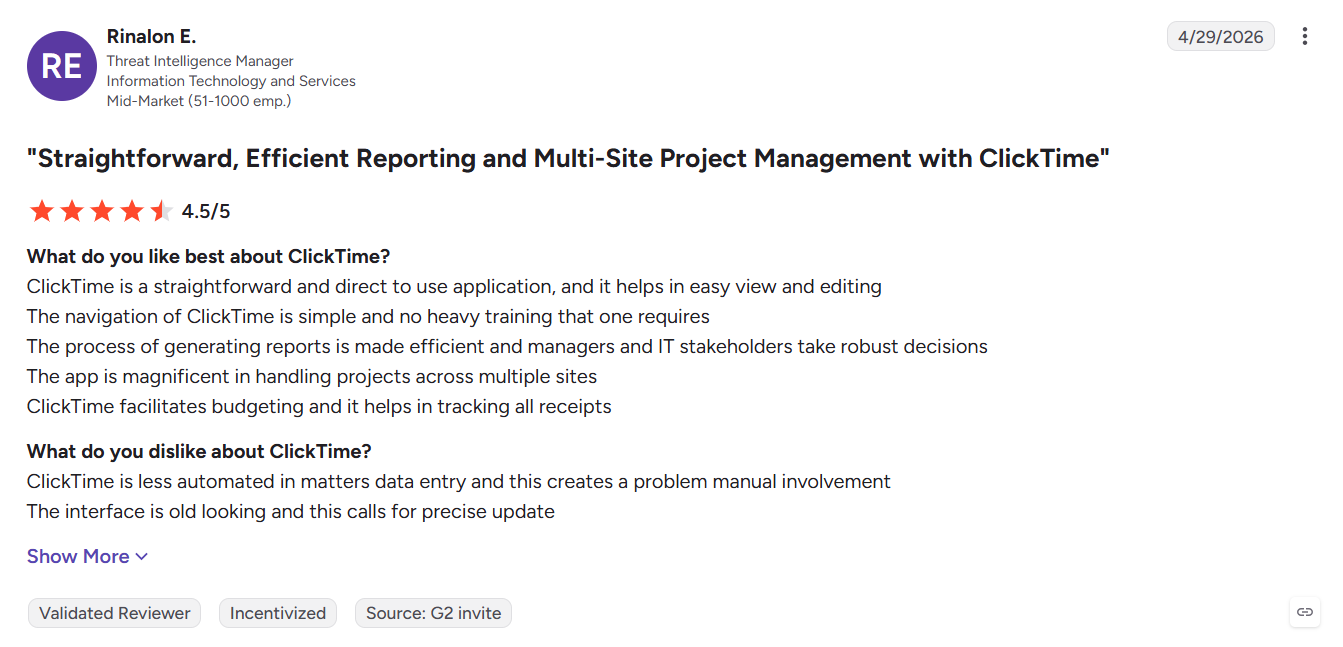
- Pricing isn’t clearly surfaced on the website. If you just want to compare costs quickly, getting a clear number takes more effort than it should.
- There’s a learning curve for smaller teams. ClickTime’s depth works well for finance departments, but less so for, say, a 5-person agency that just wants a way to bill clients accurately.
- Advanced billing features are on higher tiers. If you sign up for the Starter plan, you’ll miss out on advanced billing rates and approval workflows, which are actually the features that matter for billable hours.
Why we created this ClickTime alternatives list
ClickTime is a great tool built by people who clearly understand finance.
But if billable hours are the whole point of your time tracking setup, let me ask you this question: how many of your team’s actual working hours make it into a timesheet?
I’m not talking about the hours someone remembers or rounds up. I mean actual working hours.
Can’t really give me a number?
I understand. And I know why that is: it’s because not all hours get logged.
Imagine this: if one of your team members hops on a surprise call and doesn’t log it ‘cause they forget, then answers 3 client emails and doesn’t log them ‘cause “they were no big deal”, and then works through lunch finishing a deliverable but doesn’t log it because it was technically lunch time... that’s a lot of hours worked but lost and, therefore, not billed.
That’s why I believe that billable time tracking, when done properly, equals automatic time tracking.
If a tool needs a human to remember to press a button, it’s going to miss hours because that’s how human memory works. Studies on this are honestly kind of depressing (and so is the forgetting curve), and your invoices end up paying the price (pun very much intended).
So, the ClickTime alternatives below aren’t ranked by how cool their brand is or how many features they have, but by how much of the tracking they do for you, without you having to remember anything at all.
- The higher up the list, the less your team has to think about time tracking, and the more of your billable hours actually make it onto an invoice. The lower down, the more it relies on someone hitting a Start button.
Just one more thing before we get to the list: automation ≠ surveillance.
There’s a difference between a tool that reconstructs your day so you can bill accurately, and a tool that’s spying on how much you touched your mouse in the last 4 minutes. Automatic means very different things depending on who built the tool and why.
Okay, now we can go.
10 best ClickTime alternatives for billable time tracking
#1 Memtime
I have to make a pretty bold statement right from the get-go: out of everything on this list, Memtime asks the least of you. There’s no setup step to configure, no keywords to map, no AI suggestions to double-check. Memtime just runs, and you deal with the data whenever you’re ready.
Memtime is a desktop-first time tracker that runs quietly in the background and records everything you do on your computer, including apps, docs, websites, meetings, even calls, and lays it all out as a chronological timeline called Memory Aid.
You never press start or stop. You just work, and Memtime remembers what you did.
At the end of the day (or whenever you feel like it), you open your timeline and turn captured activity into actual billable time entries. You can do this manually in a couple of clicks, or set rules so Memtime suggests entries for you, which you then approve, tweak, or decline. Either way, nothing gets billed without you seeing it first.
Now, let’s talk data.
Memtime is desktop-only on purpose. All your raw activity data stays local on your machine (no one can see it, not even us at Memtime). Nothing is synced to a cloud server unless you explicitly turn an activity into a time entry and export it. Your privacy matters (especially now, in 2026!).
Here’s what else you get with Memtime:
For billable time tracking, Memtime is basically the dream: far less billable time gets missed because you don’t have to remember to start and stop a timer.
#2 Timely
Timely runs on a feature called Memory, which captures everything you do, including apps, documents, websites, calendar events, and meetings, and turns it into a timeline you review later. Kinda like Memtime but there’s one difference: Timely uses AI.
Timely’s AI learns how you typically categorize your time and starts suggesting which client or project a block of activity belongs to. Over time, it gets better at this so you’re mostly just confirming what the AI already guessed correctly.
Some of its other features include:
- Planning upcoming work and compare it against actual logged hours.
- Assignments to clients, tasks, or projects can happen through tags, either manually or via rules.
- Integrations with calendars, PM tools, and communication apps.
- Real-time dashboards show capacity, deadlines, overtime, and billable percentage across the whole team.
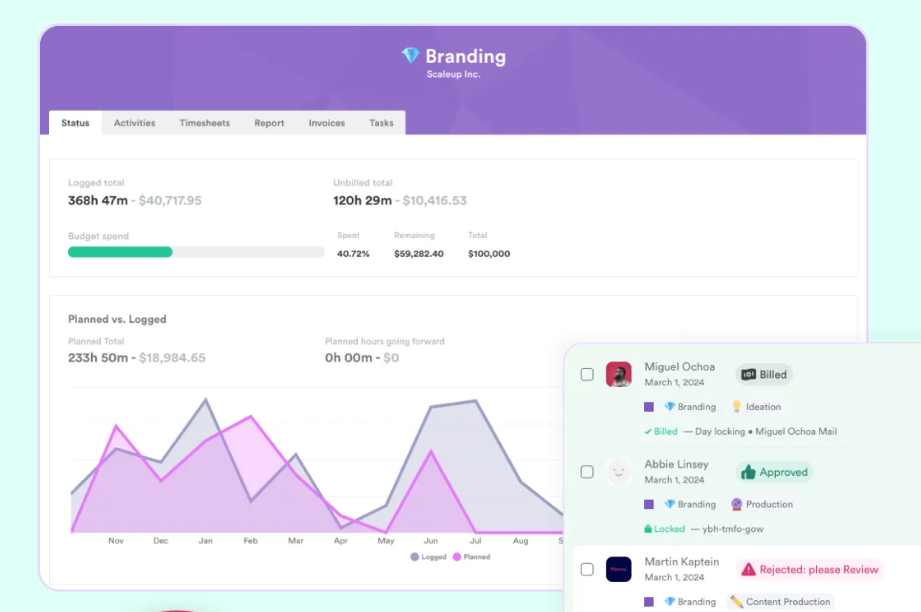
- Reporting shows hours logged, budget spend, profitability by client, and utilization trends to plan future work.
- Invoicing support.
Reviewers do note that the AI categorization isn’t flawless, as it can occasionally misclassify a memory. But as an automatic tool for billable time tracking, Timely is one of the strongest options out there, especially for services businesses working with several clients at once.
#3 TimeCamp
TimeCamp takes a different but clever approach to automation: keyword-based tracking. You assign keywords to specific projects or clients (like “bush” for Bush Corp), and TimeCamp automatically detects those keywords in your window titles, file names, and browser tabs, then logs the time to the right project on its own.
TimeCamp has also added an AI Time Tracker, which works in the background, analyzes your activity, and matches it to the right projects.
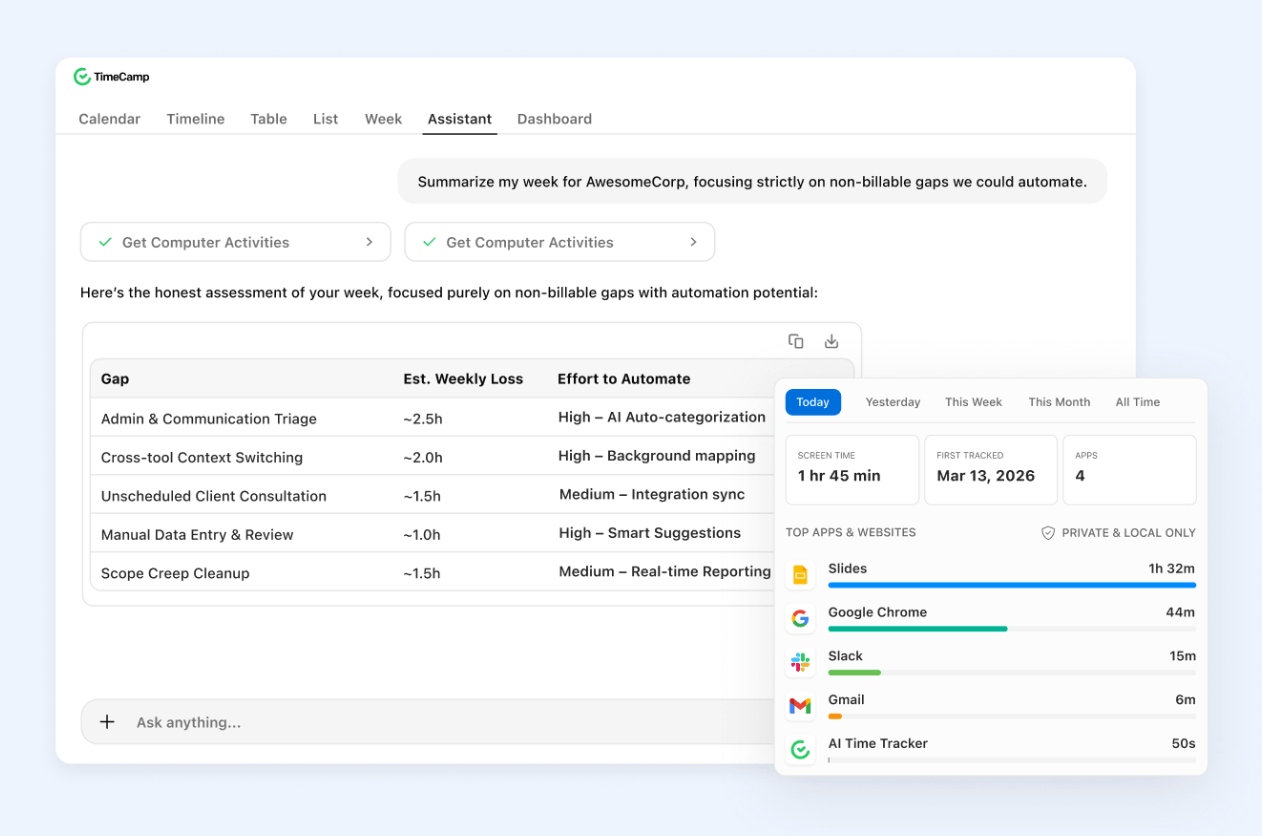
It runs as a desktop app that takes periodic screenshots of your screen, then uses AI to figure out what you were working on and maps it to the right project or task. It also picks up calendar events.
The AI then learns from your history over time: when you correct a suggestion once, it remembers that pattern for next time. Nothing gets added to your timesheet without your approval, though. At the end of the day, you get a list of suggested entries to review, tweak if needed, and approve. Screenshots themselves aren’t stored; they’re processed locally long enough to make a suggestion, then deleted, so no one can see them.
Other TimeCamp features worth mentioning:
- Attendance tools (clock-in/out, breaks, PTO).
- Reports on budgets, profitability, and team utilization.
- Accounting and PM integrations.
- Built-in invoicing, meaning you can generate and email client invoices straight from TimeCamp, with support for multiple billing rates.
- Geofencing and a time clock kiosk for field teams.
If you and your team bill by the hour, want automation, and don’t want to pay an arm and a leg for AI time tracking, TimeCamp is a solid pick for sure.
#4 DeskTime
DeskTime doesn’t rely on timers either. When you install it, it starts logging your activity in the background, like all the apps, websites, and idle time, turning your day into a visual timeline.
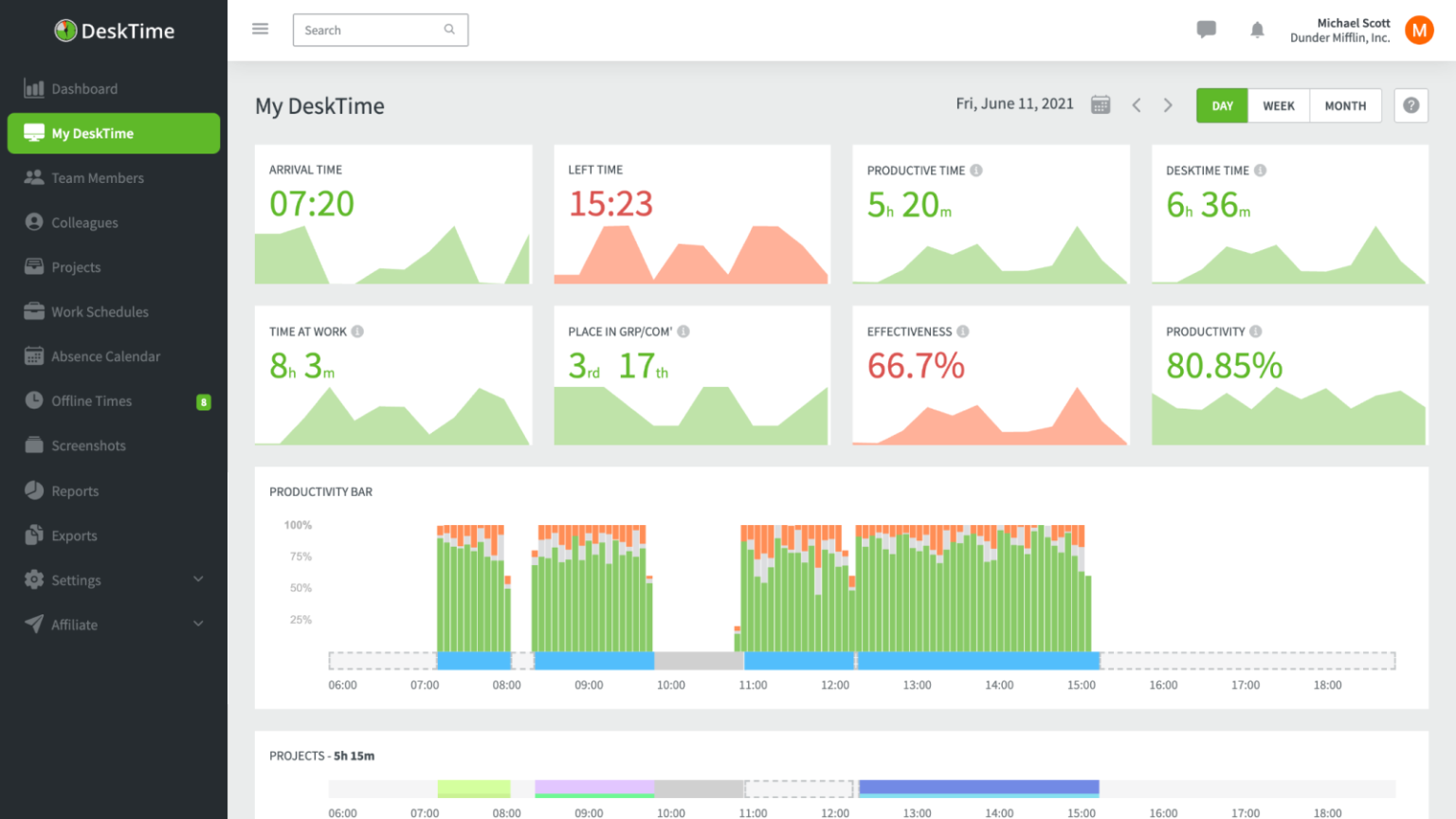
From there, DeskTime adds productivity scoring. You (or an admin) can mark apps and websites as productive, unproductive, or neutral, and DeskTime calculates efficiency scores over time. So, you get to see where the hours actually go, and how productive you truly are.
Some other DeskTime features worth mentioning:
- Document title tracking, so you get context on what exactly was worked on.
- Manual time tracking, which is there to reflect an employee’s work time away from the computer, such as in-person meetings.
- Calendar integrations for meetings.
- Shift scheduling.
- Screenshot capture, which gives a visual log of on-screen activity alongside the automatic time entries.
- Break and idle-time tracking, which flags away-from-keyboard or unproductive stretches.
Overall, DeskTime is more for productivity monitoring than billing workflows, but the automatic capture makes it a decent ClickTime alternative.
#5 Insightful
Insightful is workforce analytics software with automatic time mapping. It runs a small background agent on users’ computers that automatically logs active time, apps, websites, and project-related activity.
It’s designed primarily for monitoring team productivity, but it can definitely classify your app and web activity into projects and tasks (no need to start or stop a timer).
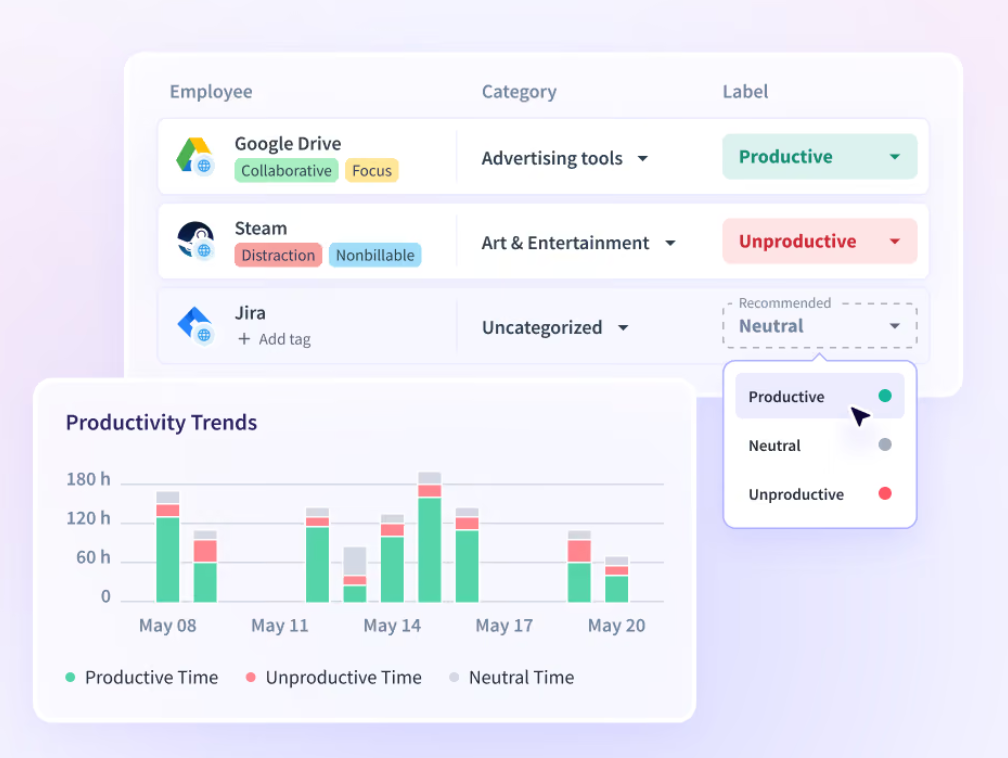
The automation does eliminate manual work but the initial setup takes some patience as you’ll need to categorize apps and websites so the system works like clock (pun intended).
Other notable Insightful features are:
- Real-time productivity dashboards. Dashboards and reports show productivity trends, focus periods, and workload distribution across teams.
- 50+ integrations, including Jira, Asana, ClickUp.
- Automated screenshots, which give you a visual confirmation of what employees were working on.
- Insider threat detection, which flags risky behavior in real time to help spot potential data or security issues early.
- Billable time rate management, letting admins set and adjust rates by user, role, task, or project for client billing.
Insightful is a good tool for mid-sized teams who want automatic visibility but also broader workforce analytics.
#6 Toggl Track
Toggl Track is primarily a manual start/stop tool, but it comes with an Easter egg: its autotracker.
The autotracker runs quietly in the background, builds a private timeline of your app and website activity, and lets you turn any block of it into a real time. Nothing gets logged as a time entry automatically unless you confirm it, which you either love or find mildly annoying.

Toggl also happens to be great at the billing side of things:
- You get billable rates by project, client, or team member.
- You can create an invoice from tracked hours.
- There’s idle detection and reminders to nudge you if you forget to track.
- Dozens of integrations are available, as well as clean and fast reporting.
Overall, if you run a small team, want a beautifully designed app, and don’t mind a light manual step, Toggl Track is it. Toggl’s been in the time tracking game for so long for a good reason.
#7 Clockify
Clockify is mostly a manual timer tool, but just like Toggl, it offers an Auto Tracker that records background app and website activity that you can later turn into time entries. It’s a pretty decent add-on to the manual workflow, for sure.
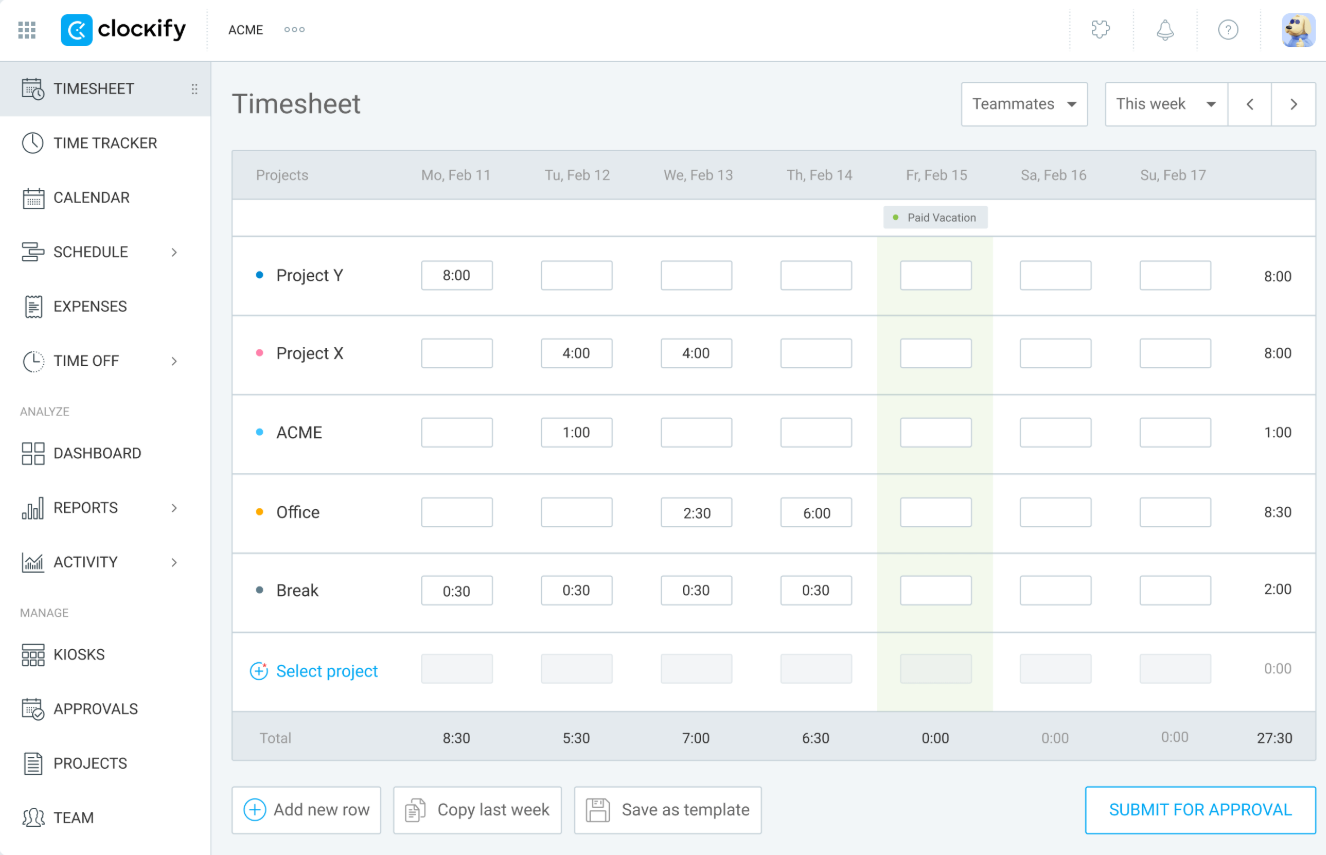
Here are some features that helped Clockify get on our list of alternatives:
- A free plan.
- Billable vs. non-billable hour tracking with earnings calculations.
- Project estimates, budgets, and progress tracking.
- Expense tracking (reimbursements, retainers, mileage) that can go into invoices.
- Kiosk mode and GPS tracking for teams that clock in from shared devices or the field.
- Integrations with Trello, Asana, Jira, and other tools.
If you’re looking for a budget-friendly way to organize billable hours, Clockify does the job just fine.
#8 Harvest
Harvest is a manual time tracker. Yep.
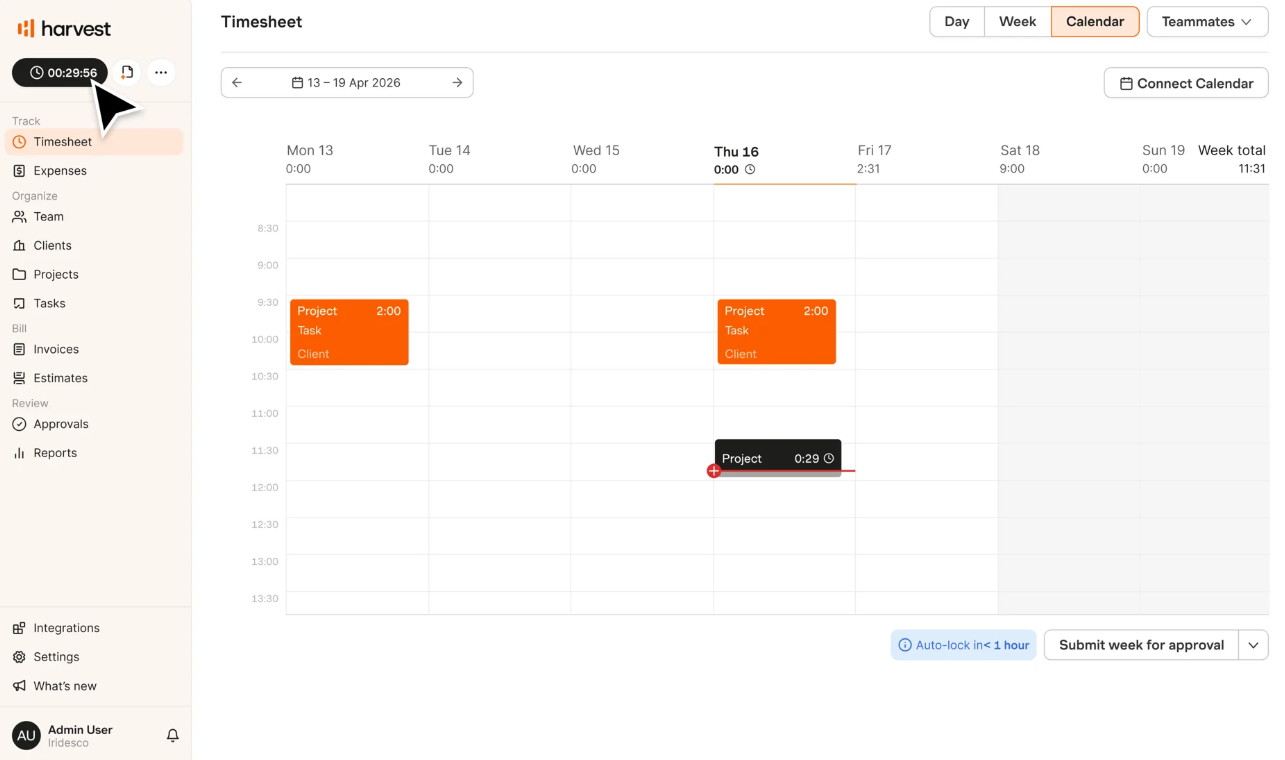
No automatic capture, no background timeline; you start a timer or fill in a timesheet the old-fashioned way. But with Harvest it’s not about how you capture time, but what you can do with it.
Harvest’s invoicing workflow is the easiest in this list. Tracked hours go straight into invoices, which sync to QuickBooks or Xero, in just a few clicks. If billing clients, and not necessarily tracking time, is what you’re most concerned about, Harvest can get that sorted out.
Other Harvest features include:
- Budget alerts when a project is at risk of going over.
- Approval workflows for timesheets.
- Reminders so people don’t forget to log hours.
- Integrations with Asana, Slack, Basecamp, and Stripe.
With Harvest, my take is this: if your team already tracks time manually, you’re hesitant to move to an automatic time tracker, and you want to create invoices without a bunch of extra steps, Harvest is the tool for you. It will make sure you get paid.
#9 My Hours
My Hours is a pretty straightforward tool: you get a timer, manual entries, and solid project/client organization; there’s no automatic tracking at all. That said, the tool’s been around since 2002, and it shows: it’s uncomplicated and does exactly what it promises to do.
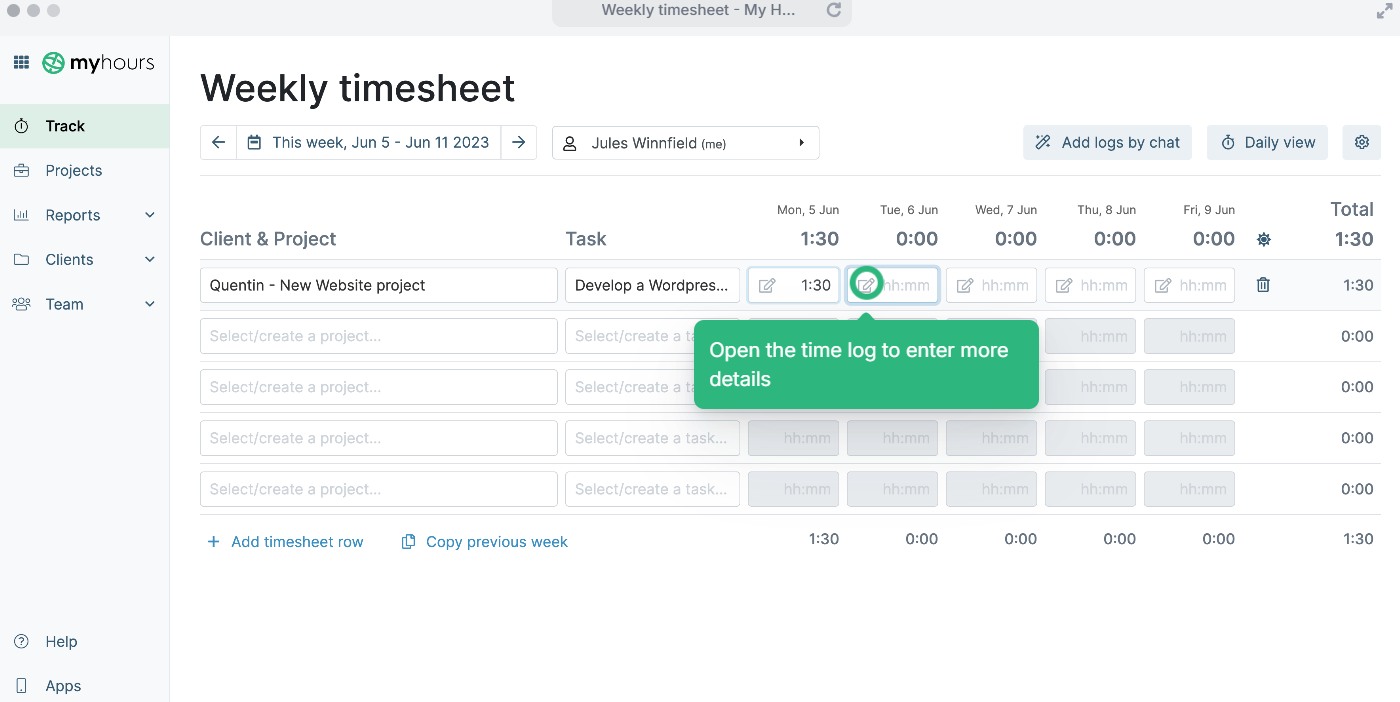
My Hours Features worth knowing:
- Hourly and fixed-price invoicing.
- Custom billable and non-billable rates.
- Budget tracking (monthly or fixed).
- Exportable client-ready reports.
If you run a very small team and can’t really ditch the habit of manual time tracking, you’ll find My Hours pleasant to use. Just remember that it relies entirely on you (and your team) remembering to hit that timer. Every. Single. Time.
#10 Hubstaff
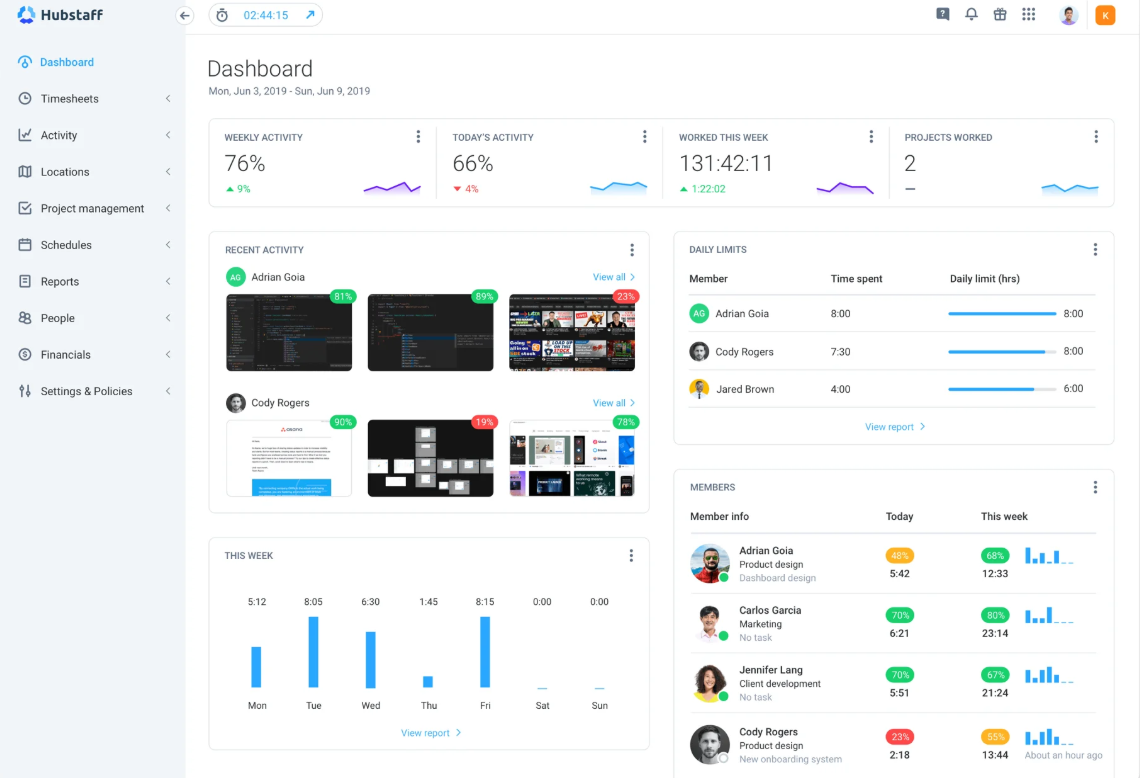
Hubstaff is a supercapable workforce management app but is also a manual time tracking tool. You have to click Start every time you begin a task, and if you forget, those hours just don’t exist unless you manually add them back in later.
That said, Hubstaff plays with your time well (once time is logged):
- You get activity monitoring with app/URL tracking and optional screenshots (if you’re into that).
- You get automatic payroll and invoicing based on tracked hours.
- GPS and geofencing for field teams are also available.
- You can also create schedules, manage attendance, and time-off.
Hubstaff is a good choice if you want a well-rounded workforce management tool that also supports manual time tracking. But I hope you don’t mind me saying this: if missed billable hours are the problem you’re trying to solve, Hubstaff probably won't fix it on its own.
Wrapping it up
Okay, okay. We’ve made it. Inhale. Exhale.
While you do that, lemme give you a quick summary: ClickTime is a pretty solid, finance-first tool, especially if you need audit trails, compliance, and 70 different versions of reports. But it’s still a timesheet tool at heart, meaning it requires your input.
If billable hours are the whole point, you need automation, and you’ve got plenty of options.
So, my final tip is this: think about how you and your team work and pick the tool that fits that way of working. Then try it for at least 2 weeks, preferably a month (Memtime can easily extend your trial btw!), to see how you feel about it. If it works as you expected and you actually see an increase in billable time, great; if not, move on to another tool. It really is that simple. 🙂
FAQs
What is the best ClickTime alternative for billable time tracking?
It depends on how much automation you want. Memtime and Timely capture activity automatically in the background with no timer to start, which tends to capture most billable hours with almost no effort. If you prefer a more traditional, manual workflow with strong invoicing, Harvest or My Hours are good picks instead.
Why do companies switch away from ClickTime?
Most switches come down to wanting less manual timesheet entry. ClickTime still requires someone to fill in or review hours, even with its AI mapping feature, so teams that keep missing billable time often look for tools that capture activity automatically by default. Less transparent pricing and a learning curve for smaller teams are also common reasons cited.
Is ClickTime good for small businesses?
Yes. ClickTime can work for small teams, but its depth is really built for finance departments, compliance-heavy industries, and agencies tracking profitability project by project. A 5-person agency that just wants to bill clients accurately may find it more complex than necessary, and advanced billing features are only available on higher-priced tiers.
What’s the difference between automatic time tracking and employee monitoring?
Automatic time tracking captures your activity so you can turn it into accurate, billable time entries, with the goal of reconstructing your day. Employee monitoring is typically built to evaluate productivity, sometimes tracking things like mouse movement, keystrokes, or idle time. Some tools, like Insightful or Hubstaff, blend both, while others, like Memtime, focus on billing accuracy instead of surveillance.
Can time tracking software integrate with invoicing and accounting tools?
Yes, definitely. Most tools on this list connect to accounting platforms like QuickBooks or Xero, letting tracked hours go directly into invoices. Memtime, for example, mirrors your QuickBooks project structure, so you can create time entries in a couple of clicks and have them sync automatically to the right client, project, or task. This kind of integration cuts down on manual data entry and reduces the chance of billable hours getting lost between systems.

Aleksandra Mladenovic
Aleksandra Mladenovic is a copywriter and content writer with six years of experience in B2B SaaS and e-commerce marketing. She's a startup enthusiast specializing in topics ranging from technology and gaming to business and finance. Outside of work, Aleksandra can be found walking barefoot in nature, baking muffins, or jotting down poems.