100% accurate time entries 100% of the time

Memtime remembers every minute of your activity in programs so you can log time on projects faster and more precisely than ever before. Create time entries from scratch or enable automated suggestions from Memtime — either way you have full control of your time and project data.

• Activities stored on device
• Unlimited project time entries
• Export to 100+ project tools

No credit card required
No credit card required

Project time entries in Memtime

What did I even do today?

With automatic time tracking, you can see your day at a glance – no stopwatch, no guesswork.

What did I even do today?

With automatic time tracking, you can see your day at a glance – no stopwatch, no guesswork.

The best time logging in the game

Whether you log 1 minute or 1 week of project work at a time
Precise activity recording
Tracks every minute

Precise activity recording

With Memtime, you never have to worry about setting a timer or remembering to add that one client call to the invoice. Our desktop app runs quietly in the background and captures your time in all programs, emails, documents, and even phone calls. Your activity data remains on your device forever, allowing you to revisit any day in the past and recover all billable time, minute by minute.
Project time capture down the minute
Time tracking in all increments
All time increments
Organizes your activities

All time increments

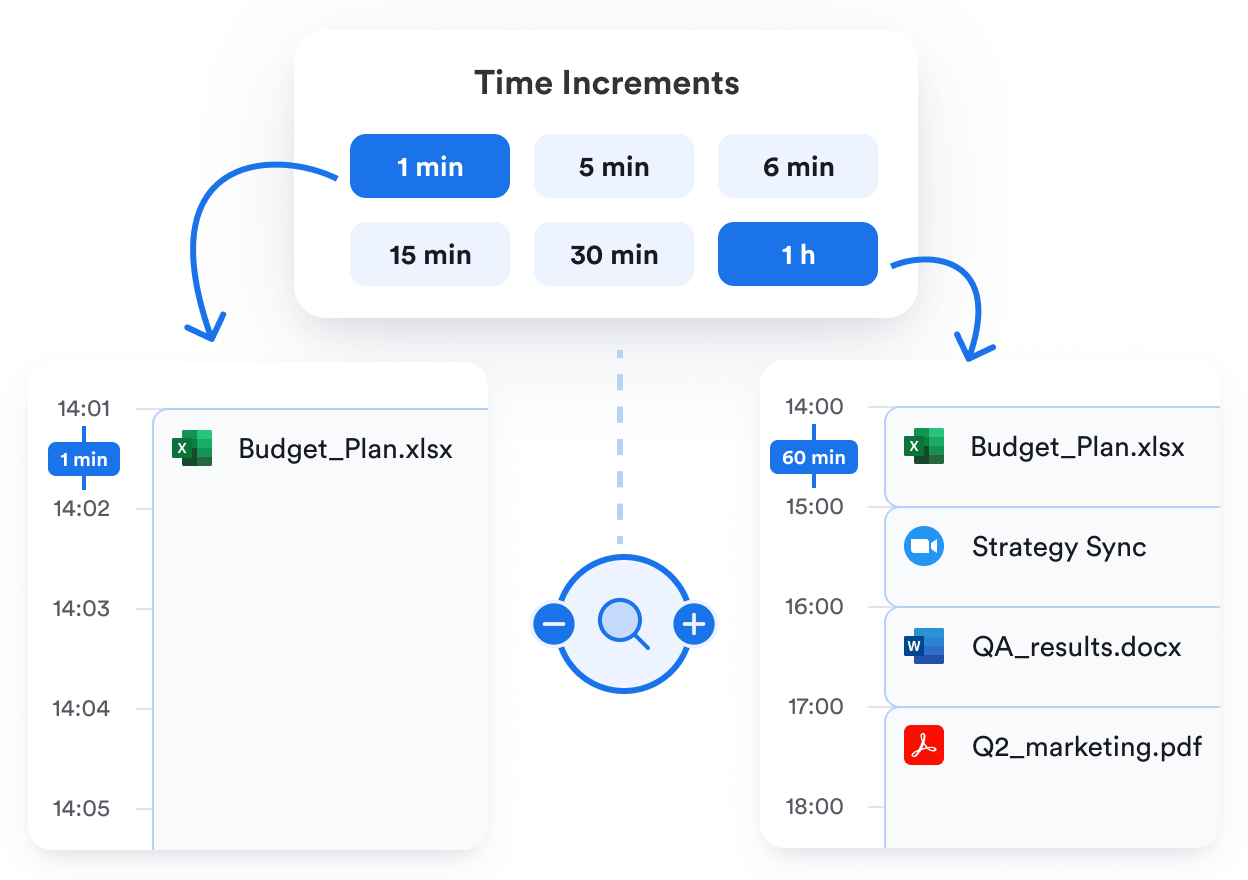
Your activity log aka the Memory Aid™ displays your day in any interval between 1-60 minutes. Depending on how much detail you need for project reporting and billing, you can zoom in and out on your day and see a longer or shorter version of it. Memtime will instantly reorganize your activities as you switch between 1-60 min increments to make it easier for you to view your time the way you report and bill for it.
Unlimited time entries
Remembers your projects

Unlimited time entries

By looking at your activity log, you can create project time entries calendar-style, by transforming a captured activity, or by enabling automated suggestions. Set up projects in Memtime or import from your project software to create unlimited time entries and sync them into the right place. Your activity log is always there to help you fact-check any time gaps or overlaps.
Unlimited time entries
100% private hour logging
Unmatched privacy
Protects your data

Unmatched privacy

Memtime is the safest time tracker in the game because it keeps your activity data locally on your device in a single copy. Only you decide when and if to create time entries for export. Whether you choose to log time in Memtime Projects or sync into your connected software, your data is encrypted with Enterprise-grade security. Not even us at Memtime can see what you’re working on.

3 ways to create time entries in Memtime

Choose your fighter and set up project time tracking your way
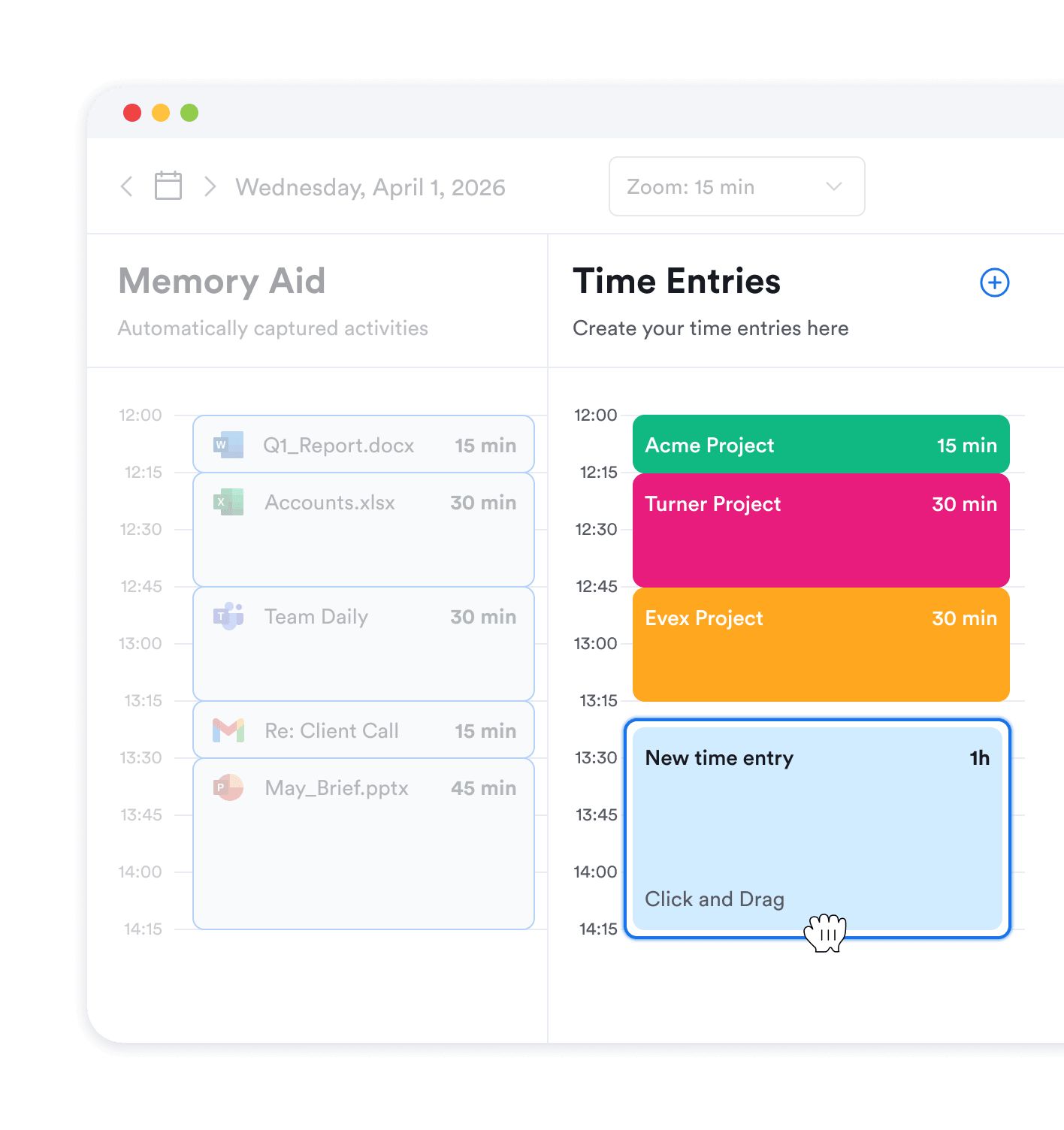
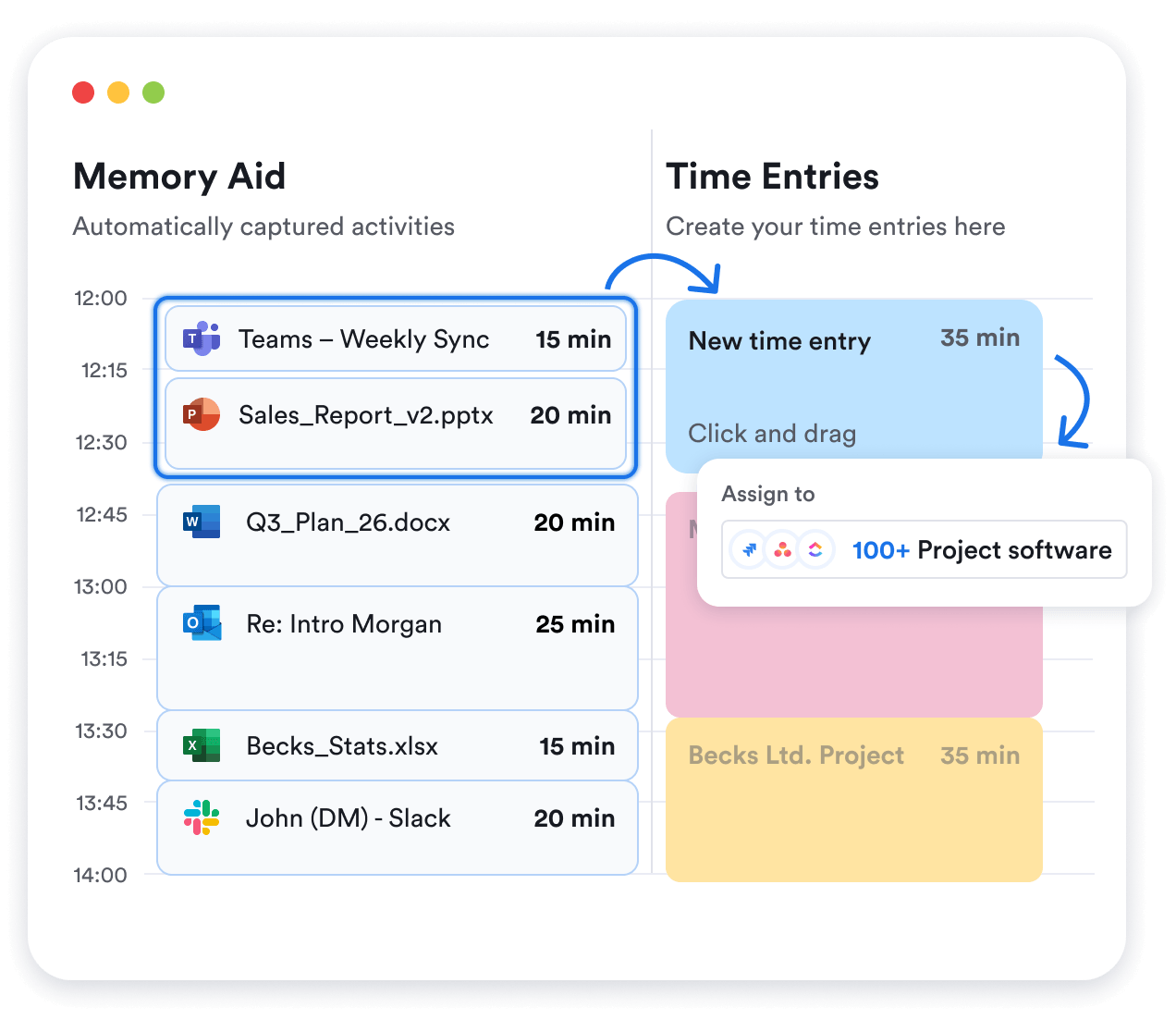
Click and drag project time entries

Click and drag

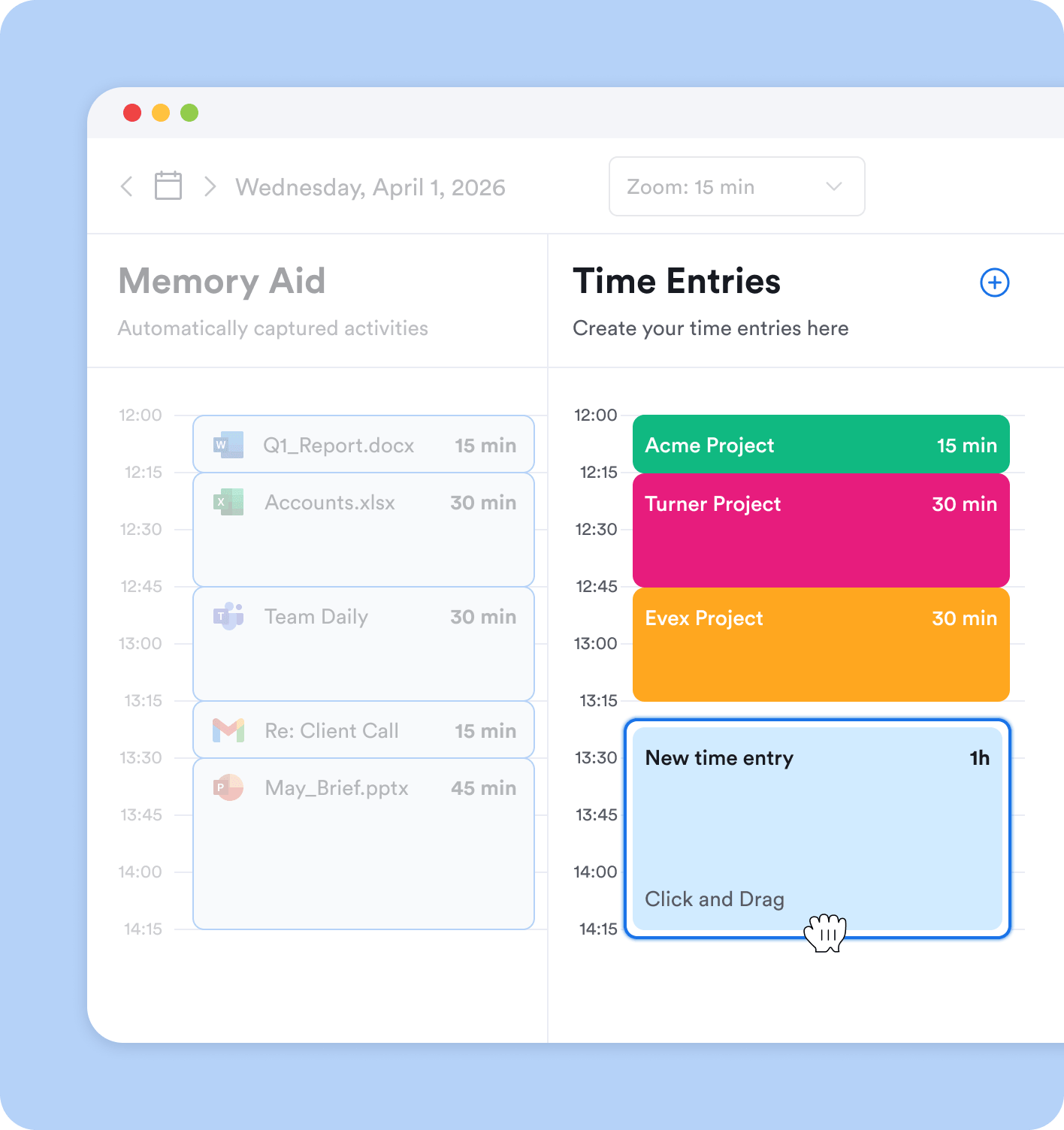
In the Time Entries grid to the right of your Memory Aid, click and drag to create time entries calendar-style. Or hit the plus icon and specify start and end time manually.
Transforming captured activity

Transform a captured activity

Click on any recorded activity or select multiple activities in your automatic timeline and transform them into a time entry. Assign it to a project task, leave a comment, specify activity type, etc.
Use automation

Use automation

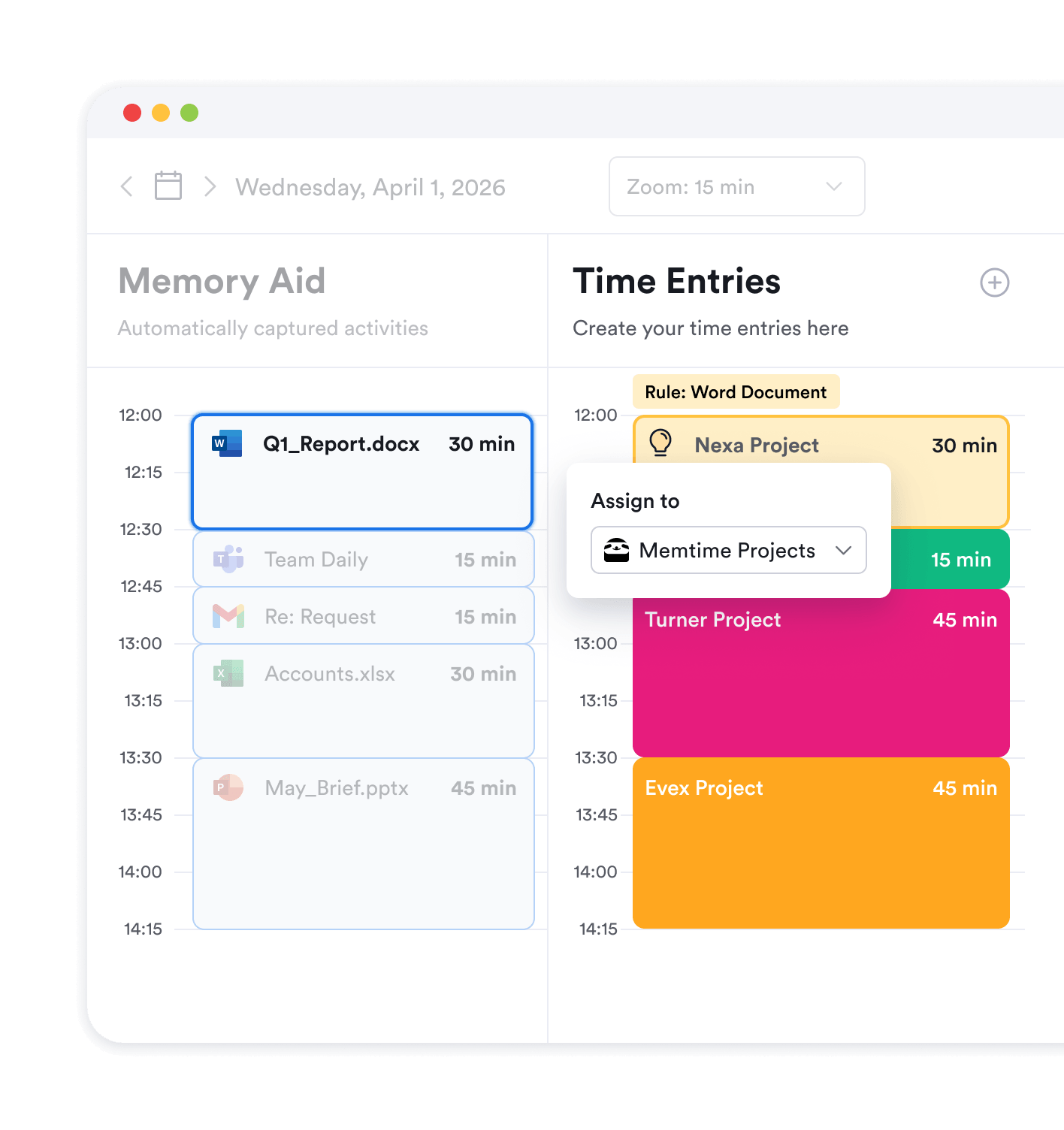
Set up suggestion rules to help Memtime come up with time entries for you. E.g. whenever a client’s name is identified in an email subject, a time entry suggestion appears automatically.

This magic moment

Watch time entries appear in your project software in the right place
Connect project management software
Connect your project management software to Memtime
Quickly create time entries
Quickly create time entries based on your captured activities
Time entries appear in a connected software
Watch time entries appear in your connected software

Time tracking for project management

How accurate time tracking data powers profitable projects

Project health

Time tracking data from everybody on the team is the ultimate insight into project health. Avoid missed deadlines and scope creep by keeping tabs on your progress.
Martin P. review of Memtime
Martin P.
“I can more accurately capture the time I spend on projects.”

Estimates

By looking at the time tracking data from past projects, you can make better estimates about future tasks. Plan with precision and stop overservicing clients once and for all.
Den A. review of Memtime
Den A.
“Before Memtime I was definitely shorting my time worked on projects.”

Profitability

Actual hours worked on the project is the only benchmark you need against revenue to identify cash burners and focus on truly profitable clients and services.
Iris S. review of Memtime
Iris S.
“I can see hours worked vs estimated hours for each project.”
Tour around Memtime

FAQs

The most frequently asked questions about project time entries in Memtime
What if I can’t find my software under integrations?
How many time entries can I create?
My project software doesn’t support time tracking. Can I still log time on projects?
How can I automate time entries?
What if I don’t use external project software?
How long is a time entry?
Who can see my time entries?
Do you have AI timesheets?