Automatic time tracking in all billing increments

Track your time the way you report and bill for it. Memtime is the only automatic time tracker that displays your daily activities in any billing interval, including 3 and 6-minute increments used by lawyers, accountants, and consultants. Visualize your work in the exact level of detail you need for your projects and clients.

• Set any interval of 1-60 min
• Review your daily activities
• Create billable time entries

No credit card required
No credit card required

Work hours logging increments in Memtime

What did I even do today?

With automatic time tracking, you can see your day at a glance – no stopwatch, no guesswork.

What did I even do today?

With automatic time tracking, you can see your day at a glance – no stopwatch, no guesswork.

Automatic

Memtime tracks time for you while you work. It runs in the background and captures everything you do on your computer to make sure not a minute of your billable work goes unrecorded.
Precise time recording

Accurate

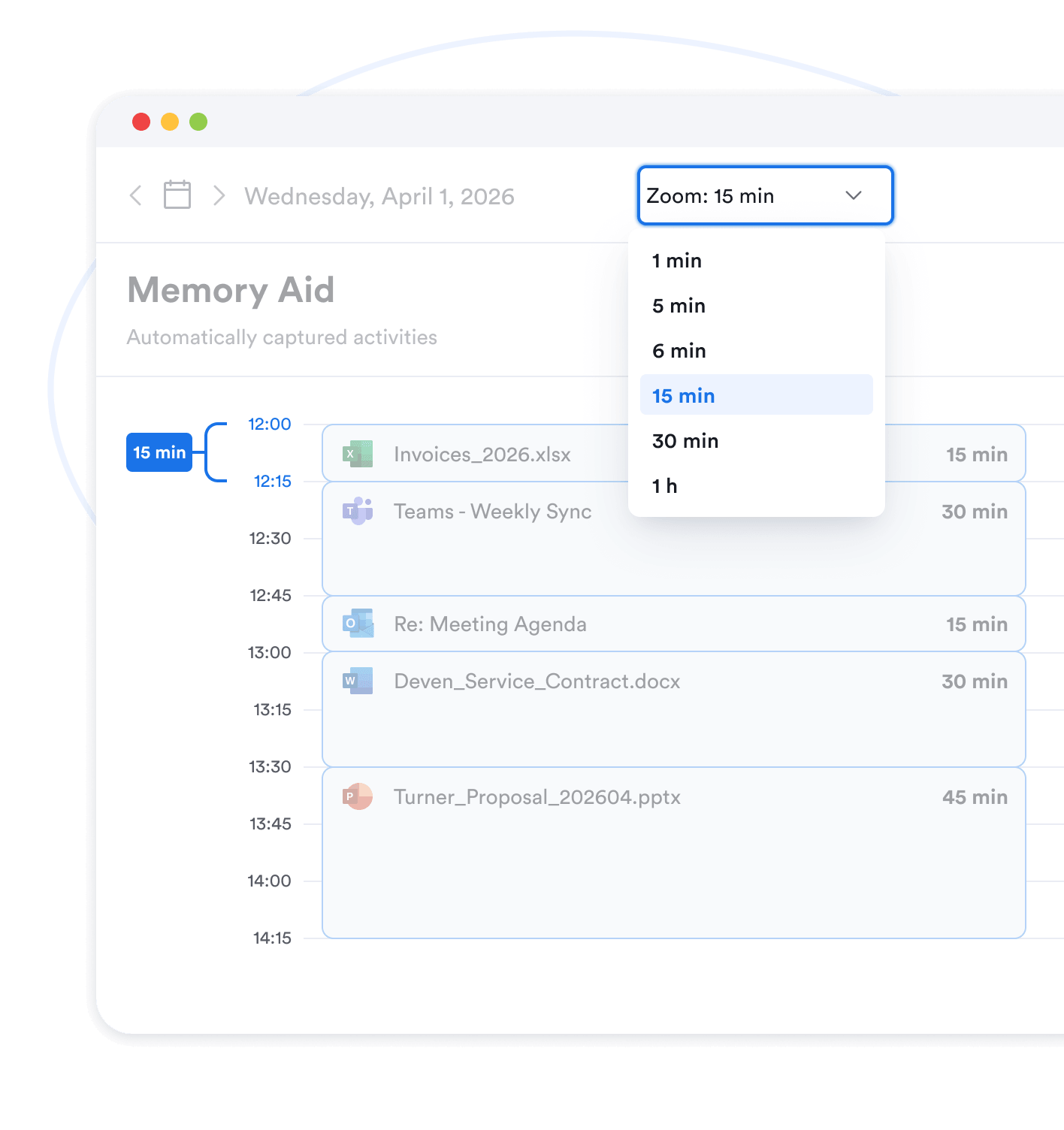
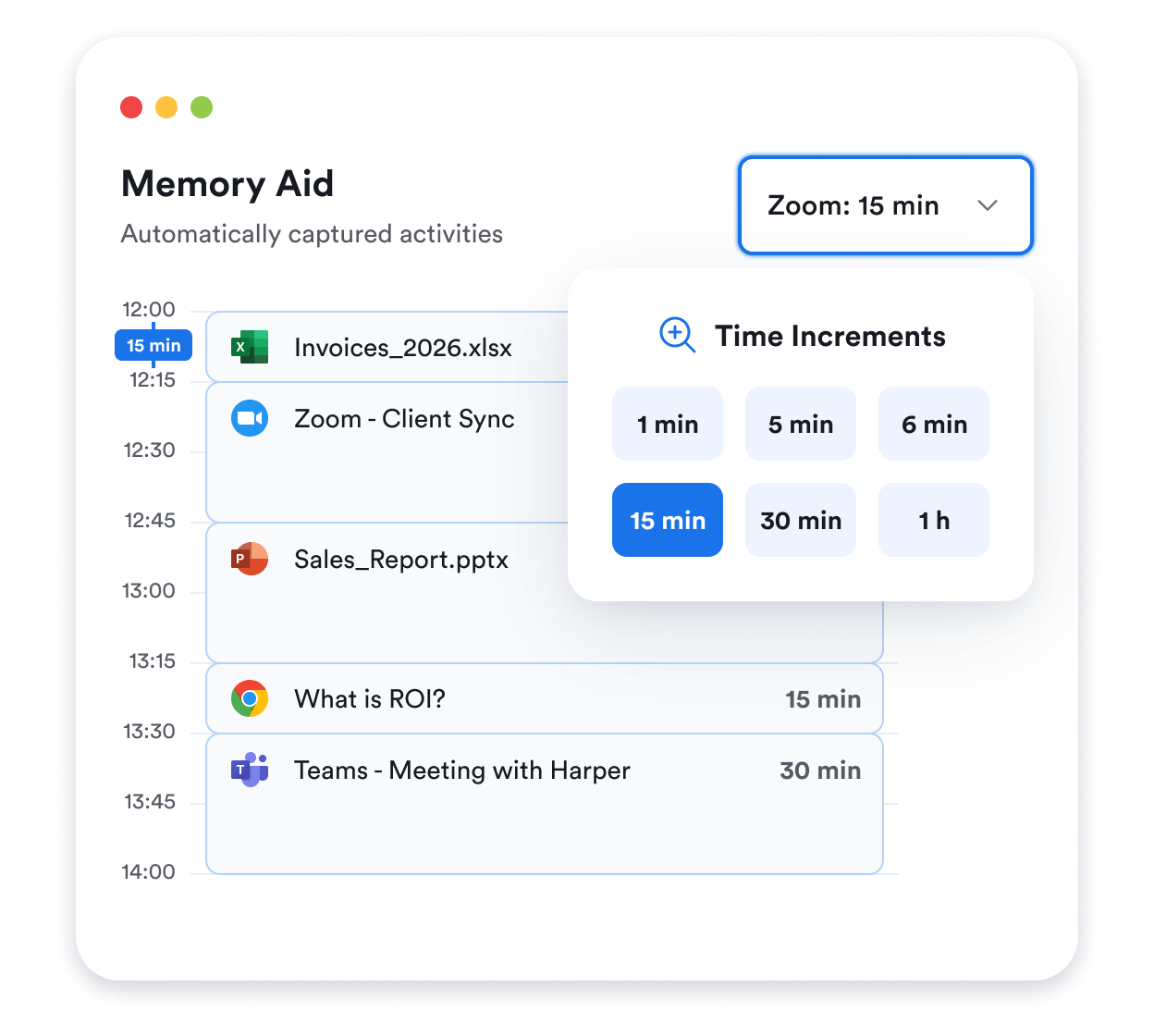
View your day and time in programs in the level of detail required for your current projects and billing. Choose any time increment between 1-60 minutes and Memtime will regroup your activities instantly and accurately.
Built for privacy

Secure

Memtime is the safest time tracker out there. It stores your activity data locally & offline on your device in a single copy. No-cloud storage of activity data protects you from security breaches and surveillance.

How Memtime improves billable time tracking

Make every minute of client work count
Passive time tracking

Minimizes interruptions

Stop wasting time on manually recording your work. Memtime runs in the background and captures everything you do on your computer without interrupting your focus. Every minute of your activity in browser tabs, emails, and local documents is recorded and arranged chronologically in a responsive timeline.
Quote
Love that I don’t have to start and (forget) to stop timers.
G2 Verified User Review
Quote
Memtime records down to 1 minute.
G2 Verified User Review
Smart activity grouping

Improves accuracy

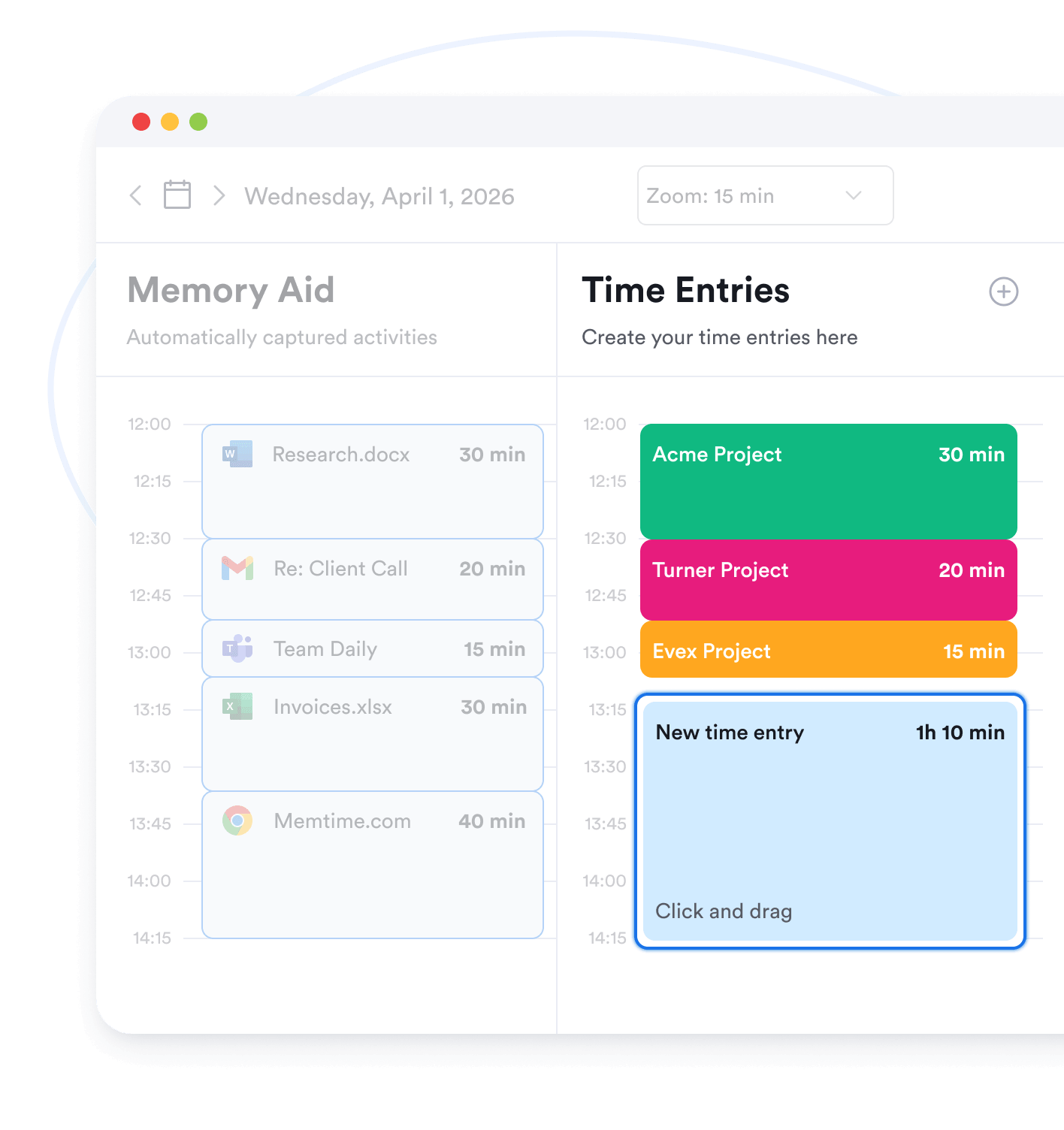
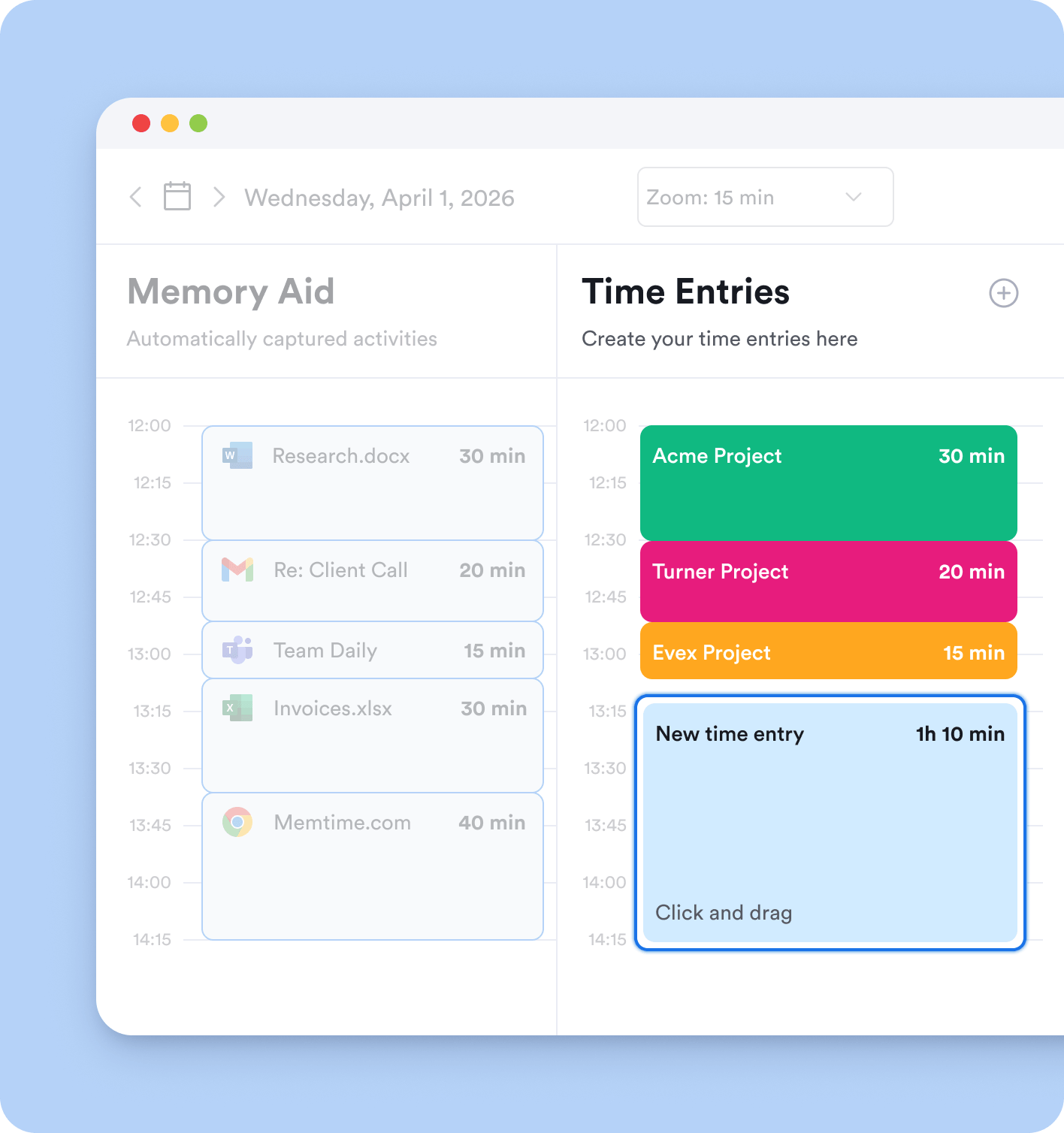
Customize your Memory Aid™ timeline to display your day in intervals of 1-60 minutes, including time increments of 3 and 6 minutes. Our algorithm intelligently groups all captured activities to organize your time in your chosen interval. Assigning time to client projects has never been more precise and effortless.
No-cloud storage
No-cloud storage

Protects privacy

Memtime never uploads your activity data to the cloud. What’s recorded stays offline on your computer, including sensitive client information. Memtime is the only automatic time tracker that stores your activities locally on the device in a single copy, guaranteeing unmatched data security for you and your clients.
Quote
The privacy of local-only storage is outstanding.
G2 Verified User Review
Quote
It’s catching all of my billable time!
G2 Verified User Review
Streamlined workflow

Grows revenue

Fully automated, continuous activity recording ensures that every minute of billable work can be charged for, while no time is wasted on manually starting and stopping the timer. Any service business benefits from less admin and more client time, whether you’re a big law firm or a freelancer.

Time increments for every use case

Memtime gives you the level of detail you need for your operations
1 minute increments
1 min

This is the most detailed activity timeline (Memory Aid) you can have in Memtime. Perfect for when you need to remember your day on a granular level, e.g. track the time you spent on client emails or chatted with multiple colleagues in Slack.

5 minute increments
5 min

One of the more detailed activity timelines with 5-minute intervals – the smallest billing increment across industries. This is the level at which activity grouping begins, where you see the main activity for every increment.

6 minute increments
6 min

Time tracking in 6-minute increments is typical for legal services. Attorneys use Memtime’s Memory Aid to reconstruct their client work hours and easily create time entries even for the smallest 6-minute tasks.

15 minute increments
15 min

Automatic activity timeline with 15-minute increments is the most common setup for visualizing your day. Most often used by agencies and freelancers. Transform any captured activity into a time entry or group multiple activities under one exportable record.

30 minute increments
30 min

Displays your day in 0.5 hour intervals. You’ll see the most prominent activity for each time increment, with the option to expand the full list of activities. This is a good fit for digital agencies and teams working on a few client projects at a time, regardless of the pricing model.

1 hour increments
1 hr

The most condensed activity timeline with increments of 60 minutes. Perfect for large-scale projects spanning over weeks, when top-level understanding of delivery hours is enough. Ideal for in-house teams and companies with flat rate or value-based pricing models.

Memtime also supports time increments of 3, 12, and 18 minutes.

How time increments work in Memtime

Set yourself up for success by configuring your perfect workflow
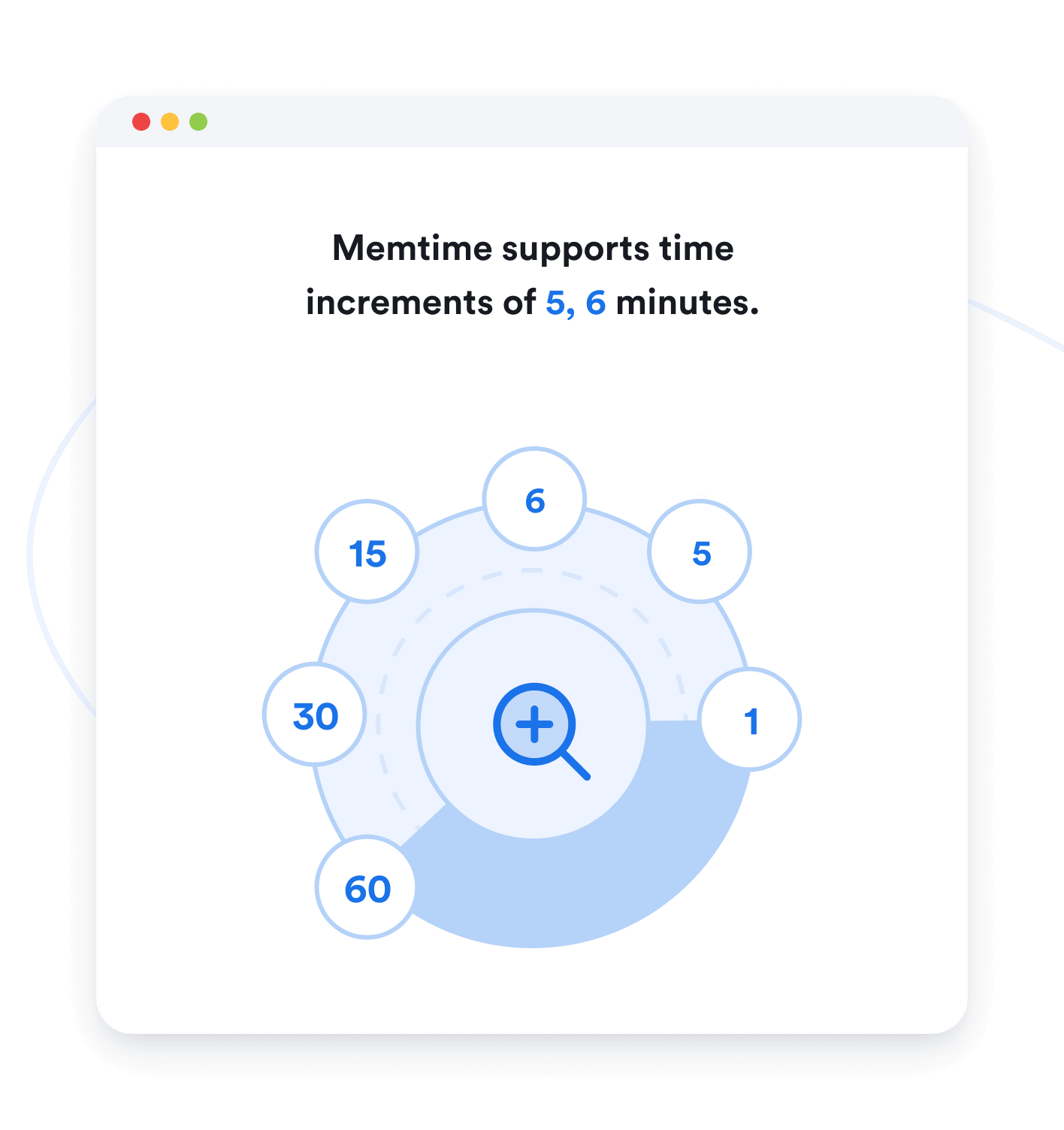
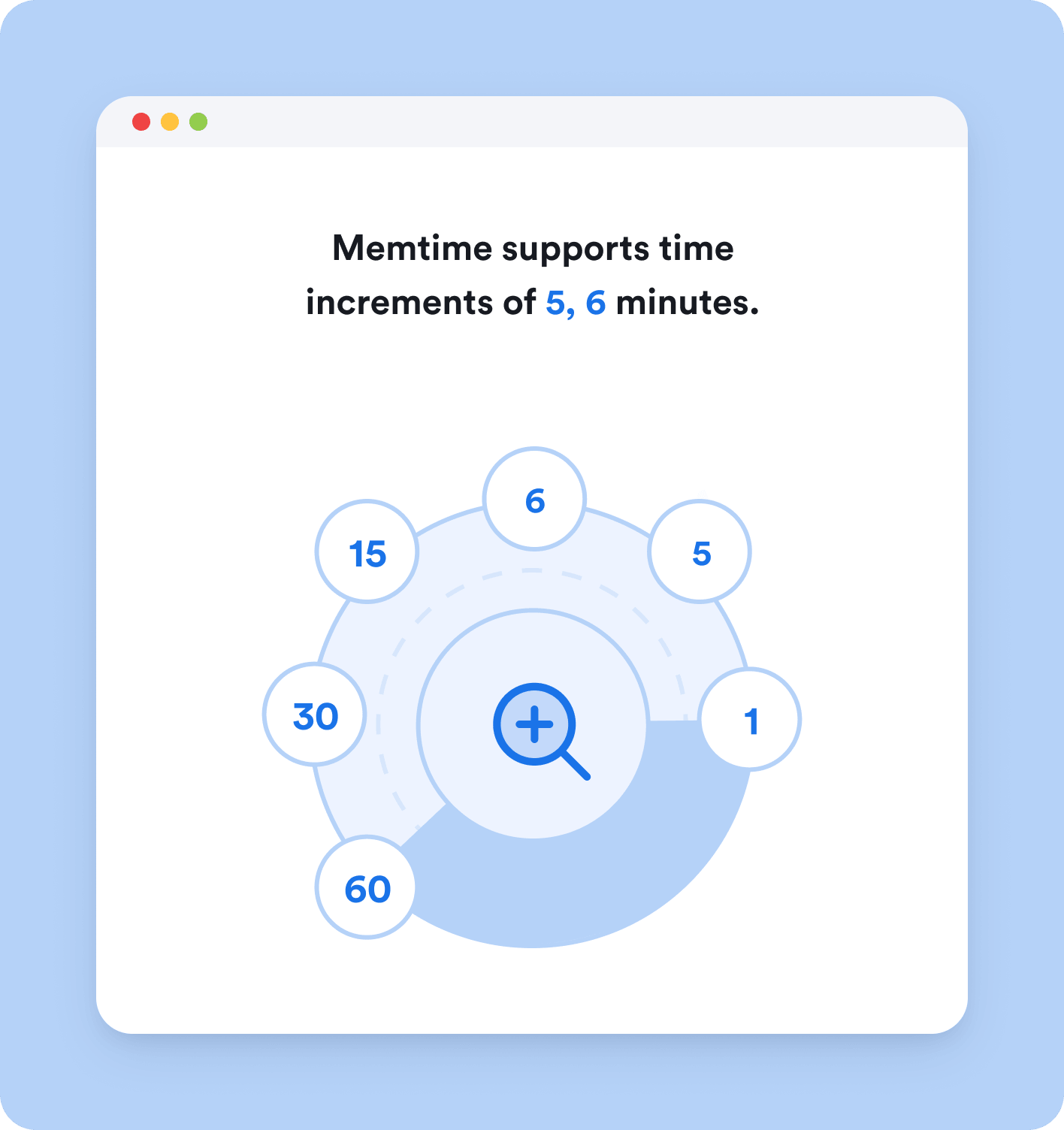
Memtime supports time increments of 5,6 minutes

Choose your default interval

Memtime will ask you to choose between 5 and 6 minutes as the default time interval for displaying your activities. Choose 5 minutes if you want to see your timeline in increments of 1, 5, 10, 15, 30, or 60 minutes. Choose 6 minutes to visualize your day in increments of 1, 3, 6, 12, 18, 30, and 60 minutes. This setting can be changed at any time.
Time increments levels

Switch between zoom levels

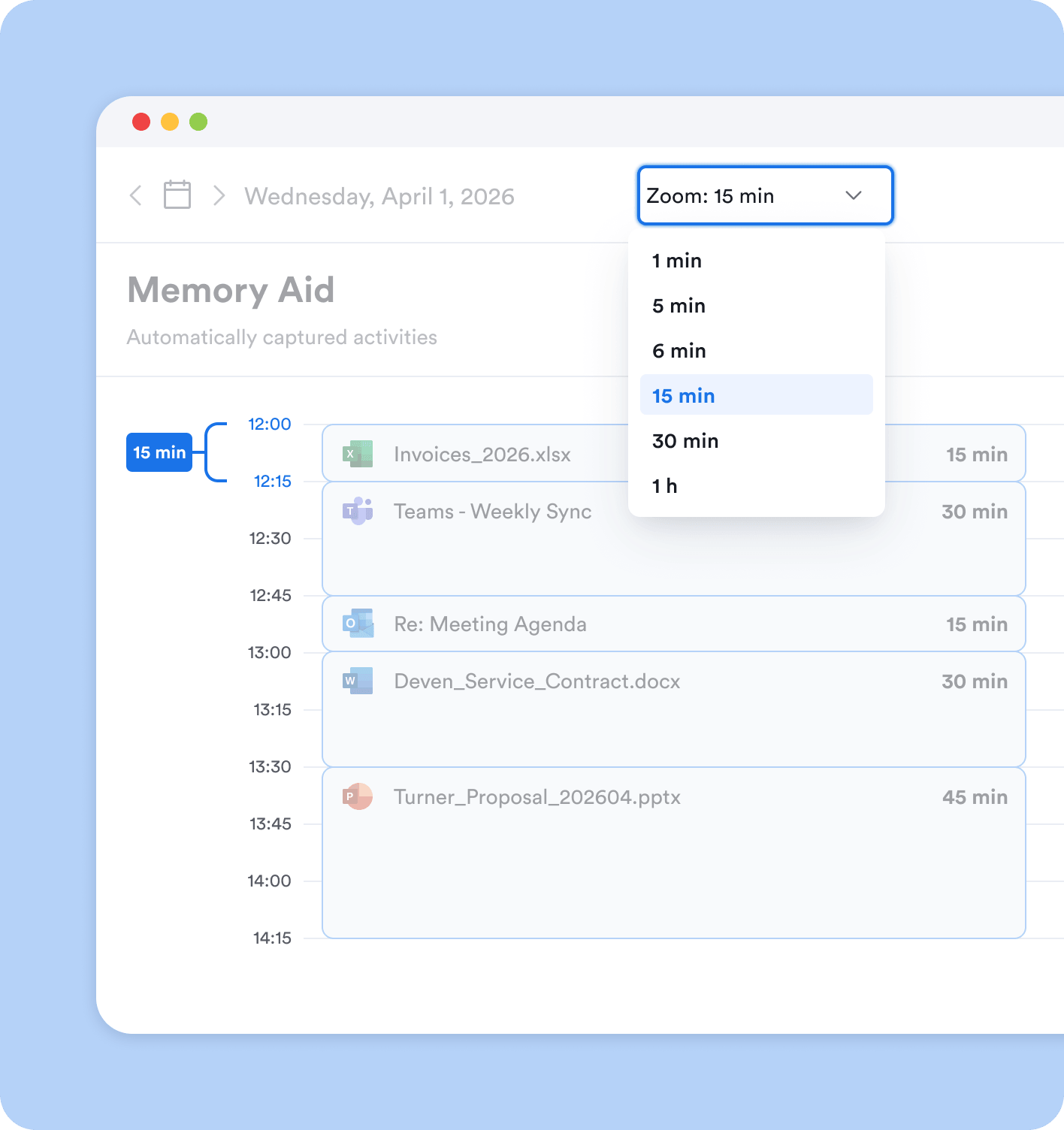
Your automatic timeline, the Memory Aid™, responds instantly to your selected time increment. Choose any interval from the dropdown and the algorithm will rearrange your timeline to display only the main activities per your level of detail. The Memory Aid™ is offline and extremely responsive, so you can access it at any time and zoom in/out on your day in seconds.
Logging time on projects

Log time towards client projects

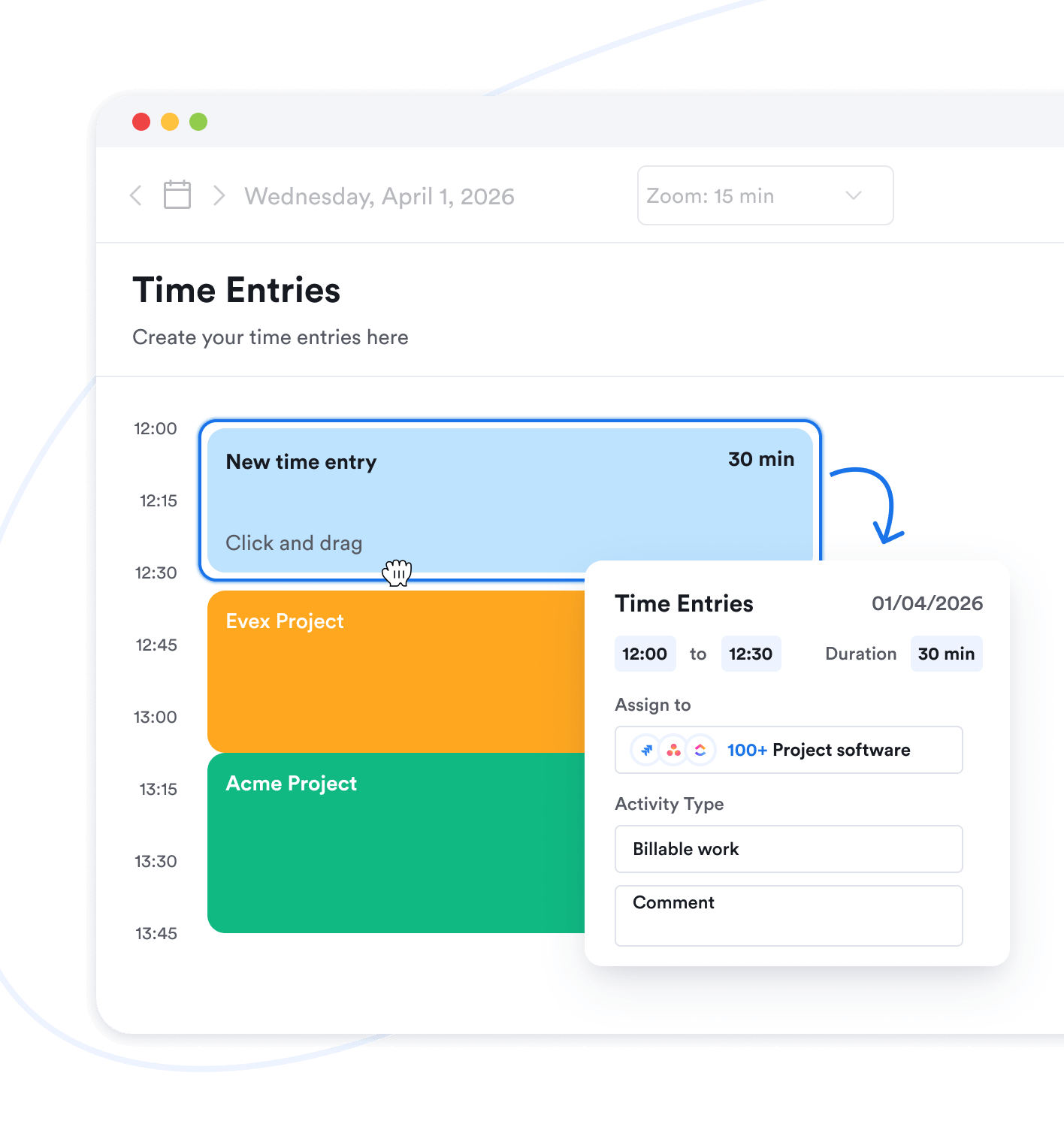
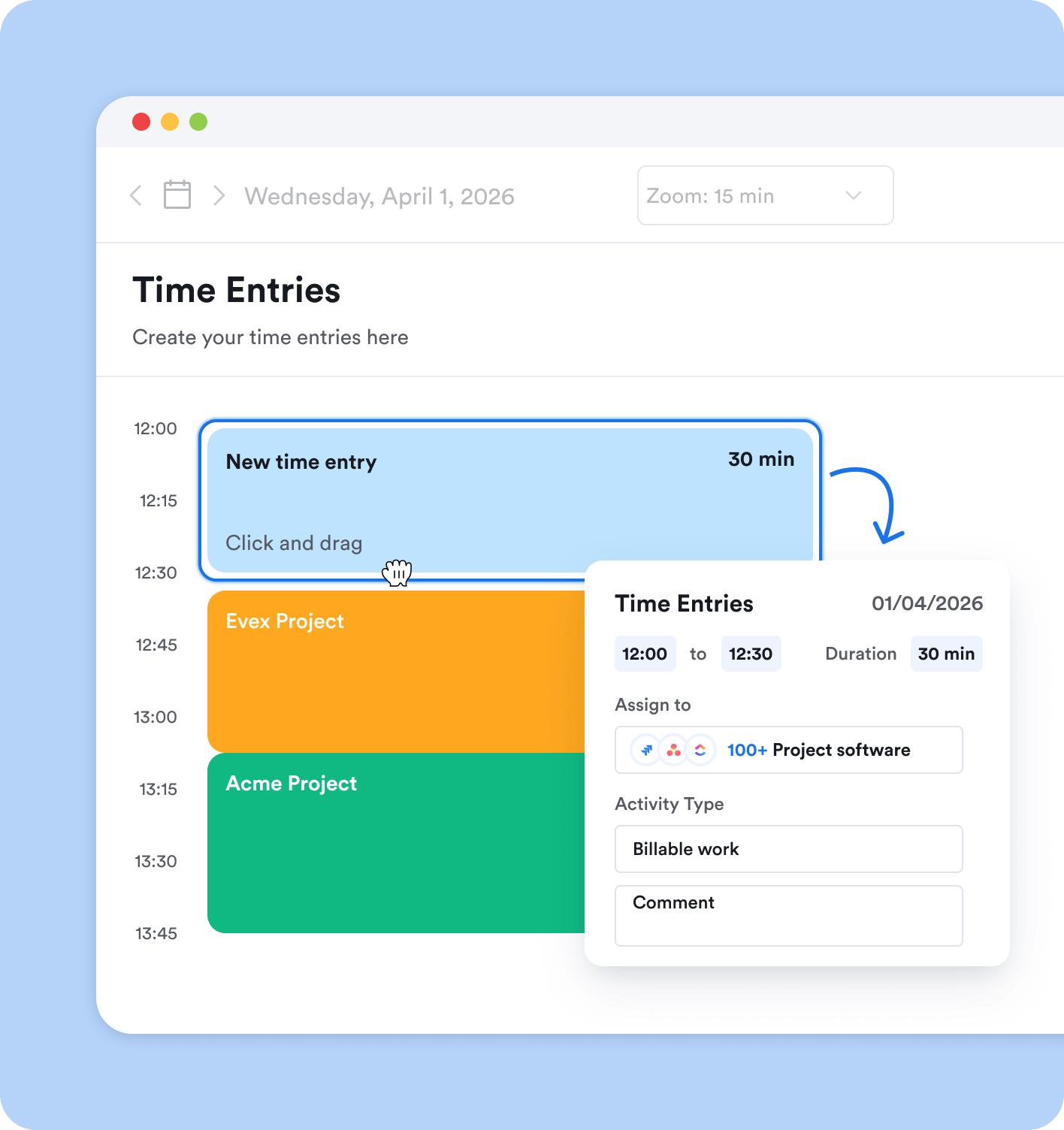
If you use our integrated project tool Memtime Projects as a free alternative to third-party project software, your timesheet will differentiate between billable work, non-billable work, and time of absence.
Sync into your timesheet/invoices

Sync into your timesheet/invoices

Memtime integrates with 100+ tools for project management, accounting, legal practice management, and more. Our integrations work in a way that allows you to instantly sync your time entries from Memtime into connected software. By populating your timesheets and invoices automatically, you save time and avoid errors.
Quote

Hear it from our customers

Award laurel
G2 Award  - Momentum Leader - Fall 2024G2 Award  - High Performer - Fall 2024G2 Users Love UsG2 Award - High Performer, Europe - Fall 2024G2 Award - Small Business High Performer, EMEA - Fall 2024
Award laurel

Track time in 6-minute intervals

Memtime works for anybody who bills in 0.1 hour increments:
Increments for lawyers
Lawyers
Increments for accountants
Accountants
Increments for consultants
Consultants

FAQs

The beauty of automatic time tracking is that you can forget all about it
Can it track time in 0.1 hour increments?
How are my activities grouped?
How is my privacy guaranteed?
Why do I need to choose between the 5 and 6-minute default increments?
Where do I change the default time interval?
Why so many increments?