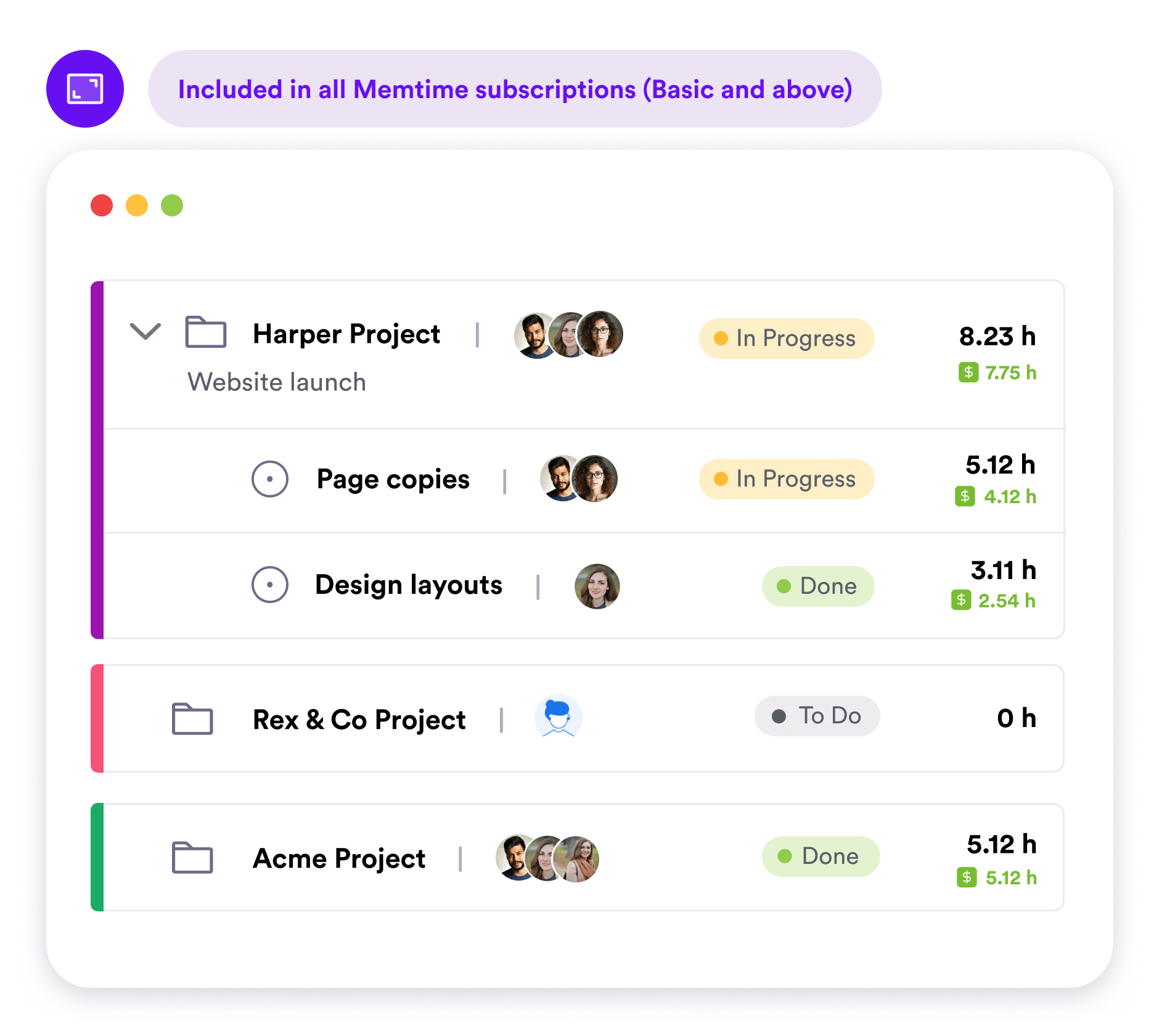
While your activity data still remains offline, you can manage web-based projects from any device, even mobile. Invite users, assign tasks, and monitor progress based on 100% reliable time entries powered by Memtime.
• Collect project time entries from your team
• Sync time entries across users & devices
• Analyze services, team members, clients
• Activity data stays offline forever (no monitoring)
No credit card required


.png)

If you’re new to Memtime, start a free trial and create your account. Follow the signup flow and select “I don’t use project software” – you’ll be redirected to the web project dashboard where you can set up projects and invite team members. Download Memtime’s desktop app to have both the automatic activity tracking and web-based project management. If you’re a current user of Memtime, go to Connected Apps and look up Memtime Projects. Proceed to connect it as you would any external integration. Once you have your projects set up, you’ll be able to assign time entries to them.
Memtime Projects is our built-in project management solution available with any Memtime subscription. It allows you to create and manage projects solo or as a team with set roles and permissions, assign tasks, sync time entries across users and devices, assess billability, and much more. But don’t take our word for it – try Memtime Projects today for free and bring your team along.
Memtime Projects is included in all Memtime subscriptions, i.e. Basic and above. Starting from $11/mo per user, you can have both unlimited automatic time tracking and project management all in one. Start a risk-free trial today, we don’t auto-charge you after.
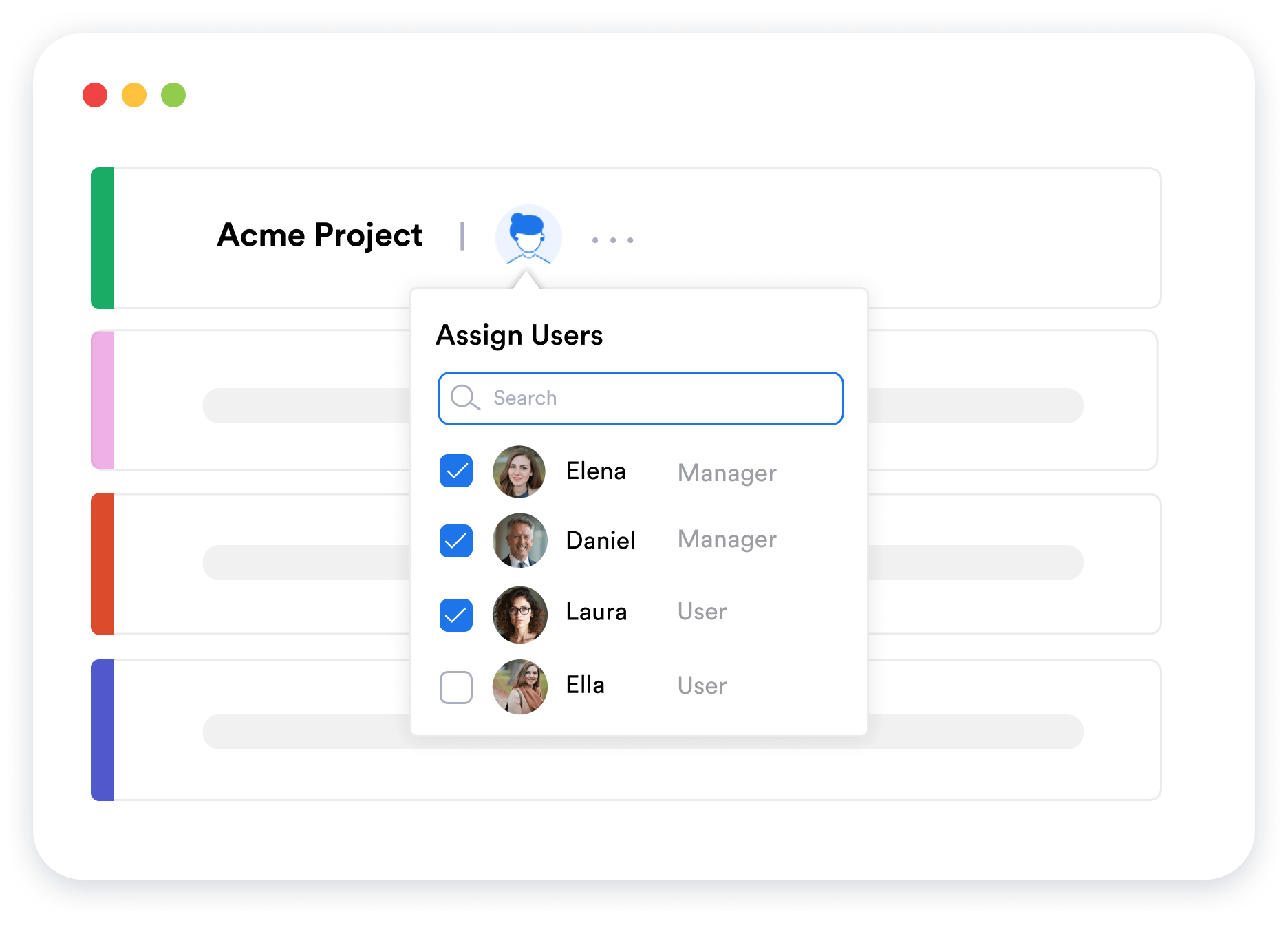
When you invite team members to your Memtime Projects, you can choose whether to grant them Manager permissions or not. There can be multiple users with Manager-level access that you configure by tweaking the permissions.
Memtime Projects allows you to compare your projects, tasks/services, and clients based on how much time your team has allocated to each. More specifically, you can evaluate billable utilization of team members and check billability across services, clients, tasks, etc.
We remain committed to our privacy guarantee, which means nobody has access to your activity data. What’s recorded automatically on your computer stays offline forever. Memtime Projects works like any external integration, i.e. only the time entries that you created and assigned to projects are synced into the cloud. You have full control over which data is exported so there’s no risk of surveillance or security breaches for you or your clients.
Your local Memtime Projects created before the release of web-based Memtime Projects are not going anywhere; you can keep using them as you normally would. If you want to migrate your projects into the online dashboard, you can do so manually. Only then can you invite more users and manage tasks for a team.
Yes, Memtime Projects is a web-based application that you can open on any device, including mobile. This means that you can view your team’s timesheets, i.e. the time entries they created and exported into Memtime Projects. You won’t be able to see anyone else’s automatically captured activities; these remain offline on user devices to protect your team’s privacy and guarantee the safety of your clients’ data.
Yes, we do offer a free course on achieving a 30% net profit in any service business using our proven system. It’s based on 10+ years of experience we’ve had working with professional service teams and the insights we’ve gained into optimizing profitability. Make sure to check it out and enroll for free to make the most of your Memtime experience.