9 Best DeskTime Alternatives for Trust-Driven Teams

For some teams, DeskTime’s monitoring features can feel a bit like putting extra sensors in the office coffee machine; it’s useful for insights, but not always the vibe you’re going for. Sure—productivity matters—but so do trust, privacy, and not making your employees feel like every moment of their day might be logged.
Luckily for you, there are tools that can help your team stay aligned without you breathing down their (digital) necks. Tools that respect boundaries.
So, if you’re ready to build a more trust-driven collaboration, here are the 9 best DeskTime alternatives that are a better fit for teams that prefer a non-monitoring approach.
No time to chit-chat, let’s roll.
Key Takeaways
- DeskTime quietly tracks team hours, showing managers where time goes, who’s productive, and how projects are moving along.
- Screenshot captures can function as “proof of work”. But, depending on your team’s culture, they can be perceived as too watchful (even when blurred).
- Like many monitoring-capable tools, DeskTime can be used in a way that feels micromanage-y.
- If you care about trust and autonomy, alternatives like Memtime, Timely, or Toggl Track offer productivity insights without coming across as monitoring-heavy.
- Tools like RescueTime, EARLY, and Clockify mix automatic tracking, focus boosts, and easy reporting.
- Time Doctor and Hubstaff lean more into workforce management, blending time tracking, monitoring, and payroll for remote teams.
- Open-source options like Kimai give you full control over tracking, reporting, and invoicing.

What is DeskTime, anyway?
DeskTime is a time tracking and productivity monitoring tool.
It’s designed for remote and in-office teams, as it automates much of the tracking, so managers can understand where work hours go, how productive people are, and how time is spent across projects.
The app is widely used (with over 730,000 users) and is all about making data-driven decisions around team performance, resource allocation, and workload.
DeskTime features
I’m sure you are very aware of all DeskTime features. So, here’s a quick breakdown of the app’s most prominent capabilities:
- Automatic time tracking is done through a desktop app. DeskTime automatically monitors computer activity, logging which websites, desktop apps, emails, docs and files are being used or worked on.
- Manual time tracking works when people are away from their computers (like in meetings or brainstorming off-screen), so they can log time manually.
- Idle time detection happens when there’s no activity on the computer for a set period (by default, 3 minutes).
- Break time reminders that you can enable to nudge employees to take breaks.
- Calendar integration, as DeskTime integrates with Google Calendar and Outlook, so scheduled meetings or calendar events can fill idle gaps automatically.
- Productivity calculation, in which DeskTime lets admins (or users) label apps and websites as productive, unproductive, or neutral, and then calculates a productivity score based on time spent.
- Good reporting, as DeskTime generates detailed charts and tables about time use, productivity trends, and performance over time. (Managers can get a real-time overview of the team's tracked time, breaking down who’s active and what they’re working on.)
- Shift scheduling, as DeskTime supports planning shifts.
- Absence calendar, as there’s a built-in calendar for tracking who’s off (vacation, sick leave, etc.).
- Screenshot capture, as DeskTime can take random screenshots of users’ screens. You can choose how often screenshots are taken, and options include 5, 10, 15, or 30-minute intervals. Screenshots can also be blurred, so that sensitive information isn’t legible.
- Private Time feature, which stops tracking altogether; no screenshots and no URL/app tracking.
- Good data security, as all data is encrypted in transit and at rest. DeskTime also adheres to GDPR and claims 99.95% uptime.
- A decent number of integrations, as the app integrates with common productivity tools, like Outlook, Jira, Asana, Zapier, and more.
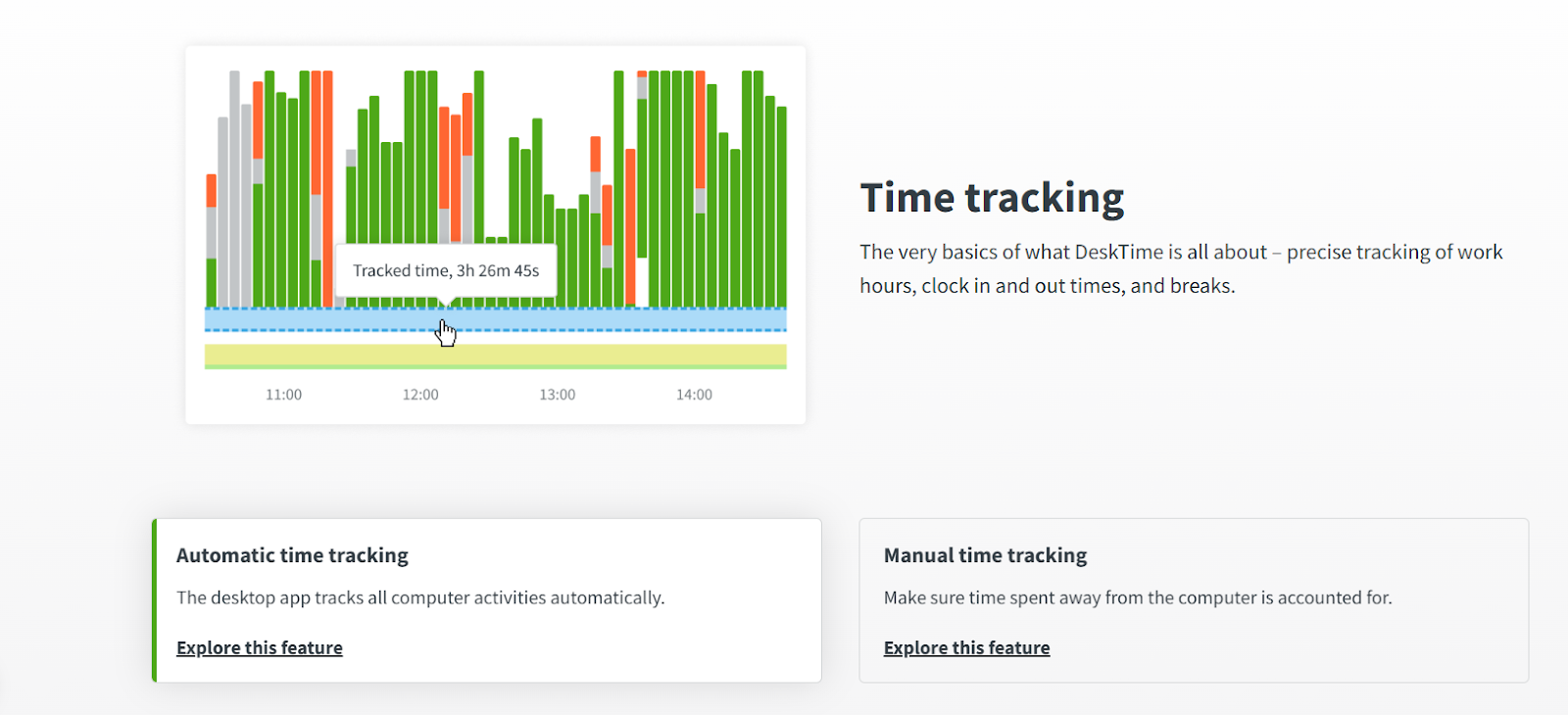
All in all, with DeskTime, you get automation, productivity insights, strong security and compliance and private time so you can pause tracking.
So, why are you here, looking into DeskTime alternatives?
Challenges that can come with using DeskTime
DeskTime is a well-known and widely used app. But it’s not perfect, and as with any tool, user experiences vary.
Here are some potential concerns that probably caught your eye, as well:
- The screenshot feature is optional, and DeskTime supports blurring screenshots to help preserve some privacy. But this kind of monitoring can still make people feel watched. As a manager, you can choose different screenshot intervals, but that still means someone is periodically capturing what’s happening on someone else’s screen. Even with blurred images, screen captures can come across as overly monitoring-heavy to some cultures.
- Some user reviews, like this TalentKiwi’s one, call out DeskTime for “promoting micromanagement and reducing privacy by monitoring employee activities”. Additionally, in forums (like Reddit), people have reported feeling demoralized or distrusted when screenshot and activity tracking is in place (not specific to DeskTime), “... seeing screenshot monitoring and granular app and website tracking for devs just felt wrong.” Others note that even though the tool may be introduced for insights, without proper framing, it feels like an invitation to micromanage. The overall conclusion was that if managers lean into the data too aggressively, like commenting on every “unproductive” screenshot and questioning users’ idle time, productivity goes out the window.
- DeskTime recommends blurring screenshots and limiting screenshot access, but the feature still needs to be enabled and properly configured. It can be hard to be intentional with it without careful planning and clear team guidelines. According to a study on employee monitoring software (in general, not specific to DeskTime), overly intensive monitoring can be associated with increased stress or reduced feelings of autonomy.

These aren’t flaws in DeskTime itself. They’re just common friction points with any tool that includes optional monitoring features.
DeskTime is a powerful tool—no doubt there—and powerful tools require thoughtful and careful handling. For trust-driven teams like yours, the real challenge is the features that can tip from helpful visibility into not-that-helpful visibility. If you feel that the tool is not supporting your team’s productivity and undermines the trust you’re trying to build, you have the right to look for other tools.
There are plenty of alternatives designed to help your team collaborate without making anyone feel like they’re being watched.
If you believe trust is the real productivity metric (and many modern teams do), choosing a tool that aligns with that philosophy can make the biggest difference.
A list of the 9 best DeskTime alternatives
It’s time we talk solutions.
Below is a hand-picked list of 9 alternatives that play much nicer with trust-driven cultures like yours.
I’m talking everything from privacy-first time trackers (hi, Memtime 👋) to productivity tools (like EARLY), and organization pros (like Hubstaff).
You’ll see—each tool gets a snapshot, in the form of a Capterra rating, a quick “what’s in it for you”, and a look at pricing.
Check them out!
#1 Memtime
If privacy had a favorite child, it would be Memtime. 😏
Seriously, though. Memtime doesn’t peek, it politely knocks, whispering “I can do this for you… but only if you want me to.”
Memtime is our fully automatic, privacy-first desktop time tracker (for Windows, macOS, and Linux).
We designed it specifically for privacy-oriented teams, which is why Memtime has no timers to start or stop. It runs quietly in the background, capturing all your computer activity with minute-by-minute precision, all without screenshots and without sending anything to the cloud. All your activity data is stored locally on your device, ensuring that only you have access to it.
Basically, it’s a vault with a memory.
Here are some features that make Memtime #1 DeskTime alternative:
- Automatic and fully passive tracking. From the moment you turn on your computer, Memtime starts logging your app usage, documents, files, browser tabs, calls, and more, without making you click “start timer” every 5 minutes.
- Memory Aid timeline. Your daily activity is captured and visualized in 1-60-minute chunks, so you can quickly review how you actually spent your time.

- Smart entry suggestions. With suggestion rules, you can automatically turn specific activities (like working in a particular app or project) into time entries, or tweak them yourself.
- Calendar integration. You can sync Google Calendar, Outlook, iCloud, or CalDAV to compare your scheduled meetings vs. what really happened.
- Two-way sync with other tools. You can bring in tasks and projects from over 100 different project management or billing tools into Memtime, and export your time entries back to those tools; no manual retyping needed.
- Trusty reports. You get unlimited historical analytics, customizable date ranges, and exports to Excel, CSV, or PDF.
- Team-friendly approach. Memtime scales to teams without compromising their privacy; it’s a perfect fit when you want to trust people without micromanaging them.
So, why should you choose Memtime?
Well, because it’s like your chill DeskTime alternative. It’s a trustworthy friend who quietly remembers everything you do:
- It’s effortless → it automatically captures your workday.
- It’s blissfully simple → it focuses on one thing: tracking time.
- It’s privacy-obsessed → your data stays safely on your device.
- It’s ridiculously compatible → it 2-way syncs with 100+ project & billing tools.
Even though Thanksgiving only comes once a year, you can still give your team something to be grateful for every single day: time tracking that doesn’t feel like surveillance. 🦃
Just calm, effortless tracking that respects everyone’s focus, autonomy, and privacy.
If you want to see what all the gratitude is about, book a quick 15-minute call. We’ll show you how Memtime keeps time accurate, projects organized, and privacy intact.
#2 Timely
Timely is somewhat similar to Memtime, but it’s AI-powered. It also acts as an invisible assistant, quietly remembering your workday for you.
At the app’s core is the Memory Tracker, which automatically logs your activity across apps, documents, browser tabs, and meetings, then uses AI to organize it into projects, tasks, or clients.
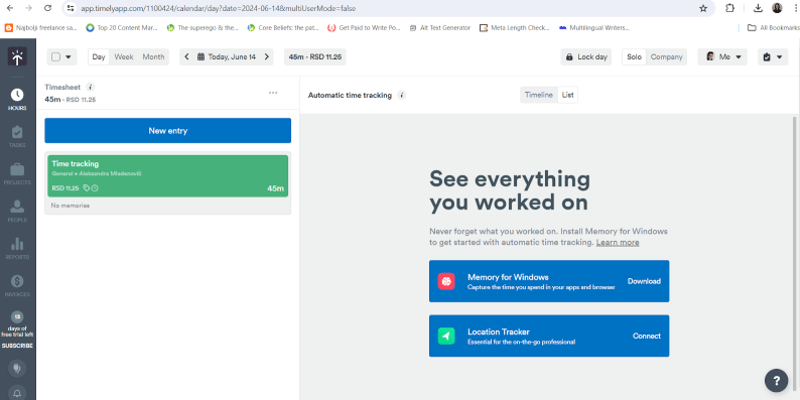
Unlike some tools that share every click with managers, Timely keeps tracked activities private by default. Data syncs to the cloud, so you and your team can access it from any device, but only you can see your work unless you choose to share it with the team. It’s a good fit for teams who want automatic insights without feeling monitored.
Here are some features that make Timely a good alternative:
- You can track your apps, websites, files, and meetings in real time; there are no timers.
- Thanks to AI, activities are automatically grouped into projects, clients, and tasks.
- You can visualize projects, capacity, billable vs. non-billable hours, and performance trends.
- You can see planned time, track project progress, and manage team capacity.
- Timely works with Asana, Trello, ClickUp, Outlook Calendar, and dozens more for workflow management.
- You get custom and pre-built dashboards, exports, and budget vs. actual tracking.
Timely offers a good balance between automation, insight, and privacy, and it does so with the help of AI. It’s a solid choice for teams that want accurate time tracking and a culture built on trust.
#3 Toggl Track
If you’re looking for a DeskTime alternative that’s a bit lighter and friendlier, Toggl Track is a good pick. It’s a cloud-based time tracking app built for freelancers, remote workers, and project-based teams.
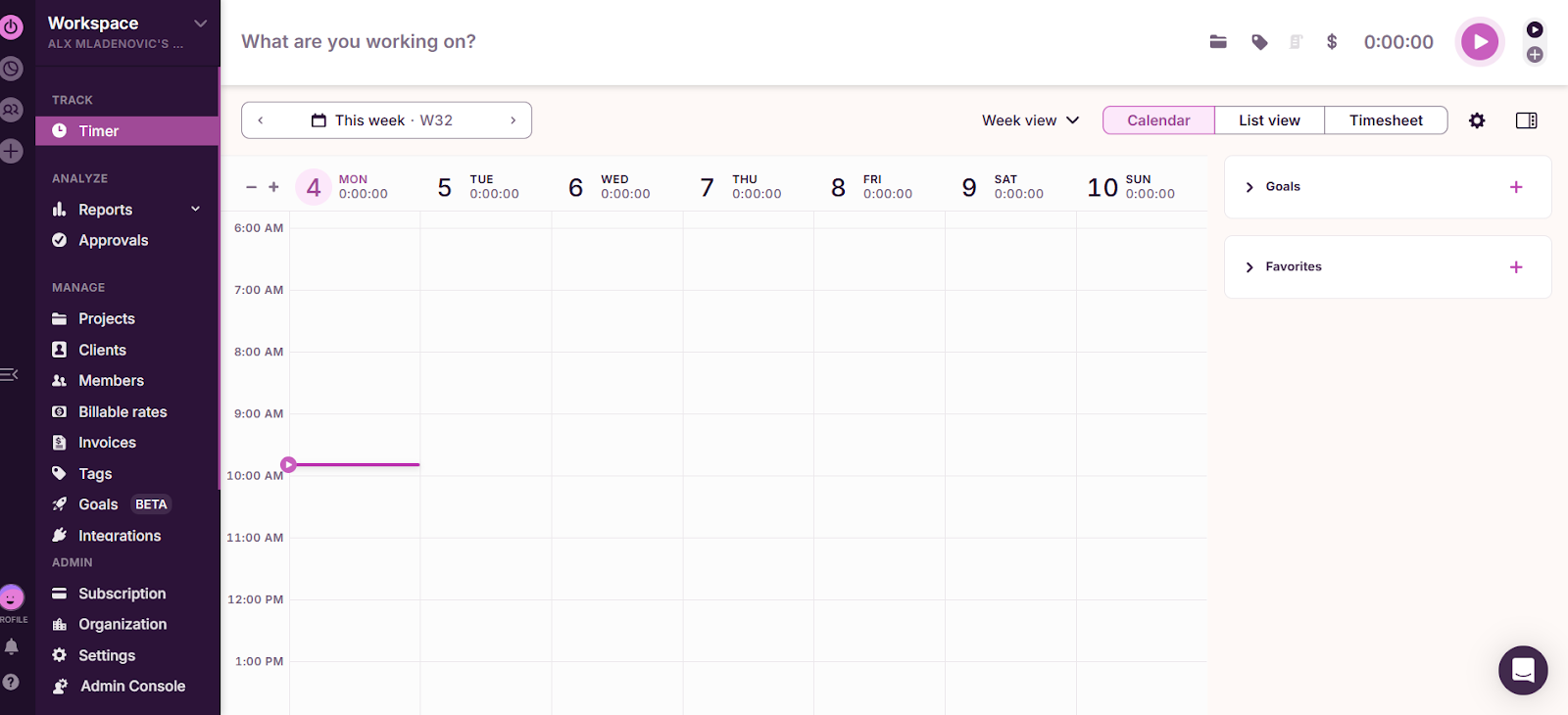
With Toggl Track, you can log time with Start/Stop timers, manual entry, duration-only mode, or drag-and-drop blocks in a calendar view. If you want something more hands-off, there’s background tracking (or the Timeline feature in the desktop app), which notes which apps or websites you use for more than 10 seconds.
On the project side, you can create tasks, set estimates or fixed fees, and get alerts when you’re nearing budgets or time limits. Togg also lets you assign billable rates, check profitability, and view productivity insights broken down by client, project, or team member.
Teams get additional perks like timesheet approvals, reminders, role permissions, user groups, and time-entry locking. Plus, it integrates with around 100 tools, and is available everywhere ( web, desktop, mobile, and browsers).
Overall, Toggl Track offers solid reporting and useful insights without drifting into heavy monitoring. It works quietly in the background and wraps everything in a clean interface.
#4 Clockify
Clockify is a simple and affordable app. It’s a cloud-based time tracking tool used by freelancers, small businesses, and teams that want clean tracking without a complicated setup.
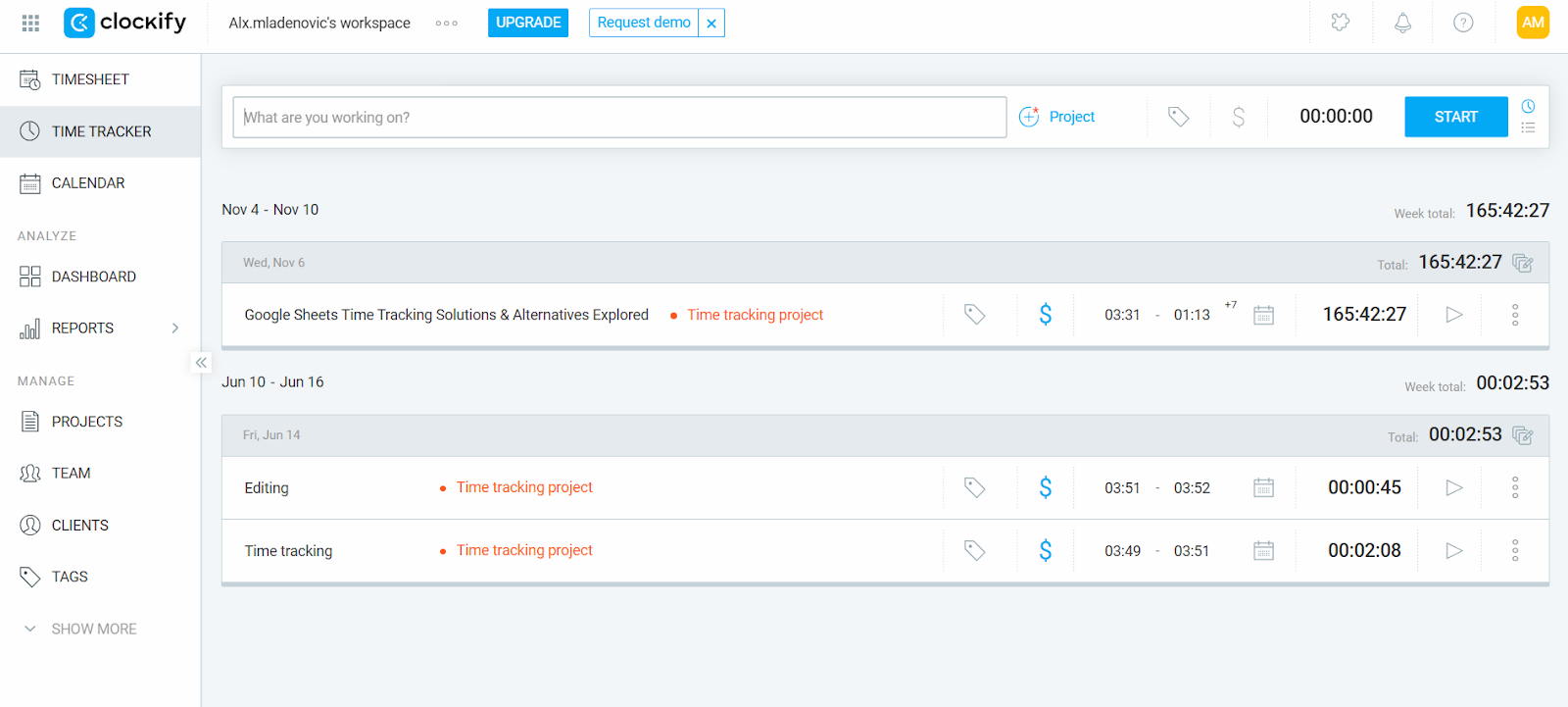
Clockify gives you several ways to log your hours:
- Start/Stop timer for real-time tracking.
- Manual time entry when you add hours later.
- Drag-and-drop editing in daily or weekly timelines.
- Auto Tracker (for Windows and Linux) that records app and website usage for more than 10 seconds; data is stored locally and can be converted into entries.
You can organize your work by assigning time to projects and tasks, and if you want a bit of structure or focus, Clockify also offers:
- A built-in Pomodoro timer.
- Reminders to keep logs accurate.
- Google and Outlook calendars sync to match tracked time with scheduled events.
The tool also handles reporting well, giving you insights like hours by project, client, or task, non-billable vs. billable time, budget vs. actuals, and the ability to generate invoices from tracked hours. For teams, it offers features like timesheet management, team reports, scheduling, and workload planning, and GPS-based location tracking for field or remote work.
Clockify also integrates with dozens of tools and offers a 2-way sync with QuickBooks.
Overall, if you want straightforward time tracking with project, invoicing, and scheduling features without breaking the bank, Clockify is a decent choice.
#5 EARLY
EARLY is a time tracking tool that blends automation and simplicity. After rebranding from Timeular in 2025, EARLY has refocused on making time tracking precise.

Here are some of the EARLY features worth noting:
- The tool offers automatic time tracking and quietly monitors your app usage, website activity, and calendar events (on desktop). It then suggests time entries based on logs.
- You can block certain apps/websites, so they’re never tracked.
- All tracking data stays on your device.
- The app can remind you to start or stop tracking at the beginning or end of your workday.
- For a tactile tracking experience, there’s an 8-sided Bluetooth Tracker cube (you flip a side to switch activities)
- You can also track time manually or use a quick keyboard shortcut for more control.
- You can generate reports, weekly summaries, label tasks as billable or non-billable, set hourly rates, and track project budgets.
- You can monitor overtime, leave, and work hours.
- You can share folders and reports with teammates, and track shared projects.
- The app integrates with popular tools and calendar services.
- EARLY works on desktop (macOS and Windows), web, and mobile.
- Managers don’t get instant access to everyone’s tracked data, as there’s a 24-hour delay, which helps reduce the feeling of being micromanaged.
If you want something that’s more intelligent and less intrusive than DeskTime, EARLY is a good option. It offers insights, automated tracking, and even a playful physical device to help you build new tracking habits.
#6 Hubstaff
If you need more than just time tracking (think team management, payroll, and field work), Hubstaff is a solid pick. It’s a workforce management platform that tracks hours, monitors activity, handles payroll, and helps you schedule shifts.

Here’s what makes Hubstaff stand out:
- You can use Start/Stop timers or manually enter time. Hubstaff also automatically detects and discards idle time when users haven’t been active.
- Similar to DeskTime, Hubstaff captures “proofs of work” (if you enable it): app & URL usage, keyboard/mouse activity, and even screenshots. Screenshot blurring is possible.
- The app automatically converts tracked time into detailed timesheets.
- Managers can review, approve, or reject timesheets.
- You get data on how people actually spend their time, thanks to keyboard/mouse usage, app, and website activity.
- You can create and assign shifts, handle attendance, and get alerts for missed or late clock-ins.
- You can keep track of leave, breaks, and holidays in one place.
- For mobile or field teams, you can use geofenced job sites, so people automatically clock in/out when they enter or leave.
- You can run payroll once timesheets are approved, as Hubstaff integrates with PayPal, Wise, Deel, and more.
- You can set project or team budgets, and get alerts when you’re nearing those limits.
- You can also track expenses, tie them to projects, and invoice clients based on tracked time.
- You get over 20 report types, including reports on time, activity, payroll, project costs, attendance, and more.
- Hubstaff works on desktop (Windows, macOS, Linux), the web, and mobile (iOS & Android), and includes a Chrome extension.
- The app integrates with 30+ tools for project management, invoicing, and productivity.
If you want a DeskTime alternative that’s more of an all-in-one workforce management platform, Hubstaff is a good choice. It gives you automation and workforce tools while letting you decide how much tracking you want to enable.
#7 RescueTime
If you want a tool more focused on productivity than team oversight, RescueTime is worth checking out.

RescueTime is an automatic time tracker designed to help you understand where your time goes and build healthier focus habits throughout the workday. It runs in the background across all devices.
The tool categorizes your apps and websites as productive or unproductive and turns your activity into visual reports. You can spot trends and get a better sense of your daily rhythm.
RescueTime stands out thanks to its Focus Sessions. When you need deep work time, you can block your biggest distractions. If you’re a Spotify Premium user, you can sync a playlist to set the right vibe for concentration.
Here are some other RescueTime features:
- There’s no manual tracking; everything is logged for you.
- The tool syncs your data across all devices.
- You can set goals for focus or screen time and get gentle nudges when you drift.
- You get clear visual reports and productivity trends.
- You can integrate the tool with Google Calendar, Asana, Slack, and more.
RescueTime is a good tool for individuals who want automatic tracking and tools to improve focus. It’s not that business-oriented, so you won’t find features like team monitoring, timesheets, or billing features. RescueTime is focused on your team’s personal growth, helping them understand their habits, reduce distractions, and reclaim control of their day.
#8 Time Doctor
Time Doctor is a time tracking and workforce productivity platform that gives managers and teams a clearer picture of how work hours are spent.
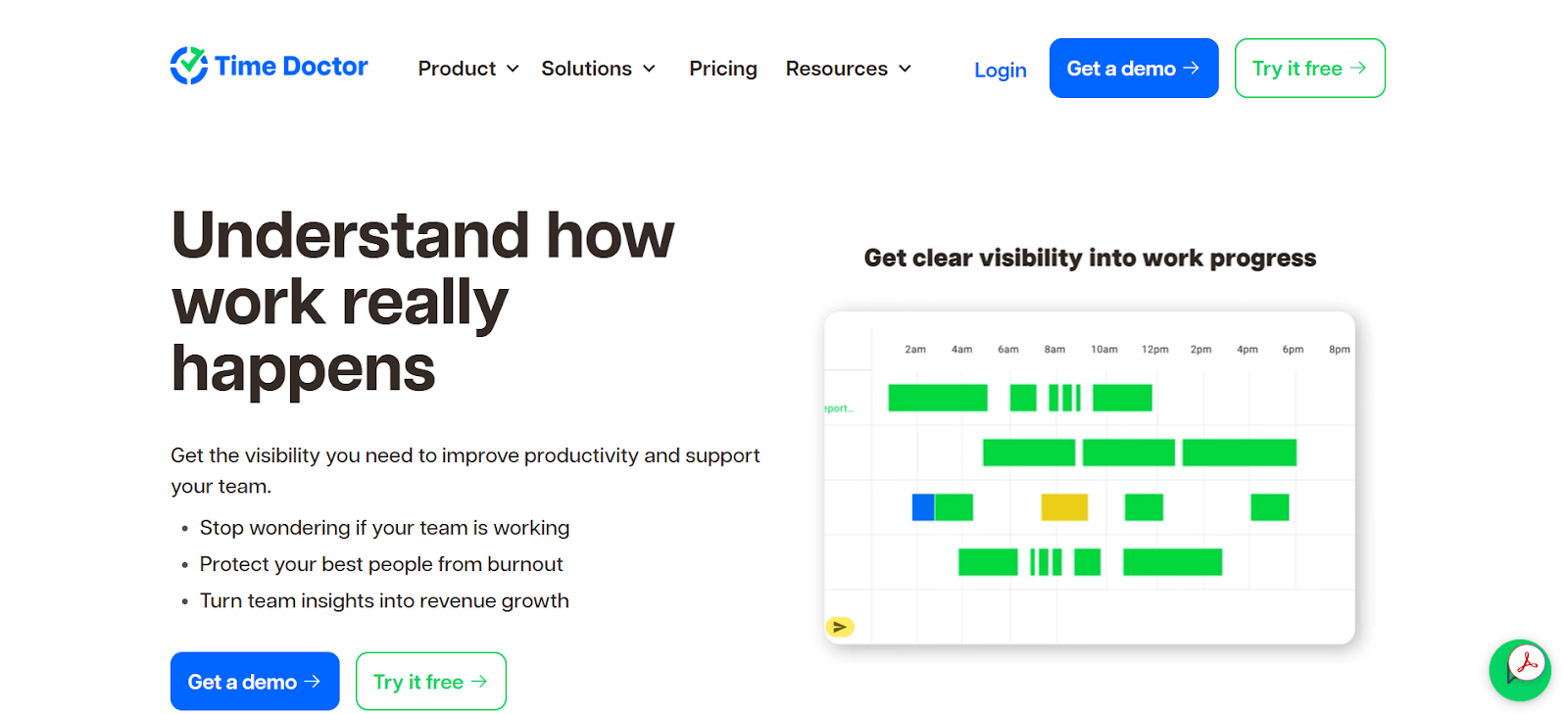
It’s not a light tool, nor is it focused on personal productivity; Time Doctor is built with teams in mind. It blends time tracking, monitoring, and billing tools into one solution.
At the core of Time Doctor is its timer-based tracking system. You can start and stop timers manually (per task or project), or use automatic tracking when you want things to run quietly in the background. The app captures which websites and apps are used while the timer is on, so teams can see what’s contributing to or pulling away from productive time.
Time Doctor also offers optional screenshots and screen recordings. You can choose whether to enable them and how often they should capture activity.
Here’s a look at some other Time Doctor’s features:
- There’s idle time detection and prompts.
- You get projects, tasks, and timesheet management.
- You get built-in payroll, invoicing, and billing tools.
- The app integrates with Slack, Asana, Jira, Trello, Zapier, and more.
- It’s available on Windows, macOS, Linux, Android, iOS, and the web.
Time Doctor is designed for distributed teams and their managers. It leans more toward workforce management, so it’s a good fit for teams that want structured tracking, accountability (cough, monitoring), and built-in payroll support.
#9 Kimai
Kimai is a free, open-source time tracking app built for professionals and teams of all sizes. It gives you the choice between self-hosting it on your own server or using its cloud-hosted (SaaS) version.
When it comes to time tracking, Kimai offers multiple options: manual entries, a stopwatch-style tracker, or a more traditional time-clock mode. You can even run multiple timers at once.
The mobile app works offline too, so you can still track time without a connection, and everything syncs when you’re back online.
You can generate detailed reports filtered by users, projects, clients, or date ranges and export them as PDF, Excel, or CSV. Invoicing is built in, with customizable templates and support for different billing formats. You can even set different hourly rates per user, project, or client.
For teams with specific authentication and security needs, Kimai also supports LDAP, SAML, and 2FA via TOTP. And if you want to extend its functionality, the plugin ecosystem gives you plenty of room to tailor it to your workflow.
Overall, if you are looking for an open-source DeskTime alternative that gives you control and customization, Kimai is definitely worth a look. It’s reliable and adaptable.
Wrapping up
There you have it: 9 DeskTime alternatives that won’t make your team feel like they need to duct-tape a post-it note over their webcam (just in case, right?).
So, pick the one that fits your vibe, culture, and blood pressure levels.
Your team and their cortisol levels will thank you. 🙂
FAQs
Can these DeskTime alternatives track my team without being intrusive?
Of course! Options like Memtime, RescueTime, and Clockify focus on productivity and automatic tracking while being subtle; no random screenshots or other monitoring tools. Your team can stay productive without feeling monitored.
Are any of these tools better for freelancers or solo workers?
Yes, some of the tools on this list work well for freelancers or solopreneurs. Memtime, Toggl Track, RescueTime, and EARLY are perfect for individuals who want automatic tracking, focus support, and easy reporting.
What if I need team management plus payroll tracking?
Time Doctor and Hubstaff cover all that; they track time, monitor activity, and handle payroll for distributed teams. They’re more suited to structured workforce management than personal productivity tracking, and that’s why they offer optional monitoring features.
Are there options that give me full control and flexibility?
Yes, definitely. Memtime and open-source tools like Kimai let you manage tracking and reporting on your terms. They’re ideal if you want full transparency and control.

Aleksandra Mladenovic
Aleksandra Mladenovic is a copywriter and content writer with six years of experience in B2B SaaS and e-commerce marketing. She's a startup enthusiast specializing in topics ranging from technology and gaming to business and finance. Outside of work, Aleksandra can be found walking barefoot in nature, baking muffins, or jotting down poems.







