11 Hubstaff Alternatives for Precise Time Tracking
So, you’ve been using Hubstaff. Things are just peachy. You’re tracking time, keeping an eye on your productivity. Seems like you have your life together.
But then, you started wondering, “Is there something… other than Hubstaff?”
Not in a dramatic, I-need-to-find-another-time-tracker kind of way. More of a quiet curiosity. 🤔
Maybe you want a slightly different feature set.
Maybe your team has opinions (they always do).
Maybe you just enjoy comparing tools; you treat it like a sport.
Whatever brought you to this article, welcome, dear reader. You’re in the right place.
This post isn’t so much about ditching Hubstaff, but about seeing what else is out there. And, who knows, maybe you actually find something that fits you a little bit better.
So, we’ve rounded up 11 Hubstaff alternatives worth checking out. Some are simpler, some more advanced, and some will make you go, “Wait, does Hubstaff offer that?”. You’ll love it, trust me.
Oh, and before we get into the list, we’ll do a super quick recap on what Hubstaff is and what it brings to the table. If you’re already familiar with it, no problem—just click here to go straight to the alternatives.
Key Takeaways:
- Hubstaff is a good all-in-one tool, but it’s not the only way to track time and manage teams.
- Different tools shine in different areas, like automation, simplicity, integrations, or workforce management.
- Some apps track everything for you, others require timers, and some offer a mix of both.
- Your ideal tool depends on how you actually work day to day, not just features on paper.
- Our list breaks down 11 alternatives, from fully automatic trackers to more hands-on options.

What is Hubstaff?
Hubstaff is a time tracking and workforce management app. It’s designed for businesses of all sizes that want to understand how work gets done without constantly checking in on their teams.
How does it do what it does?
Well, the platform turns hours worked into insights. It combines time tracking, productivity monitoring, payroll automation, and reporting (and that’s why it’s pretty popular among remote, hybrid, and distributed teams).
Hubstaff was founded in 2012, and the idea came from a real problem: managing remote teams without visibility into what people were working on. Two founders built Hubstaff as a means to create more transparency and accountability. And it worked.
Since then, the app has grown into a widely used platform; today, tens of thousands of businesses worldwide across industries use it, including:
- Remote and distributed teams. These companies often opt for Hubstaff to maintain visibility and coordination without constant meetings.
- Agencies and consultants. Teams that bill clients by the hour love having time tracking, invoicing, and project-level reporting in one platform.
- Freelancers. Individuals like to use it to track billable hours and generate invoices.
- On-site teams. Construction, logistics, and maintenance teams tend to use Hubstaff for its GPS tracking and scheduling features.
Hubstaff’s key features
Hubstaff is best known for combining time tracking with productivity insights. It logs hours and provides context around those hours, showing what work was done, how time was spent, and where inefficiencies might be hiding.

Now, Hubstaff has a decent set of features. The exact set depends on the plan, but these are the core ones most users rely on:
- Time tracking. You start and stop a timer while working on tasks or projects. Time entries are automatically logged into timesheets. There’s also the auto-start/stop based on schedules or shifts.
- Activity and productivity monitoring. You get app and website usage tracking, activity levels based on keyboard and mouse movement, and optional screenshots taken during tracked time. (Users typically know when tracking is active and can access their own data, which helps keep things transparent.)
- Project and task tracking. You can assign time to specific projects, tasks, and clients to see how long work actually takes, and whether projects are staying within budget.
- Payroll and invoicing. You get automatic payroll based on tracked hours, the ability to generate invoices for clients, and integrate Hubstaff with payment platforms.
- Scheduling and attendance features. Hubstaff also allows you to schedule shifts, track attendance, and approve time-off requests.
- GPS and location tracking. For businesses with on-site or mobile workers (like construction or field services), Hubstaff offers GPS tracking and automatic tracking based on location (geofencing).
- Reporting. All tracked data can be turned into time and productivity reports, and budget and cost tracking.
Hubstaff pros & cons
Like any tool that tries to do a lot, Hubstaff has some superclear strengths. It’s not perfect, though, as no tool is.
So, here’s a list of pros and cons.
Pros of Hubstaff
- You get easy manual time tracking. Users often say that once the tool is set up, you just start the timer and forget about it, which could be what you want from a time tracking tool. You get automatic timesheets and an app that works across desktop, web, and mobile.
- Good visibility into team productivity. Hubstaff also comes with features like app tracking, activity levels, and optional screenshots, which make managers love it. Managers can get insight into their teams’ workflows and productivity, and see which apps/websites are used, idle vs. active time and the most common distractions.
- It’s good for remote work. Users tend to highlight how it helps coordinate teams across locations, time zones, and projects; managers get centralized dashboards, and employees get real-time tracking across locations.
- Built-in payroll and invoicing. With Hubstaff, you can automatically generate invoices, pay employees based on tracked time, and integrate with payment tools.
- It integrates and scales well. Hubstaff integrates with dozens of tools (project management, accounting, etc.), making it easy to fit into your existing workflow. Users also mention it scales well, from small teams to larger organizations.

Cons of Hubstaff
- It doesn’t offer automatic time tracking. With Hubstaff, you need to click the “start” button (or use keyboard shortcuts) every time you begin a task. If you forget to start the timer, those hours simply don’t get tracked unless you go back and manually add them later. This manual approach can be a bit frustrating, especially if you’re juggling lots of small tasks throughout the day.
- It can feel a bit intrusive or “too much”. Features like screenshots and activity tracking can feel a bit intense, especially for teams that value autonomy. Some users say it creates pressure instead of productivity, so it all depends on how you use the tool.
- Reporting isn’t as flexible as expected. Hubstaff does offer reports, but users tend to mention limitations, especially for more complex needs; it’s not always easy to get detailed, custom reports. This is something that comes up frequently in both Capterra and G2 reviews.
- It’s not ideal for every work style. Hubstaff works best for structured, easily trackable work, not so much creative or deep-focus roles. For example, thinking, reading, or planning may show as “low activity”, meaning activity scores don’t always reflect actual productivity and can (unintentionally) encourage busy work behavior.
So, why do you want to find the Hubstaff alternative?
Hubstaff is a solid tool. Truly.
It tracks time, logs activity, handles payroll, and even acts as a project management app.
But sometimes you want something simpler, amIright? Something that’s just a better fit for the way you actually work.
Whatever your reason is, there are a bunch of alternatives that can give you exactly what you’re looking for, without overcomplicating things.
And that’s exactly where we’re headed next. Just keep scrolling, you’re close to the 11 Hubstaff alternatives worth checking out. 🖱️
11 best Hubstaff alternatives
Now we’re getting to the fun part. *rubs hands*
So, you want different time tracking.
To that, I say: automation is where it’s at.
There are tools that won’t ask you to remember to log hours at the end of the day, adding that extra stress. I’m talking about fully automatic ones; tools that quietly capture your work in the background let you focus on the task at hand, without worrying about timers or spreadsheets.
So, for this list, we’ve ranked Hubstaff alternatives based on how much they do automatically for you. The higher up the list, the more the tool handles time tracking for you. The lower down, the more you’ll need to hit “start” and “stop” or manage timesheets yourself.
Here we go:
- Memtime. It’s designed around automatic time capture and almost zero manual input for time entries (it can even assign your time to projects on its own).
- Timely. The tool has strong automatic tracking; it logs activities in the background and assigns time to projects later.
- DeskTime. With this app, you get automatic tracking of apps/websites and idle time; minimal buttons to push.
- TimeDoctor. The app gets you automatic tracking and optional prompts; it tracks activity in the background.
- ActivTrak. The app is focused on automatic activity monitoring of your productivity (you get good behavior data).
- Jibble. The app is somewhat automatic; there are automatic clock‑ins via GPS/facial recognition for teams, though it still needs user action to start shifts.
- TimeCamp. The app has automatic tracking capabilities, but it leans more toward manual time tracking.
- Clockify. The tool offers manual time tracking by default, but also has optional auto timers and app tracking add‑ons.
- Toggl Track. The app has a primarily manual start/stop, though it offers some automation, including idle detection and reminders.
- Everhour. The app offers manual time tracking with great project integration.
- Connecteam. The app is mostly manual clock‑in/out and scheduling; it’s not focused on passive automatic tracking.
Let’s go through each of them.
#1 Memtime
What if there was a way to track your hours and projects without constantly clicking buttons or remembering to start a timer?
Oh, wait, there is. With Memtime 😏
Memtime is our desktop-first automatic time tracker built for people like you, who want detailed insights & zero interruptions.
How does it work?
Well, Memtime quietly monitors everything you do on your computer, all the apps, docs, websites, and meetings, and organizes it all into a chronological timeline. You can view your day in chunks ranging from 1 to 60 minutes. Like so:
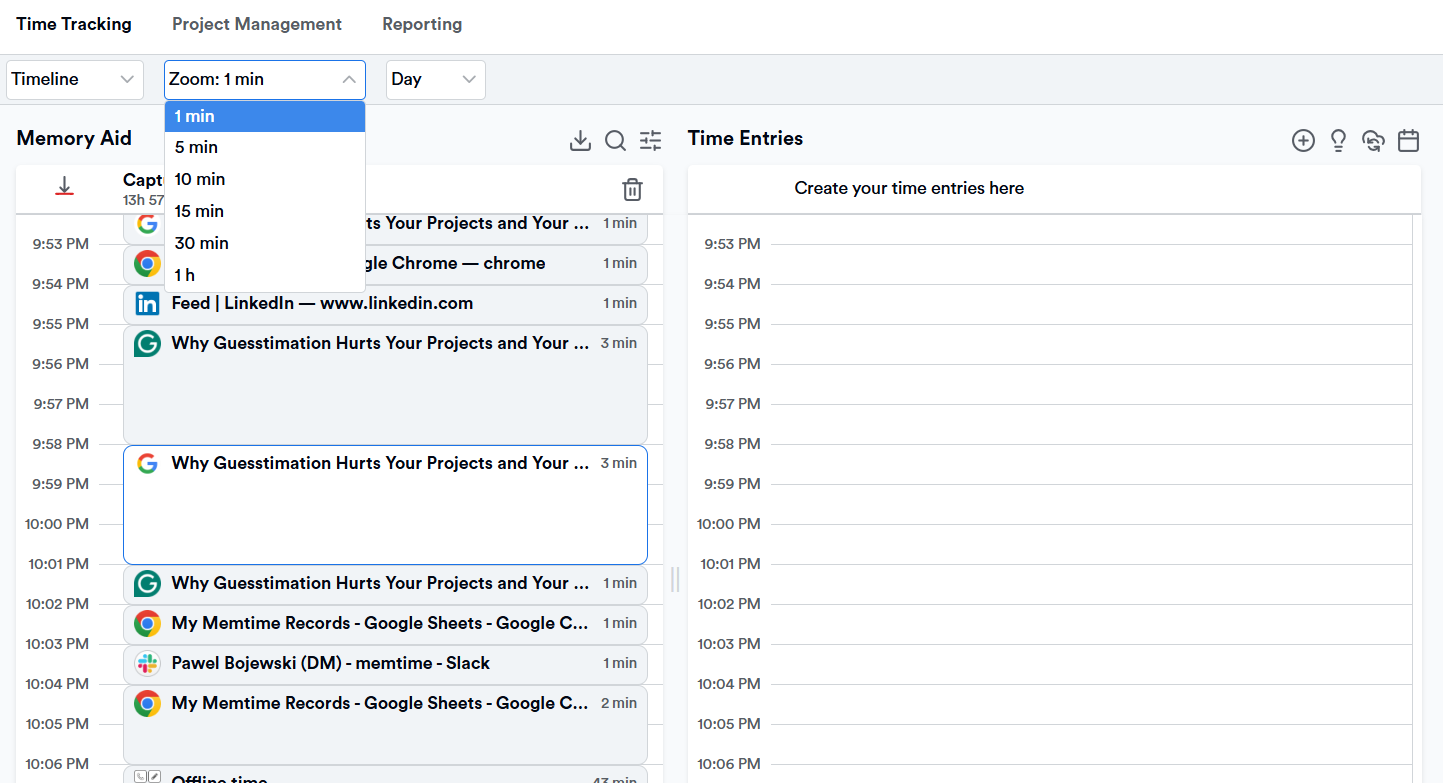
Once your day is laid out, Memtime makes it easy to turn these tracked activities into time entries for your projects or billing. You can export them directly to multiple project management tools and software.
Now, pause with those project management features for now.
Let’s talk general Memtime features, including:
- VoIP call tracking. Memtime can automatically log your call durations from popular VoIP services or your iPhone. (How cool is that?!)
- Quick time entry creation. You can turn captured activity into billable or project time in just a few clicks, or let Memtime do it for you. You can set rules so Memtime suggests time entries for you; you accept, edit, or decline suggestions.
- Two-way sync with 100+ tools. Thanks to the two-way integration, you can import your projects and tasks into Memtime and export time entries to the corresponding projects and tasks.
- Privacy-first design. All data stays on your computer; no raw activity data (URLs, file names, app usage) is shared unless you explicitly create a time entry to send to another tool.
- Detailed reporting. You can generate chronological timeline reports, project summaries, productivity insights, and breakdowns of where your time was spent (programs and websites).
Now comes the project management talk and the Memtime Projects feature.
Memtime connects well with many project management tools you may already use. And that’s great.
But it is also possible to capture time with Memtime AND organize it around actual projects and tasks right inside Memtime:
Yep.
Here’s what that means for you:
So, the takeaway with Memtime Projects is this: even with this added project workspace, Memtime sticks to the privacy‑first philosophy: all your actual tracked activity (like what you did on your computer) stays offline on your device. Only the time entries you explicitly assign to projects get sent up to the web dashboard.
That basically means that with Memtime, you get automatic time capture + a way to organize and share that work, without needing a separate PM tool.
How does that sound?
If great, you gotta see it for yourself. Try Memtime free for 2 weeks; it’s on us, just click the button below.
#2 Timely
Timely is another automatic time tracking tool. It quietly watches your work in the background, capturing your activity in real time and helping you categorize it later.
Similar to Memtime, Timely watches and remembers your work for you. Then it turns that work into accurate time entries tied to clients, projects, or tasks.
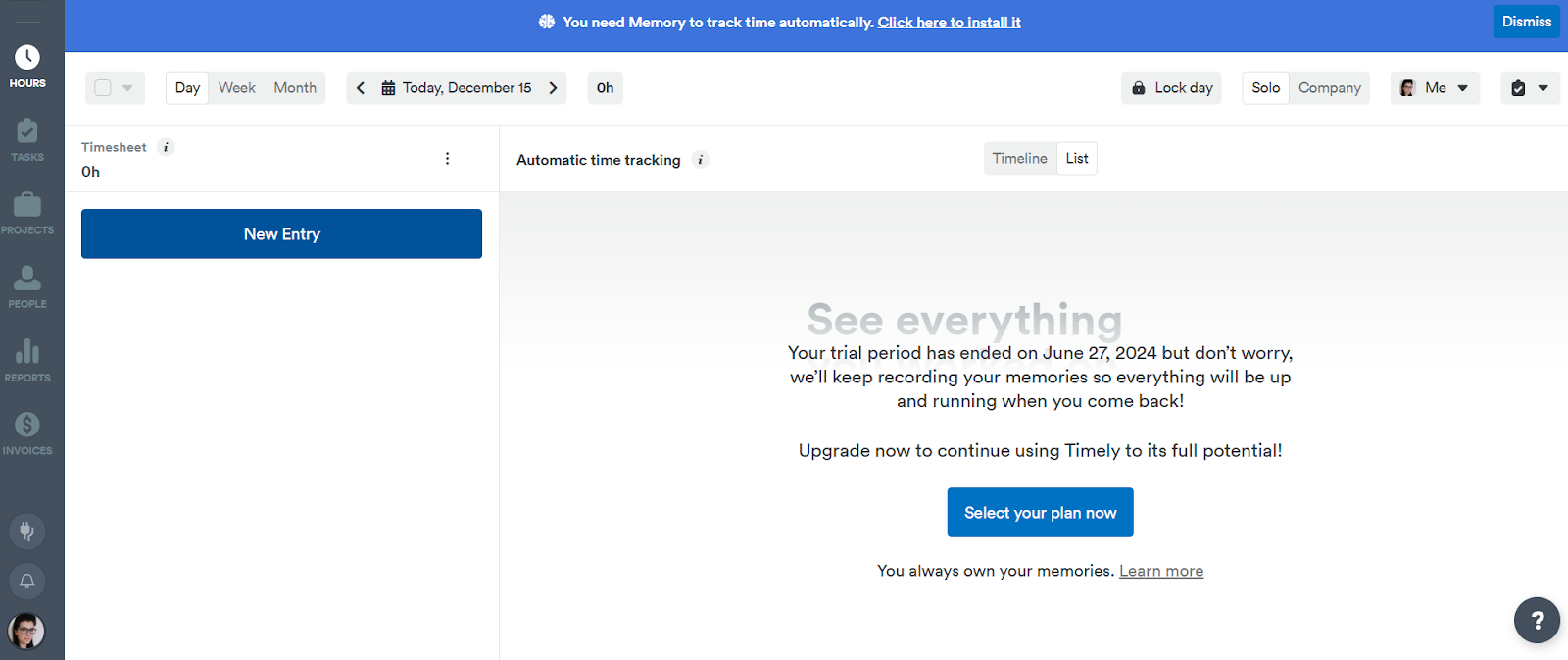
Timely’s outstanding feature is its automatic time capture engine, called Memory. Once installed, Memory quietly runs in the background and logs things like apps, docs, websites, calendar events, and meeting activity, creating a timeline. Later, you revisit that timeline and assign blocks of time to the work that matters.
Here are some of Timely’s key features:
- Timely automatically records what you do.
- You can schedule upcoming work, align it with deadlines, and see your planned vs. actual time.
- You can assign tracked time to clients, tasks, or projects with tags either manually or using rules you set up. Over time, Timely learns where you typically assign your time and begins suggesting categories or tags for future blocks of work (thanks to AI).
- The app integrates with calendars, project management apps, and communication tools.
So, based on the features, Timely works best for freelancers, remote teams, and agencies. Overall, Timely is one of the most automatic tools on this list. If you hate timers, forget to log work, and want your tracking done for you with a little bit of AI, it could be a tool for you; it’s a good Hubstaff alternative worth exploring.
#3 DeskTime
DeskTime is a time tracking app that gets you hands‑off time tracking and a way to understand your productivity.
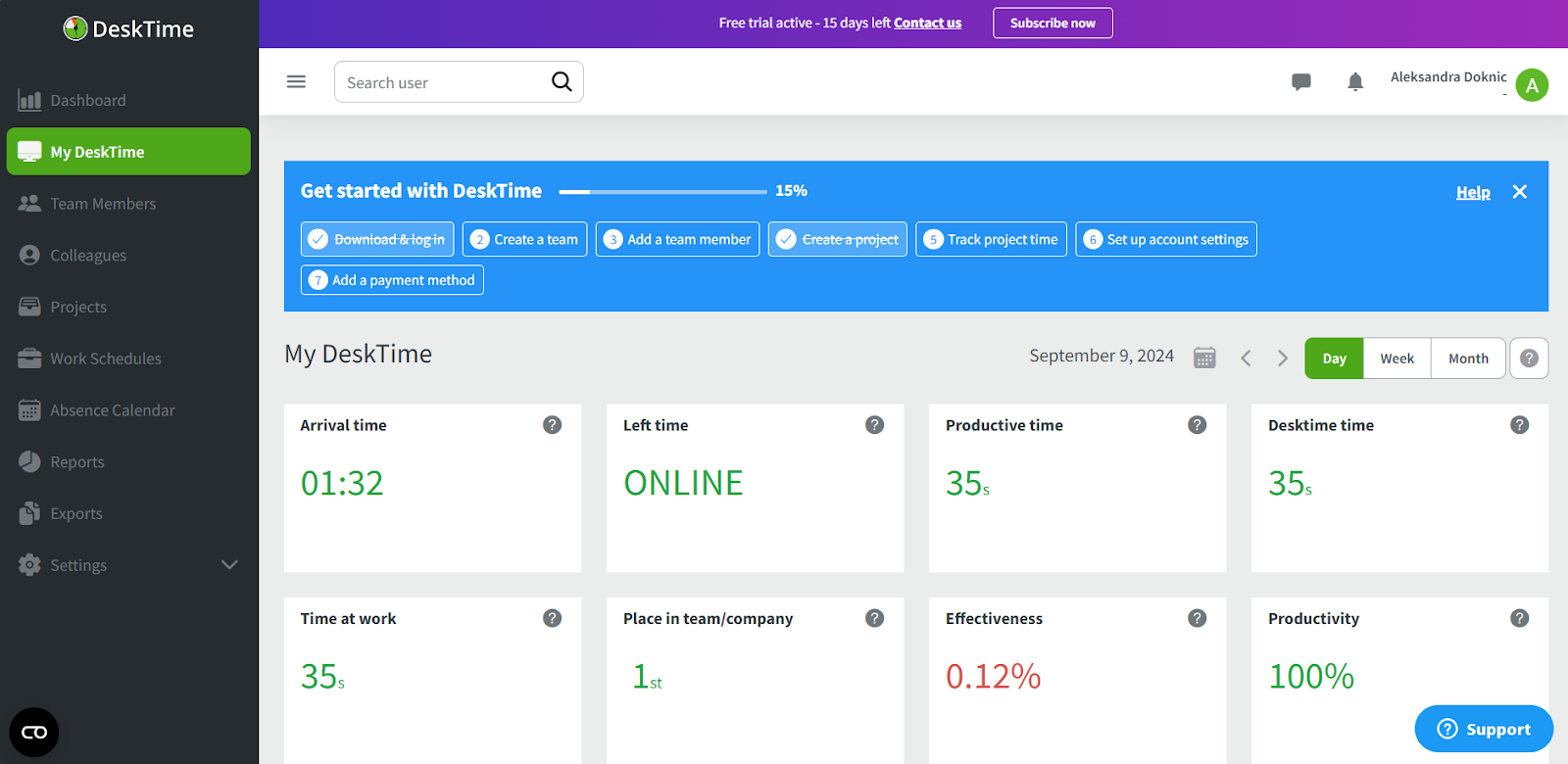
Similar to Memtime and Timely, DeskTime also doesn’t rely on manual start/stop timers or timesheets. Instead, it logs what you’re doing on your computer and turns all of that into a record of your workday. So, once installed on your computer or device, DeskTime runs in the background and automatically records time based on your digital activity.
From this captured data, DeskTime builds visual timelines and reports that show you total time spent active during the day, when you’re most focused vs. distracted, which tools you use most, and which tasks or projects your time is assigned to.
Here are some other DeskTime features:
- You (or your admin) can label apps and websites as productive, unproductive, or neutral. DeskTime then uses this to calculate productivity scores over time and show where your focus really goes.
- You can assign tracked time to specific projects and tasks.
- You can generate reports including time worked per day/week/month, productivity trends, project hours, and task breakdown.
- DeskTime keeps recording your activity when you’re offline. Once you reconnect, it syncs all data and updates your dashboards.
All in all, based on its features, DeskTime could work well for freelancers and teams (of all sizes). If you want a time tracker that just knows what you’re doing, DeskTime is it. It quietly captures your work, classifies productivity, and turns all your time data into clear timelines and reports.
#4 Time Doctor
Time Doctor is a tool that combines automatic and manual time tracking, activity insights, and accountability.
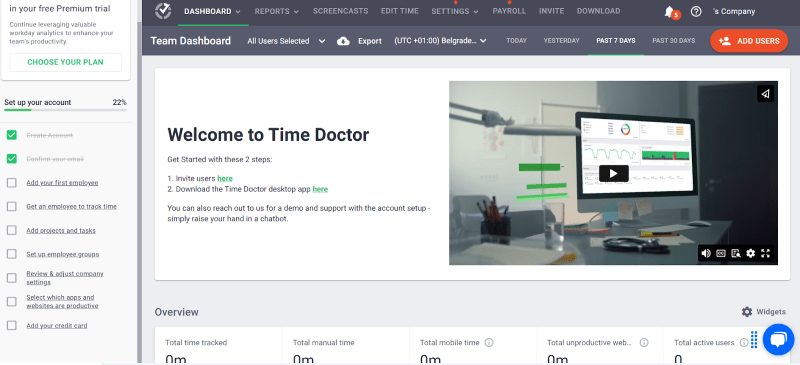
TimeDoctor offers an Automatic App mode that runs silently in the background and captures time without you needing to start or stop a timer manually. When this mode is enabled, it starts tracking time as soon as the computer is on and continues without interruptions or user interaction.
However, the app also supports manual tracking. It has an interactive mode where you can start and stop timers manually and assign tasks or projects as you go.
Here are some of the Time Doctor features worth mentioning:
- The app measures activity using keyboard and mouse usage patterns. This shows up in dashboards as an activity percentage.
- You can optionally see which applications and websites were used while working.
(You can opt out of this at any time; it’s not a mandatory feature.)
- You can enable optional screenshots. TimeDoctor can capture periodic screenshots of workstations during tracked time, but privacy settings let you control how often this happens and who sees them.
- You assign tracked time to specific tasks or projects.
- TimeDoctor shows you total hours worked, time per project, productivity trends, activity summaries, and top used apps and sites.
- If you accidentally leave TimeDoctor running or forget to assign time to a task, the tool can remind you.
- TimeDoctor integrates with multiple project management and collaboration tools, so tracked time can sync with your existing workflows.
So, as you can see, Time Doctor works well for individuals and teams. It’s especially useful if you want automation and control, rather than just pure passive capture.
Overall, TimeDoctor and Hubstaff are somewhat similar; both offer activity insights, app usage, screenshots, and project time categorization. But compared to Hubstaff’s focus on workforce tracking and payroll automation, TimeDoctor leans more on productivity context and flexible tracking controls.
#5 ActivTrak
If tools like Memtime or Timely are all about effortless, automatic time tracking, ActivTrak is about effortless productivity.
The app automatically tracks time, but its focus is on productivity, behavior, and work patterns. Think of it as a workforce analytics platform that automatically tracks how work happens.

Once installed, ActivTrak runs quietly in the background using a lightweight agent on your device. There’s no timer to start or stop. It automatically captures activity throughout the day and organizes it into dashboards and reports, including total time worked, productive vs. unproductive time, app and website usage, and work patterns over time.
Here’s what you can expect from ActivTrak:
- Apps and websites are categorized as productive, unproductive, and neutral. This allows ActivTrak to calculate productivity scores and trends over time.
- You get live productivity dashboards, where you can see what each team member is doing in near real time.
- You get detailed visibility into which tools people use and how often.
- You can set up alerts for specific behaviors (like unusual activity or policy violations), so you’re notified when something needs attention.
- ActivTrak doesn’t log keystrokes, cameras, or emails. That said, it still tracks activity in detail, so how it feels depends on how it’s used.
So, based on the mentioned features, ActivTrak is best suited for remote teams and companies that want automatic time tracking and visibility. ActivTrak sits on the more analytical side of the spectrum; it can help an entire organization understand behavior and performance.
If you want deeper productivity insights, visibility across teams and automatic time tracking, ActivTrak is a strong option.
#6 Jibble
If you’re looking for something that’s easy to use, flexible, and a bit more automated than classic timers, Jibble is worth a look.
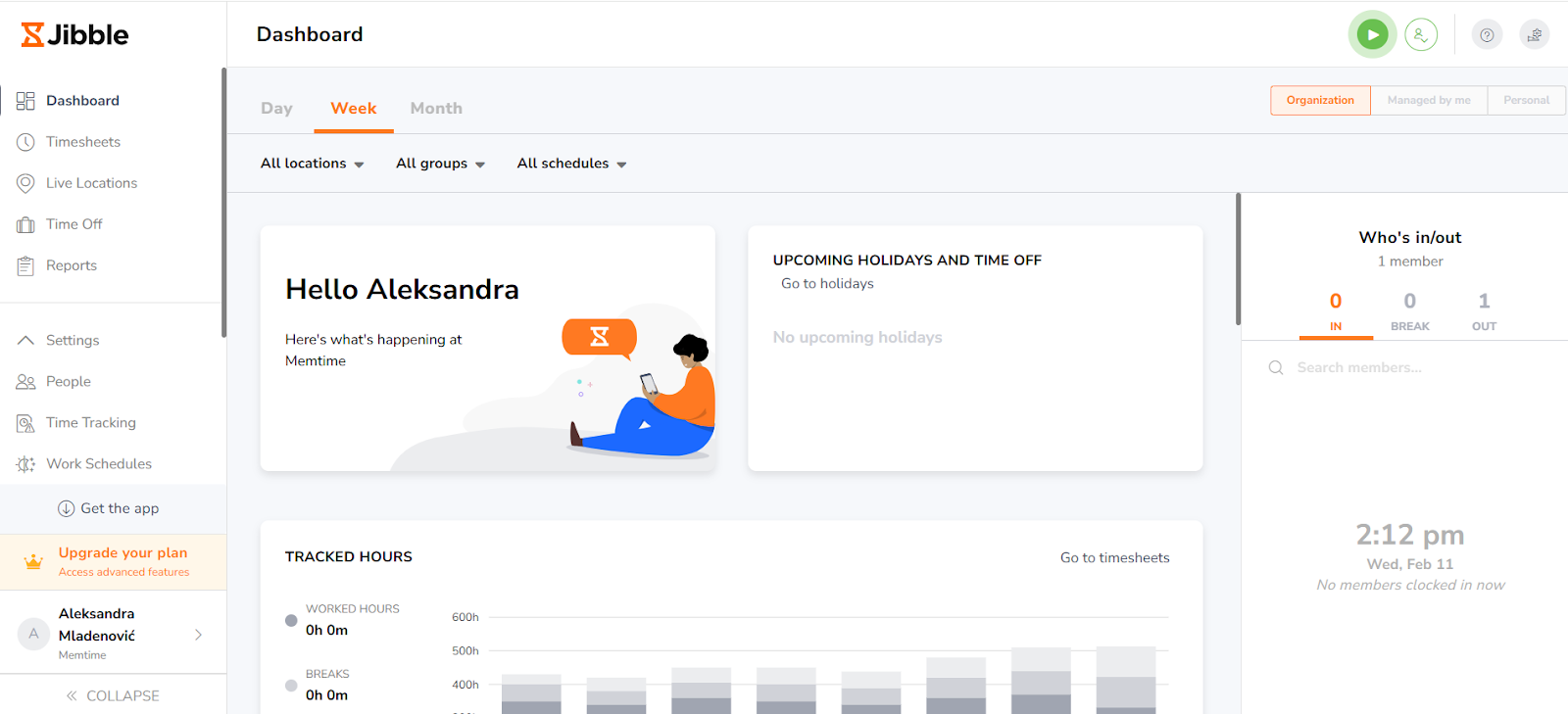
It’s a time tracking and attendance tool built primarily for teams, especially those working across locations, shifts, or job sites. The app helps teams track work hours, attendance, and project time.
Jibble works across desktop, mobile, tablet, and even kiosks, so you can clock in and out easily. So, technically, it involves clocking in.
You (or your team) clock in via app, browser, or mobile. From there:
- Time is tracked in real time.
- Activities and projects can be assigned.
- Everything syncs automatically into timesheets and reports.
The automation happens around that clocking process. So, for example, Jibble can automatically clock you in when the app launches, clock you out when the app closes, start/stop tracking when your computer sleeps or locks, or launch on startup so tracking begins with your day. So, the tool is not fully passive like Memtime or Timely, but it can reduce some manual effort.
Here are some of the Jibble features worth mentioning:
- You get automatic timesheets, regular and overtime hours calculated and ready for payroll export.
- For teams working in the field, Jibble can track location and ensure people clock in from the right place.
- Jibble includes optional facial recognition to verify who is clocking in (a feature replacing buddy punching).
- You can assign time to specific projects, clients, and activities.
- You get reporting on hours worked, attendance logs, project time, and productivity summaries.
So, as you can see, Jibble doesn’t eliminate manual input entirely, but it makes time tracking a bit easier. Jibble is a practical, easy-to-use time tracker focused on attendance and time tracking. It’s not about watching everything you do or fully automating your workday, but it does make your life easier.
#7 TimeCamp
If you’re the kind of person who wants a bit of everything, like some automation and some manual control, TimeCamp might be the tool for you.
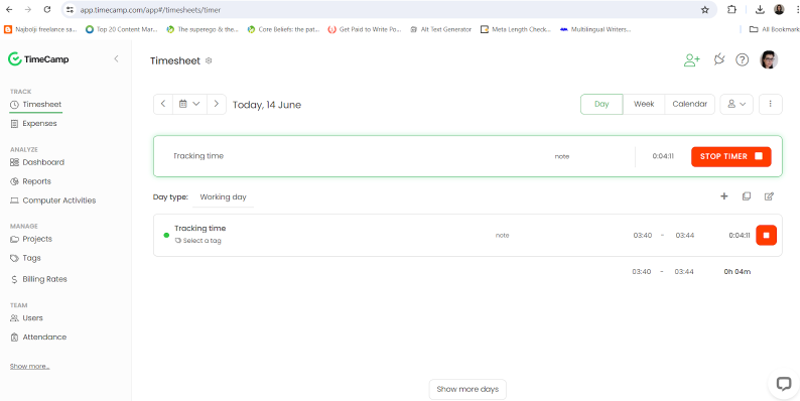
It’s a time tracking and project reporting tool that lets you choose how you want to track your time: fully manual, semi-automatic, or a mix of both.
Once installed, TimeCamp can track your time in 2 different ways:
- Manual tracking. You start and stop a timer or manually enter time after the fact.
- Automatic tracking. The tool offers semi-automatic keyword-based tracking: you assign keywords to specific tasks or projects, and TimeCamp automatically tracks time when those keywords appear in app names, browser tabs, and window titles.
- Besides that, you also get activity monitoring; the app logs your computer activity.
So, as you can see, TimeCamp is not fully passive like Memtime, but it can still automate a chunk of your tracking once set up.
Here’s what you can expect from TimeCamp:
- You can assign time to specific projects and tasks.
- You can turn tracked time into detailed reports, like hours worked, project breakdowns, team utilization, and cost and profitability insights.
- You can set time or budget estimates for projects and compare them with actual time.
- TimeCamp integrates with multiple project management apps and accounting software.
Overall, with TimeCamp, you can automate tracking using keywords, but you still need to set things up and occasionally adjust entries (manual tracking is always there as a fallback). It won’t fully automate your day, but it will give you good reporting and budget and cost insights. It’s a solid Hubstaff alternative for sure.
#8 Clockify
Clockify is all about simplicity, flexibility, and team-friendly features. And it’s one of the free Hubstaff alternatives on this list.
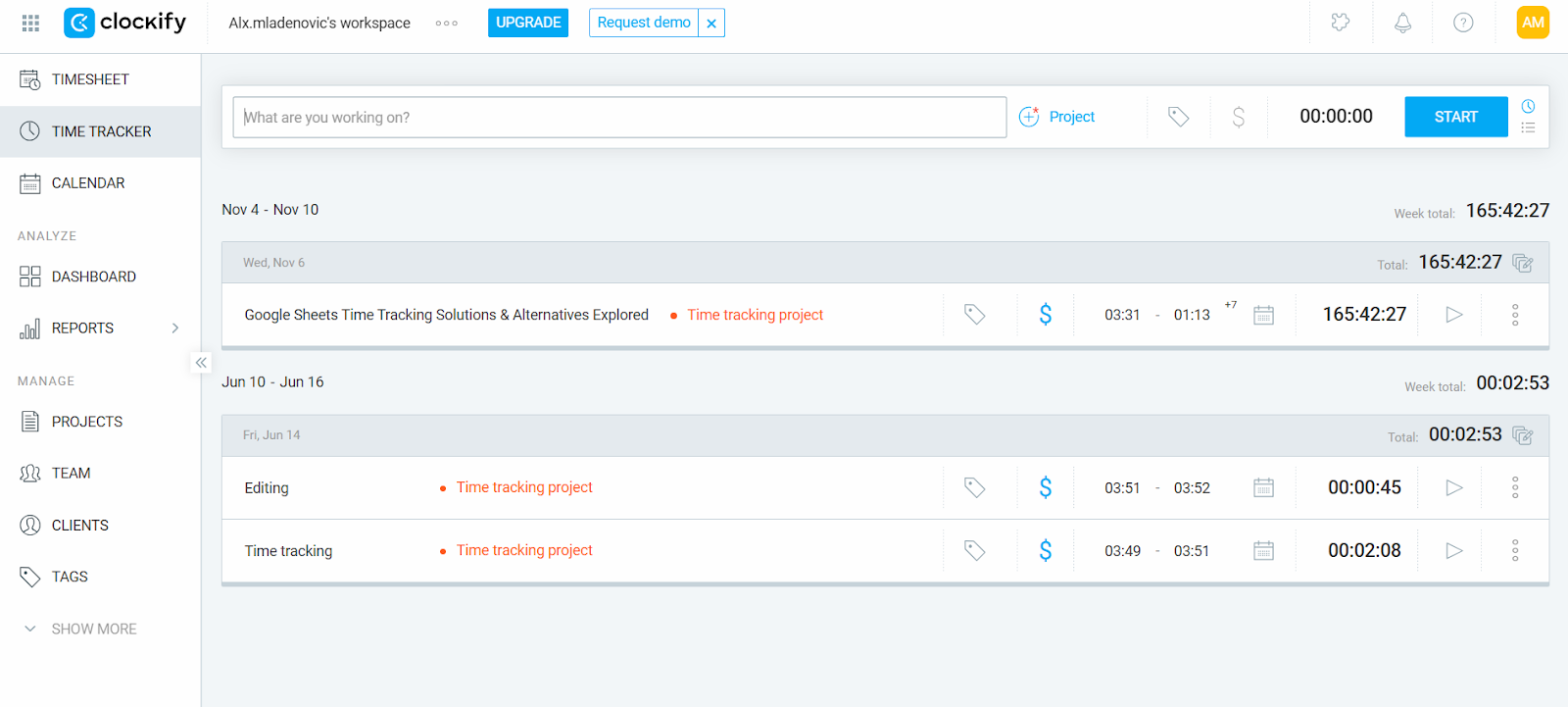
It’s a time tracking and reporting app that shows you how you spend your day.
Once you start using Clockify, you can track your time in a couple of ways:
- Manual time tracking. You start/stop a timer or make a manual time entry.
- Auto Tracker. This tracker records apps and websites you use in the background, but you still have to manually turn that activity into time entries.
Here are some other Clockify features worth mentioning:
- You can assign time to specific projects, tasks, and clients.
- You can generate detailed reports, including weekly summaries, project breakdowns, and team activity.
- You can track billable vs. non-billable hours and calculate earnings.
- You can set project estimates and monitor progress against them.
- Clockify integrates with popular tools like Trello, Asana, Jira, and more.
- It also includes basic team management features like approvals, timesheets, and user roles.
Clockify works especially well for freelancers, small teams, and growing businesses that want a free time tracking solution. It’s also great if you prefer a more manual approach to tracking time rather than a fully automated one.
Overall, Clockify isn’t focused on employee monitoring like Hubstaff; it’s more about giving you a clean, flexible way to track time and understand where it goes. You won’t get fully passive tracking, but you will get clarity and good reporting.
#9 Toggl Track
Toggl Track is a popular tool that’s all about smart assistance and lightweight monitoring.
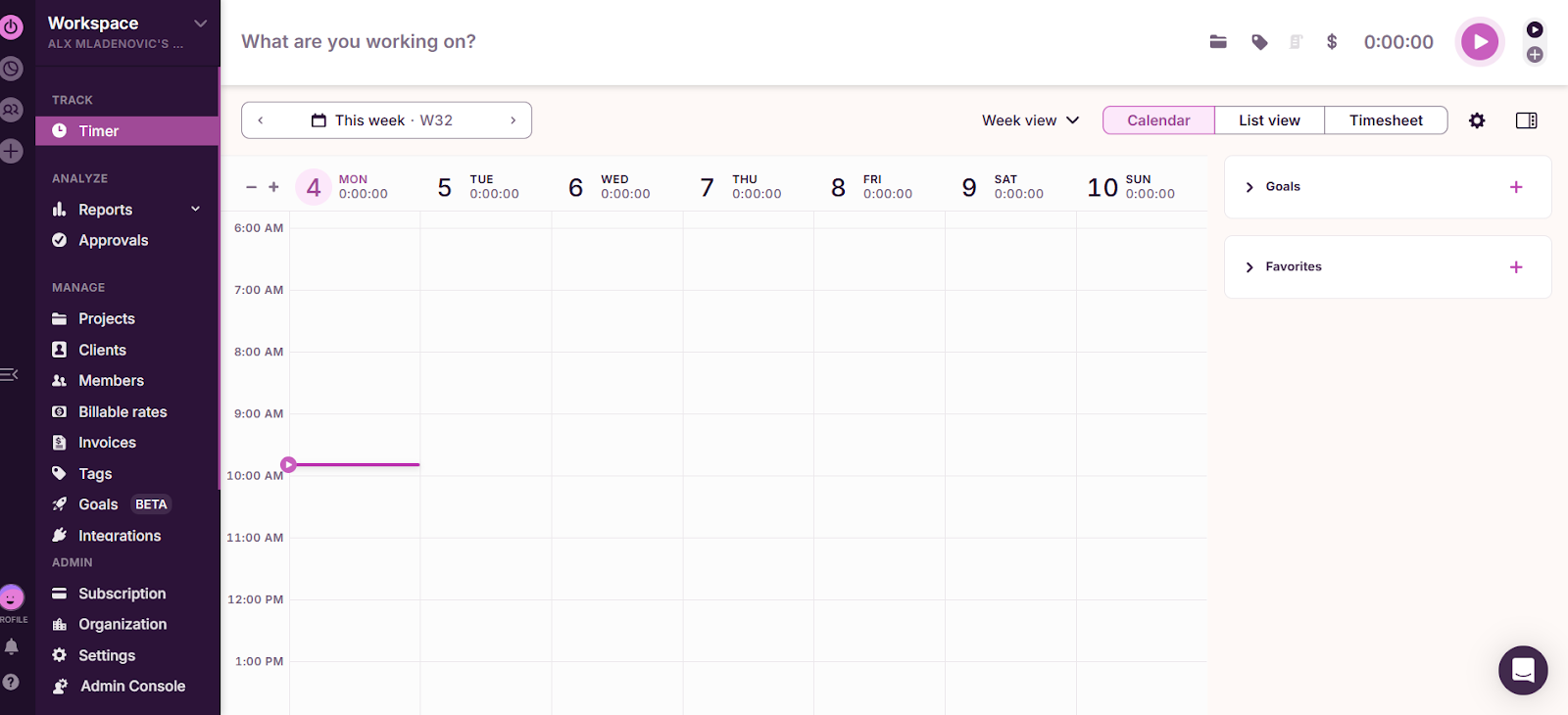
It’s a time tracking app that lets you choose how hands-on or hands-off you want to be with the tracking. Once you start using Toggl, you can track your time in a few different ways:
- Manual tracking. You can add time entries after the fact, fill out timesheets, or log durations manually. You can also start and stop a timer in real time as you work on tasks.
- Automatic tracking (timeline). Toggl can record your app and website activity in the background, creating a timeline of your day, but you still decide what to turn into actual time entries.
So, compared to tools like Clockify, Toggl goes a step further with automation, but it’s still privacy-first and controlled. Nothing is logged as tracked time unless you confirm it.
Here’s what Toggl Track can also get you:
- You can assign time to projects, tasks, clients, and tags.
- You can generate detailed reports with insights into productivity, profitability, and team performance.
- You can track billable rates, costs, and even create invoices.
- You can set project estimates and monitor progress in real time.
- You get 100+ integrations with tools like Jira, Asana, and more.
- You can use features like reminders, calendar syncing, and background tracking to reduce manual effort.
Toggl Track works especially well for freelancers, consultants, and small to mid-sized teams who want tracking without intrusive monitoring like screenshots or activity scoring.
Overall, Toggl Track lies somewhere in the middle: it’s not fully passive like Memtime, but it does remove the friction of tracking with its timeline and automation features. You still stay in control without having to rely on manual timers.
#10 Everhour
If you’re the kind of person who lives inside project management tools and just wants time tracking to fit into those tools, Everhour might be the app for you.
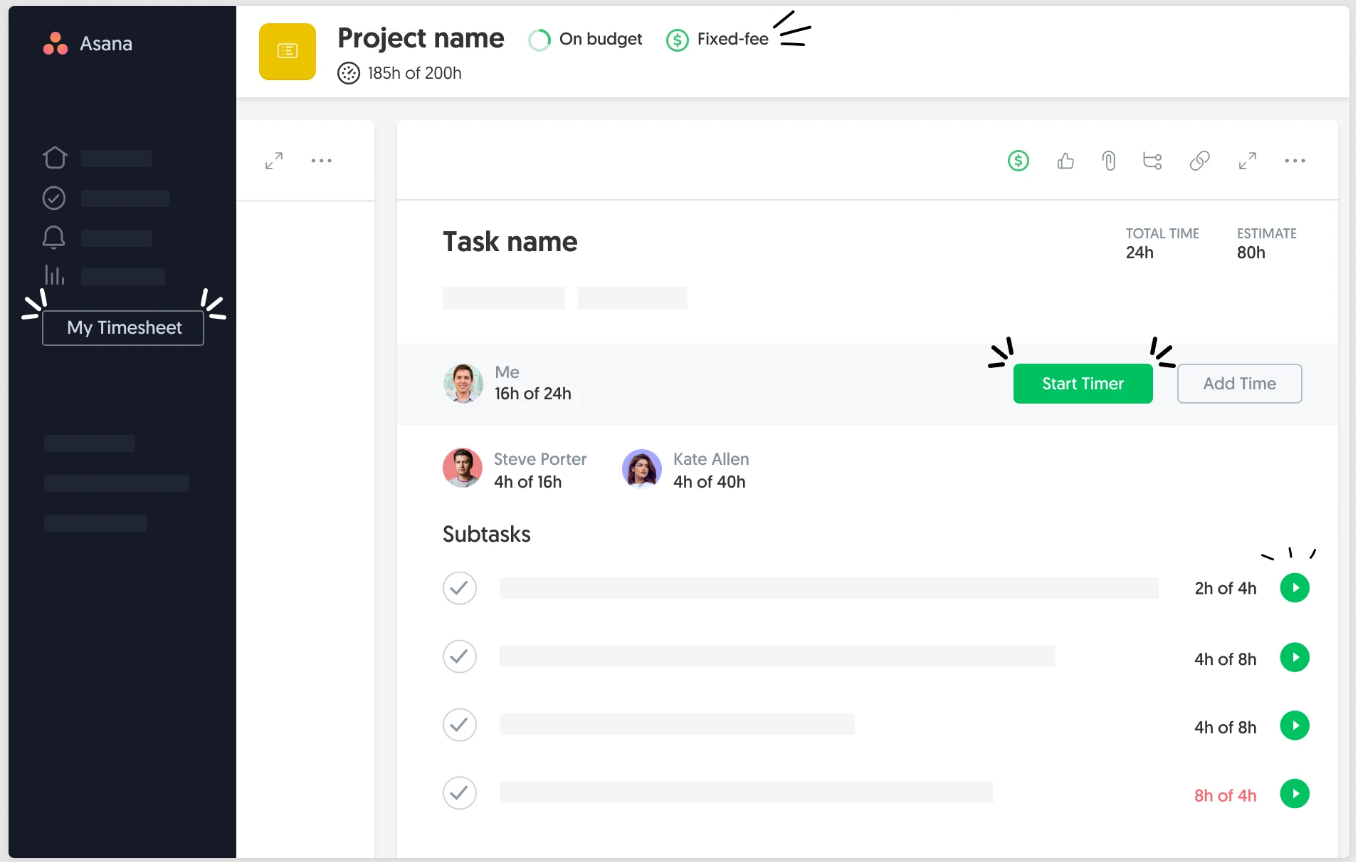
It’s a time tracking and project budgeting tool built to work alongside your existing workflow, especially if you’re already using apps like Asana, Trello, or ClickUp.
Instead of forcing you into a separate tracking system, Everhour lets you track time directly from within your project management tool or from its own interface when needed. With Everhour, you have to use a timer for your work on tasks or log time after the fact. Basically, there’s no passive or automatic tracking.
Here’s what else you can expect from Everhour:
- You can track time directly inside tools like Asana, Trello, ClickUp, and Basecamp.
- You can assign time to tasks, projects, and clients without switching tabs.
- You can set project budgets and track progress in real time.
- You can create detailed reports on time, costs, and team performance.
- You can track billable vs. non-billable hours and manage invoicing.
- You can monitor team capacity and workload across projects.
Everhour works best for teams that rely heavily on project management tools and want time tracking to feel like a natural extension of that setup. It works for agencies, product teams, and service-based businesses that don’t mind manual time tracking and need budgeting, and cost tracking.
Overall, Everhour won’t automate your time tracking. You’ll still need to start timers or log time manually, but it will ensure everything stays tightly connected to your tasks and projects. Not a bad alternative, I guess.
#11 Connecteam
Connecteam is a full-blown workforce management app. It comes with time tracking built in, but also supports other daily operations like scheduling, communication, and payroll.
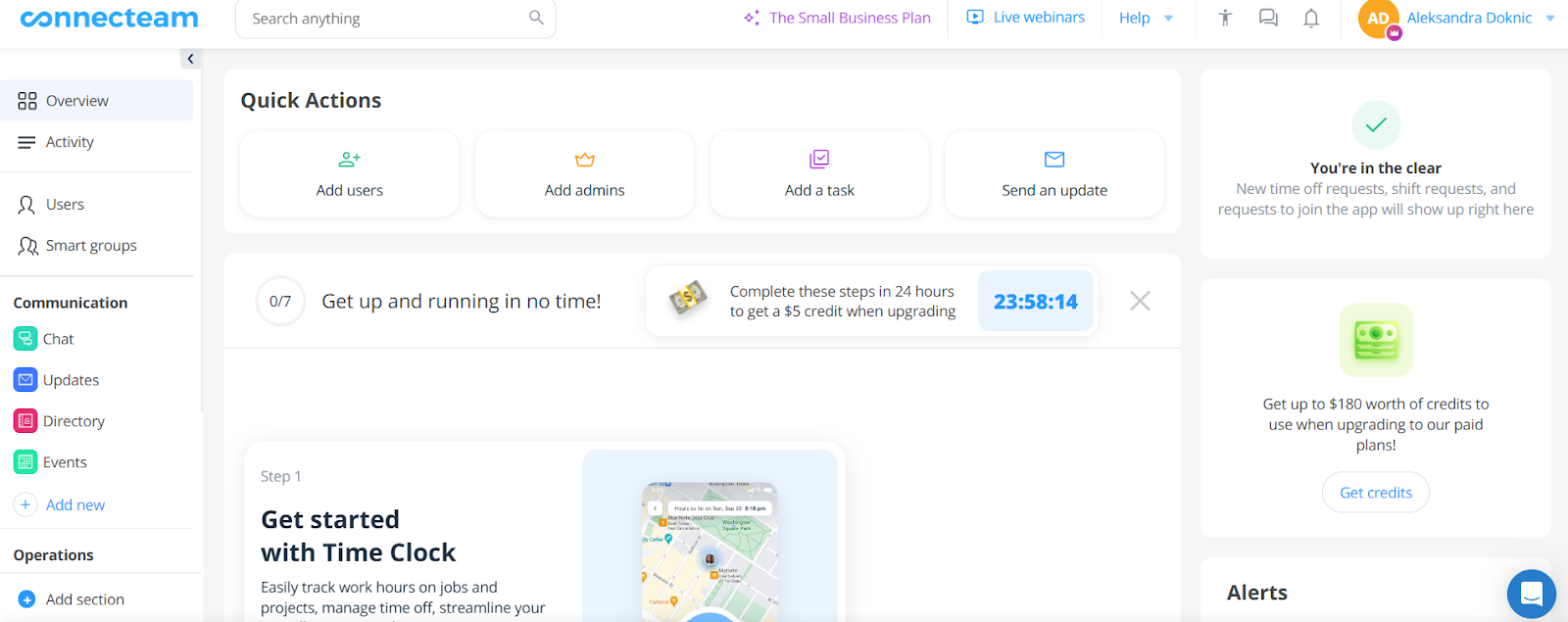
Instead of focusing on individual timers or passive tracking, Connecteam is built around clocking in and out of shifts, often from a mobile device while on the go.
Here’s how time tracking works in Connecteam:
- Clock-in/out tracking. Employees clock in and out from their phone, a shared kiosk, or even NFC devices.
- Automatic timesheets. All tracked hours are automatically logged into digital timesheets.
- GPS and geofencing tracking. The app can track location while employees are clocked in and ensure they’re at the job site.
As you can see, Connecteam doesn’t revolve around starting a timer for tasks or projects; it’s more about tracking attendance, shifts, and on-the-field work activity.
Here’s what you can expect from Connecteam:
- You can track time for jobs, shifts, projects, clients, and even mileage or equipment.
- You get automatic timesheets with approvals and payroll exports.
- You can monitor attendance, breaks, overtime, and PTO in real time.
- You can manage schedules, communicate with your team, and assign tasks.
Because of its features, Connecteam works best for businesses with deskless teams, like construction, cleaning services, logistics, retail, or healthcare.
Overall, Connecteam won’t automate your time tracking in the background, but it will provide a decent structure for field-based teams. That makes it a very different kind of Hubstaff alternative: less about computer productivity monitoring, and more about attendance, compliance, and operations.
Wrapping it up
Okay, okay, dear reader. You’ve scrolled enough. I won’t keep you much longer.
You’ve seen the options. Some tools track everything for you, some give you more control, and some sit in between.
Now it’s your turn.
Think about how you actually work.
Do you want automation?
Simplicity?
More privacy?
Better reporting?
Pick the tool that best fits your workflow.
And hey—if nothing else, at least now you know Hubstaff isn’t the only time tracker in the game.
FAQs
What’s the best Hubstaff alternative overall?
The answer depends on what you care about most. If you want full automation, tools like Memtime or Timely can feel like magic. If you prefer more control, something like Clockify or Toggl Track could be a better fit.
Are there Hubstaff alternatives that don’t require timers?
Yes, of course, and they’re becoming more popular. Tools like Memtime automatically capture your work in the background, so you don’t have to remember to start or stop anything. It’s great if you tend to forget timers (as we all do sometimes).
Which tool is best for freelancers?
Freelancers usually want something simple, flexible, and that works with other billing tools. Toggl Track, Clockify, and Everhour are all solid picks. If you want less manual effort, Memtime can also help by capturing your work automatically and turning it into billable time.
Are these tools safe and private to use?
Most of them are, but it really depends on the tool and how it’s set up. Some apps track activity, screenshots, or location, which can feel a bit much for certain teams. If privacy is a big deal for you, tools like Memtime stand out since your activity data stays fully private, on your device.
Do I really need automatic time tracking?
Well, no, not necessarily, but it can make your life a lot easier. If you’re good with timers and routines, manual tools work just fine. But if you’re juggling multiple tasks all day, automatic tracking (like what Memtime offers) can save you from missing hours.
Can I switch from Hubstaff easily?
In most cases, yes. Many tools offer imports, integrations, or at least a smooth way to start fresh. The hardest part is usually just picking one tool to try first.

Aleksandra Mladenovic
Aleksandra Mladenovic is a copywriter and content writer with six years of experience in B2B SaaS and e-commerce marketing. She's a startup enthusiast specializing in topics ranging from technology and gaming to business and finance. Outside of work, Aleksandra can be found walking barefoot in nature, baking muffins, or jotting down poems.







