10 TimeCamp Alternatives for Seamless & Stress-Free Time Tracking

Time tracking sounds so boring. It’s about as exciting as watching a loading bar load, don’t you agree?
But you need to do it if you want to properly bill clients, wrangle projects, or just prove to yourself that you did work today.
That’s why having the right tool can actually save you time (pun intended!).
TimeCamp is great, but maybe you want fewer clicks, better reports, or a simpler interface. Whatever your reason for wanting to break up is, know that you won’t stay single for long; there’s always another great tool ready to sweep you off your feet.
So, leave your stopwatch or timer behind, get comfortable, and let’s get into the 10 best TimeCamp alternatives for seamless, stress-free time tracking.
I’ll keep the TimeCamp intro short and sweet, but if you already know everything there is to know about the tool, feel free to skip straight to the alternatives. Hop over here. 🏃

Key Takeaways:
- Time tracking doesn’t have to be boring; using the right tool can actually make it fun, help you save time, and boost productivity.
- TimeCamp is a good option for freelancers and small teams, but some crave simpler interfaces, better workflows, or more customization.
- Memtime and Timely offer fully automatic, background tracking, perfect if you want hands-off, stress-free time management.
- Clockify, Toggl Track, and Harvest are great for manual tracking, reporting, and billing, giving you hands-on control.
- Hubstaff, Time Doctor, Everhour, and DeskTime add team oversight, budgeting, and productivity analytics for managers and growing teams.
- The best time tracker is the one you’ll actually use, so pick the one that fits your workflow.
Let’s talk TimeCamp (concisely)
TimeCamp is a time tracking and productivity app built for freelancers, teams, and businesses. It can help you track work hours, manage projects, and analyze how time is spent.
You can use it via web, desktop (Windows, macOS, and Linux), mobile (Android and iOS), or browser plugin.
Here are some of its features:
- You get automatic and manual time tracking, with the tool running silently in the background and assigning time to the right project and task via desktop tracking (based on app and website usage or custom keywords). You can also start and stop timers manually or fill in timesheets, if you prefer.
- You get daily, weekly, or custom timesheets, and you can copy entries for recurring workflows, edit entries, tag them, and more.
- You can break work into projects into tasks, and assign tracked time accordingly.
- You can mark hours as billable or non-billable, set rates, track budgets vs. actual time, and auto-generate invoices based on hours logged.
- You can generate detailed reports (like time per project, time per user, billable vs. non-billable, cost vs. revenue, etc.).
- You can integrate TimeCamp with many popular project management, accounting, CRM, and productivity tools.
- You can track sick leave, vacations, regular vs. overtime hours; there’s a bunch of team-friendly features.
TimeCamp is a good time tracker (even budget-friendly) for solo freelancers or small teams. For anyone needing project-based time tracking, billing, reporting, and invoicing in one tool, it does the job well.
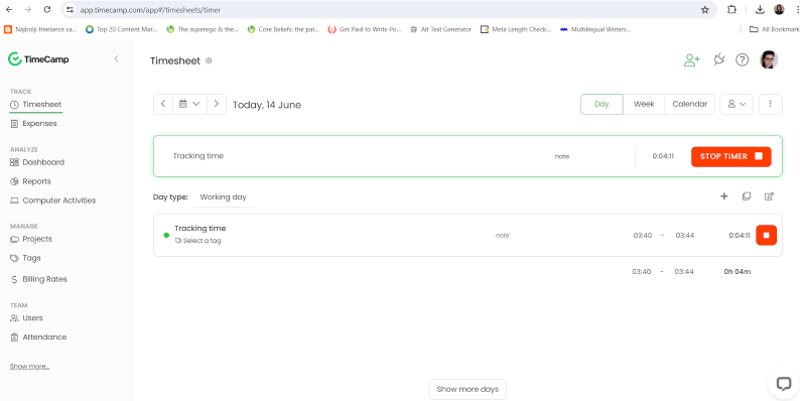
Still, people might look for alternatives when they want a more minimalistic interface, different workflow patterns, or features that TimeCamp doesn’t focus on.
Why people switch from TimeCamp
TimeCamp gets a lot of things right—2 time tracking options, good reporting, integrations, to name a few—but it’s not perfect. No tool is, and that’s okay. What works for one team can be a headache for another, especially as workflows grow and budgets or expectations change.
For freelancers, small teams, and remote workers, a few recurring frustrations tend to pop up over time. Some of the most common user-reported “complaints” are:
- Mobile app limitations. Several reviewers noted that the mobile app is a bit weaker than the desktop or web versions. They also suggested that mobile entries might not sync properly.
- Occasional reliability issues. Some users experience reliability problems when the internet is unstable; if the connection drops or there’s lag, they say data is lost or time entries don’t save correctly.
- Limited customization and flexibility. Some users feel there’s a lack of customization; they would like to adjust specific features, but there’s no way to change the UI.
- Scaling challenges for larger teams. There could be scaling problems for bigger teams or varying workflows; once companies grow or need advanced workflows (like approvals, a robust task and project hierarchy, advanced scheduling and time off, etc.), they may find TimeCamp lacking.
Because of this, you could end up looking for alternatives with a more intuitive interface (so the tool is simpler to use daily), more customization, or different workflows.
Whatever the case is, you’re at the right place, and you’ve got options. Ten of them, to be exact.
10 TimeCamp alternatives for worry-free time tracking
It’s time we get to the tools. Here’s a list of the 10 best TimeCamp alternatives:
If any name immediately stood out to you, just click it in this list to jump straight to that tool’s full review.
Each tool above includes a quick excerpt covering its Capterra rating, pricing overview, and our team’s two cents. You’ll love it. ❤️
#1 Memtime
If you’re looking for a TimeCamp alternative that tracks time automatically without any monitoring features, micromanagement, or even cloud spying, you’re in the right place. Memtime’s got you. 💪
Memtime is our fully automatic, privacy-first desktop time tracker built for Windows, macOS, and Linux. It runs quietly in the background, capturing ALL your digital activity so you can reconstruct your workday with precision.
There are no timers to start and stop.
No screenshots.
And no cloud storage of your raw activity data.
Everything stays locally on your device, and only you decide what gets shared.
Here’s what makes Memtime the stress-free TimeCamp alternative:
- Fully automatic and passive time tracking. From the moment you turn on your computer, Memtime automatically tracks your apps and software, documents and files, browser tabs, meetings, and calls (VoIP calls & iPhone calls on Mac). No manual timers and no interruptions.
- Memory Aid timeline. Memtime’s Memory Aid shows your entire workday in 1-60 minute intervals. You can zoom in for fine detail and instantly reconstruct what you worked on, down to file names and browser tab titles.
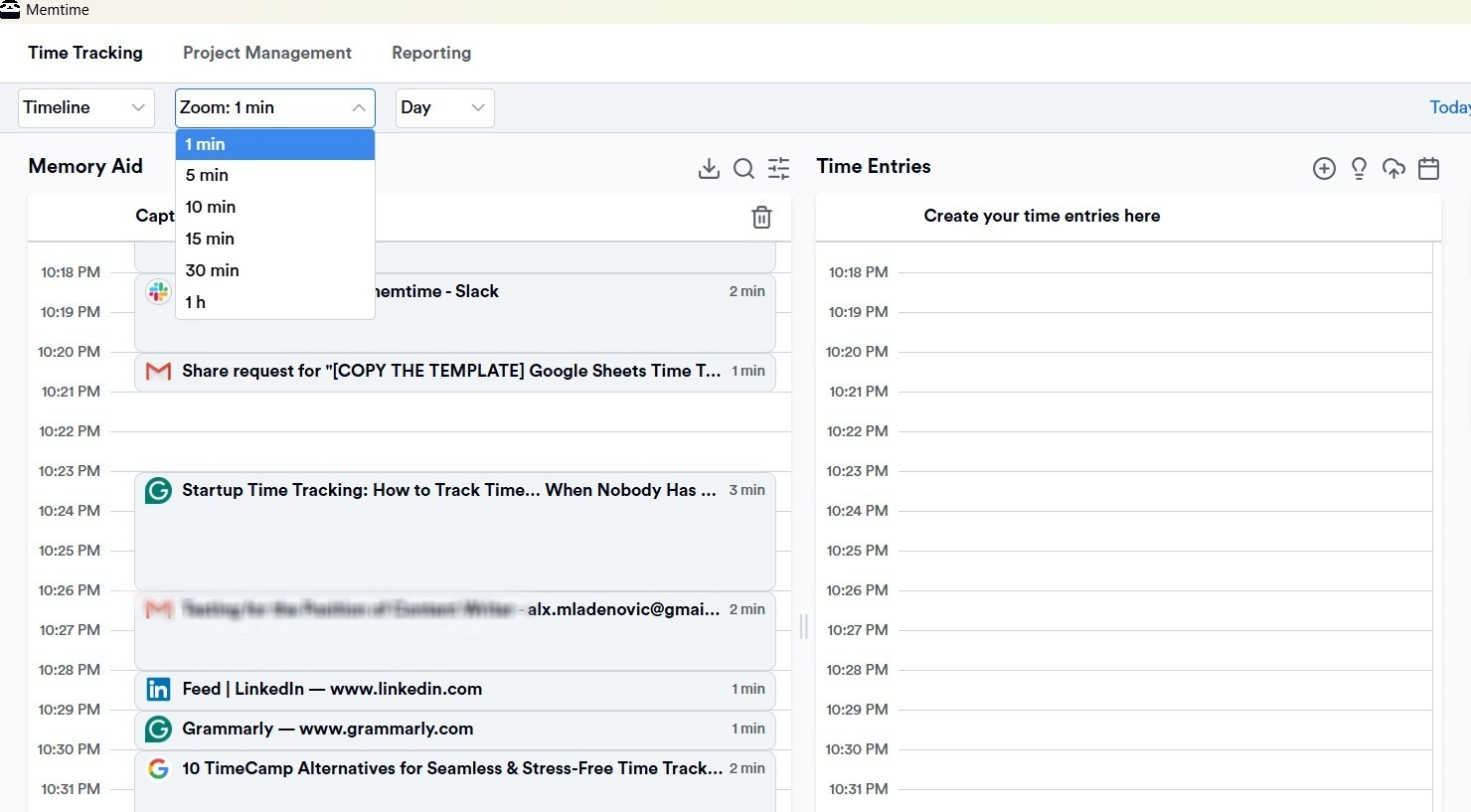
- Smart time entry suggestions. You can convert activities into time entries manually or automate them with suggestion rules. For example, when a specific URL opens, or a certain document path appears, Memtime automatically suggests a time entry for you.
- Calendar tracking. You can sync Google Calendar, Outlook, iCloud, or CalDAV to compare planned vs. actual time spent on meetings.
- Two-way sync with 100+ tools. Memtime offers true 2-way sync that lets you import projects and tasks from 100+ project management and billing tools, track time in Memtime, and export entries back directly, fully structured and ready for billing. No manual retyping.
Shortly put, Memtime stands for:
- Minimal effort → 100% automatic, passive time tracking.
- Entirely private → all activity data stays on your device.
- Micromanagement-free → no screenshots, and no monitoring.
- Tool-compatible → 100+ integrations with true 2-way sync.
- Insight-rich → detailed Memory Aid timeline for precise work capture.
- Meeting-smart → calendar & call tracking built in.
- Effortlessly billable → accurate exports for invoicing and reporting.
So, if you want a tool that tracks your time so smoothly you’ll forget it’s even there, Memtime is for you. You can start with our 2-week free trial and test it out (full access, no credit card required) or…
Or.
You can book a quick 15-minute demo and see how Memtime can keep your team’s time accurate and projects organized. Your call.
#2 Clockify
Clockify is a beginner-friendly time tracking and productivity app designed for individuals, freelancers, and teams. It’s cloud-based and accessible via desktop, web, and mobile, and you can use it to manage hours, projects, and invoices.
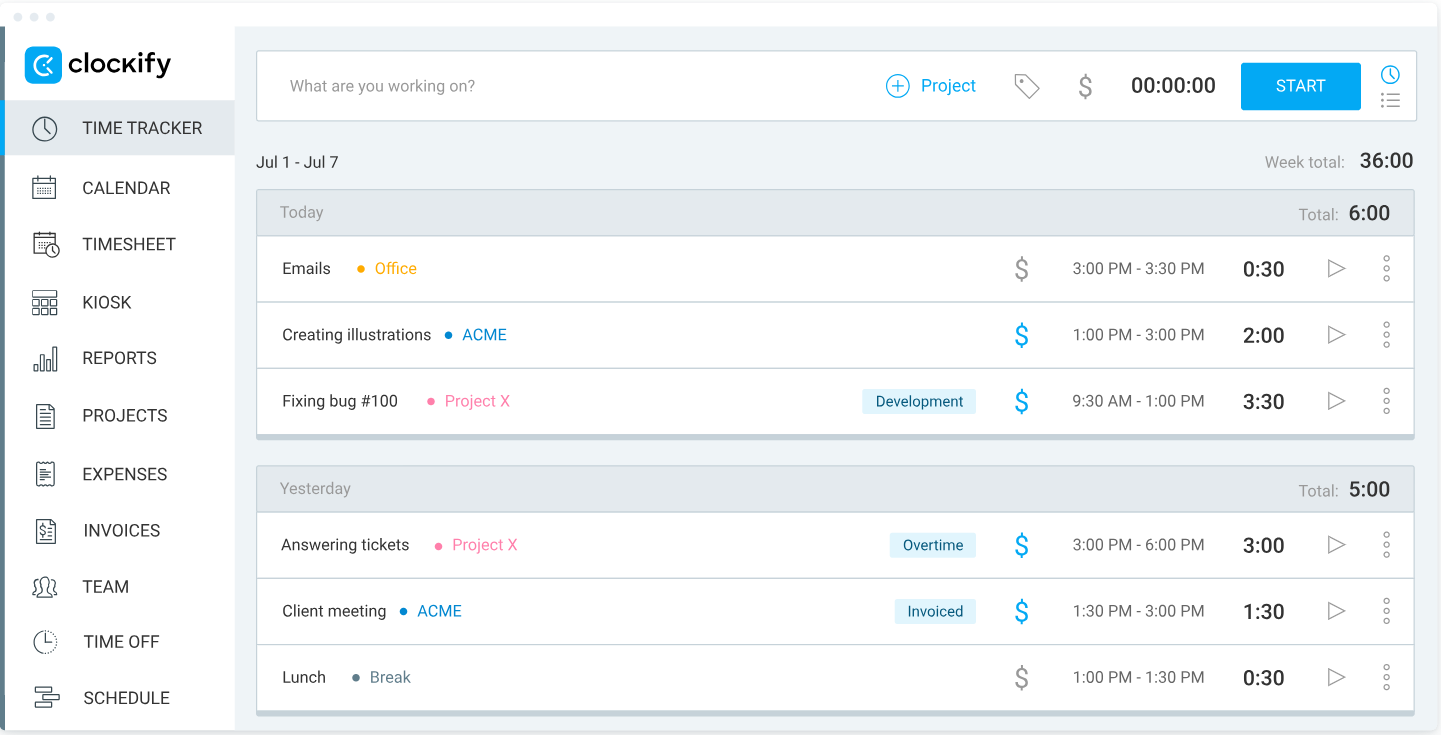
It’s especially popular among startups and businesses looking for a low-budget solution; the free forever plan supports unlimited users, making it easy to get started.
Here are some of Clockify’s key features:
- There are multiple ways to track time. You can use a Start/Stop timer for real-time tracking, manual time entry for adding hours later, or drag-and-drop editing. There’s also Auto Tracker for desktop (Windows and Linux), which records app and website usage locally.
- You can assign hours to projects, tasks, and clients, set billable and non-billable rates, track budgets, plan shifts, and manage team schedules.
- There’s a built-in Pomodoro timer for short, productive work bursts.
- You get idle detection with prompts to remove, keep, or split idle periods.
- You can sync Clockify with Google Calendar or Outlook to match tracked time with scheduled events.
- Over 90 integrations are available, including 2-way sync with QuickBooks.
- You can generate reports filtered by client, project, task, user, date, or location.
- You can create invoices directly from tracked hours and expenses, with customizable client details.
- GPS tracking for fieldwork and remote teams is available on mobile.
- There’s a clock-in kiosk and leave tracking for workforce management.
All in all, Clockify is a good option for teams and freelancers who want straightforward time tracking with reporting and invoicing. It’s cloud-based, and flexible; you can manage time without a complicated setup.
#3 Toggl Track
Toggl Track is a well-known, cloud-based time tracking tool designed for freelancers, remote workers, and project-based teams. Its flexible features let you log work hours, monitor projects, and generate reports, all without constant monitoring.

It runs on all major platforms: web, desktop, mobile, and as a browser extension.
Here are some of the tool’s most prominent features:
- You can use Start/Stop timers for manual tracking, manual time entry, or “duration-only” mode (log hours without exact start/stop times), and the timeline feature (desktop apps) that records app and website usage for more than 10 seconds.
- You get idle detection alerts, letting you discard or keep idle time.
- You can create projects and tasks, set estimates or fixed fees.
- You can track project progress with alerts when you approach budgets or estimated time.
- You can assign time to clients, projects, or team members, and separate billable and non-billable hours.
- There’s a built-in Pomodoro timer.
- The app sends reminders to ensure your logs are accurate.
- You can lock time entries or approve timesheets to maintain consistency.
- You can generate reports by client, project, task, team member, or tag and export them.
- Toggl integrates with around 100 tools, including Google Calendar, Jira, Trello, Slack, and Asana (4 of them via 2-way sync).
- There’s a cloud-based storage that ensures your data is available across all devices.
Toggl Track is a solid option if you want a lightweight, user-friendly time tracking tool that gives you visibility and team comfort. It’s manual-first, but also offers passive background tracking for users who want it. Your team definitely won’t feel micromanaged.
#4 Hubstaff
Hubstaff is a well-rounded time tracking and workforce management app designed for remote and hybrid teams. It tracks work hours but also helps manage payroll, shifts, budgets, and team productivity, all in one platform.

It’s great for businesses and managers who want visibility into how teams spend their time, while also having tools to manage schedules, payments, and field operations.
Here are some of Hubstaff’s key features:
- You can use Start/Stop timers, manual entries, or automatic tracking based on schedules and shifts.
- You can track time per project, task, or team member.
- The app detects inactivity and auto-prompts to keep or discard idle time.
- Hubstaff does app and URL usage tracking, keyboard and mouse activity tracking, and offers optional screenshot monitoring with privacy controls (including blurring or optional activation).
- You can create shifts, manage attendance, and send alerts for late or missed shifts.
- There’s mobile GPS tracking for field teams, with clock-in/out and route planning.
- You can set budgets per project or team member and receive alerts when nearing limits.
- You get automated payroll via integrations with PayPal, Wise, and Deel.
- You can generate invoices directly from tracked hours and project data, and track billable and non-billable time for accurate payments.
- You get over 20 reports on time, activity, location, and project, and insights into productivity, project costs, and team efficiency.
- Hubstaff connects with over 30 productivity, project management, and accounting tools.
Hubstaff is a decent choice for teams and managers who want more than just a timer. It’s a workforce management tool that combines time tracking with oversight, accountability, and financial management. With Hubstaff, you get structure and accountability (surveillance?).
#5 RescueTime
RescueTime is an automatic time tracker built for individuals and teams who want to understand where their time goes and take back control of their workday. It’s more of a productivity tool that runs quietly in the background across desktop, mobile, and browser extensions. It categorizes your activity as productive or unproductive, and turns your habits into visual reports and trends.

Because of its features, RescueTime is primarily focused on personal productivity, so it’s a good option if you want to improve your team’s focus rather than monitor each employee or manage billing.
Here are some of RescueTime’s key features:
- You get automatic, passive tracking. The tool tracks app, website, and device usage in the background and syncs activity data across all your devices.
- RescueTime labels apps and websites as productive or unproductive to help turn your digital habits into actionable insights.
- You can spot patterns and trends in how your time is spent.
- Focus Sessions are available. These sessions block distractions on demand, and if you have Spotify Premium, you can integrate it into RescueTime to play the concentration playlist.
- You can set focus or screen-time goals and get gentle nudges when you drift.
- You get daily, weekly, and monthly productivity reports.
- The tool integrates with Google Calendar, Asana, Slack, and more.
As you can see, RescueTime is not designed for team oversight, payroll, or billing. So, if your goal is to support your team’s personal growth, focus, and habit-building, this tool is a good choice. Think of it as your quiet productivity app, running in the background while you focus on getting work done.
#6 DeskTime
DeskTime is a time tracking and productivity monitoring tool designed for teams. It gets you visibility into how work time is spent, without heavy, intrusive surveillance.

DeskTime focuses on automatic, privacy-aware time tracking combined with productivity analytics. It markets itself as a tool that promotes transparency and flexibility rather than strict oversight. I’ll let you be the judge of whether the tool is truly about transparency.
Here are DeskTime’s core features:
- You get automatic time tracking. The desktop app starts tracking when a computer is turned on and stops when it detects inactivity (after a defined idle period).
- You also get manual time tracking, available via a web timer, mobile timer, and offline time entry for added flexibility.
- There’s a Private time mode. When idle time is detected (for example, after 3 minutes), tracking temporarily pauses to protect personal privacy.
- DeskTime logs which applications and websites are used during tracked time.
- Apps and websites can be labeled as productive, neutral, or unproductive.
- Time can be assigned to specific projects and tasks.
- You get real-time dashboards and historical performance reports for users, teams, and projects, with export options.
- Managers can track who is working and plan team availability.
- You get optional screenshots; periodic screenshots can be enabled for additional activity verification.
- The app connects with project management tools and calendars.
- There’s cloud-based storage; all tracking data is securely stored in the cloud.
DeskTime combines automatic time tracking, app and URL monitoring, productivity scoring, and privacy controls in one platform. It’s not about super-detailed surveillance, but does have a lighter monitoring touch. Overall, the tool is a solid, well-reviewed choice that balances monitoring with user privacy.
#7 Time Doctor
Time Doctor is a time tracking and workforce productivity platform built specifically for remote and hybrid teams. It combines traditional time tracking with employee monitoring, productivity analysis, and billing tools.
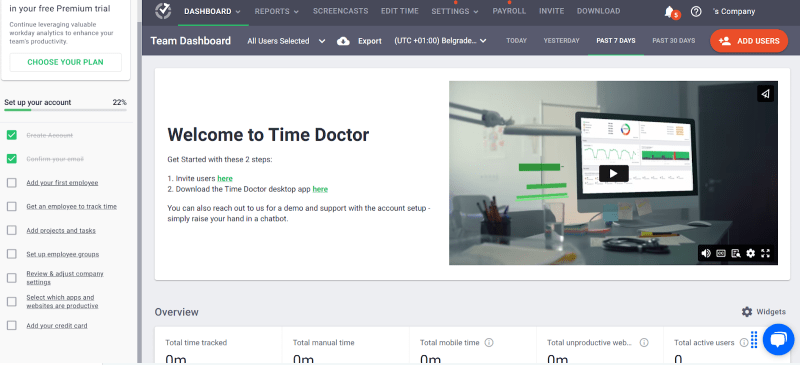
This tool is not a light productivity tool per se. It’s designed for structured oversight and accountability; it’s super team-focused. So, if you want clear visibility into your employees’ performance, attendance, and work activity, Time Doctor can get you that.
Here are some of Time Doctor’s key features:
- You get manual and automatic time tracking; you can track time with Start/Stop timers or run tracking quietly in the background.
- Alerts appear when no keyboard or mouse activity is detected.
- All visited websites and used apps are recorded and categorized as productive, unproductive, or neutral.
- You get distraction alerts, and you are prompted when you visit non-work-related websites.
- Teams get visibility into time usage, productivity trends, and overall performance.
- You can set customizable hourly rates that can be applied per project or user to create invoices.
- There are built-in payroll and billing features that support workforce payments.
- Time Doctor allows optional screenshots, screen recordings, and webcam captures.
- The tool connects with tools like Slack, Asana, Jira, and more.
- The app works on Windows, macOS, Linux, Android, iOS, and the web.
- All tracked data is stored in the cloud.
Time Doctor works well for managers (especially the ones who want activity monitoring, productivity enforcement, and payroll and invoicing in one tool). Compared to TimeCamp, Time Doctor leans more toward employee oversight and accountability rather than just productivity tracking.
#8 Everhour
Everhour is a time tracking and project management tool built for teams that want to track time, manage projects, control budgets, and handle billing in one place. It’s widely used by SMBs, remote teams, and freelancers.

While TimeCamp focuses on automated tracking and productivity monitoring, Everhour leans more toward project-based work, budgeting, and client billing. The app is more about control over estimates, budgets, and profitability than surveillance of any kind.
Here are some of Everhour’s core features:
- Everhour works on desktop, mobile, and web via a browser extension.
- You get manual time tracking; you start/stop timers while working or add hours manually later. Timers can auto-stop, and reminders trigger when they run too long.
- There’s clock-in and clock-out tracking to support shift-style tracking.
- For users who don’t log time per task, Timecards show total daily or weekly working hours.
- You can set estimated hours and budgets at the task or project level, with billing options for project hourly, person hourly, or fixed fee.
- Reporting includes timesheets, project milestones, sprint reviews, and time by tag. They give insights into hours worked, billable vs. non-billable time, costs, profit vs. cost, budget spent and remaining, etc.
- Admins can control access and require timesheets to be submitted and approved.
- You can track vacations, holidays, and absences and factor them into team availability and capacity planning.
- You can log work-related expenses like travel and materials, with receipt uploads and expense categories.
- You can create customizable invoices directly from tracked time and expenses.
- You can set employee costs and client rates to track profit and revenue.
- Desktop users can enable activity screenshots at set intervals for additional oversight.
Compared to TimeCamp, Everhour is more about project planning, profitability, and client billing than productivity monitoring. If your team depends on projects, budgets, and billable work, Everhour is a powerful alternative to TimeCamp.
#9 Timely
Timely is an AI-powered automatic time tracking app designed for professionals and teams who don’t want to use Start/Stop timers. Similar to Memtime, Timely quietly records activity across apps, documents, browser tabs, and meetings. It then organizes everything into a visual timeline using AI.
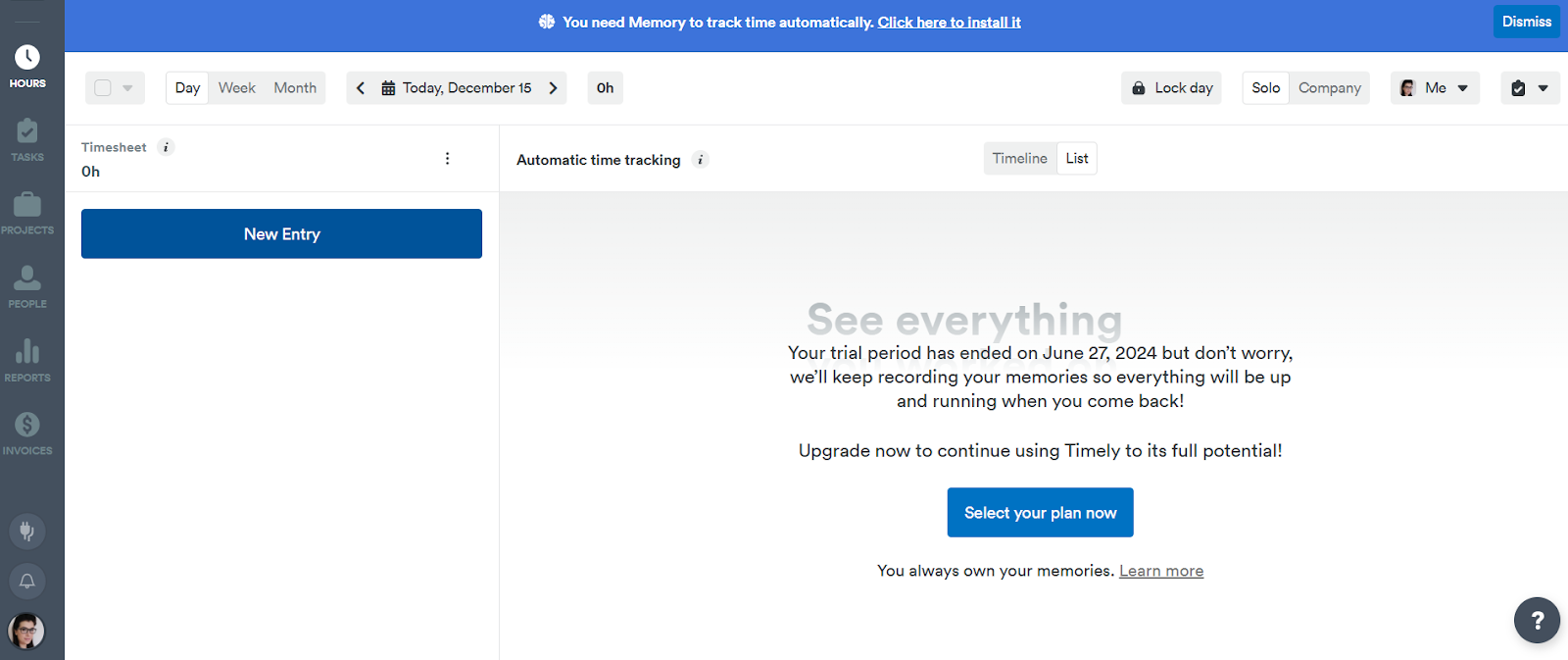
At the core of Timely is its Memory Tracker app, which runs in the background and syncs activity data to the cloud. Unlike traditional time tracking tools, Timely does not offer a full desktop interface for managing entries; all review, editing, and time management happen through the web app.
Here are Timely’s key features:
- You get fully automatic time tracking that tracks apps, websites, files, and meetings in real time.
- All your activities are automatically organized into projects, clients, and tasks.
- Tracked activities are visible only to you unless you choose to share them with your team.
- All activity data syncs to the cloud and is accessible across devices.
- Users and managers get dashboards for project tracking, capacity planning, performance insights, and progress visualization.
- You can compare billable and non-billable hours, and planned vs. actual time.
- You can monitor how projects perform against budgets.
- Timely integrates with Asana, Trello, ClickUp, Outlook Calendar, and dozens of other workflow tools.
Overall, Timely is a modern time tracking tool. Compared to TimeCamp, Timely shifts the focus away from monitoring toward automation and insight.
#10 Harvest
Harvest is a cloud-based time tracking and invoicing tool designed for freelancers, agencies, and client-focused businesses. Its purpose is pretty simple: track time, manage expenses, control, and turn hours directly into invoices.
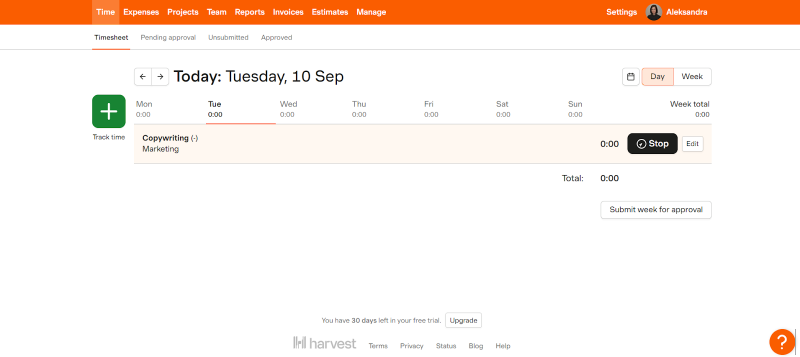
The app doesn’t focus on automated monitoring or employee surveillance. It prioritizes manual time tracking, transparent billing, and financial reporting. The tool is known for being simple, team-friendly, and easy to adopt.
Here are Harvest’s core features:
- You get manual time tracking; you can start and stop timers or enter time manually across tasks and projects from desktop, web, and mobile apps.
- You get daily or weekly prompts to help you track time consistently.
- Managers can review and approve timesheets before billing.
- You can upload receipts, categorize expenses as billable or non-billable, and tie them to specific clients or projects.
- You can convert tracked time and expenses directly into invoices without leaving the app.
- You can accept payments via Stripe, PayPal, or ACH, with automated reminders for overdue invoices.
- You can set hourly or fixed-fee project budgets, track retainers, and monitor project costs per client.
- You receive notifications when projects approach or exceed budget limits.
- You can view real-time progress to prevent overruns and compare actual vs. estimated hours.
- You can see who’s working on what, track billable hours, and manage capacity.
- You can generate reports by team member, task, project, or client, including billable vs. non-billable hours.
- The tool works with calendar apps, and accounting and payroll platforms such as QuickBooks, Xero, and Deel.
- All time entries, reports, and invoices sync online and are accessible from anywhere.
Compared to TimeCamp, Harvest focuses more on billing, budgeting, and financial aspects of running a business than on productivity monitoring. If your business runs on billable hours, retainers, and client reporting, Harvest is a reliable alternative to TimeCamp.
Wrapping up
And there you have it. Ten shiny, capable, and comforting little tools to track every minute of your working life. It’s a beautiful diversity.
And the best time tracker? Well, it’s the one you’ll actually use.
So, pick your weapon, and learn about your habits. And may your future be full of accurate timesheets and happy clients. 🍀
What exactly are TimeCamp alternatives, and why would I need one?
TimeCamp alternatives are other time tracking tools that better match your workflow, budget, or style. Sometimes you need simpler interfaces, better automation, or extra features.
Can I switch to a new tool without losing my old TimeCamp data?
Most tools let you export your TimeCamp data or start fresh without losing track of hours. A clean setup can also be a great chance to simplify your workflow. Memtime, for example, makes importing tasks and projects from other tools really smooth.
Which TimeCamp alternative is best for automatic tracking?
If you want hands-off tracking, Memtime and Timely quietly capture everything in the background, so you don’t have to start or stop timers. They keep your workflow uninterrupted while still giving accurate data. Memtime even organizes your day in a Memory Aid timeline for quick insights.
Are these alternatives good for teams, freelancers, or both?
There’s something for everyone. Solo freelancers might prefer simple, automated tools like Memtime or Toggl Track, while teams might enjoy features such as budgeting, project tracking, and reporting. Most alternatives can scale depending on your needs.
Will I have to monitor my team constantly with these tools?
Not necessarily. Some tools, like Time Doctor or Hubstaff, lean toward oversight, but others, like Memtime, focus on privacy-first tracking without micromanagement. You can choose a tool that matches your team’s culture.
Do these tools integrate with other apps I use?
Yes! Most time trackers play well with project management, billing, and calendar apps. Memtime, in particular, offers true two-way sync with 100+ tools, so your workflow stays smooth.

Aleksandra Mladenovic
Aleksandra Mladenovic is a copywriter and content writer with six years of experience in B2B SaaS and e-commerce marketing. She's a startup enthusiast specializing in topics ranging from technology and gaming to business and finance. Outside of work, Aleksandra can be found walking barefoot in nature, baking muffins, or jotting down poems.







