9 Replicon Alternatives For Time Tracking Without the Complexity

Replicon is one of those tools that can impress you with everything it does. It covers time tracking, workforce management, project billing, compliance, payroll… what can’t it do?! From SMBs to large organizations with genuinely complex needs—it simply gets the job done.
Cool, cool.
But not everyone *needs* all that. And if you’re reading this, there’s a chance you are that “everyone”. My guess is you don’t have an issue with Replicon per se; you’re simply starting to wonder if there’s a time tracking software that offers less time to manage than the hours you’re trying to track.
That’s a fair question.
And that’s why we put together a list of 9 Replicon alternatives. We tested tools that cover everything from fully automatic time tracking to timers and team scheduling, so you don’t have to. Whatever your team’s size or workflow is, there’s an option on this list that fits.
I know you’ve got no time to waste, so let’s roll.
Oh, and before we get into the actual list, let’s quickly look at what Replicon is and why you might be looking elsewhere. If you can’t wait to get to the alternatives list, you can skip the intro by clicking here.
Key Takeaways
- Replicon is a powerful enterprise tool, but it’s often overkill for small teams or anyone who just needs simple time tracking.
- The 9 alternatives range from fully automatic to manual, so there’s something for every workflow and team size.
- If you want zero manual input, Memtime tracks everything in the background automatically; this means no timers, no forms, and no setup headaches.
- For tight budgets, Clockify’s free plan offers unlimited users and projects, making it hard to beat.
- Remote and field team managers will find more targeted options in tools like Hubstaff, Connecteam, and Jibble.
- Most tools on this list are faster to set up and easier to learn than Replicon, without sacrificing the features most teams actually need.
First, what is Replicon?
Replicon is a cloud-based time tracking and workforce management platform. It’s built primarily for mid-market and large enterprise organizations and was founded back in 1996 (yep, you’ve read that right). Replicon was acquired by Deltek in 2023.
The platform is all about giving companies a single tool of truth for time data. You track hours, connect them to projects, clients, payroll, and compliance, and use all of that to make better decisions about cost, billing, and workforce productivity. Replicon can also handle global teams, complex pay rules, and all the legal compliance rules that come with managing people across the globe.
Who Replicon is for
Replicon works well for large enterprises, professional services firms, and organizations with super complex workforce management needs. Think compliance-heavy industries, multinational teams, and companies running sophisticated project billing.
If you work for such a company, Replicon definitely makes sense. But if you’re a freelancer or run a small agency with a team of 20 people who just want to know where their hours are going, Replicon could be overkill.
Replicon features
As mentioned above, Replicon covers A LOT of ground. Here are some of its features worth noting:
- Time tracking. Replicon gives you a few ways to log time: you can fill in timesheets manually, use the mobile app to clock in and out (with GPS and geofencing for field workers), or let the AI-powered ZeroTime feature automatically capture time from 100+ work apps. There’s also an AI layer that helps pre-populate timesheets to reduce manual effort.
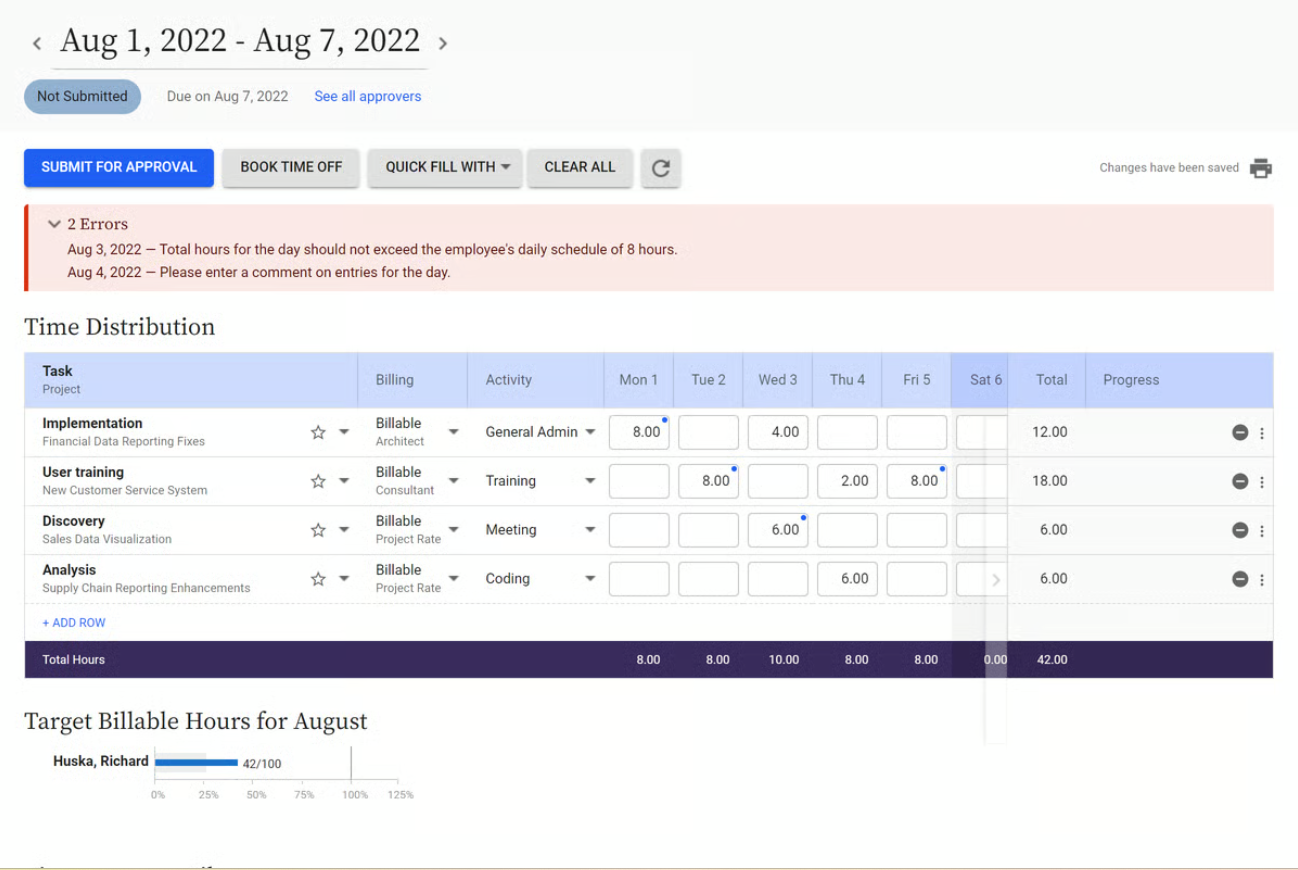
- Project time and cost tracking. You can track billable and non-billable hours and link them directly to project budgets and profitability.
- Attendance and time-off management. Replicon handles employee scheduling, leave requests, and attendance tracking.
- Compliance management. The app supports pay rules and labor compliance across 145+ jurisdictions, which is pretty useful for global companies.
- GPS-enabled tracking. For field-based and deskless workers, mobile clock-ins with location tracking are available.
- Approval workflows. Managers can review, approve, or reject timesheets with configurable workflows.
- Reporting and analytics. You get reporting functionality for time costs, utilization, project profitability, and workforce data.
- Integrations. Replicon connects with ERP, accounting, payroll, and HR tools.
Replicon pros & cons
Alright, now. No tool is perfect, you know that. Here’s what Replicon gets right and what might make you want to close your laptop and call it a day.
Pros of Replicon
- It’s built for enterprise-level complexity. If you need compliance support across multiple countries, workforce scheduling, and fast billing, Replicon handles it all well.
- Deep customization. You can configure many things in Replicon, like timesheets, approval workflows, pay rules, and project structures.
- Strong compliance coverage. The over 140 jurisdiction support is genuinely hard to match.
- One platform for so many things. Time tracking, attendance, project billing, and workforce management are all available under one app.
Cons of Replicon
- It can be complex to set up and learn. Some users mentioned that Replicon comes with a bit of a learning curve. The configurability is the upside, but the time it takes to get there can be the downside.
- It can be pricey for smaller teams. The app's cost is designed for enterprise budgets, not necessarily for small teams. If you run a small team, the benefit/cost scale can feel disproportionate.
- Mobile experience is a bit limited. Replicon’s desktop experience is much richer; mobile feels like a secondary consideration.
What made you look for a Replicon alternative?
This is a genuine question; there’s no shame in it.
Replicon is a serious tool that large teams can benefit from, but it’s also one that a lot of users land on because their company uses it, not because they chose it. So, if you didn’t choose it, I get why you would want to try an alternative.
Now, listen. Whatever brought you here, you’re in the right place. Below are 9 Replicon alternatives worth a proper look. We’ve ordered them from most automated to most manual, so if you want something that basically runs itself, start from the top.
Top 9 best Replicon alternatives
#1 Memtime — Best for automatic time tracking
Yes, Memtime is our no. 1.
And no, it’s not because we’re biased but because it’s as far from Replicon’s “configure everything yourself” approach as you can get. 🙂
Memtime is our desktop-first automatic time tracker that runs quietly in the background and records everything you do on your computer. All the apps, docs, browser tabs, meetings, and even calls, without you having to start a timer or fill in a single field.
Here’s how it works: Memtime builds a chronological timeline of your day called the Memory Aid. You can view it in chunks of 1 to 60 minutes.
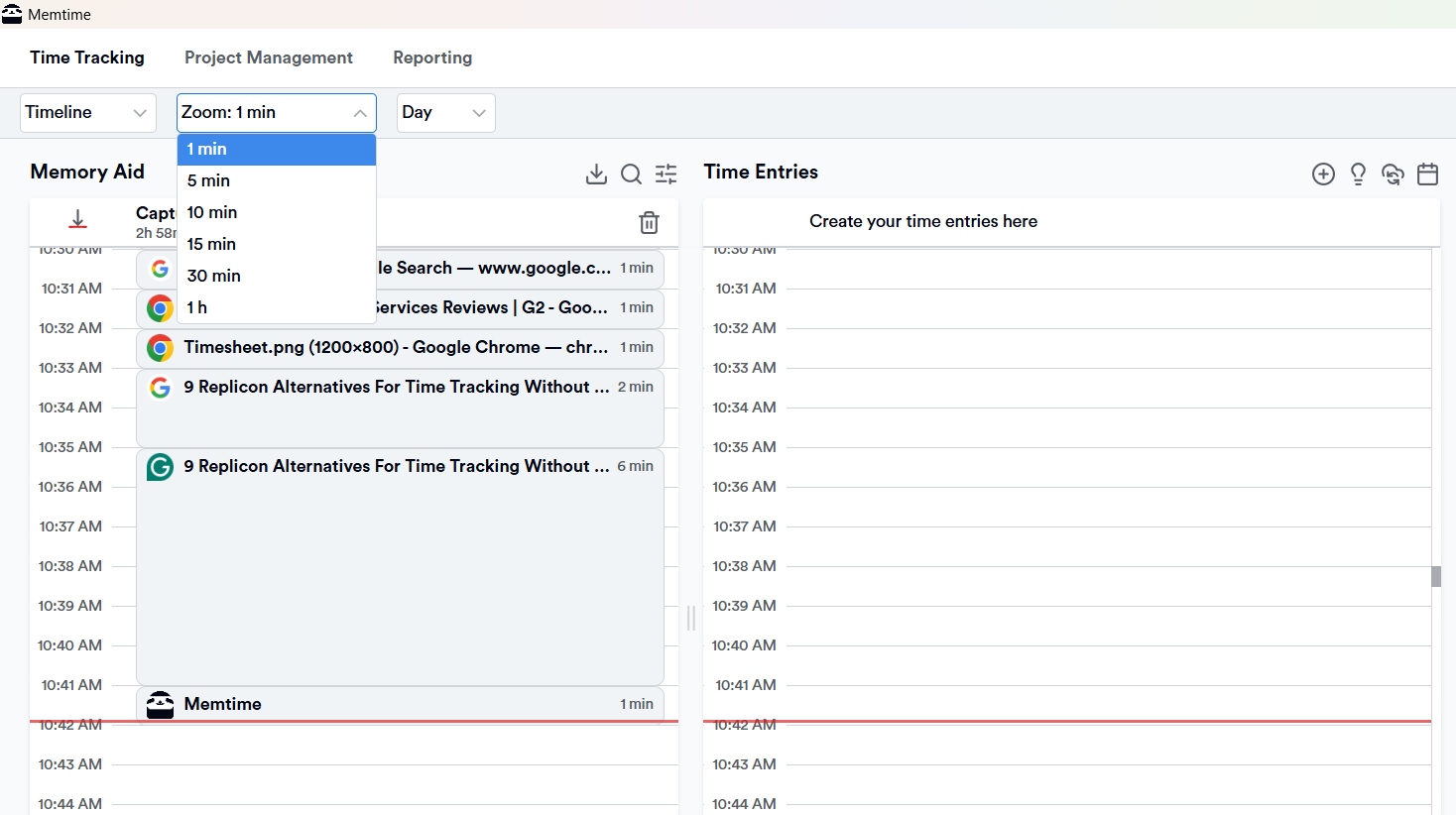
Once you can see exactly what you did and when, you can turn your activity into time entries for projects and clients in just a few clicks. You can even set rules so Memtime suggests time entries automatically—you review, accept or decline, and move on.
And that’s not all, folks.
Here’s what else Memtime can do:
- Keep your data local. Memtime doesn’t sync your raw activity data to any server. Your URLs, file names, and browsing history stay on your computer (as they should!). Only the time entries you create and export to other tools can be viewed and used.
- Two-way sync with 100+ tools. You can import your projects and tasks from a project management tool and export time entries back to it. No double entry needed.
- VoIP and iPhone call tracking. Calls via supported VoIP services and even iPhone calls (on Mac) get automatically logged with durations. How cool is that?!
- Memtime Projects. If you want project management features, Memtime lets you create projects, assign tasks, invite teammates, and see who’s logging time on what, all within Memtime’s own web dashboard.
By now, I feel like you get it. Compared to Replicon, Memtime’s a completely different experience. There’s no complicated setup or compliance configuration. You just download it, install it, work, and see where your time went.
If you are ready to give Memtime a go, download it here. Then work like you normally, and let the sloth take care of the rest.
#2 Toggl Track — Best for simple time tracking
Toggl Track is one of those tools that just about everyone in the time tracking world has heard of or tried at some point. And for good reason; it’s a clean, fast, and an easy-to-use tool.
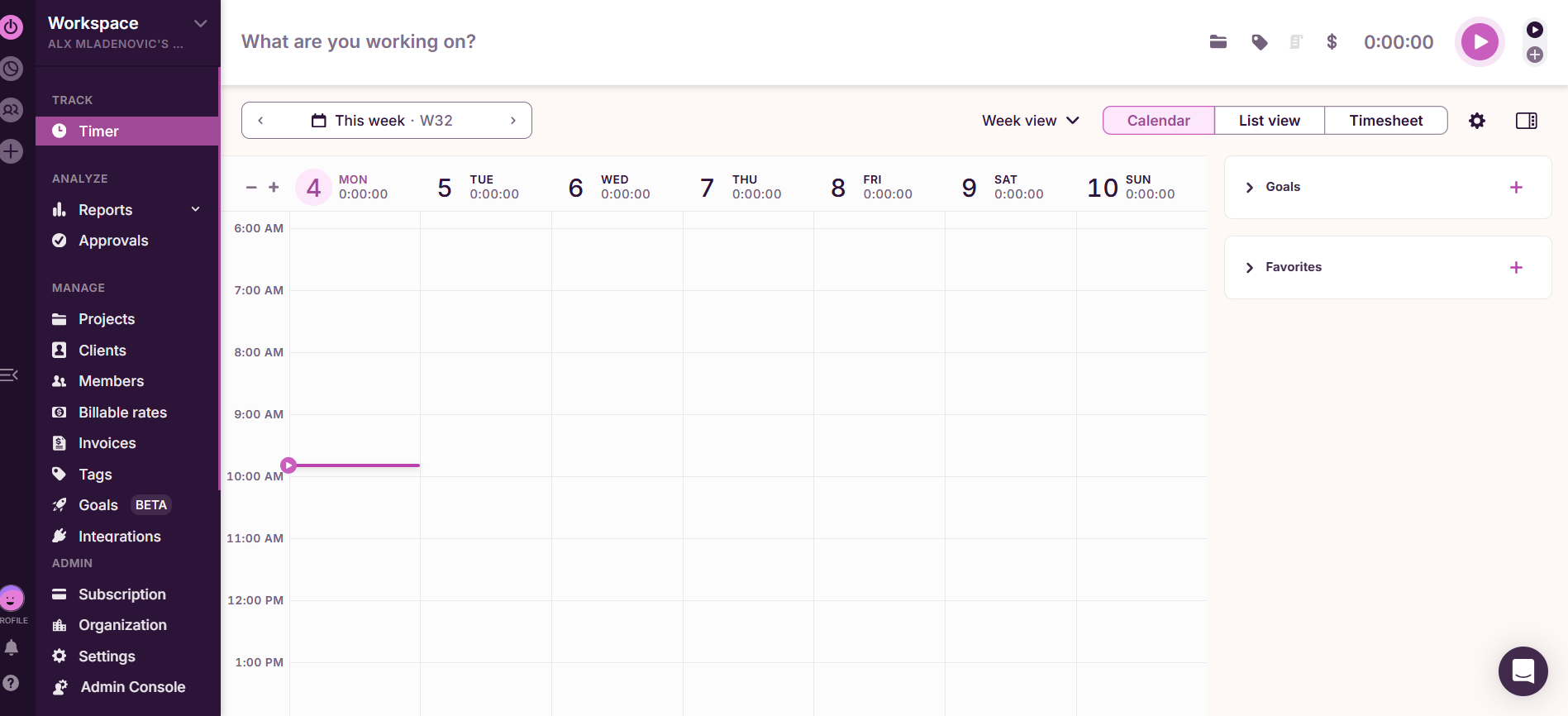
With Toggl, you start a timer when you begin working on something, stop it when you’re done, add a description and a project, and that’s pretty much it. You can also drag and edit time blocks in a calendar view or add time manually after the fact.
Beyond the basics, Toggl Track includes projects and client organization, billable vs. non-billable time, team tracking, and solid reporting. It also integrates with a bunch of tools, so you can track time without leaving the apps where work actually happens.
On the automation side, Toggl offers idle detection (it notices when you’ve walked away and asks what to do with that time), background tracking via its desktop apps, and reminders to start tracking if you forget.
Compared to Replicon, Toggl Track is much lighter to adopt. If you want a time tracking app that just works and doesn’t ask much of you upfront, Toggl is a good starting point.
#3 Hubstaff — Best for remote team monitoring
Hubstaff is a step up in terms of team management features and a decent Replicon alternative. It gives you workforce visibility without all the enterprise complexity.

Hubstaff tracks time, but it also adds screenshots, activity levels, app and URL tracking, and GPS location for field-based teams. If you run a team, you can get a clear picture of how your remote or distributed team spends their day without having to trust that timesheets are accurate (no offense to your team, of course).
Beyond monitoring, Hubstaff covers scheduling, payroll integrations, project budgeting, invoicing, and reporting. In terms of automation, Hubstaff can automatically start and stop tracking based on your schedule or location, and idle time detection keeps timesheets clean.
Compared to Replicon, Hubstaff is easier to set up and use day to day, while still covering most of the workforce management features that make Replicon appealing for larger teams.
#4 TimeCamp — Best for keyword-based time tracking
TimeCamp is all about a nice middle ground. It’s more automated than a pure timer tool, but less hands-off than Memtime. And it plays very nicely with project management tools.
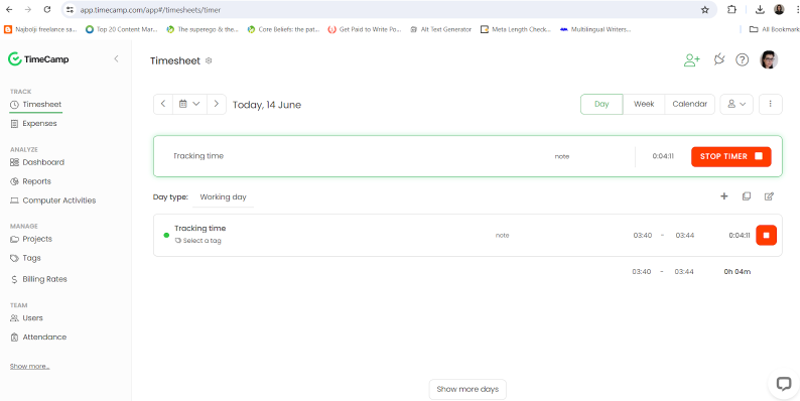
TimeCamp’s tracking works via keywords and background activity monitoring. You define keywords tied to specific projects (like a client name or project code), and TimeCamp automatically assigns time to the right project when it detects you working on something matching those keywords. It’s a pretty cool trick that can reduce manual categorization.
On top of that, TimeCamp integrates with tools like Asana, Jira, Trello, and ClickUp, pulling in your actual project structure so time entries map to real tasks.
You also get timesheets, billing rates, invoicing, budget tracking, and team reporting. It’s a well-rounded tool that works well for teams that already have a PM workflow and want time tracking to fit around it.
Compared to Replicon, TimeCamp is much faster to get into and doesn’t require anywhere near the setup overhead.
#5 Clockify — Best free time tracking option
Clockify is probably the most generous tool on this list in terms of pricing. Its free plan is truly functional; you get unlimited users, unlimited projects, and unlimited time tracking. Wowza!
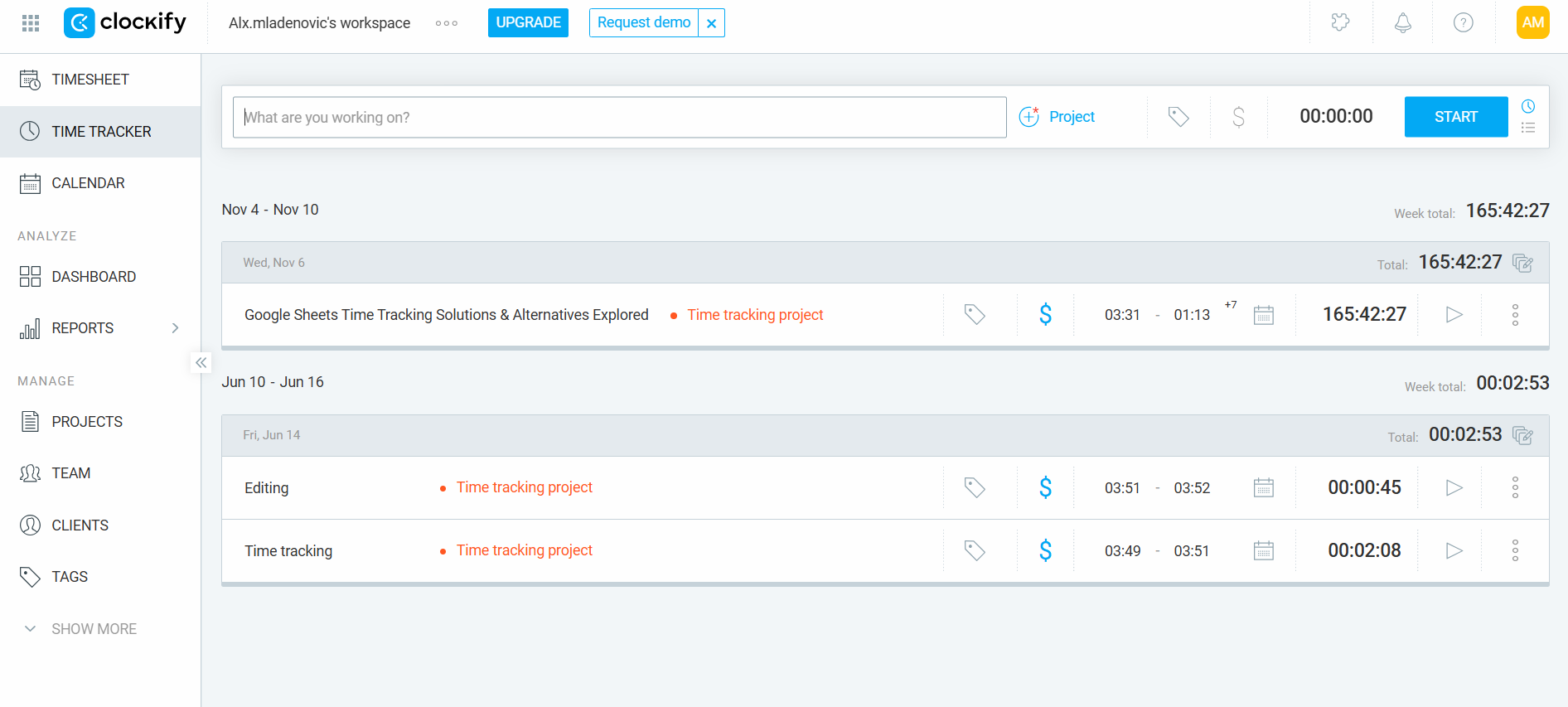
The app is all about simple time tracking: timers, manual time entry, and a timesheet view. You can organize everything by project, client, and task, mark time as billable or non-billable, and pull detailed reports. There’s also a calendar view where you can drag and edit time blocks, and a Pomodoro timer if that’s your thing.
What makes Clockify more interesting than it looks at first glance is the auto tracker, a background feature that records which apps, sites, and docs you use throughout the day. These aren’t automatically turned into entries (you still review and convert them), but it means you have another tracking option if you ever forget to run a timer.
Other Clockify features worth noting are idle detection, reminders, kiosk mode for team clock-ins, and invoicing on higher-tier plans.
Compared to Replicon, Clockify is way simpler, faster to adopt, and much more accessible. If you’re on a budget, it’s an obvious place to start.
#6 Jibble — Best for attendance tracking and team clock-ins
Jibble has a different approach from most tools on this list. Where others lead with timers or automation, Jibble leads with attendance and clock-ins.

The clock-in experience is flexible: you can check in via the web app, a mobile app, a selfie with facial recognition, a QR code, or a shared kiosk. GPS tracking and geofencing are there for field teams and hybrid workplaces where you need to verify people are actually where they say they are.
Jibble also handles shift scheduling, overtime tracking, leave management, and payroll-related reports. It integrates with popular payroll and HR tools.
The free plan is pretty generous: you get unlimited users and basic time and attendance features.
Compared to Replicon, Jibble is far simpler and much more focused. If workforce attendance and scheduling are the core of what you need, Jibble is definitely a good solution.
#7 Beebole — Best for project time tracking and reporting
Beebole is a bit of a hidden gem in the time tracking space. It’s not as loud as some of the already mentioned names, but it earns its place with project structures and good reporting.
The app lets you set up a detailed hierarchy of companies, projects, subprojects, and tasks, and then track time against any level of that structure you want. Time entry is manual (timers or direct input).
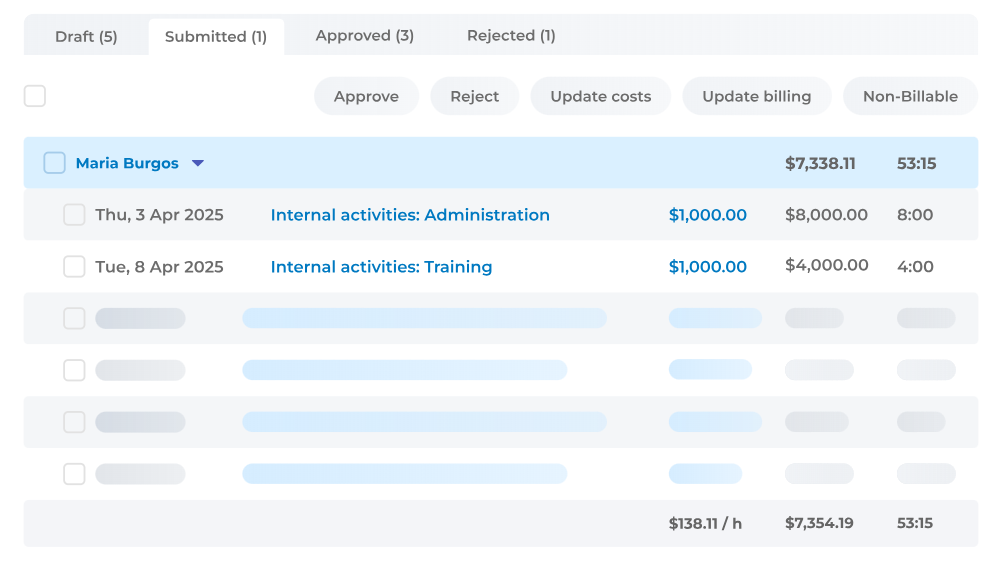
One of Beebole’s strongest features is reporting. You get customizable reports, pivot-table-style breakdowns, and Excel/CSV exports. Such reporting could work for consultancies tracking utilization across multiple client accounts.
It also has solid team management features, like approvals, time-off management, budgeting, and a clean admin view of who’s tracking what across the organization.
Compared to Replicon, Beebole is much easier to navigate, appropriately priced for small teams, and gets you detailed reports.
#8 Connecteam — Best for deskless teams
Connecteam is a different kind of tool. It’s actually a platform for managing frontline and deskless workers who need their tools to work well on a phone.
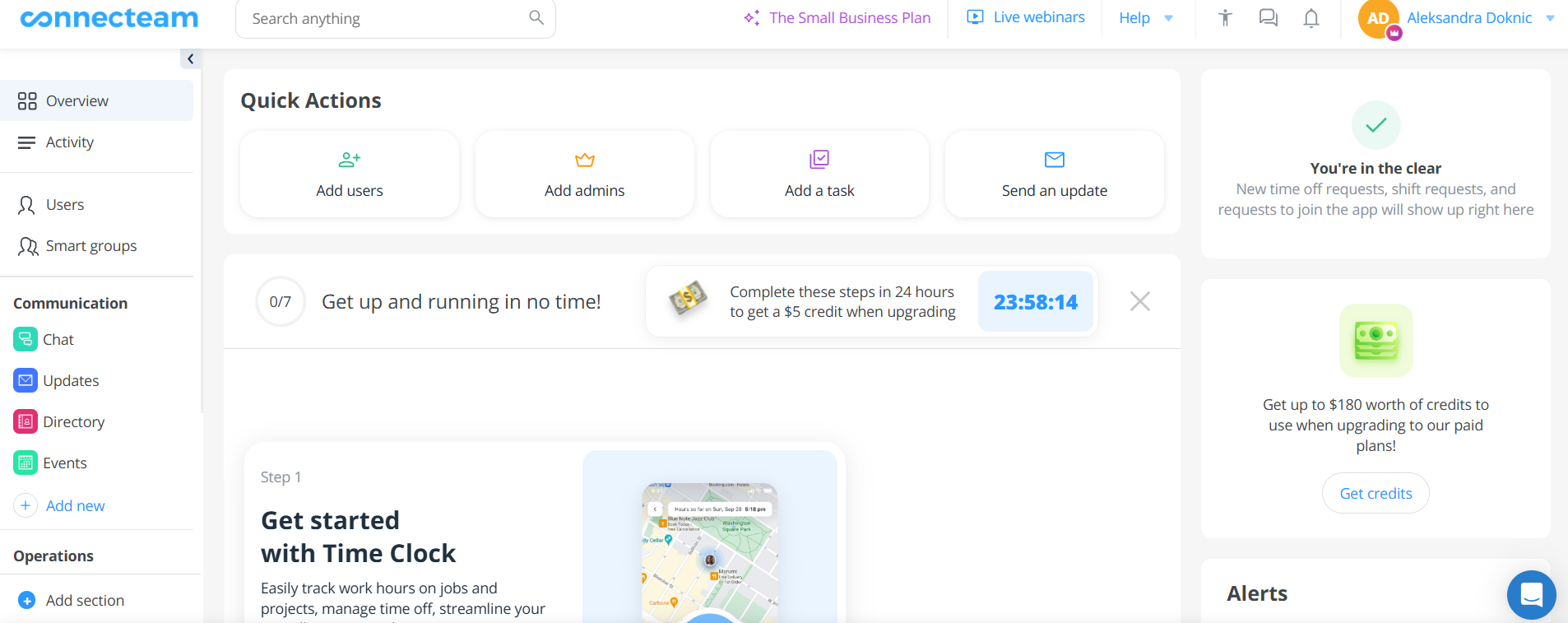
The time clock is mobile-first, with GPS tracking, geofencing, and facial recognition for clock-ins. Beyond time tracking, Conntecteam also covers scheduling, task management, team communication, checklists, HR docs, and employee onboarding.
For businesses with field staff, retail workers, construction crews, or anyone who’s not office-based, Connecteam is it. It brings a lot of functionality together in a way that’s usable on a phone. The scheduling and time tracking features alone can replace several separate tools.
Compared to Replicon, Connecteam comes with a much more approachable experience designed around how non-desk workers actually operate. If your team is constantly on the move, Connecteam is definitely worth a look.
#9 Wrike — Best for project management with built-in time tracking
Wrike isn’t primarily a time tracking tool; it’s more of a project management platform that includes time tracking as one of its features. That’s why if you’ve been using Replicon mainly for its project billing features and want something that puts project management first, Wrike is worth considering.

Within Wrike, you can log time directly on tasks, set effort estimates, track budgets, and generate time reports. The time data integrates naturally into the project view.
The rest of Wrike’s features are Gantt charts, Kanban boards, dependencies, approvals, automations, dashboards, and integrations with hundreds of tools, including CRMs, communication platforms, and file storage.
Compared to Replicon, Wrike is a project-first tool where time is just one input into a bigger workflow. If you want your team to work in one system that handles project delivery and hour tracking, Wrike is a good pick.
Wrapping it up
And there you have it. 9 Replicon alternatives that each solve the time tracking problem in their own way.
The right alternative depends on what kind of tracking you’re after:
- Want zero manual input? Go with Memtime.
- Want something simple and free? Clockify is a good option.
- Running a remote team? Hubstaff or Connecteam could do the job.
You get the drill.
Whichever app you choose, remember to take it for a spin before committing. Luckily for you, most tools on this list have free trials, so you can really get the hang of each.
Now, go ahead, choose a tool, and let the time tracking games begin!
FAQs
What’s the main difference between Replicon and its alternatives?
Replicon is built for enterprise-type complexity, like global compliance, billing, and large workforce management. Most alternatives trade that depth for simplicity and faster setup. Tools like Memtime, for example, take the opposite approach entirely: no configuration, no learning curve, just install and go.
Is there a free alternative to Replicon?
Yes, of course. Clockify is the strongest free option on this list. It offers unlimited users, unlimited projects, and solid time tracking at no cost. If you want something free but more automated, Memtime also has a free trial worth checking out.
Which Replicon alternative is best for remote teams?
Hubstaff is a good pick for remote teams, offering time tracking, screenshots, activity monitoring, and app and URL tracking. Connecteam is a better fit if your team is field-based or deskless, with mobile-first clock-ins, GPS, and scheduling. For remote knowledge workers who just want to know where their hours went without any manual input, Memtime is it.
Do any of these tools track time automatically, without timers?
Memtime does. It runs quietly in the background and records everything you work on throughout the day without you ever starting a timer. At the end of the day, you just review your activity and turn it into time entries.
Can these tools handle project billing as Replicon does?
Several can, though with varying depth. TimeCamp, Beebole, and Wrike all support billable hours, budget tracking, and reporting. Memtime also integrates with 100+ project management and billing tools, so your tracked time goes straight into the system where invoicing actually happens.

Aleksandra Mladenovic
Aleksandra Mladenovic is a copywriter and content writer with six years of experience in B2B SaaS and e-commerce marketing. She's a startup enthusiast specializing in topics ranging from technology and gaming to business and finance. Outside of work, Aleksandra can be found walking barefoot in nature, baking muffins, or jotting down poems.







