12 Jibble Alternatives That Streamline Time Tracking for Modern Teams

Time tracking isn’t exactly anyone’s idea of fun, but with the right tool, it can become bearable, even enjoyable. (Trust me, I’ve found my tool 💙)
If you’ve used Jibble, you already know it’s a solid app that gets the job done, especially when you just want to clock in, clock out, and move on with your day.
There’s no drama, fuss, or panic with Jibble.
That said, there’s 1 factor you need to keep in mind. Teams grow (your team can grow), projects multiply, and people start wanting a little more visibility. You know what I’m talking about: the kind where you can actually see what’s happening across projects, people, and productivity without going through a bunch of separate reports.
That’s where other time tracking tools take center stage.
No shade to Jibble—it’s doing exactly what it promises—but if you’re looking for time tracking with extra insights, or features that go beyond clocking in/out, you’ve got options. Plenty of them.
So, let me zip it, and let’s see what 12 Jibble alternatives bring to the table.
No time to waste, let’s roll.
Key Takeaways:
- Jibble is a simple, reliable clock-in/clock-out tool with a generous free plan and good attendance features.
- It works great for small teams, freelancers, and anyone who wants easy-going time tracking.
- As teams grow, some people start wanting deeper insights and broader project visibility.
- That’s where the 12 Jibble alternatives come in, from fully automatic tracking to project-focused tools.
- Some tools focus on AI and automation, others on privacy, billing, productivity insights, or workforce management.
- There’s no single “best” tool, just the one that fits your workflow the best.

What is Jibble?
Jibble is a cloud-based time tracking and attendance management app.
It’s designed to help teams and individuals track work hours, manage timesheets, payroll, and productivity reporting. It works across devices, including mobile, desktop, web browsers, and even via browser extensions.
Jibble was launched back in 2016 as a tool for simple and accurate workforce tracking, without manual spreadsheets or punch cards. Its mission has always been to make time tracking painless for teams of all sizes.
Ten years later, Jibble is used by thousands of people. Most of its users are:
- Small businesses that need simple and reliable time tracking.
- Larger teams that want advanced attendance.
- Freelancers who track billable hours.
- Field and remote teams.
One of Jibble’s greatest advantages is its generous free plan, with unlimited users, unlimited projects, and a solid set of core features, all without a time limit. Paid plans, understandably, get you more features, like detailed insights, group permissions, and enhanced reporting.
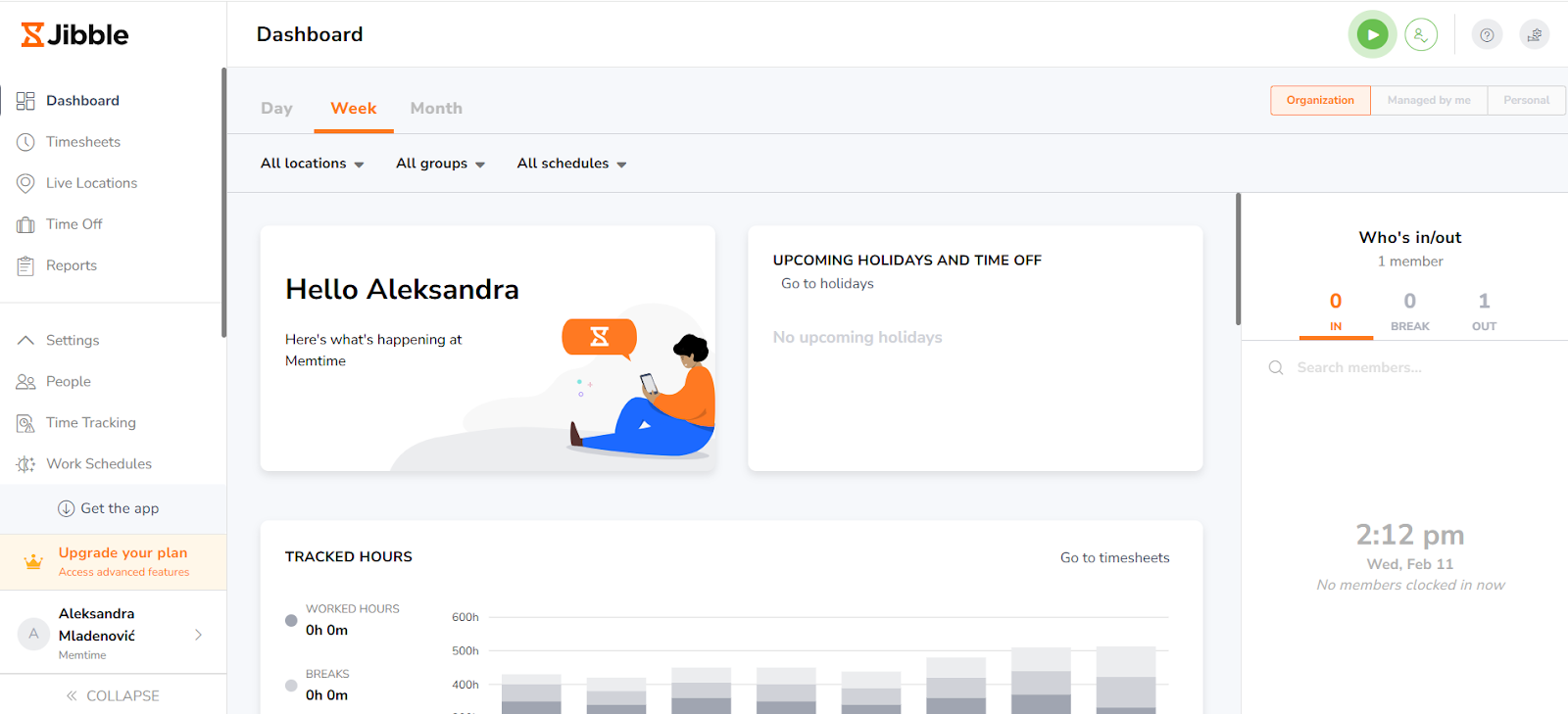
Jibble pros & cons
As I always say, no tool is perfect. Even solid time tracking apps like Jibble have their ups and downs.
Ultimately, it all depends on what your team needs. But these are some objective pros and cons of Jibble—and I’m pretty sure you’ll agree with me.
Jibble pros
- You get a generous free plan with unlimited users. Jibble’s free tier lets you add as many team members as you want and covers core time tracking features, which is great if you run a small team or a startup.
- It’s pretty easy to use. Many users praise Jibble for its intuitive interface and simple setup. You can track time across mobile, desktop, and web, and there’s virtually no learning curve. Here’s how I added 2 hours for my Writing activity in the Content Writing project:

- You get solid attendance features (with fraud prevention almost guaranteed). Features like facial recognition and GPS/geofencing help ensure you get accurate clock-in/out data. Your team won’t be able to “buddy punch”.
- You get automated timesheets and reporting. Jibble can automatically generate timesheets and basic reports, so there are no manual admin tasks.

- It integrates with other tools. Jibble connects with popular software like Slack, Microsoft Teams, and payroll platforms. It also connects via Zapier, which helps extend its workflows.
- You can track time on multiple devices. You can clock in and out via web dashboard, mobile app, kiosk mode, or browser extension; whatever you feel like.
Jibble cons
- No automatic time tracking. Jibble doesn’t automatically track time in the background the way some tools do; you still need to clock in and out manually.
- You may experience syncing and reliability issues. Some users have reported occasional delays in syncing between mobile and web apps, especially when offline entries are involved.
- Limited reporting and analytics. Basic reports are available, but deeper custom filtering, visualization options, and advanced analytics are more limited compared with some Jibble competitors.
Jibble vs. competitors
When you compare Jibble with other time tracking tools, you see that there’s no “one is good, and the other one’s bad”. Competitors simply do things differently from Jibble.
Jibble focuses on simple, flexible time tracking and attendance, and other competitors expand into broader territory, adding features that help with productivity, project planning, and billing.
Here’s what Jibble vs. what other tools tend to offer.
Top 12 best Jibble alternatives
Now, it’s time for the alternatives.
We at Memtime have organized 12 alternatives from most automated (tools that automatically track your time) to least automated (manual or semi-manual tracking), so you can quickly see which one fits your workflow best.
Here they are:
Oh, and if you’re interested in a particular tool, just click the link to jump straight to it; no need to scroll through the whole list 🙂
Can I offer you a time tracker that keeps tabs on your workday (minute-level) without nagging or interrupting?
If that sounds right up your alley, I present to you: Memtime.
Unlike traditional timers like Jibble that rely on manual clock-ins, Memtime oh-so-quietly monitors your digital activity in the background (all those apps, documents, meetings, and websites), so you can reconstruct your day without lifting a finger.
No questioning yourself (or your team) and no stress. You start your computer, and it starts tracking your activity.
But Memtime doesn’t just track your hours; it turns your digital activity into actionable insights. After recording your day, you can quickly convert tracked activity into time entries and sync them with project management and billing tools you already use.
Here are Memtime’s key features:
- Automatic desktop activity tracking. Memtime monitors programs, files, meetings, emails, and even phone calls via popular VoIP services or iPhones, so you don’t have to start or stop a timer manually. Memtime works with any desktop setup (Windows, macOS, or Linux).
- Visual timeline of your day (Memory Aid). Your workday is displayed in clear chunks (1 to 60 minutes), giving you a complete picture of how you spend your time. Your history is saved indefinitely, so you can always look back.
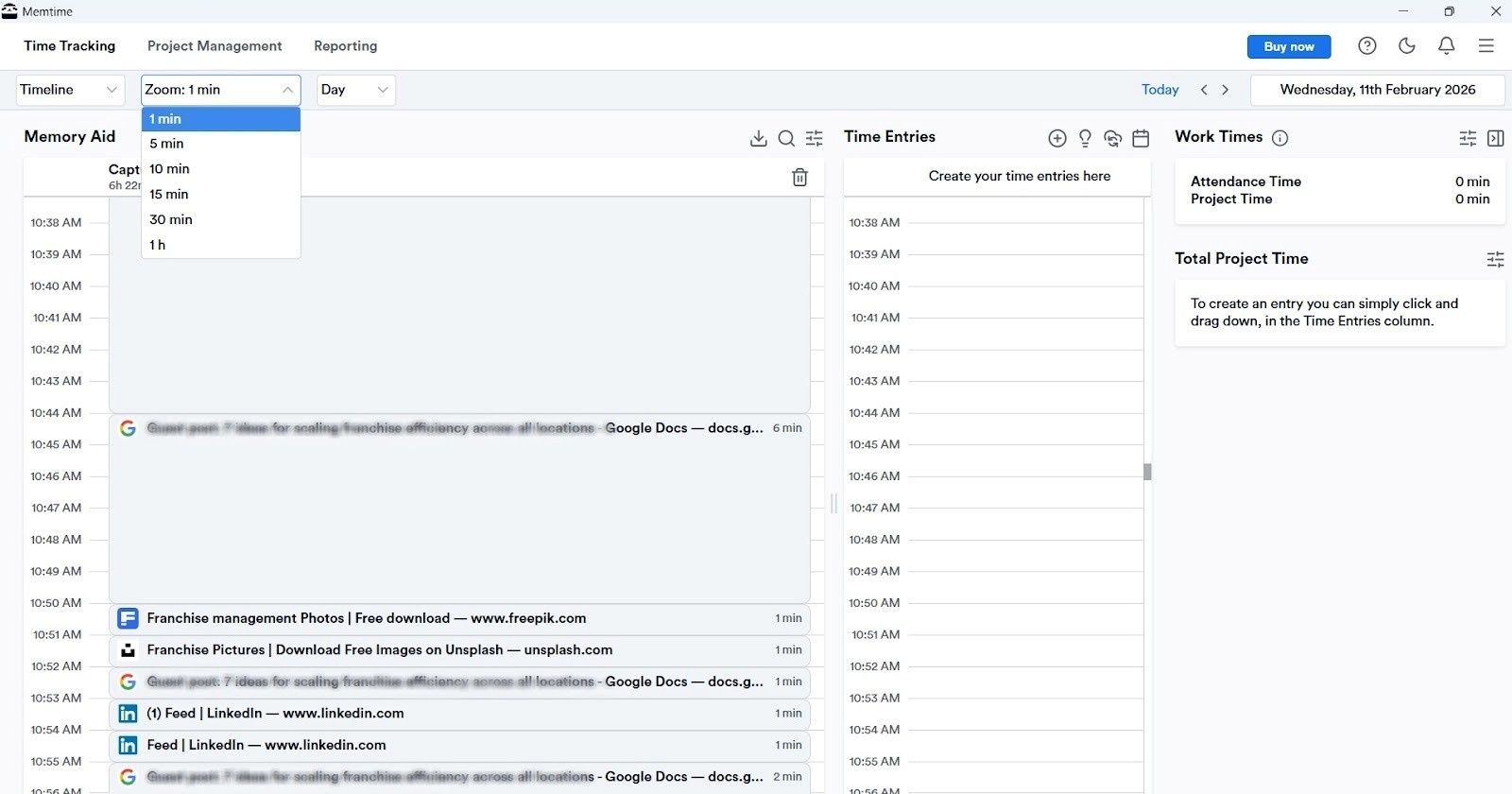
- Superfast time entry conversion. Any tracked activity (you choose) can be turned into a time entry for accurate reporting and billing. You can even set rules to automate time entry suggestions. You can also delete activities that don’t sit well with you or fit into your timeline.
- Two-way project management sync. Memtime integrates with over 100 tools via a 2-way sync. The sync allows you to import your projects and tasks into Memtime and then export time entries back to your project management software. No copy-pasting.
- Fully private. All tracked data stays local on your computer; no one can see it, not your team nor your superior. Raw activity details like URLs or file names are never shared unless you explicitly log a time entry to a project management tool.
So, how does it sound?
To me, Memtime is as easy as ABC:
- A being the automatic. It quietly tracks all your activity.
- B is for brilliant. It can convert your activity into clear, actionable time entries.
- C is for connected. It syncs with over 100 PM and billing tools, so no data gets lost.
So, if you want REAL, effortless insights into how you spend your time, give Memtime a try. It gives you automation and total control.
Just click the button below. You get Memtime 2 weeks free (it’s on us).
Oh, and if you like what you see, feel free to recommend Memtime to your team. Book a call with us, and we’ll walk your team through the tool and show how it can save them time. You just sit back, relax, and wait for your team to finish the call. 🙂
Timely is one of the most automated options out there, right next to Memtime.
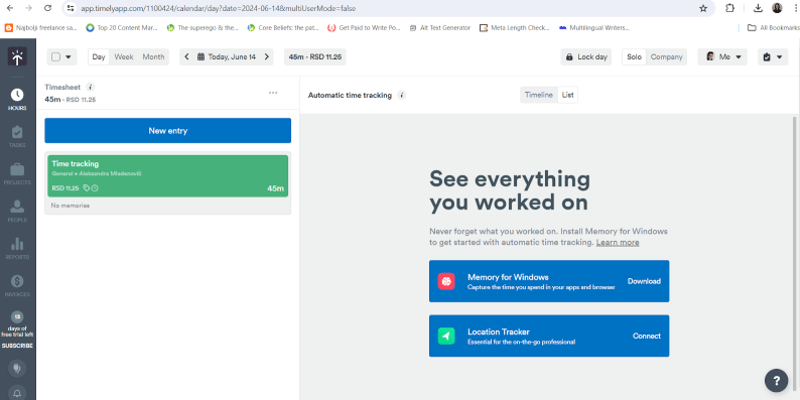
Instead of relying on people to start and stop timers, Timely records your work in the background with its Memory automatic tracking. This means that everything you do in apps, files, meetings, and websites is logged without manual input.
Once Timely captures your day, its built‑in AI Timesheet Assistant (often called AutoSheet) turns those records into timesheets. That alone saves tons of time on admin.
Beyond automatic tracking, Timely offers features like dashboards for project and team performance, detailed reporting, budget and billable rate settings, task tagging, and over 100 integrations with other productivity tools.
Compared with Jibble, which focuses on manual clock‑in/out, Timely is worlds apart. The biggest difference is hands‑off, and AI‑driven capture, so you spend less time logging hours and more time actually working.
DeskTime is a fully automatic time tracking and productivity tool. It gives you visibility without constant timers or manual entries.

The app starts tracking as soon as you turn on your computer and stops when you shut it down. It’s no wonder that one of DeskTime’s stand‑out features is automatic time tracking itself: the desktop app logs your activity automatically, no timers needed; it captures apps, websites, and documents to show what you were doing throughout the day.
Beyond that, you get productivity insights; DeskTime lets you categorize URLs and apps as “productive” or “unproductive”, giving you views into how your day (or your team’s day) is spent.
But that’s not all, folks. Project and task tracking (so you know where efforts are going), shift scheduling and absence calendars, reports and exports, and even optional screenshots are also available.
Compared to Jibble, DeskTime focuses on true visibility and productivity analysis. By capturing activity automatically, it helps you spot bottlenecks, and plan better. No timers.
Time Doctor is a time tracking and workforce productivity app.
It’s specifically built for hybrid and remote teams. That’s why it logs your hours and combines time tracking with workforce analytics.
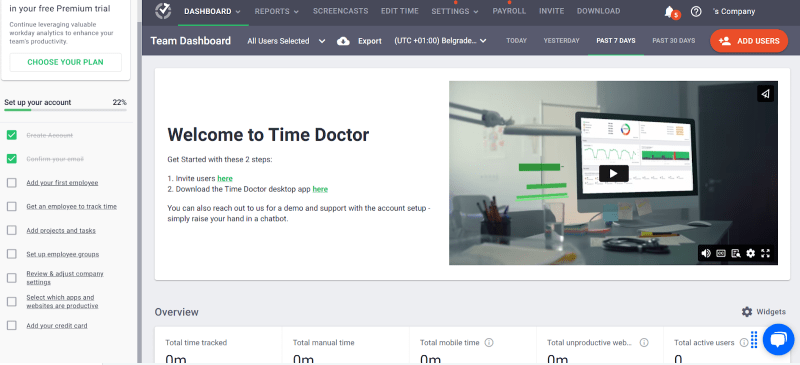
Its reporting features include dashboards and reports that show how time is spent, where apps and websites are used, and insights into productivity patterns across individuals and teams.
Optional features like productivity ratings, inactivity alerts, and real‑time monitoring dashboards are also there. Time Doctor also integrates with 60+ apps, so your tracked time connects with a wider workflow.
When you compare Time Doctor to Jibble, you’ll see that Time Doctor adds deeper monitoring and analytics that go beyond just hours worked. With Time Doctor, you get insights into your team’s behavior and productivity patterns.
Hubstaff is a time tracking and workforce productivity tool. It’s all about logging hours, but also understanding context. It’s especially popular with remote, hybrid, and field teams who want more than just clock‑in/out tool.

With Hubstaff, you track time with timers on desktop, mobile, or web. You then get real‑time productivity insights, with optional activity levels, app and website monitoring, and customizable screenshots (which, fortunately, can be blurred or disabled for privacy).
Other Hubustaff features include automatic timesheets, payroll automation (connect with PayPal, Wise, Deel, and more), project cost tracking, and budget alerts so you don’t go over on projects. It also supports shift scheduling, leave and attendance management, and over 35 integrations with project and accounting software.
All in all, Jibble focuses on attendance and manual clock‑ins. Hubstaff doesn’t necessarily do that; it gives you deeper time context and productivity analytics. Hubstaff is designed to help you see the bigger picture of how work happens.
Everhour is a time tracking and project management tool. Everhour embeds time controls directly inside popular project tools like Asana, Trello, ClickUp, Jira, and more, so you can start and stop timers where your work happens.

Everhour gives you flexible, though manual, time tracking. You can use a start/stop timer or manually enter hours for past work and add notes. You can also track billable vs. non‑billable time, and view team timesheets by day or week.
Moreover, you can set project budgets and get alerts when limits are close, plan resources and team workloads, and turn tracked time into invoices.
Reporting is another solid element; you get customizable dashboards and detailed reports that help you see who’s working on what, how projects are progressing, and where time is really being spent.
Everhour is about project integration and management features. It gives you a pretty good connection between time tracking and the tools your team uses for daily work.
Connecteam is a mobile‑first time tracking and workforce management app. It’s designed for field teams in mind, and especially those who work shifts. The platform bundles time tracking with scheduling, GPS location tools, compliance support, and communication features into one app.

With Connecteam, employees can clock in and out from their phones or a kiosk, and those entries automatically populate digital timesheets that you can later export for payroll or reporting. It also supports GPS tracking and geofencing; you can customize break and overtime controls to align with your company’s labor rules and policies.
Beyond time tracking, Connecteam includes shift scheduling and templates, auto‑scheduling tools, and PTO and leave management. Built‑in chat is also available. Plus, you can create checklists to keep communication and tasks flowing.
Connecteam is pretty simple to Jibble. However, its strength lies in the workforce operation: you get time tracking plus scheduling, location visibility, and team communication in just one hub.
Clockify is a well-known time tracking and timesheet app. It’s built for teams and freelancers who want to record work hours, track project time, and manage productivity. The tool comes with a generous free plan that allows unlimited users and projects, which is one of the reasons why Clockify gained so much popularity.
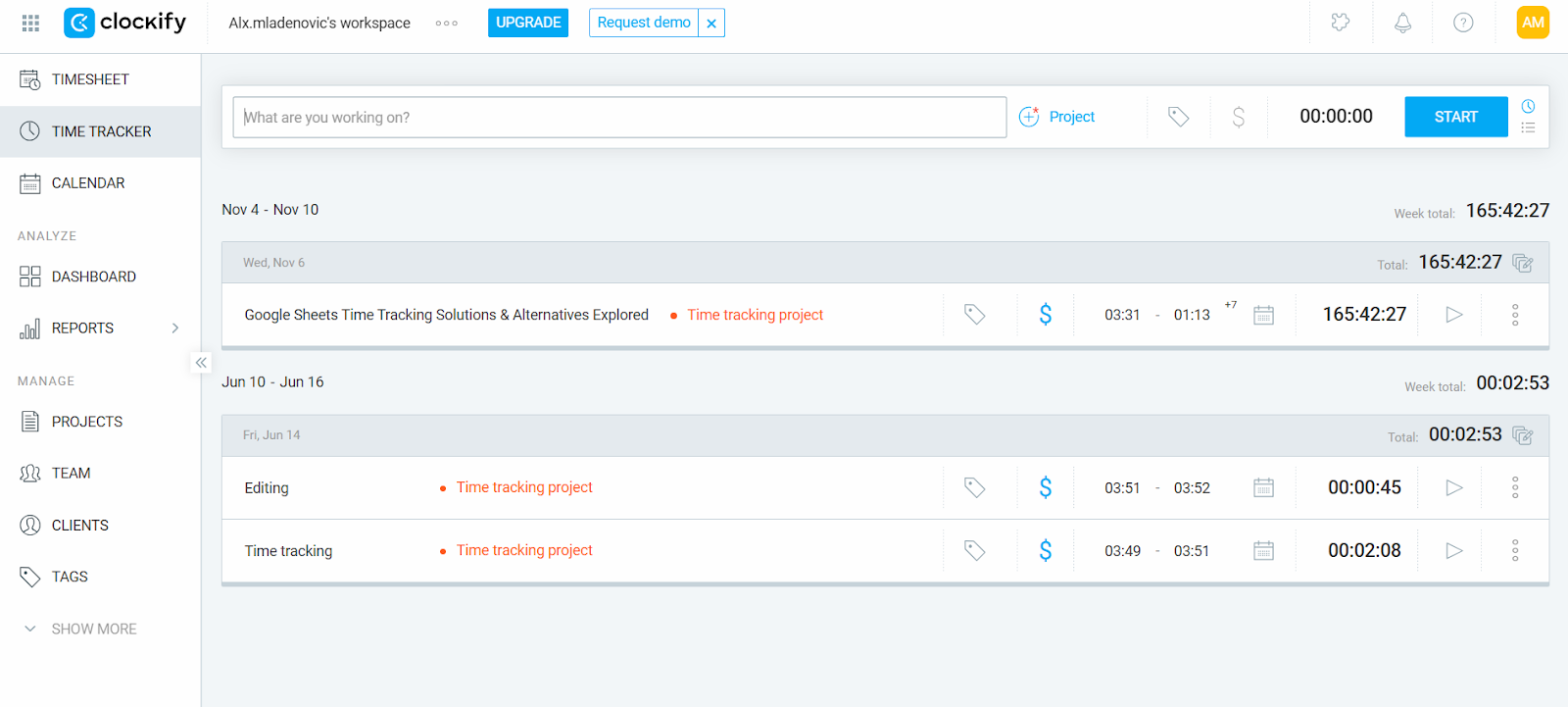
Clockify lets you clock in and out from the web, desktop, or mobile, log hours manually or via a timer, and export detailed timesheets for payroll or billing. There’s also Auto Tracker for desktop (Windows and Linux), which records app and website usage locally.
You can also monitor billable vs. non-billable hours, organize work by clients or tasks, and generate reports that help you understand where your team’s time goes. The tool integrates with over 80 apps.
Clockify’s focus is strongly on time tracking and reporting rather than attendance enforcement. GPS tracking and break tracking are available, but hide behind paid plans. Compared to Jibble, Clockify is more project-focused; it offers time tracking and extensive integrations.
Toggl Track is a time tracking and reporting app designed for freelancers, small teams, and larger businesses. It’s all about insights for productivity, billing, and planning.
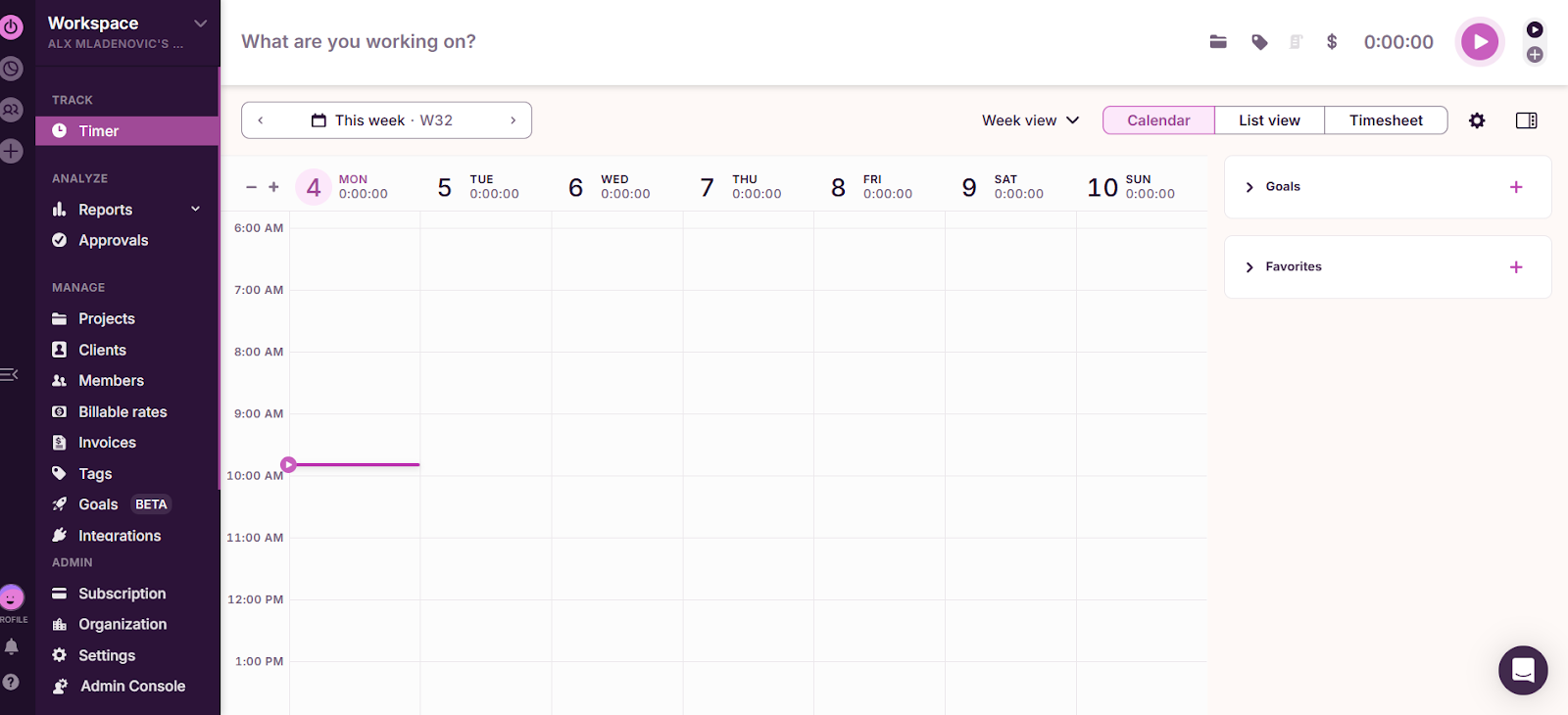
Toggl works on the web, desktop, mobile, and through browser extensions. You can start and stop timers, enter time manually, or use features like automated time tracking (called the Timeline) to record app and website activity you might later turn into time entries. You can also track offline and sync later, integrate with Google or Outlook calendars, and connect with 100+ tools.
Beyond tracking, Toggl Track includes reporting and project insights via its dashboards that show where time is spent by project, client, or team member. You can build custom reports, export them, and even generate invoice-ready data. The tool also includes features like billable rates, timesheet approvals, team reminders, and project budgeting tools.
Compared to Jibble, Toggl Track focuses more on project and time analysis than on strict attendance or workforce tracking.
Harvest is a time tracking and project billing app built for freelancers and teams. It lets you track work, report on time, and turn that tracked time into invoices. It’s used across web, desktop, and mobile.

The tool provides simple time tracking: you start and stop timers as you work, enter hours manually, and organize entries by client, project, and task. You can create weekly timesheets, track billable vs. non‑billable time, and set custom reminders.
One of Harvest’s greatest features is the ability to turn tracked hours into invoices. Once time and expenses are logged, you can generate, customize, and send invoices directly to clients and even collect payments via integrations with Stripe or PayPal.
Compared to Jibble, Harvest is focused more on project billing, invoicing, and budget insights. Also, Jibble also offers a more robust free plan for unlimited users compared to Harvest.
TimeCamp is a time tracking and productivity app designed for individuals and teams. It allows you to monitor how you spend work hours and manage projects.
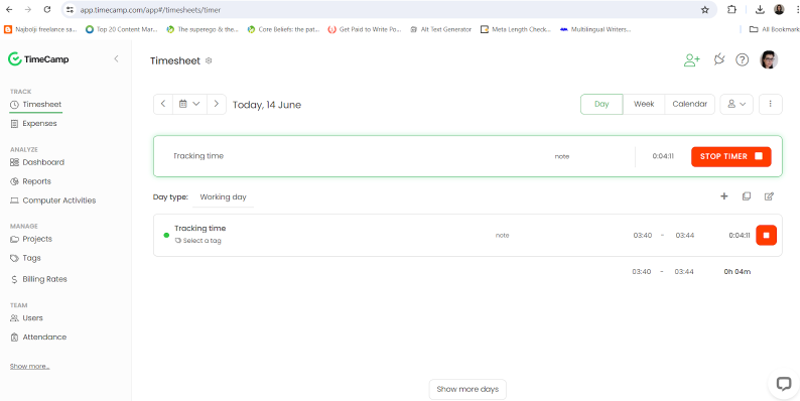
The tool works across web, desktop, and mobile devices and offers manual and automatic time tracking. Although, not fully automatic.
At its core, TimeCamp lets you track time on projects and tasks via a timesheet or timer, log hours manually if you forget to start the timer, and organize entries by client, task, or project. It also includes automatic time tracking, where the desktop app detects keywords in the names of apps and websites you use and assigns tracked time to the appropriate task.
Beyond tracking, TimeCamp offers reporting and analytics that show where time was spent, how productive different activities were, and how closely projects are staying on budget. It also supports attendance tracking, invoicing from tracked time, timesheet approvals, and monitoring work patterns (like overtime and time off).
Compared to Jibble, TimeCamp leans more toward project time and productivity analysis.
ActiveCollab is an all‑in‑one project management and productivity app. It can help you and your team plan, track, and complete work. It’s designed specifically for agencies, consultancies, and growing service businesses.

First, let’s talk about time tracking. You get a built‑in stopwatch to track time on tasks and projects, or log hours manually later. It captures both billable and non‑billable hours, lets you review individual and team timesheets, and feeds tracked time into reports.
Then, there are full project management tools and features, like task lists, board (Kanban) and timeline (Gantt) views, task dependencies, and automation for recurring work. You can also manage team workload and capacity, track time, and collaborate with clients directly in the platform.
ActiveCollab also includes estimates, expense tracking, customizable invoices, and integrations with payment apps and accounting tools.
Compared to Jibble, which focuses more on attendance tracking and quick clock in/out features, ActiveCollab is much broader in scope: it blends project planning, time tracking, billing, and collaboration into one platform.
Wrapping it up
Aaaand that’s a wrap.
It’s been a long article, so I’ll keep it short.
There’s no “best” tool. There’s only the one that makes you sigh in relief.
And if that’s Jibble, amazing. If it’s not, you have 12 amazing alternatives above. Manual, automatic, AI-powered, privacy-first, invoice-ready, you name it.
So, it all comes down to this: how do you want your time to be tracked?
FAQs
What makes Jibble different from other time tracking tools?
Jibble is all about simplicity. You can easily clock in and out, track attendance, and generate basic reports. For teams that want more automation or in-depth insights, tools like Memtime offer automatic tracking and detailed analytics.
Do I need automatic tracking, or is manual enough?
Manual tracking works fine for small teams or simple projects. But if you want to capture every activity without thinking about timers, automatic tools quietly log your work and turn it into actionable timesheets. It’s like having an assistant for your day.
Can other tools integrate with my workflow?
Yes! Most modern tools integrate with project management, billing, and communication apps. This means your tracked time, reports, and invoices can flow without copy-pasting or manual entry.
Do other tools offer free or trial options?
Yes! Many tools offer free plans or trial periods to test features before committing. There are options with unlimited users, project tracking, and automatic logging without paying upfront.
How do I choose the right tool for my team?
It depends on what matters most to you: simplicity, automation, reporting, or billing. Some tools focus on automatic tracking and privacy, others offer full analytics and project planning, so it’s up to you to pick what fits your workflow best.
Is my data safe with these tools?
Yes, definitely. Most reputable tools take privacy seriously; however, their approaches vary. Some store data in the cloud, while others keep it local on your device, letting you control who sees your activity and how it’s used.

Aleksandra Mladenovic
Aleksandra Mladenovic is a copywriter and content writer with six years of experience in B2B SaaS and e-commerce marketing. She's a startup enthusiast specializing in topics ranging from technology and gaming to business and finance. Outside of work, Aleksandra can be found walking barefoot in nature, baking muffins, or jotting down poems.







