What’s New in Memtime: Microsoft Email + Calendar Integration

Our new Microsoft Email + Calendar integration is out.
To work around the email tracking limitations in the new Outlook desktop app, we’ve introduced this integration to give you more context about the emails you send from your desktop and phone.
See the details of your emails
Previously, when you drafted and sent emails in the Outlook desktop app, Memtime tracked only the program name and the time you spent using it.
With the new integration, Memtime captures details of individual emails, such as the email subject, sender, recipients, a link to the email, and the message you’ve sent — helping you remember the work you’ve done for clients and bill them more accurately.
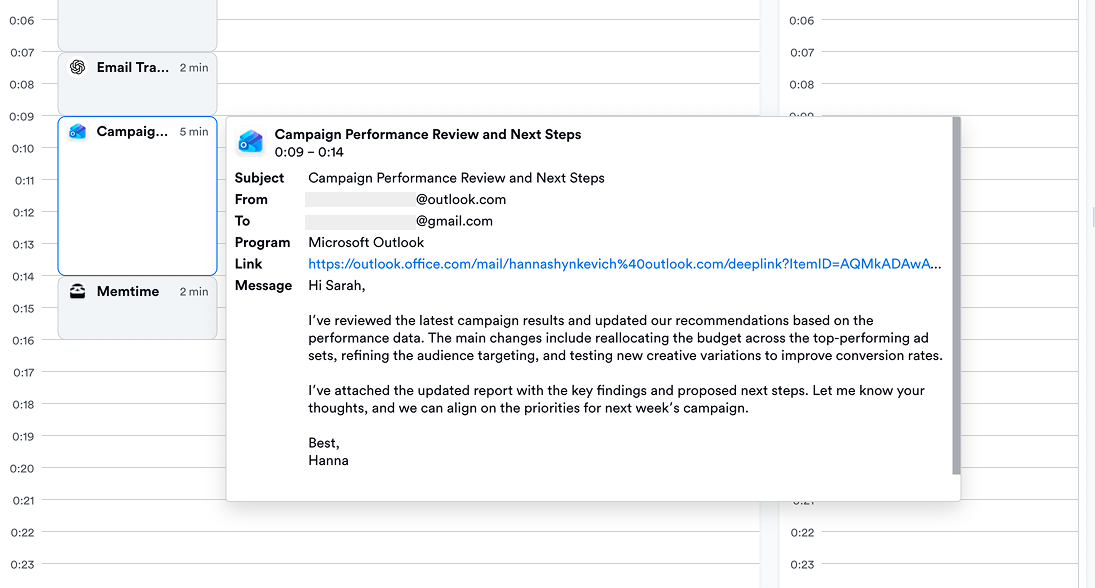
Even emails you saved as drafts remain captured and visible in your timeline.
Check our Knowledge Base article to learn how to connect the Microsoft Email + Calendar integration.
Emails sent from your phone — now in Memtime’s timeline
Memtime now also captures emails sent from the Outlook mobile app and displays them in Memory Aid in a separate Mobile Emails column.
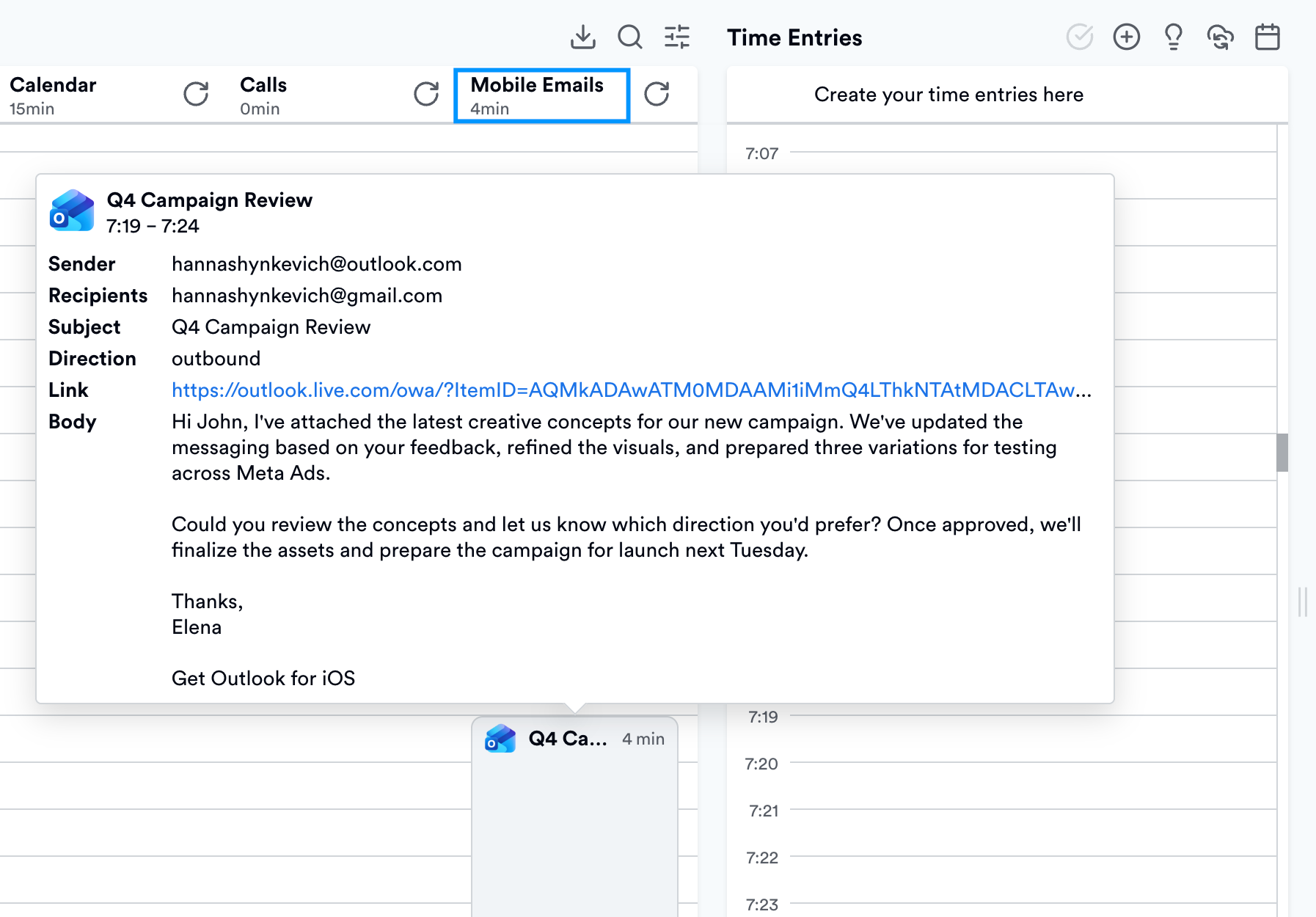
There’re two ways how Memtime can track the duration of these activities:
- Automatically: Memtime calculates the duration based on the time between starting and sending the email.
- Fixed duration: Memtime assigns a fixed duration of 5 minutes to each email, up to a maximum of 30 minutes
Stay tuned
Even as you’re reading this, we’re developing new features to make Memtime even more useful for you. Let us know what other features you’d like to see in Memtime and we’ll consider them for future updates.
If you don’t yet use automatic time tracking and would like to see Memtime in action, book a custom live demo now and we’ll show you around, answer any questions, and start a free trial on behalf of your team.