What’s New in Memtime: Major Updates to Reporting

Our latest release, 4.8.0, brings major updates to the Reporting tab. You can now create your own dashboards, add chart widgets, and explore updated reports with richer data and insights.
Customizable dashboards and chart widgets
If you’re a fellow Memtime user, you probably remember our reporting section with the default dashboard and charts on it.
The great news: the reporting section has been completely reworked. You can now build your own dashboards using different chart widgets that fit your reporting goals, arrange them in any order, resize them, and lock, unlock, or delete.
New chart widgets: Tracked vs Project Time and Offline Times
In addition to five existing chart widgets (Timesheet, Work Times Overview, Project Times, Used Programs, Visited Websites), we added two new charts:
- Tracked vs Project Time – shows how much of your captured time was assigned to projects (as time entries), displayed as a pie or line chart.
- Offline Times – shows the proportion between your active time (total hours of captured activities) and offline time (periods when you weren’t active on your computer). Visualized as a bar chart, pie chart, or heat map.

Updates to reports: new report, full URLs & offline times
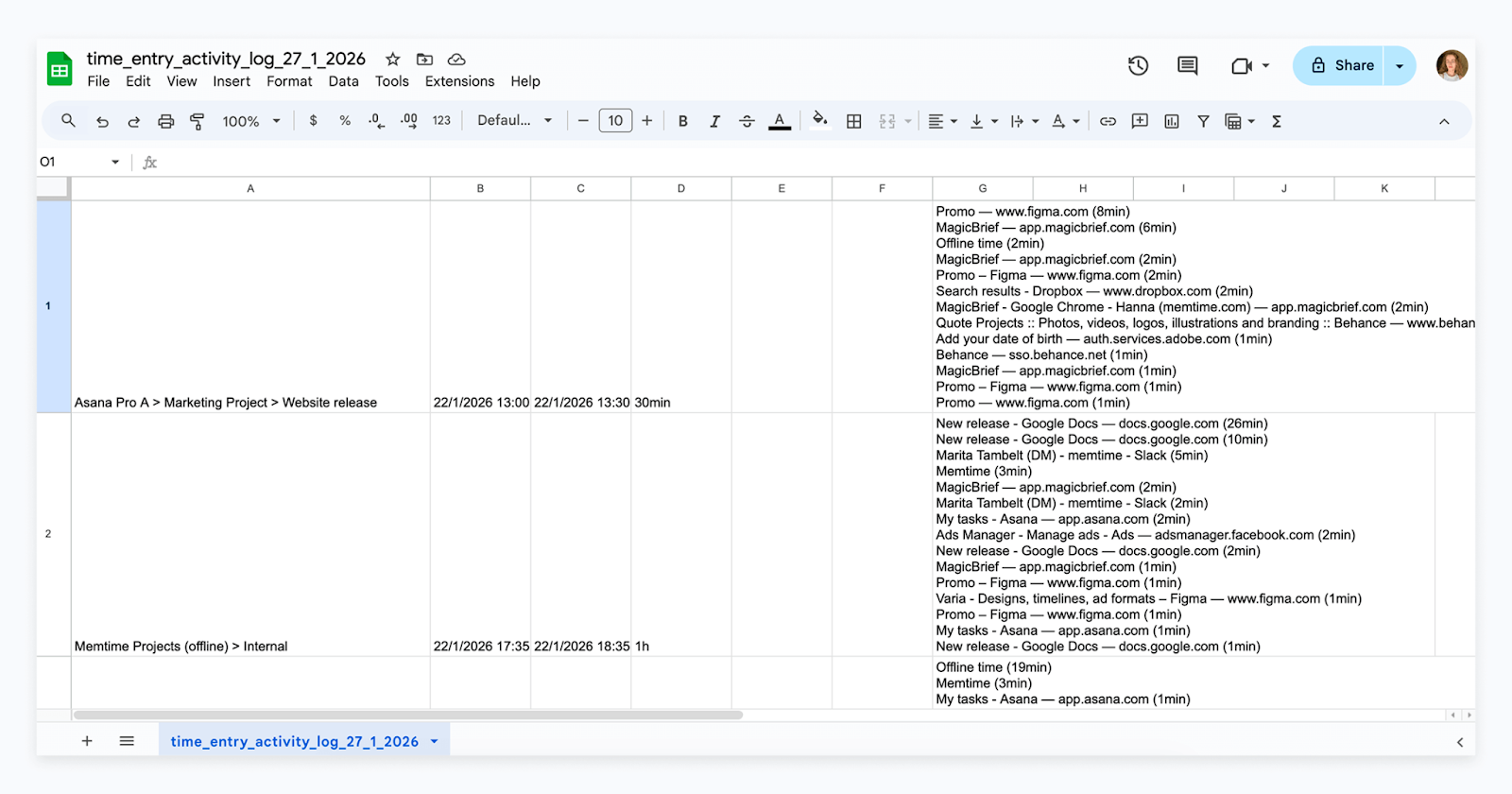
We’ve added a new Time Entry Activity Log report. It collects all captured activities for the time entries you’ve exported to your connected app and presents them in a clear table.
Another update: you can now include Offline Times in your Memory Aid report — they’ll appear alongside the captured activities for your selected date range.
Additionally, based on customer requests, all URLs in captured activities are now shown in full by default. If you prefer a shorter version, you can adjust this in the settings.

Stay tuned
Even as you’re reading this, we’re developing new features to make Memtime even more useful for you. Let us know what other features you’d like to see in Memtime and we’ll consider them for future updates.
If you don’t yet use automatic time tracking and would like to see Memtime in action, book a custom live demo now and we’ll show you around, answer any questions, and start a free trial on behalf of your team.