Automatic time tracking for your ConnectWise projects

Memtime automatically records your time in programs to help you remember what you worked on. Create time entries and watch them appear in ConnectWise under the right tickets, projects and tasks.

No credit card required

No credit card required

ConnectWise time tracking by Memtime

Automatic

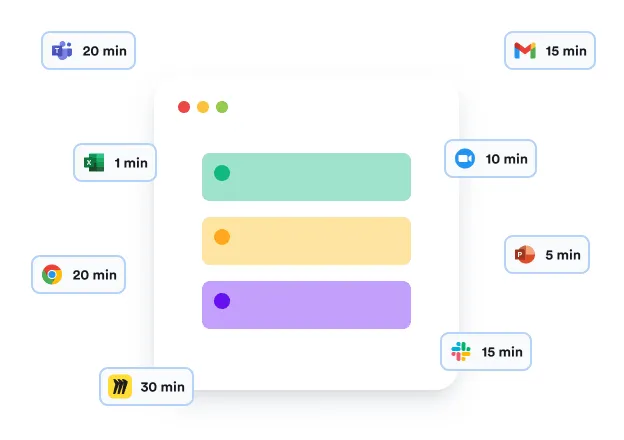
Memtime runs passively on your computer and records your time in every program without ever interrupting your flow.
Accurate day review

Accurate

You can review your day minute by minute and see how long you spent in each browser tab, email, file, document, app, etc.
Data private to you

Private

What’s captured automatically by Memtime is never uploaded to the cloud. The only copy of this data lives on your device.

ConnectWise time tracking,
finally automated

Memtime is a perfect add-on for project time tracking in ConnectWise

Save time

You have better things to do than start and stop timers to track your work on ConnectWise tickets, projects and tasks. By automating time tracking for ConnectWise, you recover hours that would be wasted on manual timekeeping, context switching, and trying to come up with project times after you inevitably forget about the stopwatch.
Memtime’s Memory Aid
Track every billable hour

Save money

Teams lose hours every week because of non-billable admin like timesheets. If you charge by the hour but don’t have an automated process, you lose money because of wrong estimates and all the small tasks that don’t get recorded. Memtime keeps track of every minute of your billable time.

Automate your process

Employees don’t hate time tracking – they hate the way it’s done. Most companies have poor time tracking compliance because their process is bad. With Memtime, ConnectWise time tracking is easy. You open the app to see what you worked on and create time entries that appear in ConnectWise automatically and in the right place.
Create time entries for CMAP

How does ConnectWise time tracking work with Memtime?

Your automated time tracking workflow in simple steps

1

Connect ConnectWise

Memtime is integrated with ConnectWise out of the box, which means you don’t need any custom setup. Simply select ConnectWise from the available apps during the installation process and proceed.

2

Import projects

Memtime mirrors your ConnectWise tickets, projects and tasks to help you assign times faster than ever before. We import your project structure into Memtime to set you up for success.

3

Make time entries

Based on what Memtime has captured for you, you can create time entries in 2 clicks and assign them to the right projects in ConnectWise. Only you decide what to export.

4

Sync times

Time entries will appear in ConnectWise automatically and in the right place. This is the magic of Memtime: it not only helps you remember but also minimizes your timekeeping effort.
Memtime free demo
Start free trial

FAQs

The beauty of automatic time tracking is that you can forget all about it
What Memtime subscription do I need to be able to connect ConnectWise?
Is my device compatible?
How does Memtime know what I’m doing?
Can I use Memtime for free?
Who can see my data?
Why do I need an extra tool to track time in ConnectWise?