Enterprise Time Tracking Doesn’t Fail on Features: It Fails on Data
Let me start this article by saying: it’s not you; it’s your enterprise time tracking. I truly mean this.
I know you’re doing everything by the book. Projects are moving, deadlines are mostly met, and your team seems to be on track.
Reports are also there, insights are doing their job, and that one feature everyone promised would “fix everything” is… activated, I guess? You have an enterprise time tracking system that technically works.
And yet, it feels like your time tracking isn’t really working. It’s just a gut feeling, not necessarily something you can justify with data.
I’m sorry to tell you, but you’re right.
It’s failing because of the data you’re putting in or, more accurately, the data you aren’t.
But I’m getting ahead of myself.
In this post, I’ll break it all down. First, I’ll define what enterprise time tracking really is. Then, you’ll read the dos and don’ts of it. At the very end, you’ll see a list of 5 tools that can improve your time tracking at scale.
Think of this post as your guide to finally making time tracking work for you.
We’ve got no time to waste, so let’s roll.
Key Takeaways:
- Enterprise time tracking isn’t broken because your team forgets to track time, but because most systems rely on memory, guesses, and manual entry.
- Privacy also matters. Teams adopt time tracking faster and more honestly when they know their data isn’t being watched.
- Accurate time data comes from automatic tracking that captures work in the moment, without interrupting how people actually work.
- Continuous, automatic capture turns incomplete dashboards into reliable insights for planning, billing, and resource management.
- The best enterprise time tracking tools balance automation, privacy, and integrations, giving accurate time data. Tools like Memtime make this effortless.
- Remember: you don’t need more rules, approvals, or reports. You need a tool that captures the truth of how your team works.

First, let’s (re)define enterprise time tracking
What is enterprise time tracking, anyway?
Well, it’s not that easy to define, as everyone has their idea of what it is.
So, first, let’s define what it’s not.
Enterprise time tracking is not and should not be about:
- How many reports you generate. Sure—your tool can spit out 50 different dashboards and charts—but if the data you feed it is rounded or missing, all those reports are as useful as expensive decorations.
- How complex your approval flows are. Maybe you have a 6-step approval chain for timesheets that requires 4 managers’ signatures. By the time it’s approved, the week is over, the data is outdated, and nobody really remembers what they worked on.
- How many policies you have built into the system. You can enforce rounding rules, project codes, billing categories, and every little company policy. But if your team can’t or won’t follow them in real life, it’s all pointless.
- Creepy monitoring features like webcams or keystroke tracking. Some tools let you track your team’s screenshots, mouse clicks, or webcam activity. And all these features do is kill trust, not making the time data any more accurate.
The truth is, none of the listed features encompasses the main goal of time tracking: collecting accurate time (without interrupting people). Emphasis on accurate!
So, that’s why, when you really think about it, there is only one definition of enterprise time tracking, and it’s this: collecting accurate time data at scale without forcing people to change how they work.
That’s it. Everything else is just noise.
Enterprise time tracking feels like it should be easy
Yet it’s so hard in large organizations. And it’s because your work is messy.
In large enterprise environments, work is done across dozens of tools, people jump between projects and tasks all day, and time entries often get filled in later, based on memory instead of what actually happened.
That’s the reason you get structural problems, like people underreporting or over-simplifying their work. So, your people’s data becomes biased before it even reaches you or higher management.
But there’s an even deeper issue no one really talks about, and it’s one that actually has research to back it up: most enterprise time tracking systems create a false sense of data quality.
Those time tracking systems look complete. They have all the fields, dropdowns, billable/non‑billable markers, and workflows you could ever need. But under the hood, the data you get from those systems is:
- Estimated instead of recorded.
- Incomplete, as it’s reconstructed from memory.
- Structurally biased by how people perceive and recall time.
This isn’t just *vibes*, cognitive science backs it up. This research shows that people systematically overestimate or underestimate time when asked to recall it later. That happens because our human memory and time perception are context‑driven: our brains reconstruct durations based on memories of what happened, not actual clock time.
Another study on how people estimate time found that students overestimated how long they worked on tasks up to 79% of the time, often by huge margins.
There’s also evidence from real work contexts. In a study comparing physicians’ self‑reported work hours to automatically recorded work hours (via a mobile app), doctors consistently underreported significant amounts of time (especially when recalling weeks past).
All these studies show the kind of distortion your enterprise dashboards have in every chart. That’s why most enterprise systems give you the illusion of data quality because everything looks complete, but if the entries are reconstructed from memory, they are:
- Estimated.
- Incomplete.
- Made up.
That’s why enterprise time tracking should be about removing human memory and discipline from the data collection process.

Instead, it should use systems that capture time passively or in the moment, so the data reflects what actually happened and not what someone thinks happened while filling out a timesheet at 6 pm on a Friday.
When you rely on automatic time capture, you start seeing work patterns. Reporting, planning, and billing all become more accurate because they’re based on actual activity, not reconstructed guesses.
Now that we’ve covered what enterprise time tracking really means, let’s break down the dos and don’ts of getting it right.
Enterprise time tracking do’s and don’ts
As you now know, enterprise time tracking is about designing a system that works for your team and gets you accurate data.
So, here’s what will (and won’t) help you build such a system.
DO: Automatic capture (instead of manual)
Stop relying on your people to remember and type in every task. That’s how you get distorted, biased data.
There are tools that capture time automatically (like Memtime). They can log which project a file or email belongs to, removing all guesswork. That’s how this spacial design studio went from 15 to 0 minutes per day spent on time tracking and hour logging.
Now, imagine what percentage of work that previously went unreported can appear in your dashboards. From what I’ve seen some automatic time tracking apps do (cough, Memtime), my guess is around 30% at least.
DO: Strong integrations with tools you already use
Your team probably uses multiple apps. They’re juggling Jira, Slack, Figma, email, and more.
That’s why time tracking needs to integrate directly with these tools. Time is captured when and WHERE it happens, not after the fact.
DO: Privacy-first design
No one wants to feel spied on. That’s why you need a tool that respects your team’s privacy; that means no keystroke logging, webcams, or screenshots.
When you vouch for your team’s privacy with the right tool, your team’s adoption can jump significantly just because people feel comfortable logging their time honestly.
DO: Continuous data capture
Capturing time in the moment keeps your data real.
When you implement a continuous tracking system, you’ll see fewer “missing hours” and much more accurate project cost forecasting.

DON’T: Use manual timesheets and rely on weekly reporting rituals
Asking people to reconstruct an entire week’s worth of work is how you get incomplete, biased data. And it’s all because our human memory is terrible.
According to a Harvard Business Review study, Time is money, the higher the time tracking frequency, the better the accuracy. That’s why people who log their time at least once a day are ONLY 66% accurate, and those who log their time weekly are just 47% accurate. People who fill out their timesheet less than once a week are 35% accurate.
DON’T: Insist on complex approval workflows before data exists
Waiting for multiple approvals before even recording time is just bonkers.
If your superior has to sign off on a task code before it exists in the system, people either skip it or fudge it. When you simplify your approval process, you’ll see increased adoption because people no longer have to guess what would pass approvals.
DON’T: Use tools that insist on control instead of data quality
Contrary to popular belief, time tracking isn’t and shouldn’t be about micromanagement. At least that’s what we at Memtime like to believe.
When managers use time tracking to micromanage, they ignore data accuracy. They force strict rounding rules or rigid categories that look good in dashboards, but they don’t reflect reality. So you end up entering whatever fits the rules rather than what actually happened.
DON’T: Enable surveillance features
You know this: screenshots, webcams, and keystroke logging don’t produce more accurate data. They produce stress, mistrust, and workarounds.
So, if your boss insists on having a system with monitoring features, feel free to ask them: When was the last time the feeling of being watched made you do a better job? And watch them stutter when trying to respond.
DON’T: Use systems that require training
If your team can’t figure out how to log time in a minute or 2, they won’t use the time tracking system consistently. I promise you that.
So, say goodbye to a complex, training-heavy tracker. Find the one that’s intuitive, and the adoption will jump dramatically. And you’ll get more accurate data.
Now, let’s talk enterprise time tracking software
There are a bunch of options on the market. I mean this literally; you could spend weeks just comparing their features.
So, to save you from wasting even more time, I suggest you focus on finding the one tool that does what enterprise time tracking is supposed to do.
Remember those dos we went over? Automatic capture, strong integrations, privacy-first design, and continuous data capture. Yep, these are the core things that make a time tracking system useful for your team.
Each of these solves an issue you probably encountered:
- Automatic capture takes out the guesswork and bias of manual time entry.
- Strong integrations connect time data to your existing tools, so logged time reflects real work.
- Privacy-first design is—no surprise there—focused on privacy, so people feel comfortable, and adoption soars.
- Continuous data capture ensures you get insights that truly reflect how your team spends their time.
So, when evaluating software, find the one that checks all these boxes.
Now, let’s talk briefly about pricing, ‘cause I’m sure it’s one of your concerns.
Enterprise time tracking SHOULD NOT break the bank.
That said, free tools are usually free for a reason. They cut corners on integrations, privacy, and sometimes accuracy. In the long run, they can cost more in lost time or unbilled hours. And I’m not the only one claiming this; check out this discussion on the same topic on Reddit.
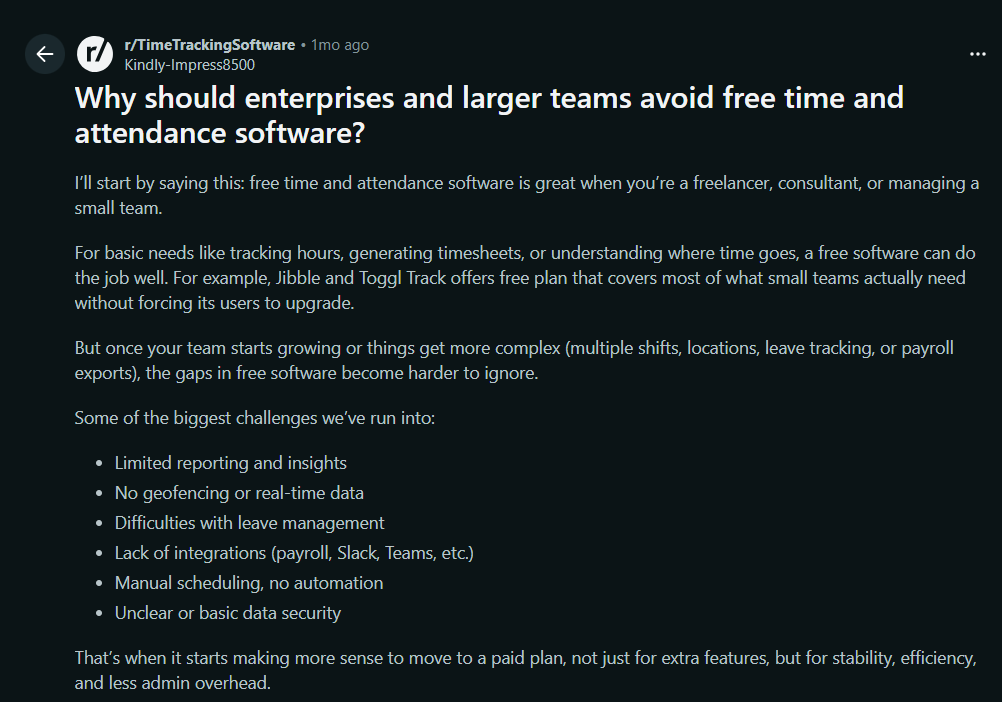
That’s why a modestly priced tool that does everything on the “do” list is probably a smarter investment.
And now that we’ve got all covered, let’s get practical.
You need tools that tick all the previously mentioned boxes. And we have a list of precisely those tools.
Top 5 enterprise time tracking software
Here’s a list of top 5 enterprise time tracking tools that hit all the dos we talked about and don’t cost an arm and a leg.
#1 Memtime
Memtime looks good on paper, I have to admit it.
But that’s only because it truly is good.
Memtime was built around one big idea: time tracking should be automatic, accurate, and private. That’s why it quietly runs in the background on your desktop, while you work, recording what you actually spend your minutes on, like every program, document, meeting, email, and browser tab you actively use, without you having to start or stop a timer.
Using it is a blast because you don’t even remember it’s there. You turn on your computer, and Memtime starts logging your work in the background.
Here’s what makes Memtime stand out:
- It’s truly automatic. Memtime captures your activity automatically as you work. That means no guesswork, no forgotten hours, and reliable data for planning, billing, or profitability analysis.
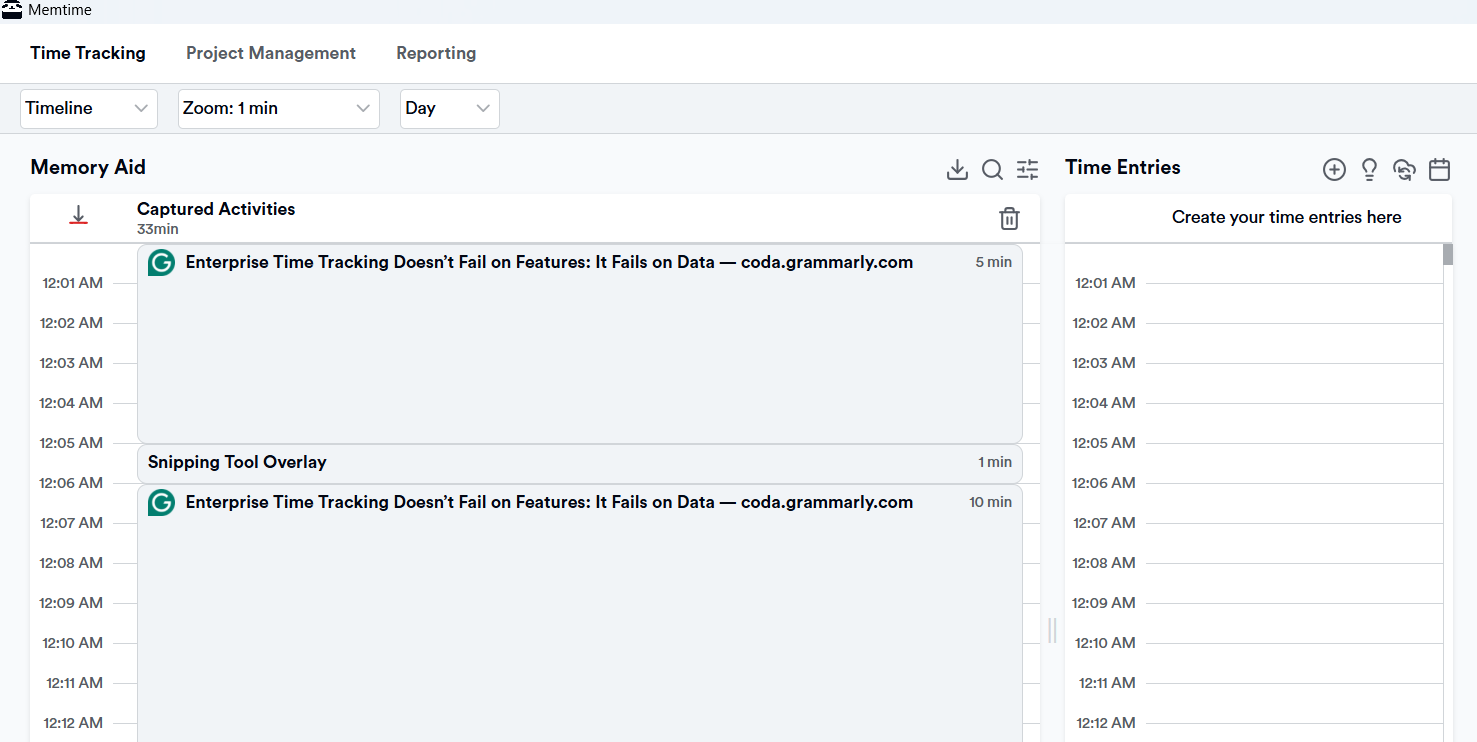
- It gives you a clear timeline of your day (Memory Aid). Your workday is displayed in clear chunks (1 to 60 minutes). You can zoom in and review what you did at any minute.
- It works with your existing tools. Got project management software you swear by? That’s great because Memtime integrates with wide range of tools. It does it via a 2-way sync that allows you to import your projects and tasks into Memtime and then export time entries back into the systems you already use for billing, scheduling, or reporting.
- It has a privacy-first design. Memtime doesn’t send your tracked activities to the cloud or to other people’s dashboards unless you choose to export them. All activity data lives locally on your device, so no boss or colleague can spy it.
- It has flexible pricing. Plans start at modest per-user monthly rates (around $12-$18 per user/month when billed annually or biannually). Higher tiers get you phone call tracking (you’ll love this feature), priority support, and enterprise security features (SSO and SCIM).
So, what do you say?
Memtime is the one that can remove unnecessary admin work around time tracking and give you (and your boss) accurate insights without forcing your team to work differently.
It works for your people and with your processes.
Wanna see it in action? Schedule a quick call with us (it takes 15 minutes, but it’ll feel like 5) and we’ll show you how you can get most of it.
And if you can’t commit to a call, try Memtime for 2 weeks; it’s on us. 🙂
#2 Timely
Timely is one of those tools you’ll hear about again and again. It’s all about an AI and team‑friendly approach to tracking time.
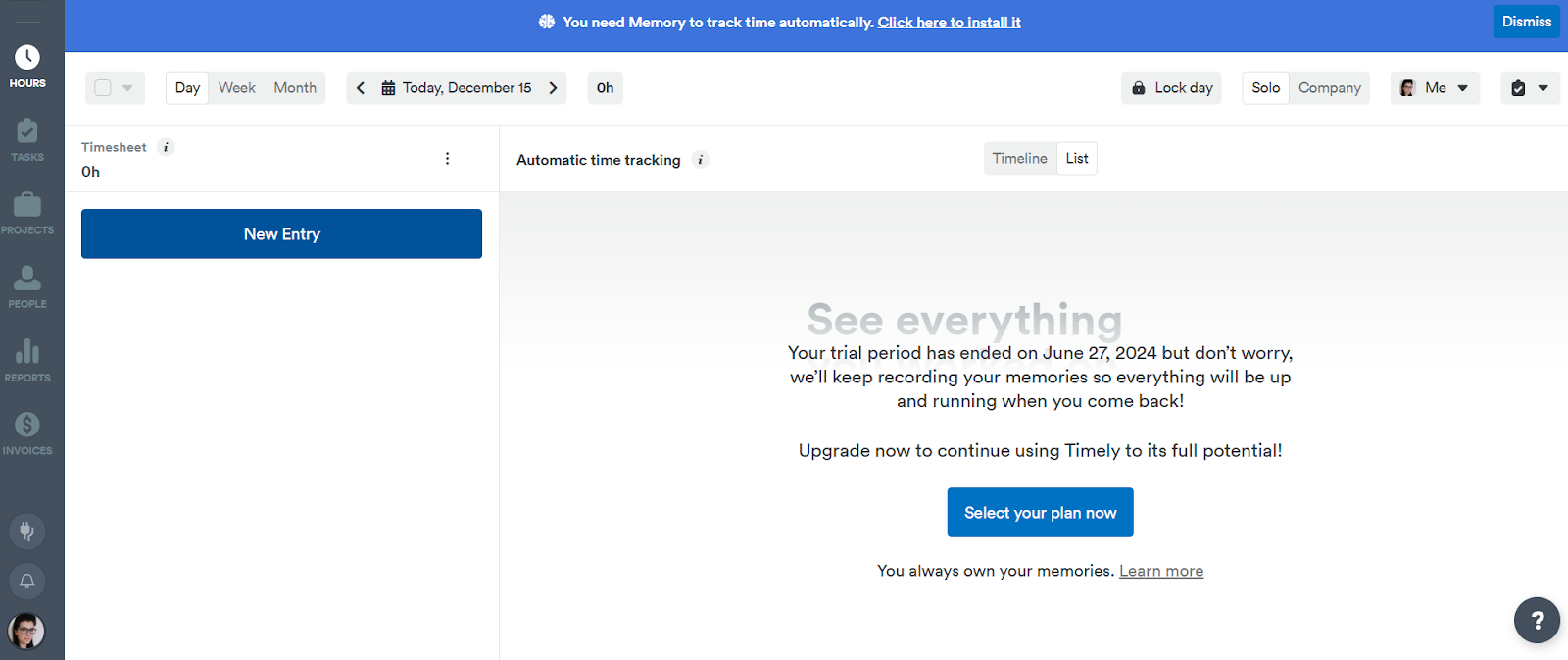
Timely doesn’t force people to fill in timesheets manually; it captures time as work happens, and then lets you refine it with real context.
Here are some of Timely’s features:
- It automatically captures your activity. Timely records your activity in the background and then organizes that into a visual timeline you can review and adjust. Once Timely captures your day, its built‑in AI Timesheet Assistant (AutoSheet) turns those records into timesheets.
- Timely connects with tools like calendars, project management apps, communication tools, and more.
- You also get team dashboards, utilization reports, budget tracking, and manager‑level oversight without micromanagement.
- Timely stores your tracked data in the cloud, so data is synced across all devices and easily accessible from anywhere.
- As for pricing, Timely manages to find a balance for enterprise teams. Timely’s plans start at $9 per user/month (billed annually) and go up to $22 per user/month for the unlimited tier. It’s up to you to decide how much automation, reporting, and team insight you need.
Overall, Timely can improve the accuracy of time data and give you visibility. If you’re comfortable with it using cloud storage and AI to turn data into timesheets, you’ll have fun with it.
#3 Time Doctor
Time Doctor is one of the more mature platforms that can give you visibility, accountability, and analytics.
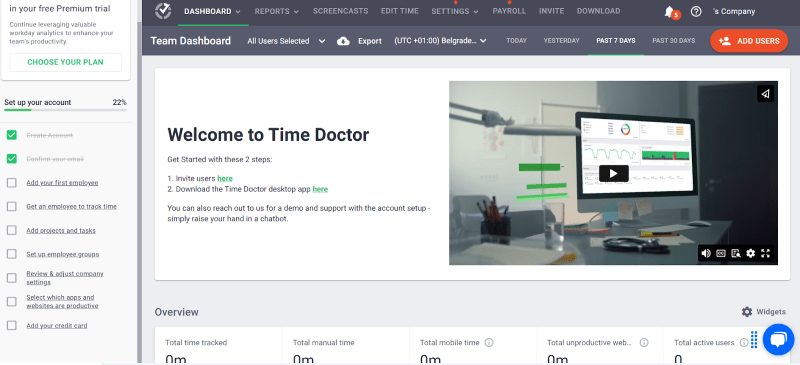
In a nutshell, Time Doctor combines time tracking with productivity data and workforce analytics. That’s why it works well for distributed or hybrid teams.
Here are some of Time Doctor’s key features:
- You get automatic time tracking. The app automatically logs time and complements it with data on app and website usage, idle time, and productivity patterns.
- The app turns raw time and activity data into dashboards and reports.
- It integrates with over 60 apps.
- When it comes to security and compliance, for larger organizations, Time Doctor offers ISO 27001, SOC 2, HIPAA, and GDPR compliance, plus role‑based access controls.
- It gives you several deployment options. For example, the Enterprise plan includes things like private cloud deployment, customizable dashboards, guided onboarding, and professional services.
- Time Doctor’s pricing reflects the fact that it’s a productivity and analytics platform; there’s no free plan, and they go from around $7 to $17 per month per user. Since Time Doctor gives you good monitoring and reporting, you most likely won’t need additional add‑on tools for attendance, productivity analysis, or payroll integrations, which can make it a more cost‑effective option in the long run.
All in all, Time Doctor gets you analytics that go beyond just hours worked. You’ll see insight into your team’s behavior and productivity patterns.
#4 DeskTime
DeskTime is a tool worth your attention. It’s one of the well-known players in the space, as it’s built for teams of all sizes, from small ones to large organizations.

The app is all about automating time tracking, so your team can focus on work instead of timesheets. Once the app is installed and logged in, it starts tracking time automatically, recording apps, websites, and documents used throughout the day.
Here are some of DeskTime’s key features:
- DeskTime starts tracking the moment you launch your device. It also notices pauses or idle moments.
- The tool supports manual options like a browser timer, mobile time, and calendar integrations, so you can fill in gaps when work happens offline.
- You get work patterns and productivity data; you can see your productive apps, neutral or unproductive ones.
- DeskTime integrates with calendars and project tools and offers features such as shift scheduling, absence calendars, and team dashboards.
- Your tracked time and productivity data sync across devices and are stored in the cloud with industry‑level protections and GDPR compliance.
- DeskTime offers per‑user pricing, and it makes budgeting pretty easy. The Pro plan (the basic one for $6.42) gets you automatic tracking and productivity calculations, while higher tiers unlock “nicer” features like VIP support, employee training, custom API, and unlimited data history.
DeskTime could work for your team if you want tracking, scheduling, and analytics in one platform. You get both time and context about how work really happens.
#5 TimeCamp
TimeCamp combines automatic tracking and reporting. The app’s been around since 2009 and has built a reputation as a reliable solution for teams that want accurate time data.
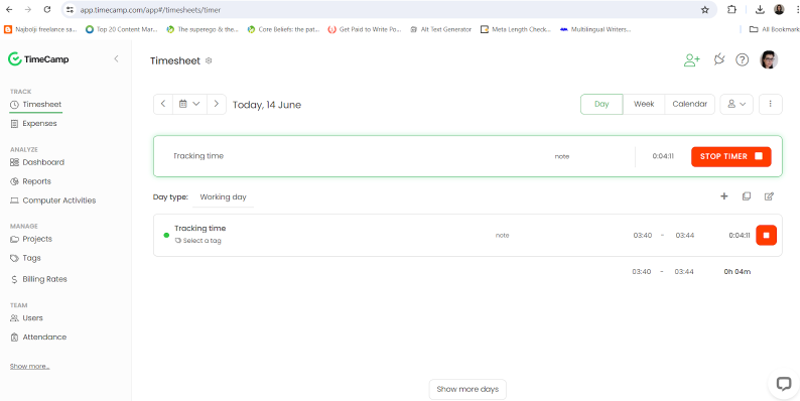
Here are some of TimeCamp’s features:
- You get manual and semi-automatic time tracking. You can track time on projects and tasks via a timesheet or timer, log hours manually, and then organize entries by client, task, or project. Automatic time tracking is done through a desktop app; the app detects keywords in the names of apps and websites you use and assigns tracked time to the appropriate task.
- You get reports that show you where your team’s time goes and how projects are performing.
- You can track billable hours, assign billing rates, and generate invoices directly from tracked time.
- TimeCamp connects to over 100 project management, communication, and business tools.
- For larger organizations, TimeCamp offers advanced options like private cloud hosting, self-hosted deployments, custom integrations, and advanced audit logs.
- TimeCamp’s pricing is well-balanced, with plans starting at just $3.99 per user per month. For a decent per-user price, you get automation and insight without paying premium-tier prices.
If you and your team want to dabble in semi-automatic time tracking combined with billing and reporting tools, TimeCamp is a good option. It’s practical and cost-effective; you get insights without overpaying.
Wrapping up
So, where does this leave you?
Well, this article is here to remind you that enterprise time tracking isn’t broken because your team is lazy or forgetful.
Your time tracking system doesn’t work because it can’t keep up with your people. No one sits in one place, doing one task at a time, and remembering everything perfectly. (If you ever meet this person, please introduce us. I have questions.)
That’s why you don’t need more policies, approvals, or reminders. You just need a tool that collects accurate data automatically, respects your team’s privacy, and works quietly in the background.
So the goal here is not more tacking, just more truth. And once you have that, time tracking finally becomes what it was supposed to be all along: useful.
Why is my enterprise time tracking giving me useless data?
It’s because most enterprise systems rely on people remembering their hours, which is unrealistic for humans. That means entries are estimated, incomplete, and biased. That’s why the solution is automatic tracking tools, like Memtime, that capture your work as it happens, so your data actually reflects reality.
Can time tracking really be automatic?
Yes, of course. Tools like Memtime or Timely quietly run in the background, logging work across apps, documents, and meetings without you having to touch a timer. You just review and confirm if needed. It’s like magic, but real (and so cool!).
What about privacy? Won’t automatic tracking feel creepy?
Not with the right tools. Memtime, for example, stores your activity locally and only shares what you approve, so no one’s spying on keystrokes or webcams. Teams adopt it faster because they trust the system isn’t watching over their shoulder.
Will automatic tracking actually improve my reporting and billing?
Absolutely! When your time entries reflect what really happened, dashboards, project costs, and invoices start to make sense. No more guessing; you get clean, actionable data that’s ready for billing and reporting.

Aleksandra Mladenovic
Aleksandra Mladenovic is a copywriter and content writer with six years of experience in B2B SaaS and e-commerce marketing. She's a startup enthusiast specializing in topics ranging from technology and gaming to business and finance. Outside of work, Aleksandra can be found walking barefoot in nature, baking muffins, or jotting down poems.







