Top 11 Time Doctor Alternatives for Privacy-First Teams

So, your team loves productivity but isn’t super into activity tracking? Totally fair.
Time Doctor has done its rounds helping teams keep track of time, but if you’re looking for something that respects your team’s focus and their preference to work without screenshot-based features, you’re in the right place.
Check out 11 Time Doctor alternatives that are a bit quieter and more privacy-friendly. We listed all their features, real user ratings, pricing, and highlighted what each tool does best. All that so you can finally stop tracking time on which time tracker to pick. 🙂
Let’s roll.
Key Takeaways:
- Time Doctor helps remote teams see where their time goes, mixing timers, app tracking, screenshots, project management, and payroll into one dashboard.
- The app keeps tabs on tasks, websites, and apps, and captures optional screenshots.
- Memtime automatically and quietly tracks your work on your desktop, keeping all data on your own device, so your privacy stays intact.
- Toggl Track is a simple time tracker that gives you reports and project insights without making your team feel heavily monitored..
- Clockify offers free and affordable plans, letting teams track time manually or automatically, manage invoices, and schedule.
- Apploye helps teams track time, manage project budgets, and automatically generate invoices and payroll based on tracked hours.
- Beebole combines time tracking and budgeting, so you can manage projects and track progress.
- Harvest focuses on manual tracking, project budgets, invoicing, and expenses.
- DeskTime runs in the background, logs app and website usage, and offers optional screenshots for extra verification.
- Hubstaff adds monitoring, payroll, and invoices to time tracking, giving you visibility.
- Connecteam is made for mobile or shift-based teams, with time tracking, scheduling, GPS monitoring, and HR tools.
- ClickUp mixes time tracking with project management, task organization, dashboards, and collaboration tools.
- ActivTrak gives you analytics on productivity, focus, and team collaboration without intrusive monitoring features.
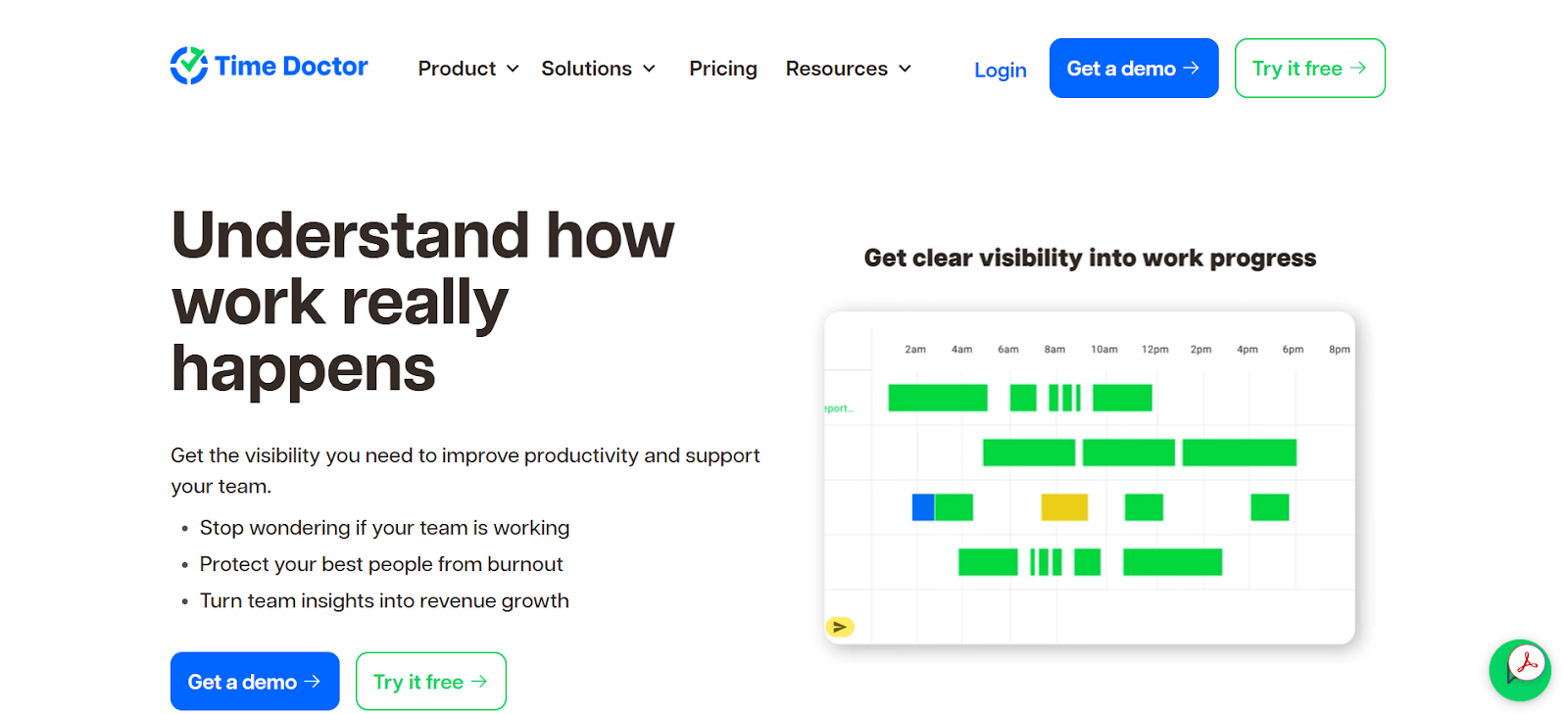
But, first, let’s recap—what is Time Doctor?
Time Doctor is a time tracking and workforce productivity platform.
It’s built for distributed teams and marketed as a tool that helps managers and teams understand how their work time is spent. Besides time tracking, Time Doctor focuses on improving user productivity and helping with billing.
The app combines timer-based time tracking with app and website usage reporting, optional screen captures and recordings, project and task tracking, payroll and billing tools, dashboards and analytics, and a number of integrations.
Time Doctor features
Here are some of the key Time Doctor features:
- The app offers timer-based time tracking (manual and automatic Start/Stop). Start/Stop timers work per task or project, while automatic tracking options are available for more passive, background operation.
- You get reports that show which apps and websites were used while the timer was running (and breakdowns by project or client).
- Screenshot captures and video recordings are offered as features. To use them, you’ll have to enable them and set their frequency.
- You can analyze keyboard and mouse activity to help differentiate active vs. idle time.
- The app detects idle time and prompts you to report the number of idle minutes.
- You can assign time to projects and tasks, create timesheets, and export data for payroll or invoicing.
- Payroll, invoicing, and billing features are built-in.
- Time Doctor connects with tools like Slack, Asana, Jira, Trello, Zapier, and others.
- The tool is available on desktop (for Windows, macOS, and Linux), mobile (Android and iOS), plus as a web dashboard.
Time Doctor’s security and data handling
No matter if you’re building software, running an agency, or simply juggling clients, it’s easy to take your tools for granted. That’s why I’m here to remind you that anytime a platform touches your team’s activity, devices, or workflows, you should pause to understand how it handles your data.
Good security is more than just “nice to have”; it’s what ensures you stay compliant and keep everyone’s privacy intact. With that in mind, I think it’s important to mention how Time Doctor approaches security and data handling.
Time Doctor documents the types of data it collects (like account info, usage data, device info, etc.) and explains that optional features, like screenshots, are configurable by account administrators.
It also has a published Data Retention and Deletion Protocol that specifies how long the data is stored and what deletion protocol is, depending on your account and the actions you take.
Additionally, Time Doctor often mentions SSL/TLS for data in transit, encryption at rest for stored files, and enterprise data center hosting. They also note screenshots and recordings are stored securely if enabled.

That all said, if I were you, I wouldn’t be worried too much about Time Doctor’s safety and reliability; it seems to have its security bases well covered. You get clear documentation on what data it collects, encryption in place for stored and transmitted information, and a defined data retention and deletion process. Judging by that alone, you know that your team’s information isn’t just floating around unprotected.
Concerns about Time Doctor
Time Doctor comes with a bunch of features. It’s got everything from time tracking and detailed reports to payroll tools and integrations with project platforms.
But with great time tracking power comes great productivity-related responsibility.
Time Doctor includes optional features like screenshots, activity levels, and even short video recordings that can add context to time data. Those tools can be useful for understanding productivity trends, but they don’t automatically create productivity.
For many teams, this kind of monitoring is just not reasonable. Admittedly, transparency and trust can do more for performance than any screenshot ever could.
Time Doctor is a solid, full-of-features tool, but when you’re trying to balance helpful productivity insights with your team’s comfort, try to keep things simple. 🙂
If you’re looking for options that track time and projects without leaning on screenshots or other monitoring features, we’ve rounded up 10 alternatives that are more privacy-friendly.
Let’s get to them. 👇
Top 11 Time Doctor alternatives for teams that want privacy
#1 Memtime
Did you know that privacy-first tracking has a name, and it’s Memtime? No? Well, now you do. 🙂
Memtime is our fully automatic, privacy-first time tracker created to help you remember your workday without interrupting it. It lets you work while it works; it’s all about mutual respect.
Jokes aside, Memtime is built with privacy in mind. We want you to support trust and autonomy in your team, so everyone can focus on doing great work, not worrying about monitoring features.
The app doesn't rely on screenshots, keystroke logging, or even cloud-based data storage. All your activity data is stored locally on your device, ensuring that only you have access to it.
Here’s what Memtime brings to the table:
- You get automatic time tracking, as Memtime runs passively in the background on Windows, macOS, and Linux, capturing your time in programs, documents, browser tabs, meetings, and more. All activity data is stored locally on your device, not uploaded to the cloud (not even the team at Memtime can access your data).
- You get a Memory Aid timeline to visualize your workday. This timeline breaks down your activities into 1-60 minute intervals so you can see precisely how you spent your day.

- You can create time entries (or let Memtime do it for you). You can convert captured activities from your timeline into time entries manually. You can also add “suggestion rules” to automate the process, like when a specific URL, document path, or email subject matches a rule, Memtime suggests a time entry.
- You can track iPhone calls. If you’re using an iPhone alongside a Mac, Memtime can detect outgoing and incoming calls and show you their durations in your activity timeline.
- You can track other calls done on VoIP or business phone systems. If you use one of the VoIP providers like Pascom, Sipgate, or FRITZ!Box, Memtime can also pick up your calls and log them as part of your Memory Aid.
- You can connect Memtime to your calendar apps (Google, Outlook, iCloud, or CalDAV). That way, you can compare planned versus actual time spent on meetings and events.
Now, at this point, you might be thinking that Memtime is just a time tracking tool. There’s no way it can compare to a tool like Time Doctor, that’s more about workforce management.
But that’s where you’re wrong.
Memtime allows for something called a 2-way sync. You can import projects and tasks from over 100 project management and billing tools into Memtime, and then export your time entries back to them. Thanks to such integration, Memtime mirrors your project structure and syncs time entries without any manual effort.
It plays well with all your existing tools to ensure accurate billing and reporting.
So, why should you choose Memtime?
In the shortest answer possible, because it’s:
- Effortless in tracking, as it automatically captures activity without AI.
- Privacy-focused, meaning your data stays on your device.
- Fully integrable, as it syncs with over 100 tools.
- Simple, as it focuses solely on time tracking.
We know that Halloween has passed but you can still treat your team. This time, choose effortless, privacy-first time tracking. No tricks, no extra monitoring, no unnecessary oversight, just a Memtime way to track time.
Book a short demo (it’s 15 minutes long, but it’ll feel like 5!) and our team will show you how Memtime can keep your projects organized, time accurate, and privacy intact.👇
#2 Toggl Track
Toggl Track is a well-known time tracking tool used by freelancers and teams to log work hours, monitor project progress, and generate reports.

It runs on pretty much all major platforms, including web, desktop (Windows and macOS), mobile (iOS and Android), and as a browser.
Here are some of Toggl Track’s key features:
- You can use real-time timers, log time manually, or use “duration-only” mode (where you only specify how much time was spent, not the exact start and stop times). There’s also the Timeline feature (for desktop apps) that records app and website usage for over ~10 seconds.
- You can see time entries alongside your calendar.
- You can create projects and tasks, set estimates, and create alerts when things approach the estimate or budget. You can also set fixed fee projects, and track progress.
- You can assign billable rates and view reports filtered or grouped by client, project, task, or team member.
- You can approve timesheets, set reminders, and lock time entries (so entries after a certain date can’t be changed).
- Toggl integrates with approximately 100 tools (4 of them via a 2-way sync).
- It’s a cloud-based app.
If you are worried about privacy, team comfort, and avoiding heavy monitoring but still want some visibility and time tracking, Toggl can be a friendly solution. It gives enough features so you can do detailed reporting and get insights, without making your team feel like they’re under constant surveillance.
#3 Clockify
Clockify is a tried and true time tracking and productivity app designed for individuals and teams. It’s a cloud-based tool that works on desktop, mobile, and web.
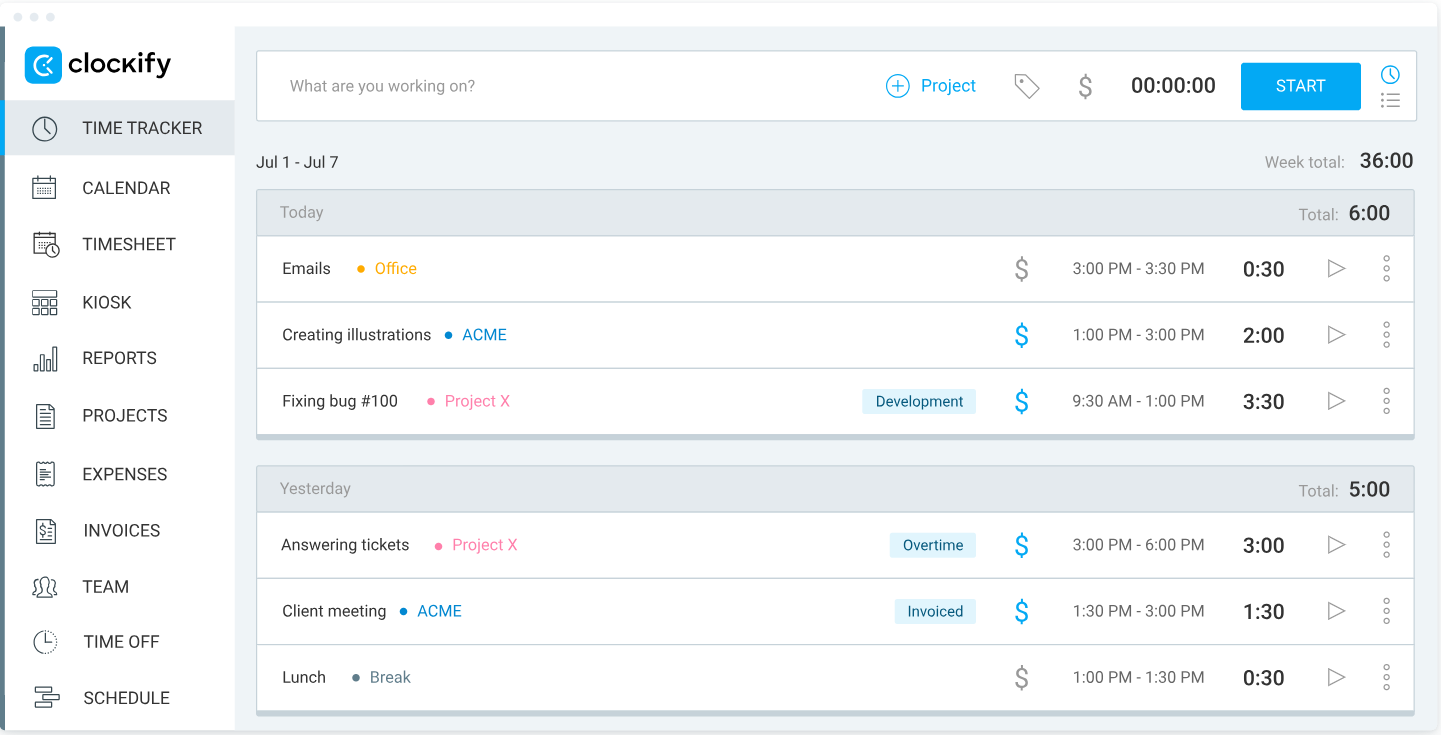
Clockify is pretty user-friendly and comes with a free forever plan, which makes it suitable for startups and businesses that want a low-budget time tracker.
Here are some of the tool’s key features:
- You can use a timer, manual time entry, or drag-and-drop editing. There’s also the Auto Tracker, which records your app and website usage in the background locally.
- You can organize work by assigning time entries to specific projects and tasks.
- The app provides a Pomodoro timer and reminders.
- You get daily or weekly timelines where you can add, edit, or duplicate entries.
- The app can connect with Google or Outlook to mesh tracked time with scheduled events.
- Reports show how time is spent across different projects and tasks.
- You can create and send invoices based on tracked time.
- You can plan and manage team schedules.
- There’s also GPS tracking that allows tracking time on location for fieldwork or remote teams.
- You can access Clockify on mobile and track time offline, syncing data when online.
- Clockify connects with various tools, offering a 2-way sync with QuickBooks.
All in all, if you want manual straightforward time tracking for your team that comes with project management and invoicing features, Clockify can do the job.
#4 Apploye
Apploye is a straightforward Time Doctor alternative that offers time tracking and productivity monitoring with a modern UI at an affordable price point. It is designed for small to growing large BPOs, marketing agencies, IT firms, call centers and other hybrid teams.
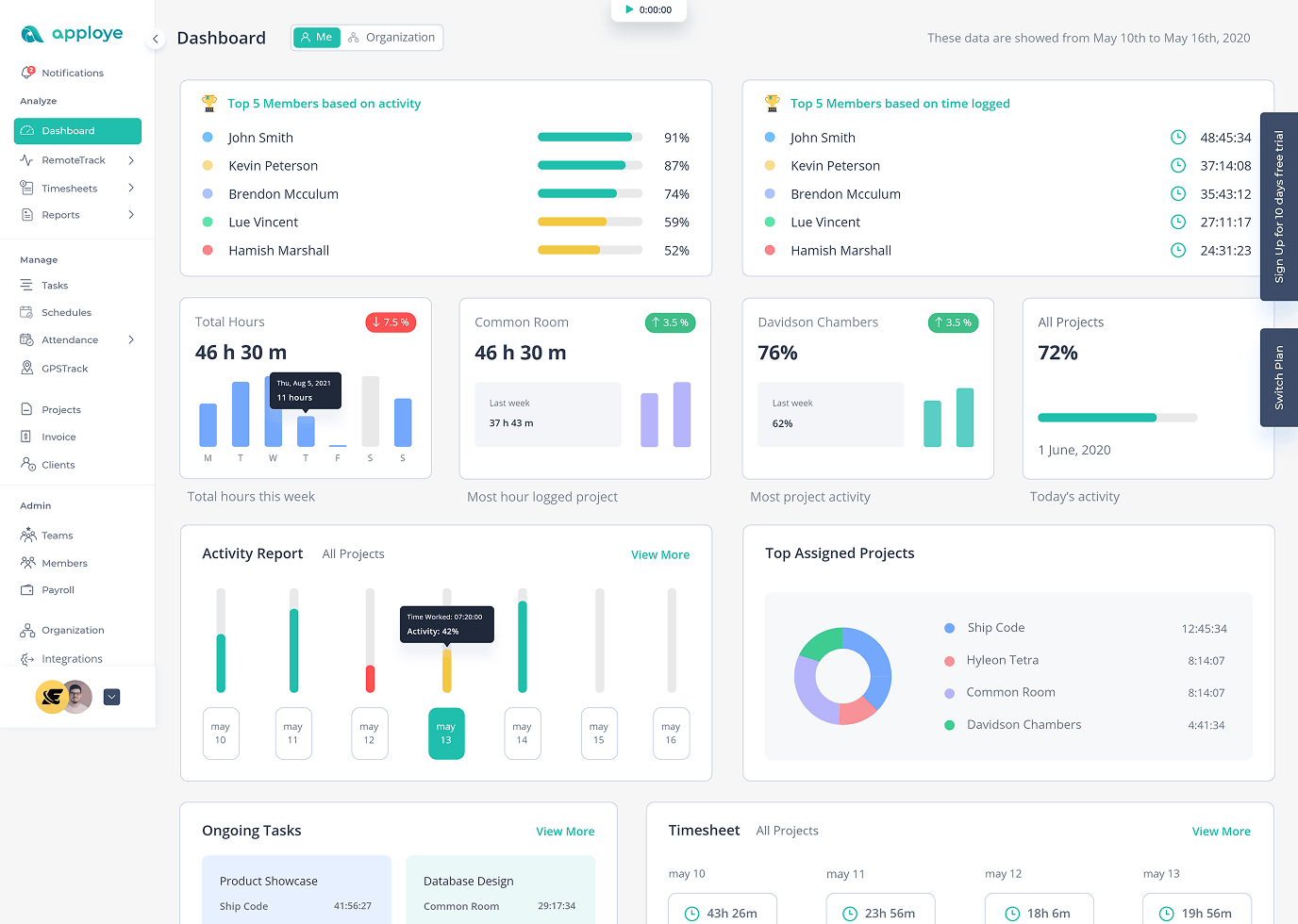
It runs on all major platforms, including web, desktop (Windows, macOS, and Linux), mobile (iOS and Android), and as a browser extension.
Here are some of Apploye’s key features:
- A simple but modern timer that allows employees to start and stop tracking with a single click. Aside from real-time tracking, manual time entry for missed hours is present.
- You can set fixed or hourly budgets for specific projects and get auto notifications when the project reaches a specific point of its limit.
- Assign specific billable rates to team members or projects. Apploye then automatically generates invoices based on tracked hours, which you can sent to your clients.
- Simplify your monthly payments by calculating total pay based on tracked time and hourly rates.
- It monitors activity based on keyboard and mouse usage percentages that gives you an overview of team engagement.
- Managers can review, edit and approve daily or weekly timesheets to ensure data is accurate before paying.
- Apploye covers the core integrations like Jira, Trello, Asana, and ClickUp to sync tasks while more integrations are in development.
If you are looking for a simple and affordable alternative to Time Doctor, then Apploye is a top contender. It prioritizes the essentials of time and activity tracking, making it ideal for teams without the high enterprise costs of other tools.
#5 Beebole
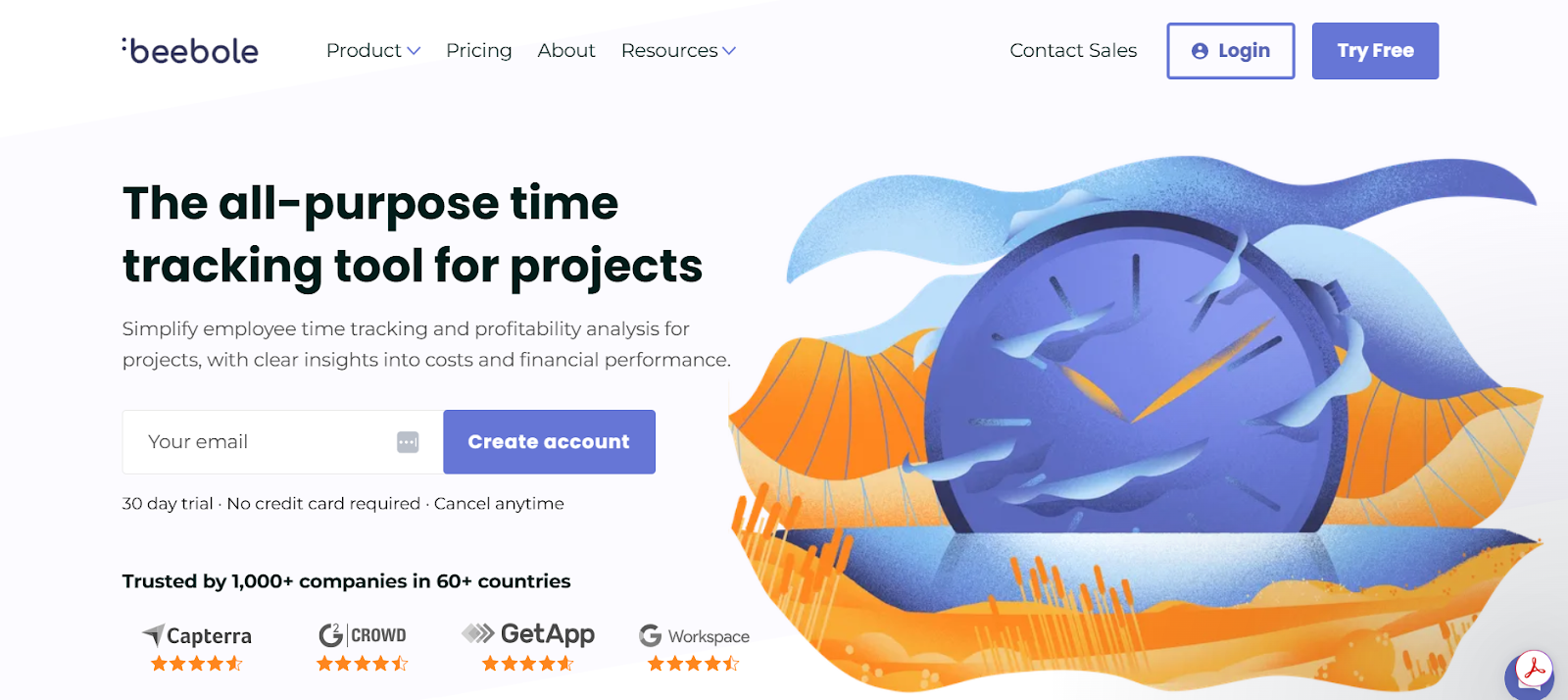
Beebole is a time tracking and project management app. It's created for businesses that want time and finance-related features (like budgeting, billing, and profitability analysis) in one tool.
Here are some of Beebole’s key features:
- You can track time via manual entry or a timer on web and mobile apps.
- You can organize activities with unlimited clients, projects, subprojects, and tasks.
- You can set roles and permissions for each team member.
- You can define hourly rates, fixed fees, or non-billable tasks. You can also budget by rates, costs, or hours.
- You can approve or reject time entries, lock hours, and send email reminders. Managers can view hours worked and get a breakdown of project time, costs, and billing.
- You can generate reports on time, billing, budgets, profitability, variance, and more.
- You can also build real-time KPI dashboards.
- You can request, approve, and manage time off for vacation, sick leave, and more. Plus, you can create custom absence types and allowances for individuals, teams, or your entire company.
- You get notifications for new requests, and you can approve or reject time off.
- Beebole connects with a number of tools.
If you prefer simple time tracking with solid project and budgeting tools built in, Beebole is a decent choice. Beebole keeps things lightweight and team-friendly; Time Doctor is more about accountability and oversight, so the right pick really comes down to the style of tracking your team is most comfortable with.
#6 Harvest
Harvest is a cloud-based time tracking and invoicing app. It’s designed for freelancers, agencies, and businesses that want to log hours, track expenses, manage project budgets, and turn tracked time into invoices.
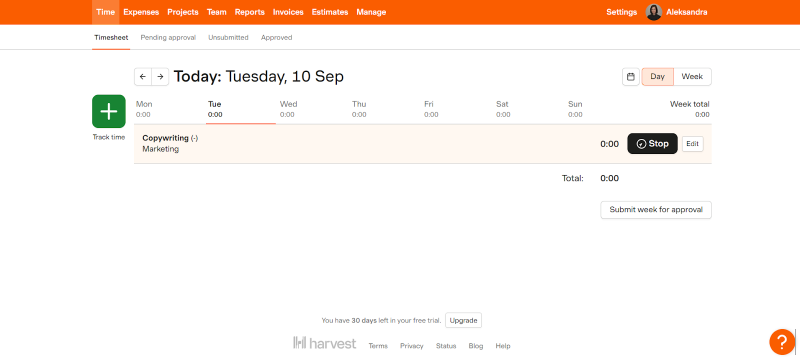
Harvest is known for being simple and team-friendly.
Here are some of the app’s key features:
- To track time, you start and stop timers or enter time manually. (You can track time from desktop, web, or mobile apps.)
- You can use weekly timesheets for faster manual entry and add project, task, and client details to each time entry.
- There are automatic reminders to submit or approve timesheets, as well as custom alerts to ensure team members track their time consistently.
- Managers can approve timesheets.
- The app integrates with calendar tools (Google Calendar, Outlook, etc.) and you can export time entries to QuickBooks, Xero, and Deel.
- You can record expenses tied to specific projects or clients and attach receipts.
- You can categorize reimbursable and non-reimbursable costs and automatically include expenses in client invoices.
- You can set project budgets (hourly or fixed fee).
- You can receive alerts when projects approach or exceed budget limits.
- You can track progress in real time to prevent overruns.
- You can compare actual hours vs. estimated hours per project.
- You can convert tracked time and expenses into invoices.
- You can accept online payments through Stripe, PayPal, or ACH and set automated reminders for overdue invoices.
- You can generate reports on time, projects, and clients, and track billable vs. non-billable time.
Harvest is a friendly and transparent tool whose focus is on manual time tracking and billing. Agencies, consultants, and client-service businesses use Harvest the most as these businesses value time accuracy and billing more than monitoring features. If that’s the case with you and your team, give Harvest a go.
#7 DeskTime
DeskTime is a time tracking and productivity monitoring tool. It’s built for teams that want to capture how their time is spent, monitor app and website usage, schedule shifts, and get reports across users and projects.

Here are some of the app’s most prominent features:
- Desk Time automatically tracks time; the desktop app starts tracking when a computer is turned on and stops when idle for a defined duration.
- When idle time is detected (e.g., after 3 minutes) the app goes into private mode to temporarily stop tracking.
- Manual tracking options are also available, including a web timer, mobile timer, and offline time entry.
- The app logs which websites and applications are used during the tracked time. There’s even document title tracking, which records the names of edited documents to verify the tasks being worked on.
- Apps and websites are categorized as productive, unproductive, or neutral.
- You can assign time to specific projects and tasks.
- You get real-time dashboards, historical performance data, and exportable reports for teams, users, and projects.
- You can schedule shifts, track who is working when, and plan for absences.
- The app takes periodic screenshots of users’ screens for extra verification of work activity (this feature is optional).
- The app connects with project management apps and calendars.
- All data is stored in the cloud.
DeskTime comes with a bunch of features, including automatic time tracking, app and URL monitoring, productivity scoring, and even a “private time” mode. So, if you want productivity insights with a lighter touch, DeskTime is a good option. The tool isn’t about oversight or superdetailed user activity tracking.
#8 Hubstaff
Hubstaff is a time tracking and workforce management platform. The app tracks work hours, manages payroll, schedules shifts, and analyzes how teams spend their time.

Here are some of Hubstaff’s key features:
- You can use Start/Stop timers, manual entries, or log time per project or task.
- Timesheets are auto-generated, and there are options to review, approve, or reject them.
- The tool tracks app and URL usage, monitors keyboard/mouse activity, and can take screenshots (optional feature).
- Hubstaff offers custom privacy controls, with features like screenshot blurring, optional activation, and transparency regarding what is being tracked.
- You can create shifts, manage attendance, and send alerts for late or missed shifts.
- The app integrates with PayPal, Wise, and Deel to automate payments based on tracked hours.
- You can set budgets for projects or team members, and receive alerts when nearing limits.
- You get 20+ detailed and exportable reports (time, activity, location, and project) with filters.
- There’s a clock-in/out system based on location and route planning.
Hubstaff and Time Doctor offer (manual) time tracking, dashboarding, and integrations. But Hubstaff stands out for its built-in payroll and invoicing, while Time Doctor is more about monitoring (screenshots, live screen viewing, distraction alerts). If you want workflow simplicity, not granular monitoring, Hubstaff is a solid choice.
#9 Connecteam
Connecteam is a mobile-first workforce management platform. The app is built for field-based and shift-based teams and includes time tracking, scheduling, communication, HR tools, and more.

Here are some of the most prominent features of Connecteam:
- You can clock in/out via mobile app, kiosk, or desktop.
- You can also require clock-ins at certain locations, monitor routes, and ensure your team is at the job site.
- There’s automatic recording of hours, breaks, overtime, and time off, and all are exportable to payroll.
- You can build recurring shifts, assign jobs, and manage availability and job requirements.
- There’s also in-app chat, the ability to post announcements, and to do training.
- You can see a newsfeed with updates, as well as an employee directory.
- You can set automatic alerts for overtime and double bookings.
- You add labor rules and enforce clock-in/out policies.
- You can create workflows, incident reports, feedback, and polls.
- You can set up digital training courses and quizzes, document management, recognition and rewards, and an employee timeline.
- You get dashboards for attendance, task completion, and labor cost.
Connecteam is a good alternative to Time Doctor if you’re looking for something more people-focused and less about monitoring screens. Connecteam helps teams clock in and manage schedules. It’s a friendlier, more flexible way to manage time and teamwork without the heavy oversight.
#10 ClickUp
ClickUp is an all-in-one productivity platform. It’s designed as a project management, task tracking, and team collaboration app.

Here are some of ClickUp’s key features:
- You can track time using a built-in timer or manual entries.
- You can view and manage time entries across tasks with timesheets.
- You can set estimated durations for tasks and compare them with the actual time spent.
- You can mark time entries as billable or non-billable for client billing.
- The platform integrates with tools like Harvest, Toggl, Everhour, TimeCamp, and Memtime for enhanced time tracking.
- You can break down projects into tasks, subtasks, and checklists. You can view tasks in multiple designs (list view, board view, calendar, etc.)
- You can design your own workflows to match how your team works.
- You can set priorities (like Urgent, High, Normal, Low).
- You can link tasks so one can't start until another is finished.
- You can automatically create new tasks for repeating work.
- You can access ClickApps, which are features that you can toggle on or off in a Space to customize your environment.
- You can create collaborative documents (like wikis or knowledge bases) inside your workspace, and link them to tasks.
- There’s a built-in chat.
- You can use whiteboards to brainstorm visually with your team.
- You can discuss tasks directly, and use @mentions to loop in teammates.
- You get real-time reports using widgets to track project metrics, team workload, and more.
- You can break down OKRs into measurable targets and track progress.
- You can see who on your team is busy and who has capacity, helping you balance the work.
- You can connect ClickUp with dozens of other tools you already use.
ClickUp is a pretty comprehensive tool, as it includes time tracking, task management, and collaboration features, all within one platform. The app is about team collaboration and project efficiency, not necessarily monitoring. It’s a good option if you want a more holistic approach to productivity.
#11 ActivTrak
ActivTrak is not a time tracking or employee monitoring tool per se; it’s more of a workforce analytics and productivity platform.

The tool uses passive data collection and AI to give you insights into things like focus time, collaboration patterns, and workload balance. The app’s primary goal is to help managers and employees identify bottlenecks.
Here are some of the tool’s key features:
- The platform automatically tracks time spent in apps and on websites, classifying them as productive, unproductive, or neutral (based on custom rules).
- You get dashboards to visualize employee utilization and capacity.
- There are reports and AI-powered insights on how teams and individuals compare to their historical performance and goals.
- There’s a real-time activity view that gives managers a snapshot of who is currently working, what apps they are using, and their current productivity status.
- The app flags activity patterns (like working after-hours or long periods of focus) that could indicate an employee is at risk of burnout.
- You can set up alerts for specific behaviors and capture screenshots when pre-defined “risky” or inefficient activity occurs.
- The app avoids keystroke logging, email monitoring, or continuous video recording.
Overall, I’d say choose ActivTrak if your main goal is to understand how your team is operating at a strategic level and improve efficiency. It’s a tool that prioritizes analytics over traditional time tracking mechanics.
Wrapping up
You’ve made it!
You’ve survived this list of time trackers, comparisons, pros, cons, and more acronyms than your brain probably wanted to handle. It’s been a long ride, but here we are at the finish line.
So, let me be straight with you: if you want your team to stay productive without extra monitoring layers they don’t need, go with Memtime.
It keeps track of hours so you don’t have to, respects everyone’s focus, and won’t judge that “just 10 more minutes of scrolling” breaks. It gives you and your team insights, not headaches—and who can say “no” to that? 🙂
What is Time Doctor used for?
Time Doctor is a time tracking and productivity tool designed for distributed teams. It helps managers see how work hours are spent. It tracks tasks, apps, websites, and optional screenshots, and also offers project management, payroll, and analytics features.
How is Memtime different from Time Doctor?
Memtime focuses on automatic, privacy-first time tracking, as it stores all activity locally on your device. Unlike Time Doctor, it doesn’t use screenshots or keystroke logging. It’s ideal for teams that want insights into their work without any type of monitoring. Memtime also integrates with over 100 tools for seamless project and billing sync, keeping the workflow as streamlined as possible.
Can I track team productivity the privacy-friendly way?
Yes, of course! With apps like Memtime, you get productivity insights without intrusiveness or monitoring. Some tools track just app usage, others also track focus time, or collaboration patterns without screenshots or keystroke logging. These tools help your team stay accountable, allowing you to provide trust and the freedom to manage their own work.
Which alternative is best for mobile or field-based teams?
Connecteam is designed for mobile and shift-based teams. It offers time tracking, GPS monitoring, scheduling, HR tools, and in-app communication. Hubstaff and Clockify are also good choices for mobile tracking options.

Aleksandra Mladenovic
Aleksandra Mladenovic is a copywriter and content writer with six years of experience in B2B SaaS and e-commerce marketing. She's a startup enthusiast specializing in topics ranging from technology and gaming to business and finance. Outside of work, Aleksandra can be found walking barefoot in nature, baking muffins, or jotting down poems.







