10 Paymo Alternatives for Workflow-Friendly Time Tracking
Paymo is just one of those tools that does a bit of everything: you get time tracking, project management, and invoicing. It’s like an overachiever of the productivity world, and I mean this in the best way possible.
And if you’ve been using the tool for a while, you know that it does a solid job. But every individual (or team) works a little differently. What feels intuitive for one workflow might feel impossible for another. It’s kinda like that feeling when you try to wear someone else’s perfectly broken-in shoes—technically they’re fine, but just not quite right for you.
That’s why we wanted to create this list of Paymo alternatives. Not because Paymo is lacking, but because maybe you need something that fits your way of working a bit better.
Maybe you want something more automated, or something that blends into your workflow so well you almost forget it’s there (hi, Memtime 👋).
So, whether you’re ready to move on to another tool or just curious about what else is out there, we’ve got 10 Paymo alternatives that could click better with you and/or your team.
Key Takeaways:
- Paymo is a solid all-in-one tool for time tracking, project management, and invoicing, but it won’t fit every workflow perfectly.
- The biggest difference between Paymo alternatives is the amount of manual work they require vs. the amount they automate for you.
- Some tools (like Memtime or Timely) run quietly in the background and automatically track everything.
- Other tools (like Toggl, Clockify, or Harvest) still rely more on timers, timesheets, and manual input.
- If you often forget to track time, automatic tools can save you a lot of frustration.
- The best Paymo alternative for you is the one that fits your natural way of working.
What is Paymo?
Paymo is an app that combines project management, time tracking, and invoicing. It’s a cloud-based tool that brings together tasks, timesheets, and billing into one workflow.
Thanks to its features, it can help you and/or your team manage the entire lifecycle of your work, including planning and organizing projects and tasks, tracking time spent on tasks, collaborating with team members, monitoring performance, and turning tracked time into invoices (to get paid).
Paymo was founded in 2007 and has grown into a widely used platform with over 100,000 users worldwide. It started just as a time tracking tool and eventually evolved into a broader project management platform. That’s the reason why time tracking still feels like a central part of the product.
Who Paymo is for
Considering its features, Paymo is a good fit for individuals, small businesses, and teams, especially those working on client-based projects. Think freelancers, creative and marketing agencies, consultants, and smaller teams (often up to 20 people).
Paymo features
As mentioned above, Paymo gets you project management, time tracking, and billing features and connects them into one workflow. You can track hours, but also connect those hours to tasks, projects, clients, and invoices.
That being the case, you get a pretty comprehensive feature set. Some features vary depending on the plan, but these are the core ones:
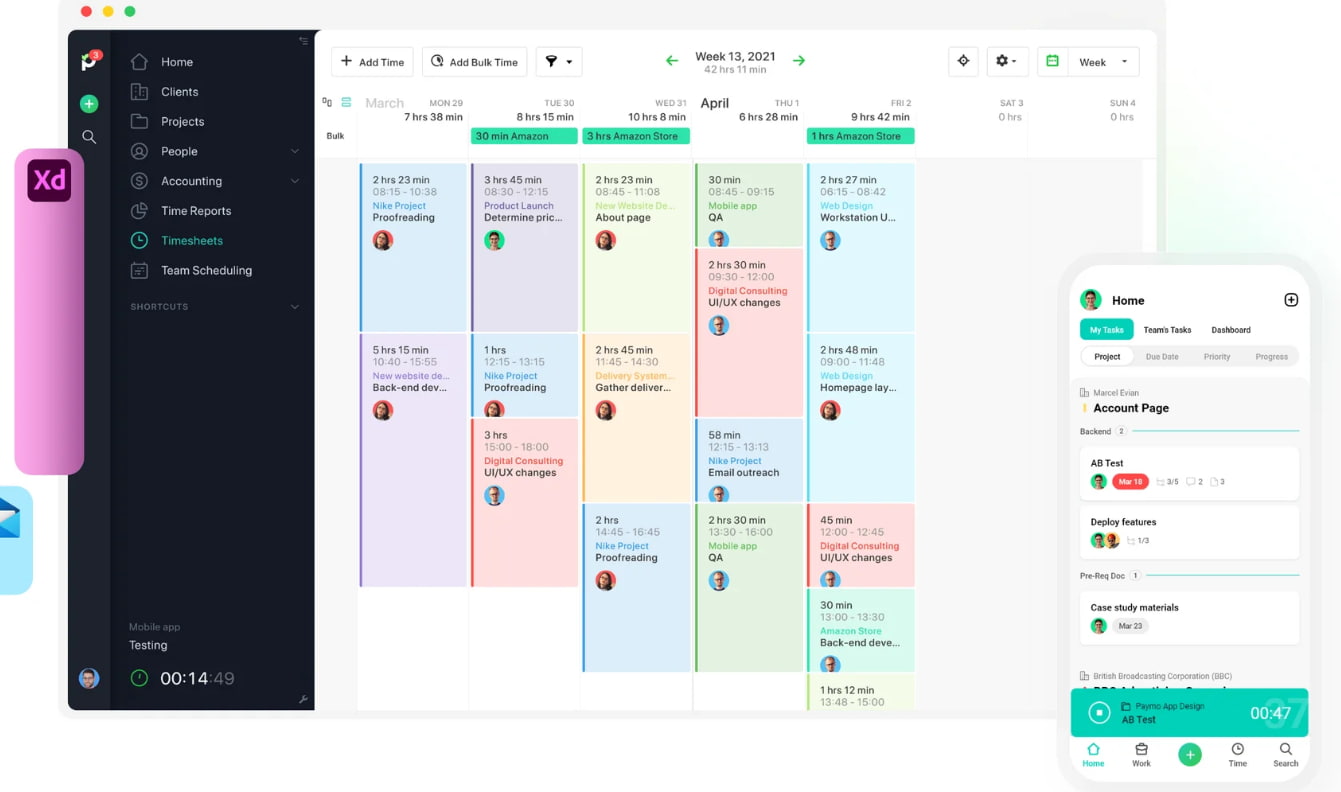
- Time tracking. You can track time using a built-in timer, manual time entries, or even automatic tracking (via the Paymo desktop app). Time can be logged for specific tasks, projects, or clients, and everything goes directly into timesheets. There’s also a Pomodoro timer and idle time detection.
- Automatic time tracking. The desktop app runs in the background and records what apps and documents you’re working on. Later, you can turn that activity into time entries.
- Timesheets. All tracked time is automatically organized into timesheets, which can be reviewed, edited, and approved.
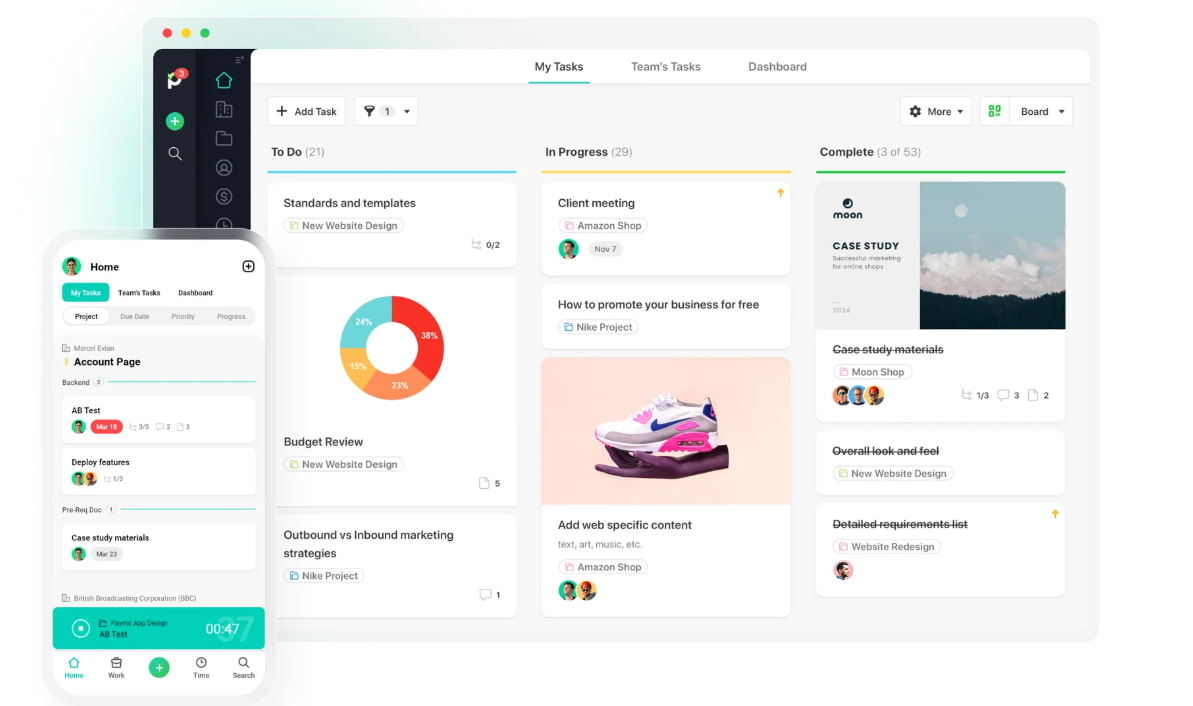
- Project and task management. Paymo lets you create projects, break them down into tasks, assign them to team members, and track progress. You get multiple views like task lists, Kanban boards, Gantt charts, and calendars. Dependencies, milestones, and task prioritization are also included.
- User permissions and roles. You can control who sees and does what within the platform by assigning roles and permissions.
- Team collaboration. There are built-in collaboration tools like task comments, file attachments, and real-time updates. Team members can communicate within tasks.
- Scheduling. You can schedule team members’ work to see who’s available, who’s overbooked, and how work is distributed across the team.
- Expense tracking. You can log project-related expenses (like travel) and attach receipts. These can then be added to invoices.
- Invoicing and payments. Paymo allows you to create invoices from tracked time and expenses. You can customize invoices and send them to clients.
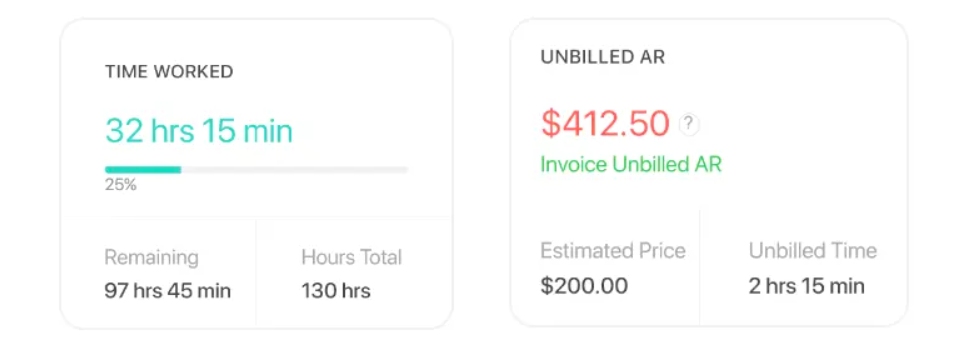
- Estimates and budgeting. Before starting a project, you can create estimates and set budgets (based on time or cost). As work progresses, Paymo tracks how close you are to those limits.
- Reporting. Paymo provides time reports, project progress, team performance, and financial summaries.
- Client management. You can organize work by clients, assign projects to them, and track all related activity in one place. There’s also a client portal feature, that lets clients view project progress and invoices (without seeing everything else).
- Integrations. Paymo integrates with other apps like accounting software, communication tools, and file storage services.
- Mobile apps. There are mobile apps for iOS and Android, so you can track time while on the go.
As you can see, Paymo is all about being a well-rounded project management platform. Not bad at all, Paymo! 👏
Paymo pros & cons
Like any tool that tries to do a lot, Paymo comes with some very clear strengths. But there are also a few downsides, depending on how you or your team like to work.
No tool is a one-size-fits-all solution (is there such a thing anyway?).
Pros of Paymo
- You get a tool that covers A LOT. Paymo truly connects different parts of your workflow; you can go from planning tasks to tracking time to generating invoices without switching tools.
- You get strong time tracking (manual and automatic options). You can use a simple start/stop timer or rely on Paymo’s automatic tracking in the background.
- It’s great for client work and billing. Because time tracking, expenses, and invoicing are connected, Paymo works really well for client-based businesses.
- You get multiple project views (think Kanban, Gantt, list, and calendar). If you love boards, timelines, and simple lists, you probably love Paymo.
- You get solid reporting for time and finances. Paymo’s reports show you where time is going, how projects are performing, and whether you’re staying within budget. IMO, it’s more than enough info to make proper decisions.
Cons of Paymo
- Automatic tracking could be smoother. Paymo’s desktop app works well as an automatic tracker, but it doesn’t fully remove the manual work. You still need to review and convert tracked activity into time entries, and that’s an extra step.
- Collaboration features are a bit on the basic side. You can comment on tasks and share files in Paymo, but it’s not really built to be a full collaboration hub. If your team needs more communication, you should probably stick to tools like Slack alongside it.
- Reporting can feel rigid. Paymo offers solid reports, but customization options are limited for more advanced needs.
- The mobile apps cover the basics. When using Paymo on mobile, you get time tracking and task updates, so it’s safe to say that the mobile apps are not as powerful or polished as the desktop experience. If you love to work while on the go, this can be a drawback.
So, why are you looking for a Paymo alternative?
Paymo is a decent tool, no doubt there.
It helps you track time, manage projects, and handle invoices. It gives you structure, visibility, and a good workflow from start to finish.
But sometimes you want something different. And that’s okay.
Whatever brought you here, just know there are plenty of alternatives out there that could work for the way you work. 🙂 So, just keep scrolling; you’re about to go through a full list of Paymo alternatives worth checking out.
Top 10 best Paymo alternatives
Ah, finally, the alternatives! *cracks knuckles*
Now, before you get the actual list of Paymo alternatives, I want you to keep something in mind.
When we at Memtime were choosing these Paymo alternatives, we focused mainly on one thing: workflow friction. In other words, we wanted to create a list of apps that require less thinking and less clicking. The less clicking it gets you, the higher it goes on our list.
At the top of the list, you’ll find tools that run quietly in the background, build your timeline automatically, and require little to no manual input. At the bottom, you’ll see apps that still rely on timers or manual entries, and feel closer to traditional time tracking.
Here’s the list:
- Memtime. It automatically records everything you do in the background and reconstructs your timeline with almost zero manual input.
- Timely. Uses AI to automatically capture and organize your work activity into timesheets, removing most manual tracking.
- RescueTime. Passively tracks apps and websites in the background to show how you spend time without timers.
- ManicTime. Automatically logs your activity locally (apps, files, browsing) and builds a detailed timeline.
- TimeCamp. Combines automatic keyword-based/background tracking with manual timers, but still requires some setup.
- Toggl Track. Super flexible tool that provides timers with reminders and some automatic time tracking.
- Clockify. Provides timers and timesheets with some automatic tracking and strong reporting.
- TMetric. Offers timers and light automation, like idle detection and background capture.
- Everhour. Tracks time manually inside project management tools.
- Harvest. Focuses on manual time entry tied to invoicing and billing.
#1 Memtime
Ah, Memtime. It’s one of those tools that just lets you work and handles most of the time tracking-related tasks for you.
It’s as good as it sounds.
Memtime is our desktop-first automatic time tracker built for freelancers, agencies, and anyone who wants no interruptions and a bunch of insights. Like yourself.
Memtime quietly records everything you do on your computer (apps, docs, websites, and meetings), and organizes it all into a chronological timeline called Memory Aid. You can view your day in chunks, from 1 to 60 minutes. 👇
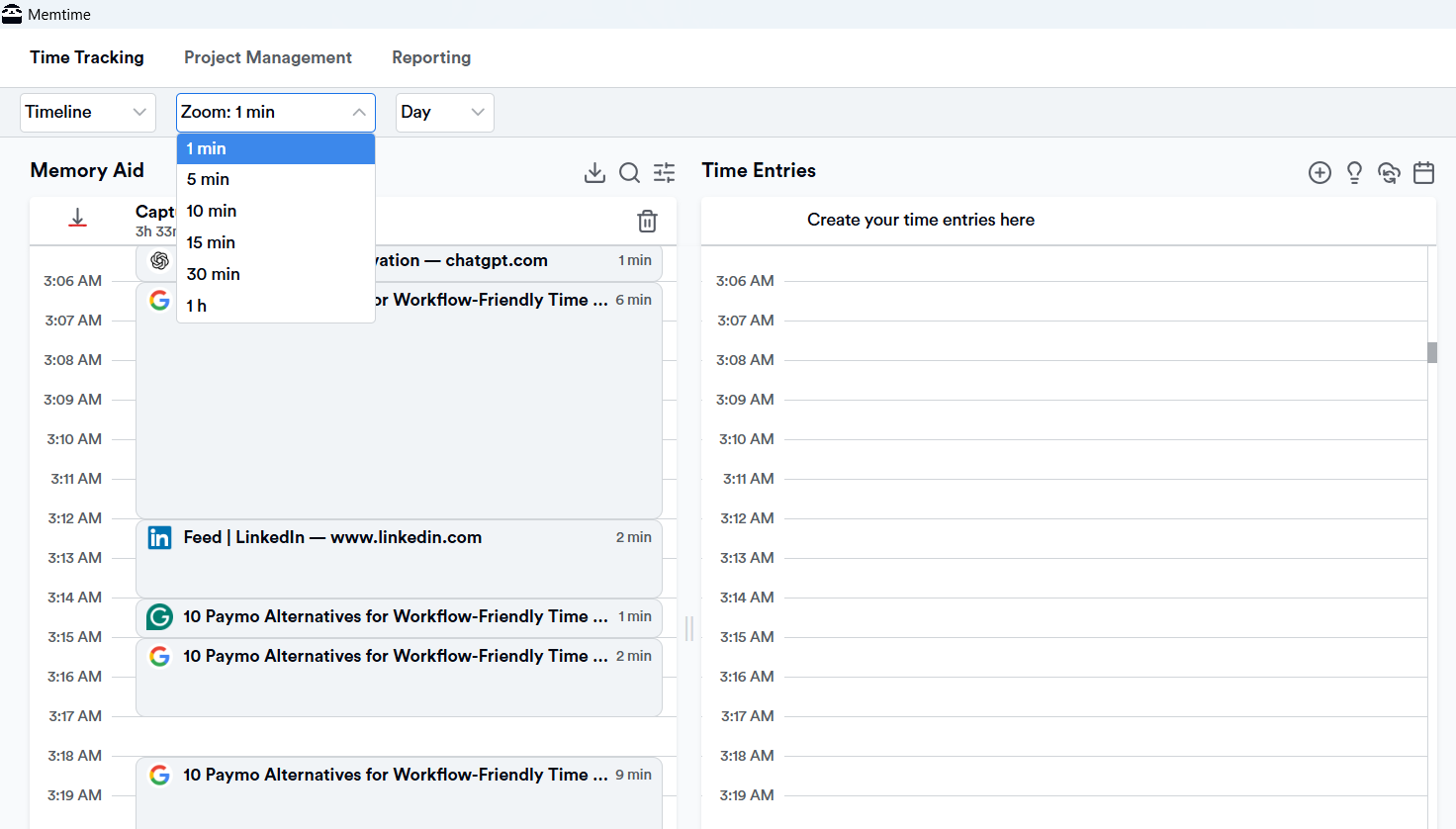
Once your day is laid out, Memtime makes it easy to turn these tracked activities into time entries for tasks, projects, and clients.
Here are some of Memtime’s features worth noting:
- First, there’s VoIP call tracking. Memtime can automatically log your call durations made with popular VoIP services or your iPhone.
- Then, you get quick time entry creation. You can turn captured activity into project time in just a few clicks, or let Memtime do it for you. You can set rules so Memtime suggests time entries for you; anytime Memtime suggests, you simply accept, edit, or decline that suggestion.
- Then, you get two-way sync with 100+ tools. Memtime comes with two-way integration, allowing you to import your projects and tasks into Memtime and export time entries back to them.
- At last, you get detailed reporting. You can create reports, project summaries, productivity insights, and breakdowns of where your time was spent (programs and websites).
Mind you, during all of this, all data stays on your computer, meaning no raw activity data (like URLs or file names) is shared unless you create a time entry to send to another tool.
Now, I know what you’re wondering.
What about project management?! Is Memtime just a plain old automatic time tracker?!
To that I say: nope. Allow me to present to you Memtime Projects.
It’s our newest feature that lets you capture time and organize it around projects and tasks, all within Memtime’s interface.
Here’s how that entire process goes:
- First, you create and organize projects. You build projects and tasks in Memtime’s web dashboard.
- Then, you invite teammates. You add people and assign roles.
- At last, you work like you normally would. You track time, add tracked time to tasks and projects, and see who’s logging time on what. (You can access this web dashboard from a desktop, tablet, or phone. The automatic tracking still happens locally on your machine.)
So, does Memtime get you everything you want? Absolutely yes! *nod with me*
You get a tool that automatically captures all your work and a way to organize and share that work. How cool is that?
I feel like you wanna try Memtime. If I’m right, just go for it; see for yourself how it works for 2 weeks (it’s on us). Just click the button below.
#2 Timely
Timely landed second on our list of Paymo alternatives because it can make time tracking feel almost invisible. It uses its Memory feature to automatically capture everything you work on (apps, websites, and documents), and builds a private timeline of your day in the background.
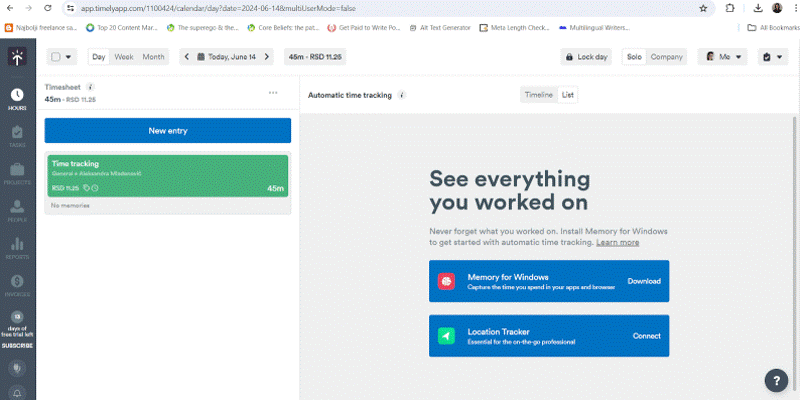
From there, Timely’s AI steps in. It learns your habits and can suggest or even draft complete time entries, assigning your activity to the right projects.
What Timely does well is give you automation and control. You can still review and approve entries, but there’s no capturing, grouping, or organizing your work; it’s already done. It also integrates with tools like calendars and project apps, pulling everything into one clean timeline. For example, it connects with project management tools like Asana and Trello by syncing tasks, users, and projects.
Now, what does that mean?
Well, Timely’s integrations are built to turn project management activity into trackable time data, not to replace your PM (there’s no full 2-way sync). So, for its Asana integration, Timely can:
- Syncs projects, tasks, users, and tags into Timely, so you can track time against work items.
- Activity in Asana creates Memory entries in Timely (like what you worked on and when).
- In some setups, time logged in Timely can be pushed back into Asana as time entries.
Compared to Paymo, Timely removes most of the time tracking effort. It becomes something that just quietly takes care of itself, which is awesome. It’s pretty similar to Memtime, although Memtime doesn’t rely on AI.
#3 RescueTime
RescueTime is, again, one of those tools that quietly does its thing in the background without asking you to think about time tracking at all. It’s very workflow-friendly.

RescueTime automatically tracks your activity across apps and websites and categorizes it into productive and unproductive time. Over time, it builds a picture of how your workday actually looks, without you needing to label or start anything. So, it’s less about billable project hours and more about automatically logging time and understanding your productivity patterns.
Where RescueTime gets interesting is its focus on focus (yep, you’ve read that right). It includes distraction blocking, goal setting, and focus sessions.
Now, compared to Paymo, RescueTime doesn’t try to be a project management or invoicing tool. There are no tasks, no timesheets, and no client structures to maintain. The good thing about it is that it connects to tools like Asan, Trello, or Slack, plus some calendars like Google Calendar and Outlook. So, for example, with Asana and RescueTime, you can:
- Start Focus Sessions directly from Asana tasks.
- Time spent can be linked to specific tasks for productivity tracking.
- Completed work in Asana can show up as activity highlights in RescueTime timelines.
As you can see, it does not sync full project structures or replace Asana tasks.
RescueTime strips everything down to pure activity tracking and productivity insight. Think of it more as a personal optimization app than a billable hours/invoicing/PM tool.
#4 ManicTime
ManicTime is another silent time tracker that can complement your project management workflow. It focuses on automatically tracking everything you do on your computer, including apps, websites, files, and even specific documents, and then lets you assign that time to projects afterward.

When it comes to project management tools, ManicTime doesn’t offer deep syncing like you might expect from Paymo. It connects in a more practical way, meaning you can import tasks from tools like Jira, Asana, Azure DevOps, or other systems, so you have a structure to tag your tracked activity against. It also supports exports and API access, which means you can push the data into whatever project or reporting system they already use.
Compared to Paymo, which connects time tracking directly into tasks and projects, ManicTime is about capturing raw activity first; your project system comes second. It’s good for accuracy, but less integrated in a traditional PM sense.
#5 TimeCamp
TimeCamp is built with teams and structured project tracking in mind. It captures time, but it also directly connects with project management tools like Asana, Trello, Jira, Monday.com, ClickUp, and others to import your actual project structure into the time tracking system.
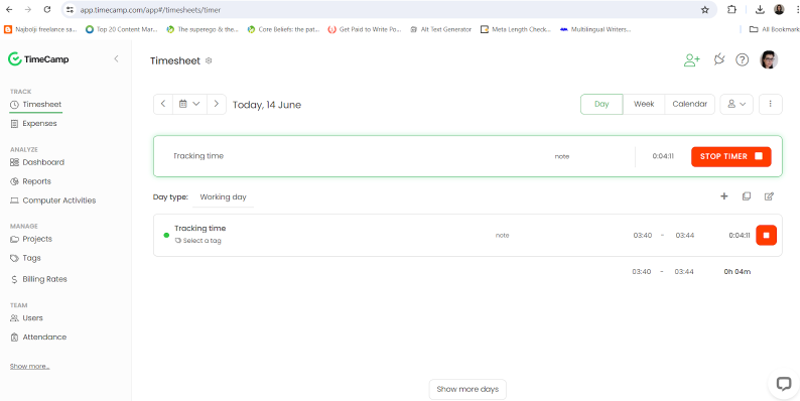
What this means in practice is that once you enable an integration, TimeCamp pulls in your projects, tasks, and sometimes even subtasks, and turns them into trackable items inside its own system. From there, you can log time directly against those imported tasks using timers, browser extensions, or automatic tracking rules. In some setups, it can even auto-switch tasks based on keywords or what you’re currently working on.
Based on TimeCamp’s features, you could say that it mirrors your project management structure. Your PM tool (like Asana or Jira) takes center stage, and TimeCamp becomes an add-on for assigning, tracking, and reporting time.
Compared to Paymo, TimeCamp feels more flexible. The tool is all about project workflows, not necessarily passive, background-only tracking.
#6 Toggl Track
Toggl Track is one of the most balanced Paymo alternatives because it sits right in the middle between manual tracking and light automation. All the while keeping everything extremely easy to use.

Toggl Track is built around simple time tracking: you start and stop timers with one click, log time manually, or even drag and edit time blocks in a calendar-style view. It also includes all the essentials, like project and client organization, billable vs. non-billable time, detailed reporting, and team tracking, so it covers most of the same ground as Paymo on the time management side. Toggl integrates with 100+ tools, including project management platforms.
But it adds the automation layer. Toggl includes features like idle detection (which notices when you step away), reminders to track time, and optional background tracking via its desktop apps and browser extensions.
Compared to Paymo, Toggl feels a bit lighter to use.
#7 Clockify
Clockify covers a lot of ground without handcuffing you with an all-in-one system. It also includes more automation than you would expect at first glance.
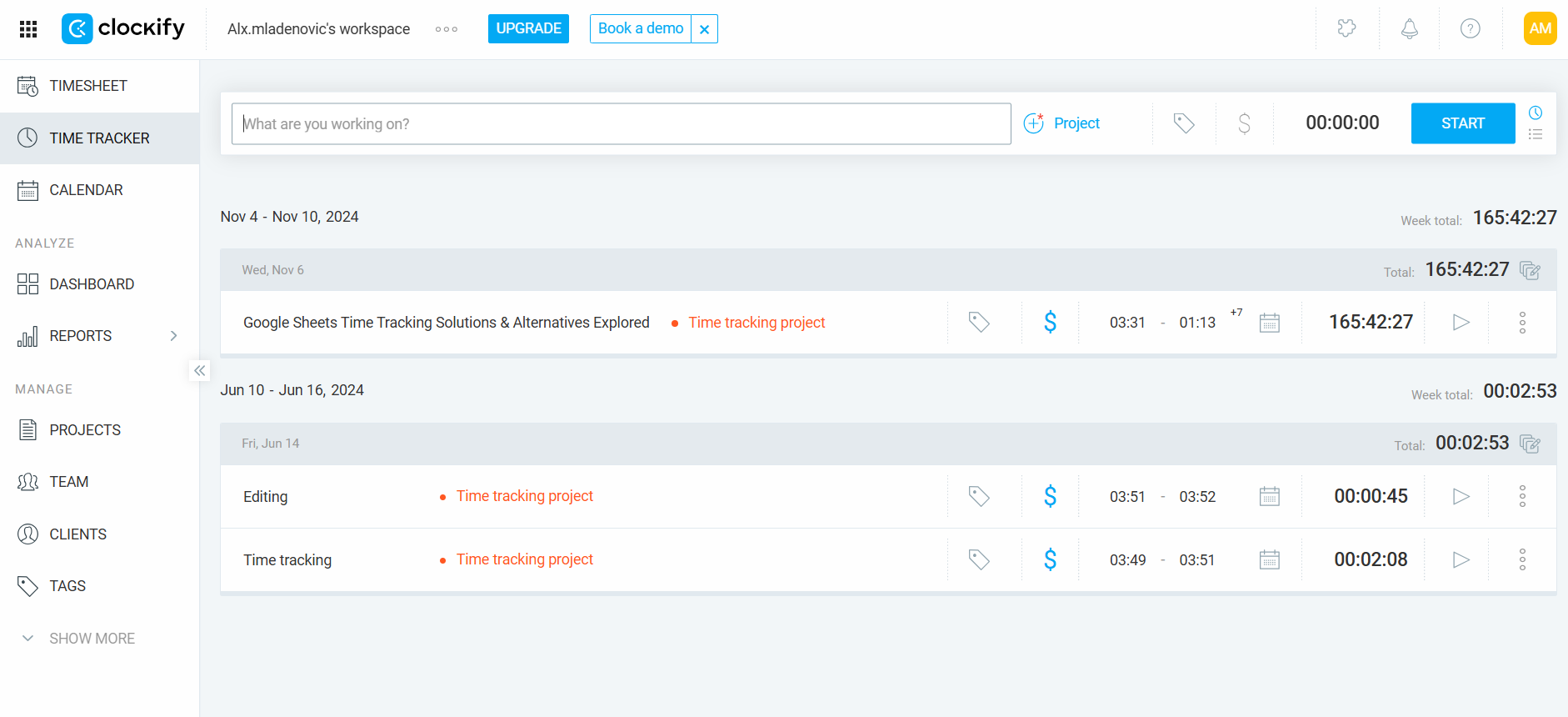
Clockify offers standard time tracking features: you can use a simple start/stop timer, log time manually, use timesheets, or track time in a calendar view. Like Paymo, it supports project management basics, including projects, clients, tasks, billable vs. non-billable time, detailed reports, team tracking, and invoicing.
Where Clockify becomes more interesting is its automation. It includes an auto tracker that runs in the background and records which apps, sites, and docs you use during the day. These activities aren’t automatically turned into timesheets, but they can be converted into time entries later. On top of that, Clockify includes features like idle detection, reminders, Pomodoro timers, and automatic start/stop options.
Compared to Paymo, Clockify is a bit lighter. Paymo is all about structured project management and billing workflows, while Clockify focuses more on scalable time tracking with optional automation. And it’s easy to adopt.
#8 TMetric
TMetric focuses a lot on tracking time, but it also tries to cover related workflows like project control and reporting.

TMetric offers multiple ways to track time: you can use a simple start/stop timer, log time manually, or track time directly through a browser extension while you’re working in tools like Asana, Trello, Jira, and ClickUp. It also includes features you’ll probably recognize, such as projects and clients, billable vs. non-billable time, detailed reports, budgeting, task assignments, and invoicing.
Where it becomes more flexible is its integration approach. TMetric plugs into external tools and lets those systems define the structure of your work. It can pull tasks from project management platforms, letting you track time against them.
It also includes automation-like features, like idle detection, activity tracking, and optional background monitoring depending on setup. This doesn’t make it fully automatic like Memtime or Timely, but it does address some of the problems that fully manual tools can’t.
Compared to Paymo, TMetric feels less all-in-one; it’s strong on tracking and reporting flexibility, but without that built-in project management moment.
#9 Everhour
Everhour is a Paymo alternative that tries to upgrade the whole PM experience with time tracking that feels native.

With this tool, you can start and stop timers with a single click, log time manually, or track directly from a calendar-style view. Like Paymo, it supports projects, tasks, billable vs. non-billable time, budgeting, invoicing, and detailed reporting.
When it comes to integrations, Everhour blends time tracking directly into tools like Asana, Trello, Jira, Notion, ClickUp, and more. That means you can track time right inside your task manager; you get a timer sitting where the work already happens. It also includes features like budget tracking, task estimates, team dashboards, and approvals, which mirror many of Paymo’s project management features.
Compared to Paymo, Everhour is more modular, plugging into whatever workflow you already use. It doesn’t offer much automation, but you get some automated support, like idle detection.
#10 Harvest
Harvest is one of the more traditional Paymo alternatives. It gets you time tracking, invoicing, and project profitability in one system without that full project management depth.
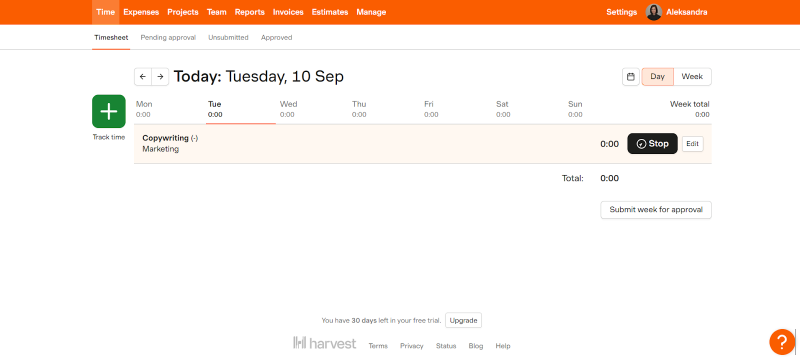
Harvest offers simple time tracking. You use a start/stop timer, log time manually, or fill in timesheets after the fact. It also includes built-in features like expense tracking, invoicing, budget monitoring, and detailed reporting.
What made Harvest land on this list is its strong integrations. It connects with tools like Asana, Trello, Jira, Slack, and many others, letting you track time directly in those platforms or link time entries to tasks and issues. Harvest becomes the tool that measures time, costs, and billing on top of it. That all said, Harvest is still fundamentally manual-first; it doesn’t passively track your activity in the background.
Compared to Paymo, Harvest is a bit more finance-driven: less all-in-one project management, more insight into budgets, reports, and invoices.
Wrapping it up
Alright, you made it. Hats off to you!
You’ve seen what Paymo can do, where it shines, and where it doesn’t. And more importantly, you’ve now got 10 solid Paymo alternatives to choose from.
So, it really comes down to one simple thing: how do you want your time tracking to feel? Do you want something that runs quietly in the background and just handles it for you (Memtime)? Or are you okay with clicking timers and managing timesheets yourself?
There’s no right answer; just the one that fits how you actually work day to day.
Take your pick. Try a couple. See what clicks. Good luck! 🍀
FAQs
What is the best Paymo alternative?
There’s no right answer; it really depends on you and how you like to track time. If you want something more automated, tools like Memtime or Timely are great picks. If you prefer manual control with timers and reports, Everhour or Harvest might be a better fit.
Are there Paymo alternatives with automatic time tracking?
Yes, of course. Tools like Memtime, Timely, RescueTime, and ManicTime can track your work in the background without timers. They’re great if you want time tracking to feel more like something that just happens, not something you have to remember.
Is Paymo good for freelancers?
Sure! Paymo works really well for freelancers, especially if you need time tracking, project management, and invoicing in one place. It helps freelancers keep everything organized.
What’s the difference between manual and automatic time tracking?
Manual tracking means you start and stop timers or fill in timesheets yourself. Automatic tracking captures your activity in the background and lets you review it later. The second option is usually easier to stick with long-term, since it doesn’t rely on your memory or discipline.
Do I need a project management tool with time tracking?
Well, no, not necessarily; it depends on how you work. Some people prefer all-in-one tools like Paymo, while others use a separate tracker alongside apps like Asana or Trello. If your goal is just accurate time tracking with almost zero effort, a dedicated tool like Memtime (with its Memtime Projects feature) can be enough on its own.
What should I look for in a Paymo alternative?
Start with your workflow, not features. Ask yourself if you want something automatic, something structured, or a mix of both. The best tool is the one you’ll actually use consistently, ideally without having to think too much about it.

Aleksandra Mladenovic
Aleksandra Mladenovic is a copywriter and content writer with six years of experience in B2B SaaS and e-commerce marketing. She's a startup enthusiast specializing in topics ranging from technology and gaming to business and finance. Outside of work, Aleksandra can be found walking barefoot in nature, baking muffins, or jotting down poems.







