Best TrackingTime Alternatives for Simplicity & Precision

Time tracking is… well, complicated. You and your team know it’s good for you, but finding an app you’ll actually stick with can be challenging. To say the least.
TrackingTime has helped a lot of teams keep their hours in check, projects organized, and their invoices looking good *chef’s kiss*. But as your work evolves, so do your preferences. Maybe you want a bit more automation, uber precision, or just a tool that feels more like you.
That’s where TrackingTime alternatives come in.
So, if you are at that point in your time tracking journey where you want to try different apps, we’ve got you covered.
In this article, we’re rounding up the 8 best TrackingTime alternatives that focus on simplicity, accuracy, and making time tracking feel painless.
Let’s find you a tool that makes your time feel well spent. ⏲️
Key Takeaways
- Time tracking doesn’t have to be a headache; you just need the right app that fits how you and your team work.
- TrackingTime is good for reports, invoices, and project organization, but sometimes you want a tool that feels more like you.
- Memtime is awesome if you hate timers—it runs in the background, keeps your data private, and gives clear insights you can act on.
- If you want something simple or budget-friendly, Clockify, Toggl Track, and MyHours can do the job without overcomplicating things.
- Picking the right tool really comes down to your style: some people love full automation, others manual control. It’s all about your preference.
- At the end of the day, the best time tracker is the one your team won’t despise when using every day.

But first, what is TrackingTime?
I am sure you know all about this tool, but let’s do a quick recap.
TrackingTime is a cloud-based time tracking and productivity app. It was founded in 2012 as a response to the 3 founders’ firsthand experience with project delays and productivity challenges. They wanted to find a way to track projects and time, so they created TrackingTime.
The tool is designed for individuals, teams, and businesses that want to log work hours, manage projects, and handle reporting and billing in one app. As advertised, TrackingTime adapts to multiple work styles, including remote, hybrid, hourly, and salaried.
So, who is the tool best for? Well, I’d say for a variety of users.
It can work well for freelancers who need to track billable vs. non-billable hours and create timesheet outputs for invoicing.
SMBs can also get a simple way to log work time, visualize project progress, and understand productivity patterns. Managers and team leads get reports, attendance tracking, and workload insights.
It can also work for remote or hybrid employees who want multi-device support for recording time on the go.
TrackingTime key features
Here are some of the key TrackingTime features:
- You can track work automatically in the background; the app records activity across apps, tools, and projects. You can track time with online timers, desktop and mobile apps, or browser integrations, and every entry stays synced.
- You get customizable timesheets for internal tracking and payroll.
- The app offers reports with billable vs. non-billable breakdowns, project summaries, and exports for accounting. (The reports can be shared with private or public links and scheduled for delivery.)
- You can create, assign, and organize tasks within projects.
- You can set due dates, tags, collaborators, and other task metadata.
- You can use timesheet data to create invoices.
- You can manage rates and budgets.
- You can track attendance, time cards, breaks, overtime, and time off.
- The app integrates with over 60 tools.
- TrackingTime is available on the web (browser extension), desktop (macOS and Windows), and mobile (iOS and Android).
TrackingTime pros & cons
No time tracking app is perfect; all of them have their pros and cons, depending on how you work and what you need. That said, here’s a balanced look at what users and reviewers said about TrackingTime.
I have a feeling you’ll agree with some of them.
TrackingTime pros (what users seem to like)
- Intuitiveness. Many reviewers highlight how easy to use TrackingTime is; the dashboard and time entry are straightforward, so there’s not much onboarding time.
- Good reporting. Users and reviewers (like this one) often mention visual reports, timesheets, and project summaries that make it easier to see where time is spent and help with client billing.
- A number of integrations. TrackingTime integrates with over 60 popular tools, including project management software, calendars, and communication apps. The app can fit into your existing workflows; there’s no doubt about that.
- Invoicing and project management features. Many users appreciate the ability to convert work hours into invoices and to organize tasks within projects. And that’s great—you get billing and planning in one place.
TrackingTime cons (what users don’t like as much)
When you look at user feedback from review sites, you can find recurring comments that tend to come up. Here’s a list of drawbacks users commonly mentioned (with context, of course):
- You get limited offline functionality. Because TrackingTime primarily works online, you may run into issues when you need reliable offline tracking.
- There are some reporting and feature gaps. As good as TrackingTime reporting is, it’s not perfect. A few reviewers (like this one here) mentioned that advanced reporting (customization) and task management features could be stronger or more flexible.
- There are limitations with a free plan. Certain reviewers find the free version limited; they highlighted the need for deeper analytics or integrations that aren’t available with a free plan. You might need a paid plan to unlock the app’s full potential.
- There’s a bit of a learning curve for new users. TrackingTime is easy to use overall, but reviewers on Capterra mentioned there’s a slight learning curve. Especially for those who have never used time tracking apps before.
What about you? How do you feel about TrackingTime?
Now it’s your turn. 👀
What’s the one thing that made you sigh when using TrackingTime?

Was it too many clicks? Or maybe you were thinking you wanted a tool that worked a little more like you?
Whatever the case is, it’s totally fair. What feels like a dream setup for one person can be a hard pass for another.
The good news is that we’ve got you covered.
Below, you can find a carefully curated list of TrackingTime alternatives, each designed to solve different pain points and fit the way you work. Just keep scrolling on.🖱️
8 best TrackingTime alternatives
The tools below cover everything you need for time tracking, project planning, and billing.
Mark my words: with these tools, you either switch things up or completely rethink how you track your hours. So, choose wisely.
- Memtime
- Clockify
- Toggl Track
- Harvest
- TMetric
- Timely
- MyHours
- Time Doctor
#1 Memtime
Memtime is… different. In the best way possible! And that’s why I love it so much.
Am I being biased? Sure!
But am I being real? Also sure!
Memtime is our fully automatic, privacy-first desktop time tracker for Windows, macOS, and Linux. It’s built for teams like yours.
How do I know this?
Because I know you and your team want accurate time data without timers or micromanagement.
Unlike many traditional tools, Memtime runs quietly in the background and captures your computer activity minute by minute. There are no start/stop buttons, no screenshots, and no cloud spying. All activity data is stored locally on each user’s device, so your team stays in full control of their own information.
Think of Memtime as a vault with a really good memory. 🧠
Here’s what makes Memtime the #1 TrackingTime alternative:
- Automatic, fully passive tracking. From the moment a computer turns on, Memtime starts logging app usage, documents, browser tabs, meetings, and more, without anyone having to touch a timer. Teams get consistent, complete data without relying on their imperfect habits.
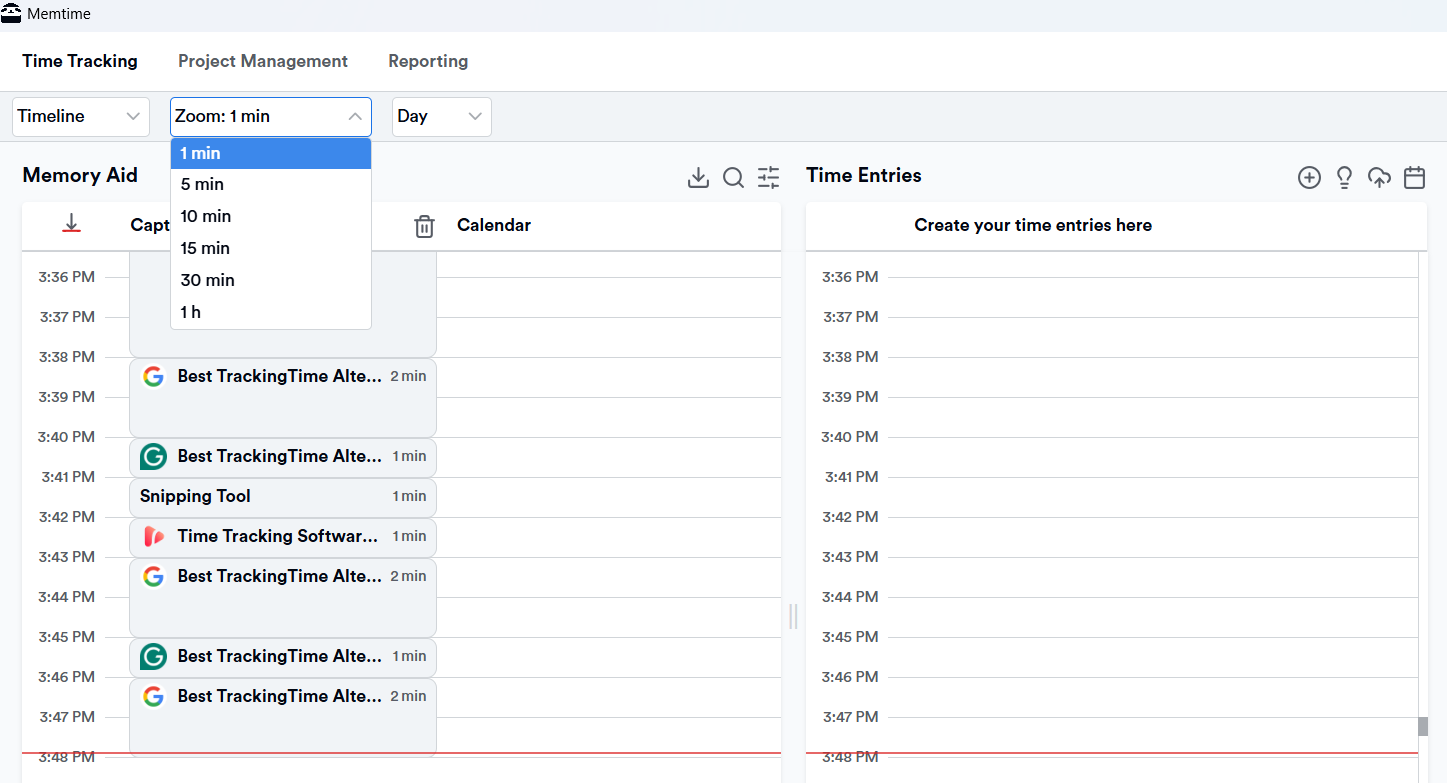
- Memory Aid timeline. Each workday is visualized in clear, reviewable chunks (1-60 minutes) in an automatic timeline. Team members can easily recall what they worked on, correct time entries, and submit accurate time, even days or weeks later.
- Smart entry suggestions. Memtime allows users to set rules so teams can automatically convert recurring activities (apps, files, projects) into time entries. This feature keeps time logs structured and removes all the manual work.
- Calendar integrations. You can sync Google Calendar, Outlook, iCloud, or CalDAV to compare planned meetings with what actually happened. This feature is perfect for teams that do a lot of context switching, juggling calls, and constant interruptions.
- Two-way sync with 100+ tools. Memtime integrates with over 100 project management, billing, and productivity tools. Your team can import tasks and projects into Memtime and export approved time entries back to those projects and tasks. There’s no copy-pasting, and no double work.
- Team-ready reporting. You can generate clear reports with customizable date ranges and unlimited historical data and export them to Excel, CSV, or PDF for billing, payroll, or internal insights. And the best part is there’s no exposing of raw time data.
- Privacy-oriented. Memtime scales to teams for one simple reason: managers get accurate time entries, and reports, and teams get to keep ownership of their activity data. It’s all about trust.
So, why choose Memtime over TrackingTime?
Because Memtime is like the more effortless sibling.
It works in the background, respects everyone’s privacy, and provides clear, reliable insights you can actually use. It’s worth your time (and money, for that matter).
Plus, you owe it to your team; they deserve accurate data and a calmer way to work.
Book a quick 15-minute call (it’ll feel like 5, I promise), and we’ll show you how Memtime keeps time accurate and teams aligned.
#2 Clockify
If you like the idea of TrackingTime but want something simple and affordable, Clockify is worth a look. It’s a cloud-based time tracking tool designed for freelancers, small businesses, and teams who want time tracking without a complicated setup.
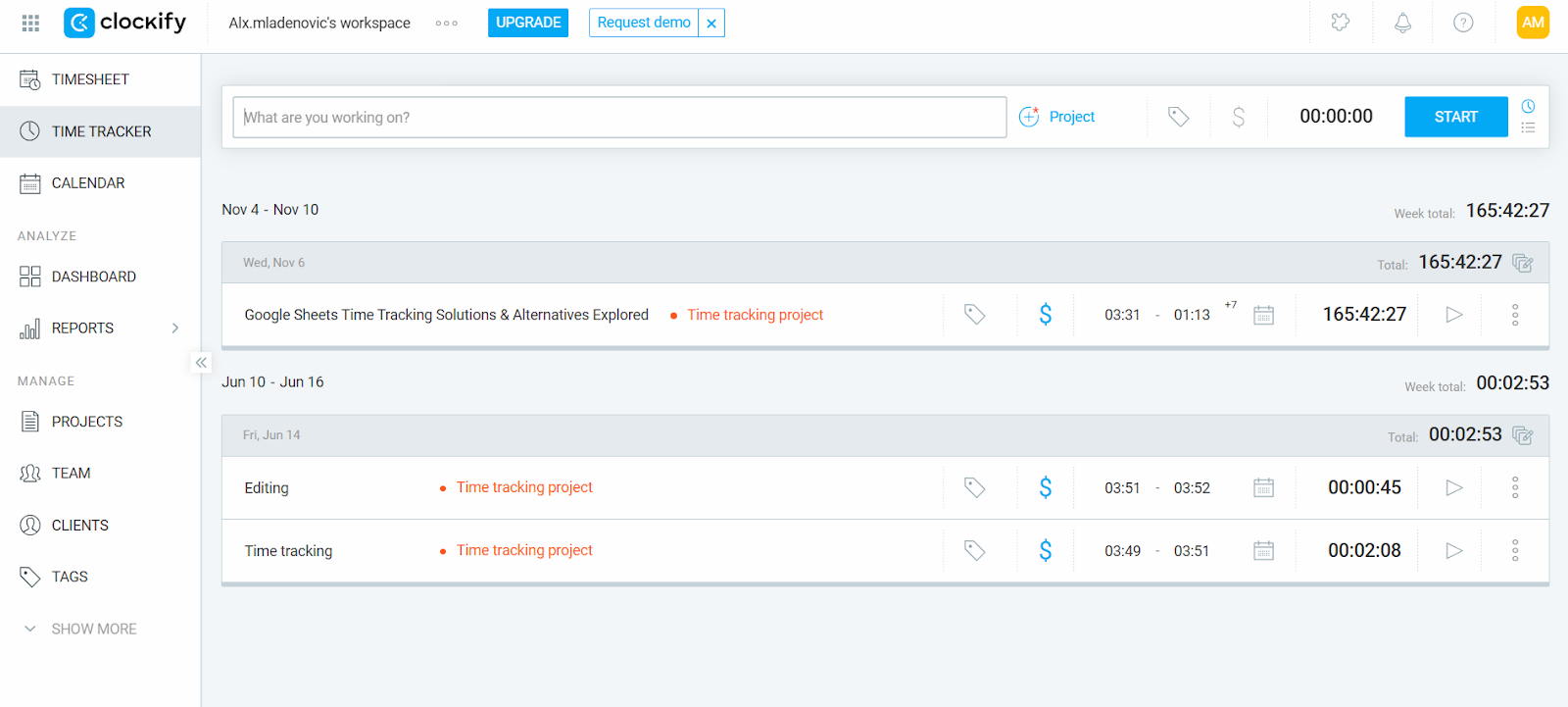
Clockify allows you to log hours in multiple ways.
You can use a Start/Stop timer for real-time tracking, add hours manually later if you forget to start the timer, or adjust entries directly in daily or weekly timelines with simple editing. On Windows and Linux, there’s Auto Tracker, which quietly records app and website usage that lasts longer than 10 seconds.
Organizing your work is also possible with Clockify. You can assign time to specific projects and tasks, giving teams clarity on where hours are going. If you need a little extra focus, Clockify has a built-in Pomodoro timer and reminders to keep logs accurate
Reporting and insights are solid. You can break down hours by project, client, or task, compare non-billable vs. billable time, check budget vs. actuals, and even generate invoices from tracked hours. For teams, Clockify offers timesheet management, team reporting, scheduling, workload planning, and GPS-based location tracking.
Clockify also plays well with other tools, offering dozens of integrations (and a two-way sync with QuickBooks).
Overall, if you want a TrackingTime-style experience that’s easy to use and budget-friendly, Clockify is a solid option. It covers all the basics without overcomplicating things.
#3 Toggl Track
If you’re looking for a TrackingTime alternative that’s light and approachable, Toggl Track is it. It’s a time tracking app built for freelancers, remote workers, and project-based teams.
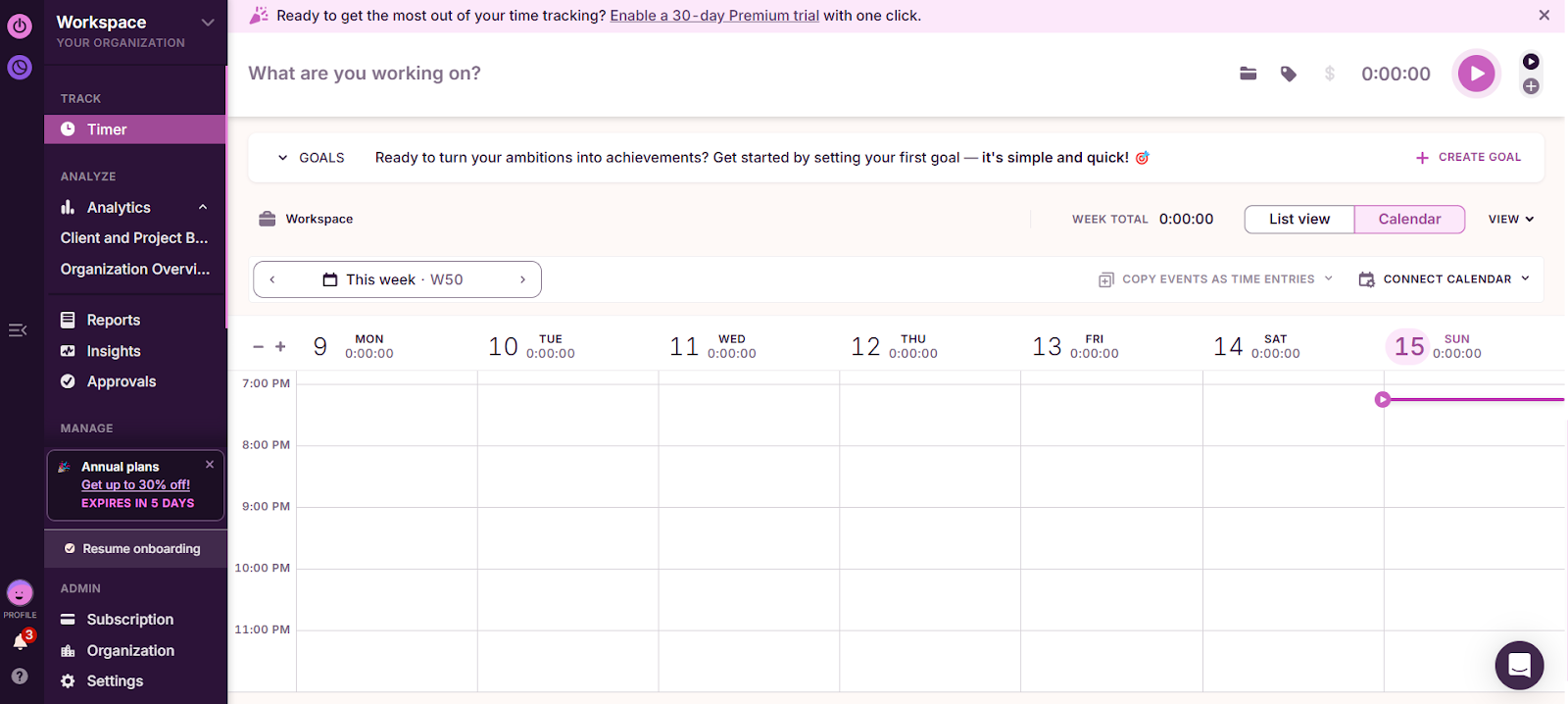
Logging time in Toggl Track is pretty flexible.
You can use Start/Stop timers, add hours manually, log durations only, or arrange blocks in a calendar view. There’s also the Timeline feature that quietly tracks app and website usage for more than 10 seconds.
Project management is also a non-issue. Teams can create tasks, set estimates or fixed fees, and receive alerts when budgets or time limits are approaching. Toggl also supports billable rates, profitability checks, and productivity breakdowns by client, project, or team member.
For teams, Toggl offers timesheet approvals, reminders, role-based permissions, user groups, and the ability to lock time entries. It integrates with around 100 popular tools and is accessible on the web, desktop, mobile, and browser extensions.
All in all, Toggl Track gives solid reporting and insights in an intuitive interface. It quietly tracks time and can keep your team aligned.
#4 Harvest
Harvest is a TrackingTime alternative that combines time tracking with invoicing and project management.
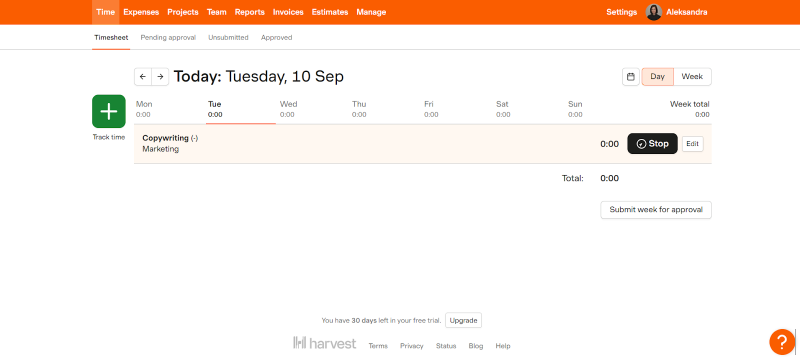
Harvest keeps things team-friendly. Logging hours is a manual no-brainer: you start and stop timers or enter time manually, and access your tracked time from desktop, web, or mobile apps. Weekly timesheets make bulk entries faster, and each time log can be tagged with client, project, or task details for better clarity. There are also automatic reminders to help your team members submit or approve timesheets on time.
Project and budget management features are also available. You can set hourly or fixed-fee project budgets, track expenses, categorize reimbursable vs. non-reimbursable costs, and attach receipts. Harvest can alert you when projects approach or exceed budgets, and gives real-time visibility into progress so teams can stay on track.
Time and expenses can easily be converted into invoices, and clients can pay online. There are also automated reminders for overdue payments.
You also get good reporting. Teams can analyze hours by project, client, or member, track billable vs. non-billable time, and get insights into overall productivity and profitability. Harvest integrates with calendar tools and accounting platforms such as QuickBooks and Xero.
Overall, Harvest is focused on manual time tracking and billing. It can be a reliable, team-focused TrackingTime alternative.
#5 TMetric
TMetric blends time tracking with billing and basic team management. It’s designed for freelancers, small businesses, and teams who want time and project management in one platform.
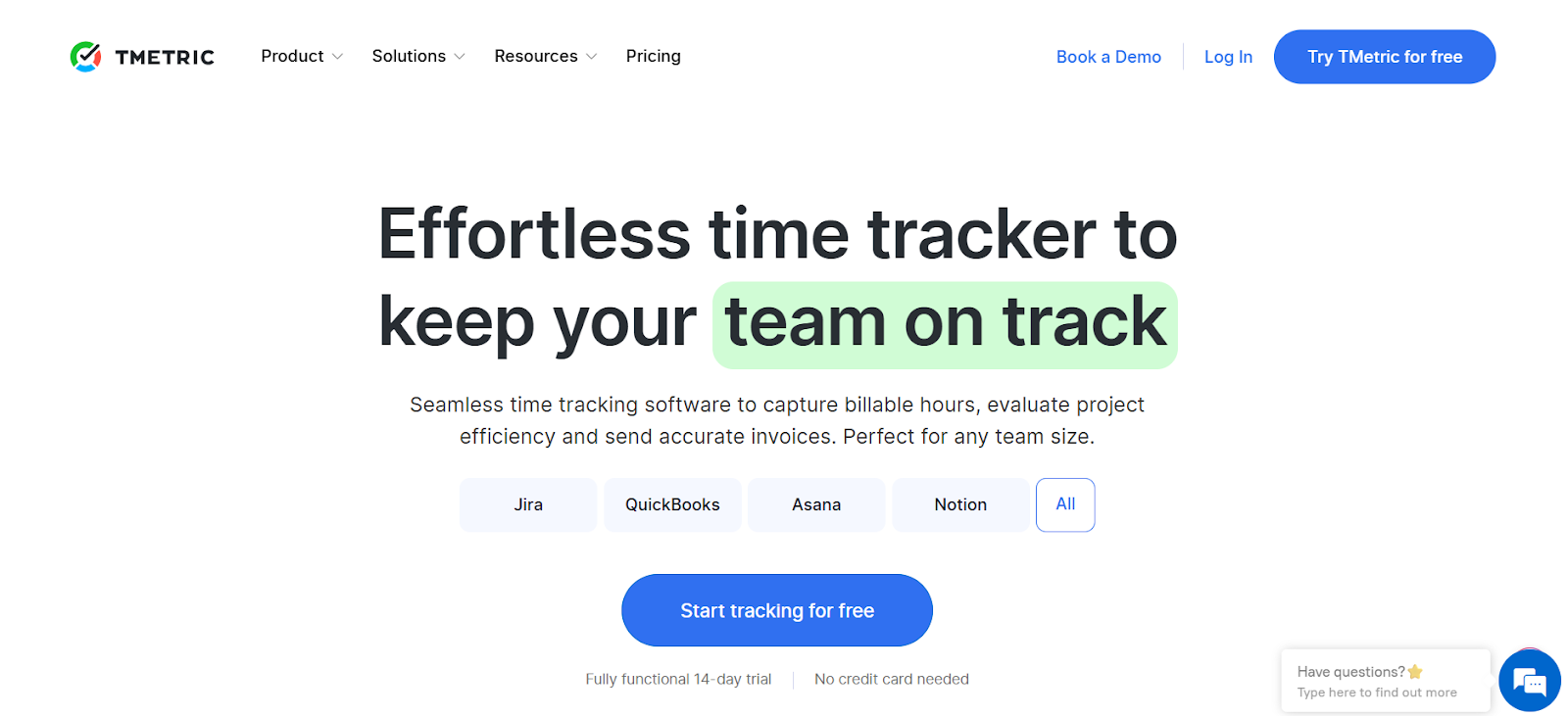
When it comes to time tracking, you can log time using Start/Stop timers or edit entries in a timeline view. The tool’s desktop app also tracks tasks automatically, detects idle time, and either notifies the user or pauses the timer. Offline automatic tracking is also supported, syncing back to the cloud when you’re online.
Billing and project management are easy to handle. You can set billable and non-billable rates, track costs, create invoices, manage project budgets, and monitor deadlines.
TMetric also offers simple team oversight features, like attendance tracking, time-off requests, and workload monitoring. It integrates with over 50 project management, communication, and accounting apps, and is available on the web, desktop, and mobile.
All in all, TMetric could be a good choice if you want to stick to a manual time tracker with billing and basic workforce management features.
#6 Timely
If you like the idea of automatic time tracking, Timely will definitely catch your eye. It’s similar in spirit to Memtime, as it remembers your workday so you don’t have to.
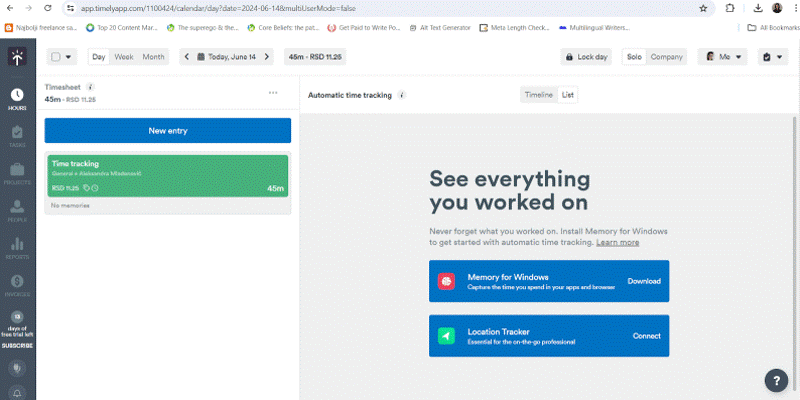
At the core of Timely is the Memory Tracker, which automatically logs your activity across apps, documents, browser tabs, and meetings. Memory Tracker uses AI and organizes everything into projects, tasks, and clients.
Teams can visualize projects, monitor capacity, analyze billable vs. non-billable hours, and track performance trends. It also lets you manage planned time, project progress, and team capacity.
Privacy is definitely there. Timely keeps tracked activities private unless you choose to share them. Cloud syncing is available, so you and your team can access time entries from any device, but only those you authorize can see individual activity.
Timely integrates with dozens more workflow tools, offering custom dashboards, pre-built reports, and exports.
Shortly put, Timely combines automation with an AI-powered organization. It could be a solid choice if you want an AI-based app.
#7 MyHours
If you’re looking for a cloud-based time tracking tool for small teams, MyHours is a good choice.
With MyHours, time can be tracked via a manual entry system or a stopwatch timer. Hours can then be organized by client, project, or task, all calculated based on billing rates, and budgets, and ready for invoice generation.

Reporting is also available. You can break things down by client, project, task, or team member, filter by dates or billable hours, and export everything to share with your team or clients. Also, thanks to Zapier, you can connect MyHours with the other tools you’re already using.
Team-wise, you can set roles and permissions so everyone sees only what they need. You can also keep an eye on budgets with alerts before things get out of hand, and track attendance and time off in the same place.
Overall, MyHours is a user-friendly TrackingTime alternative. It’s a practical option for teams who want manual time tracking, accountability, and ease of use.
#8 Time Doctor
Time Doctor is robust. The tool is designed for distributed teams and managers who want a clear view of how work hours are spent.
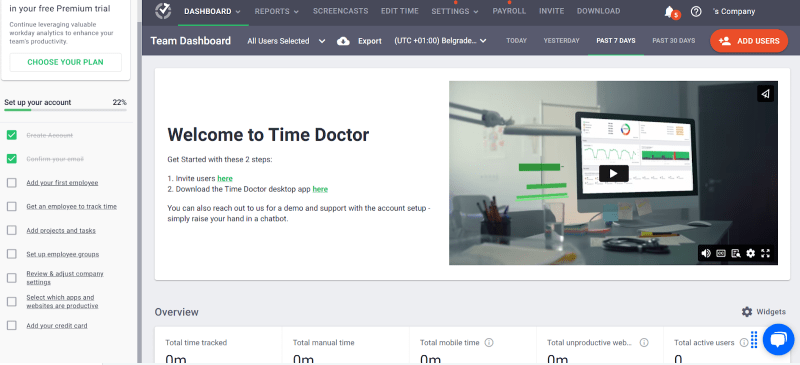
To start tracking time, you need a timer. Once the time is tracked, you get an overview of time vs. activity. The tool also detects idle time and sends alerts when there’s no activity.
Now, Time Doctor supports team oversight. Optional screenshots and screen recordings are available for teams, with flexible settings for how often they capture activity. Additional features, like idle time detection, task and project organization, and timesheet management, are also available. You can handle payroll, invoicing, and billing directly through the platform.
Time Doctor integrates with over 60 available tools and is accessible across desktop, mobile, and the web.
Overall, Time Doctor is a good option if you need structured tracking and accountability. It’s more of a workforce management app than a personal productivity tool.
So, which one do you choose?
Picking a time tracking tool is kinda like picking a favorite child. Seems impossible, but there’s actually the one you like the best.
There, I said it.
All the tools on our list let you log your hours. Some yell at you less than others, and one of them actually respects your privacy enough to leave you alone while you work (yes, Memtime). That’s why you need to choose wisely.
My suggestion?
Stop with the familiar, and enter the world of full-on automation. When your team ends up smiling while logging hours, or at least sighing a little less, you’ll know you made the right choice. 👍
Why would I even look for TrackingTime alternatives?
Because no tool is perfect. TrackingTime is great for reports and invoices, but if you want more automation, offline tracking, or something that just feels more like you, know you’ve got options. Sometimes it’s just about finding a tool that fully clicks with you.
What makes Memtime different from other time trackers?
Memtime basically does all the heavy lifting for you. It quietly tracks what you do on your computer, keeps data private, and shows clear, usable insights. There are no timers, and no constant micromanaging. You get a time tracking buddy that is actually a vault of memory.
Do I really need automatic tracking, or is manual okay?
The answer depends on your working style; they both work. Manual trackers give you control, which some people love. Automatic trackers can save you tons of mental energy and ensure everything gets logged. If you want 100% accuracy, automation is the way to go.
Will switching tools confuse my team?
It won’t. Not if you pick a tool that fits their workflow and requires minimal setup. Most tracking tools are intuitive, but you need to prepare your team for such a change. And remember, when it comes to time tracking, fewer clicks means happier humans.
How do I know which tool is actually right for my team and me?
Think about your team’s priorities: do they want automation and offline access? What about you? Would you benefit from budget-friendly options and super detailed reporting? Test a couple of options to see which feels natural. The best tool is the one your team actually enjoys using.

Aleksandra Mladenovic
Aleksandra Mladenovic is a copywriter and content writer with six years of experience in B2B SaaS and e-commerce marketing. She's a startup enthusiast specializing in topics ranging from technology and gaming to business and finance. Outside of work, Aleksandra can be found walking barefoot in nature, baking muffins, or jotting down poems.







