12 Financial Advisor Productivity Tools for More Efficient Client Work

What does your day look like as a financial advisor? I’m talking random Wednesday, right?
Does it go something like this?
- A 9 am client review.
- A questionnaire you forgot to send.
- An inbox with 40 unread messages (13 of which are just your compliance department circling back).
- A Zoom link you have to dig up from 3 weeks ago.
- And a client wondering why their statement still shows the old allocation.
If I guessed correctly, I have to tell you… that sounds a bit chaotic, and I’m sure you didn’t get into this business to become a task-switcher. You most likely got into it to help people; help them retire on time, sleep better at night, and stop googling “is my 401(k) enough” at 2 am.
But somewhere between prospecting, planning, compliance, and client meetings, admin work slithered into your calendar and made itself at home.
The good news is that everyone deals with admin work; some are just better at handling it.
You can be one of those people, with the right tools that do the repetitive, mandatory stuff automatically, so your time goes to the work only you can do.
That’s why we at Memtime created this list of the top 12 financial advisor productivity tools.
I know you’ve got no time to waste, so let’s get into it.
Key Takeaways:
- This list covers 12 financial advisor productivity tools across time tracking, CRM, scheduling, planning, risk assessment, e-signatures, accounting, file storage, communication, email, task management, and focus.
- Productivity tools help advisors automate compliance documentation, speed up client onboarding, and track billable vs. non-billable time.
- Time tracking (like Memtime) is the recommended starting point, since it shows you where your hours actually go before you add other tools.
- Look for three things before buying any tool: integration with your existing stack, a client-friendly interface, and scalability as your book of business grows.
- You don’t need every tool on this list; choose based on where your practice is right now and which gaps cost you the most time.
- Most tools on this list offer free trials, ranging from 7 to 30 days, so you can test them before committing to a subscription.

What are financial advisor productivity tools? (just a quick definition)
As a financial advisor, you sit in a strange place: you’re part planner, part therapist, and part portfolio manager. You handle client meetings, plan updates, portfolio rebalancing, compliance docs, and all the email threads with clients. That’s why a big chunk of your time isn’t even billable.
But the right tools can help you take back some of that time.
Put simply, productivity tools are software solutions built to help you manage client relationships, planning, compliance, and comms with more automation. They typically fall into categories like:
- Focus and deep work.
- Time tracking and billing.
- Scheduling and communication.
- Client relationship management (CRM).
- Document management and e-signatures.
- Financial planning and proposal generation.
- Risk assessment and compliance documentation.
And each of them should either save you time, reduce compliance risk, or make the client experience feel more “boutique wealth management”. You know—luxurious and polished.
These tools can help you:
- Build financial plans and proposals faster.
- Keep every client touchpoint in one place.
- Automate the client onboarding and paperwork.
- Stay audit-ready all the time with no fear of a surprise SEC exam.
- Track billable and non-billable time so you actually know where your day goes.
- Spend more hours in front of clients (or prospects) instead of behind a computer.
In other words, the right tools can make you more valuable to your clients and to your bottom line.
What should you look for in productivity tools?
It’s fairly simple. Your tech stack should work as hard as your paraplanner (or your assistant), just a bit more streamlined and quiet.
Here are 3 simple things to look for when searching for productivity tools for your practice:
#1 Integration with your existing stack
A tool that doesn’t talk to your other programs like CRM, custodian, or planning software creates more work. All your tools should sync client data, meeting notes, and account info across your entire system.
- When choosing a tool, ask yourself: Does this tool plug into my workflow, or does it become its own island I have to constantly update?
#2 Client-friendly interface
Being a financial advisor means you run a trust business. That’s why tools with clean, professional portals and reports make you look (and feel) like the seasoned pro, especially in front of prospects comparing you to 3 other advisors.
- When choosing a tool, ask yourself: Would I be proud to have a prospect see this on screen during our very first meeting?
#3 Scalability & security
It doesn’t matter if you’re a solo RIA or have a 40-advisor shop, your tools need to grow with your AUM, headcount, and complexity. Don’t settle for anything less.
- When choosing a tool, ask yourself: Will this app still hold up when my book of business doubles?
Top 12 financial advisor productivity tools you’ll love using
These tools do the job. They’re built for accuracy, compliance, and client experience, all so you can spend less time on admin and more time doing what you got licensed to do.
Let’s get to them.
#1 Memtime for time tracking
Memtime is our fully automatic desktop time tracker for financial advisors. It quietly logs every minute of your workday, including which client files you had open, which emails you were drafting, which portfolios you were reviewing, literally everything. All that without you having to lift a finger.
The app is built to act as your assistant (no AI, though) as it remembers everything you did, right down to the minute. Memtime lays it all out for you.
Here’s what Memtime brings to your desk:
- An automatic activity timeline (Memory Aid). Memtime records your foreground activity (docs, emails, portfolio software, and browser tabs) and visualizes it on a timeline you can zoom from 1- to 60-minute increments.
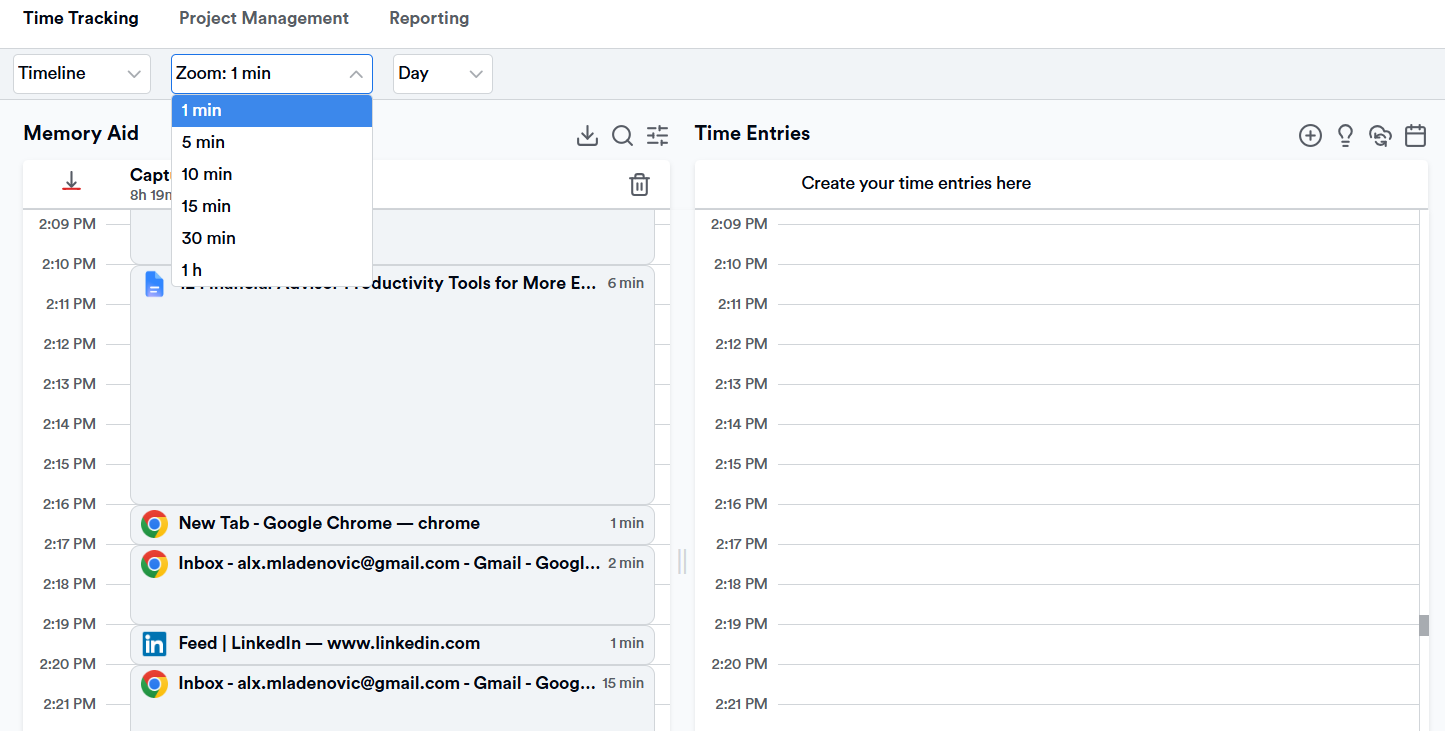
- Granular time increments. You can choose your billing interval: 1, 3, 5, 6, 12, 15, 18, 30, or 60 minutes. It’s pretty handy if you bill hourly for planning engagements alongside your AUM fee.
- Two-way project integration. You can import client and project setups from 100+ tools you already use, assign tracked time to the right client file (manually or via rule-based suggestions), then watch those entries sync straight back to that same tool, fully structured. No copy-pasting needed.
- Rule-based time entries. You can set rules based on window titles, file names, or client folders so Memtime auto-generates time entries you simply review and approve.
- Smart analytics. You get built-in reports on time by client, time by task type, and daily work sessions, exportable in Excel, CSV, or PDF for your own records (or your compliance file).
- Bank-vault privacy. All your activity data stays local on your device; there’s no cloud monitoring risk, which is pretty useful since you’re dealing with sensitive client information every day.
Asking yourself, “Wait, where did those 2 hours go?” is a very expensive question. I’m sure you can afford it, but why lose money when you don’t have to?
Memtime’s got your back because it knows damn well that the thing that never compounds is the billable time you didn’t track.
Try Memtime for 2 weeks, no credit card required. You won’t regret it.
#2 Wealthbox for CRM
Wealthbox is a CRM designed for financial advisors, RIAs, and wealth management teams. It’s far from a generic sales CRM you have to bend into shape.
It centralizes contacts, households, tasks, notes, and communication history, so you and your team always know exactly where a client relationship stands.
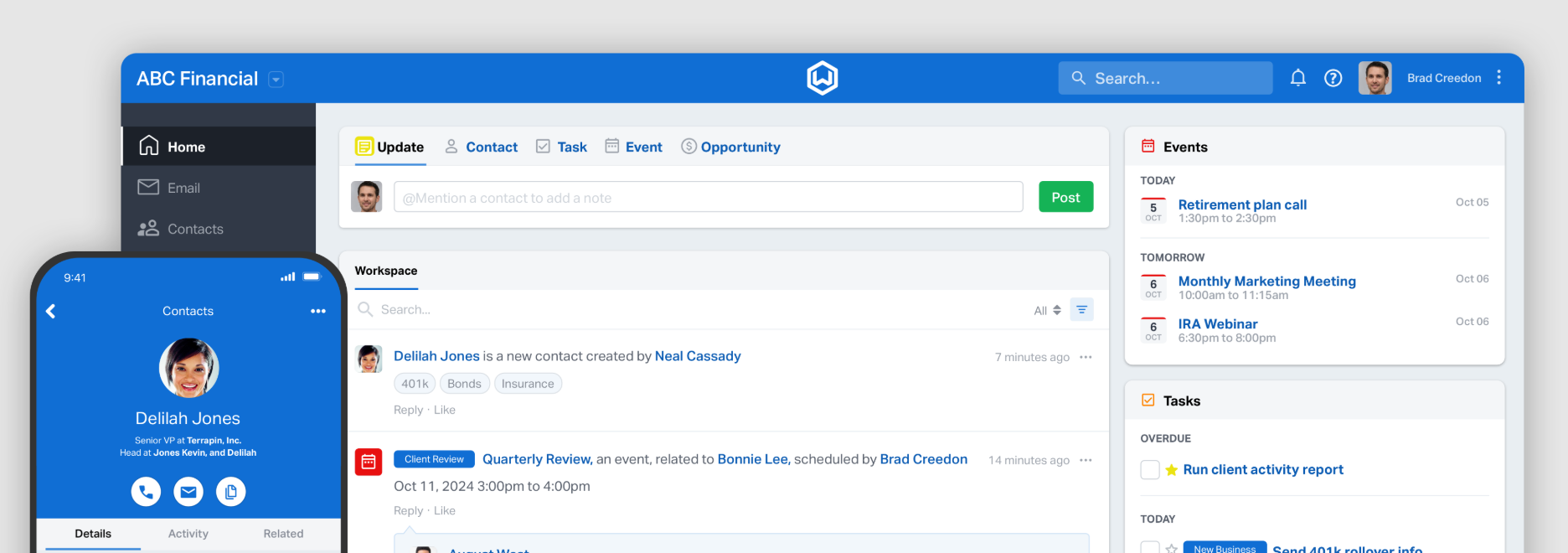
Here’s what makes Wealthbox worth it:
- Wealthbox has a clean interface, meaning your team will probably get the hang of it in a couple of days.
- You can tag, filter, and organize clients by household, custom fields, or permissions.
- You can build repeatable workflows for onboarding, annual reviews, or account transfers, complete with reminders.
- Birthdays, anniversaries, and other important dates sit in the client record, so you can send clients quick “thinking of you” notes without having to wait until the annual review.
- The app syncs with Schwab, Fidelity, and 150+ other custodians and wealthtech tools, so account data flows automatically into your contact records.
- You can store client files and sync your inbox directly into the CRM, so email history lives with the client record.
If your book of business is split somewhere across emails, a shared spreadsheet, and your own memory, Wealthbox could be a life-saver. It acts as one command center, showing you exactly what you discussed with clients and the convos you avoided.
#3 Calendly for smart scheduling
Calendly is a scheduling automation platform, meaning it removes the back-and-forth of booking client meetings, prospect discovery calls, and internal team syncs. It routes the right meeting type to your right calendar and automates reminders, follow-ups, and even payment collection.
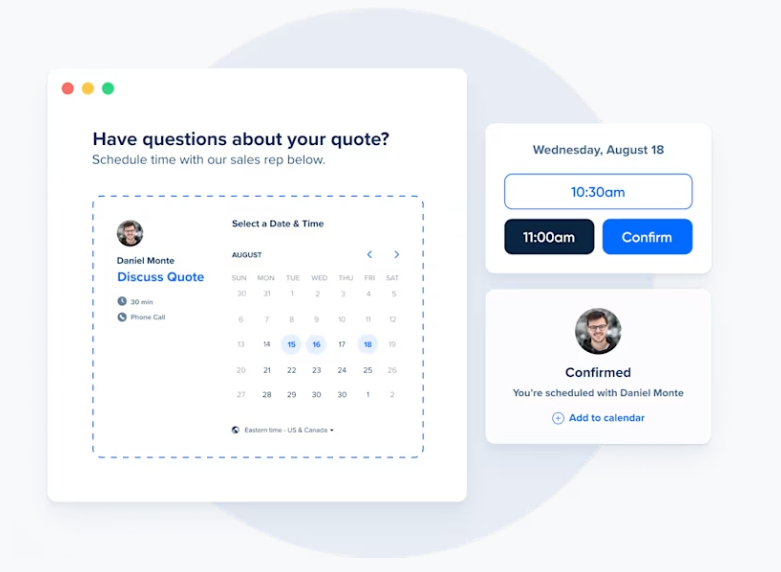
Here’s what this app brings to the table:
- You get multiple meeting types (think 15-minute check-ins or 60-minute annual reviews) under one shareable link.
- You can route prospects to the right advisor on your team based on their answers to screening questions.
- You can send automated branded reminders and follow-ups to prevent clients from ghosting you.
- You can sync it with your calendar (Google, Outlook, and iCloud) to avoid double-booking.
- You can collect consultation fees or deposits through the booking flow.
- You can track meeting volume and conversion rates.
- You can connect Calendly with your CRM (e.g., Wealthbox) via Zapier so bookings can automatically create or update the right contact record.
Calendly is useful because it stops you from finding the time in your calendar; it gives that job back to your prospects and clients. It's the closest thing you’ll get to hiring a scheduling assistant.
#4 RightCapital for financial planning
RightCapital is financial planning software built around goals-based and tax-aware planning. It’s got a clean, client-friendly interface that doesn’t feel like it was designed in 2009.
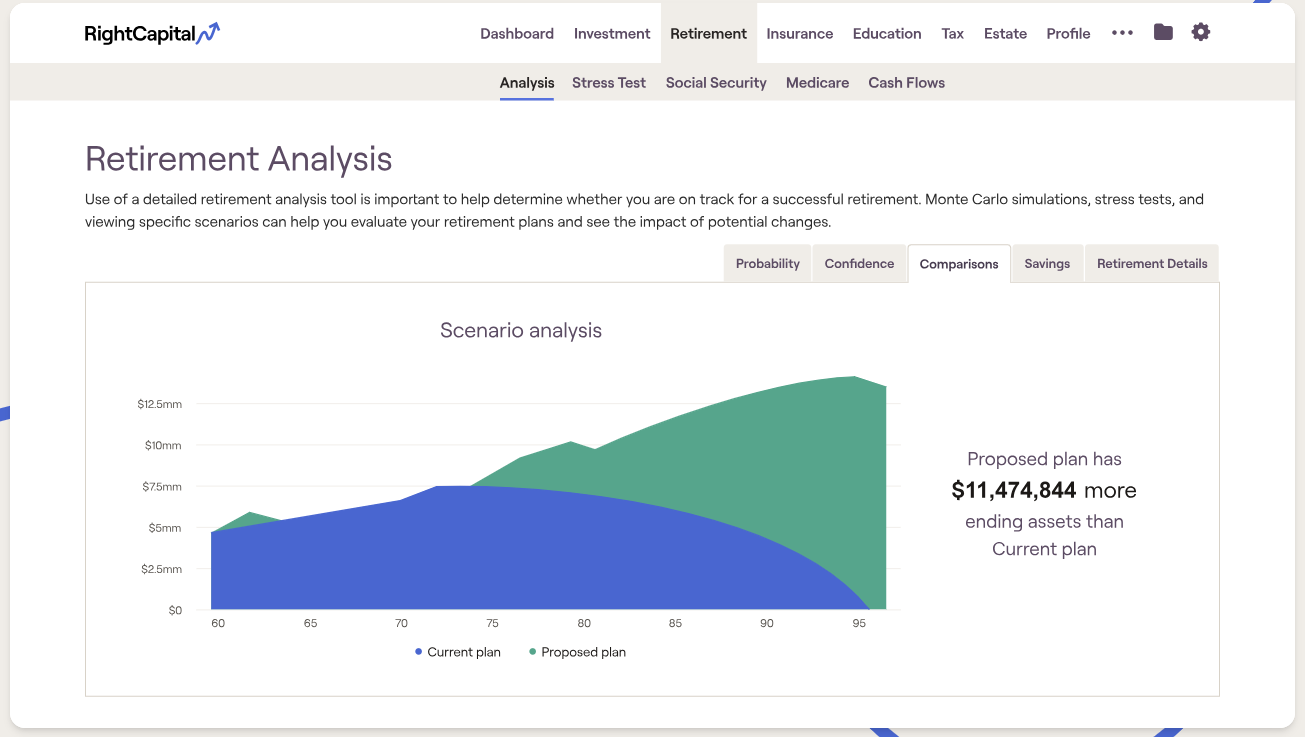
Here’s what the app offers:
- You can show interactive retirement scenarios to clients. It’s pretty simple: you model multiple “what if” scenarios live in front of a client, adjusting savings rates, retirement age, or spending on the fly.
- You can illustrate Roth conversions, capital gains harvesting, and retirement income tax planning with real, client-specific numbers.
- You can sync client accounts and credit card transactions to get a full financial picture.
- You can connect with risk tolerance platforms (like Nitrogen, which we’ll talk about in a minute) to align portfolios with each household’s risk score.
- You can create student loan and insurance modules, which is useful if you work with physicians, attorneys, and other clients carrying significant student debt.
- Clients can log in, review their plan, and track progress between meetings.
- You can create branded, shareable plan summaries clients can actually understand (and show their spouse).
If eMoney or MoneyGuide feels like overkill for your practice, RightCapital may be the app for you (it also comes with a friendlier price point). Consider it planning software that makes the plan the star of the meeting, not the software.
#5 Nitrogen for risk analysis
Nitrogen is the platform that invented quantifying investment risk with a single number; it’s a thing called the Risk Number®. Thanks to it, it can help you keep risk conversations in check, as it gives you objective, data-backed numbers you can start with.
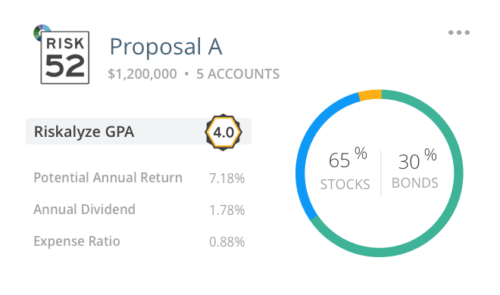
Here’s what you get with Nitrogen:
- The Risk Number® quiz. It’s a simple, 5-minute questionnaire your clients can take and it produces a clear 1-99 risk score.
- You can show clients how their current holdings would behave in a market downturn, side by side with a proposed allocation.
- Every risk assessment and recommendation is automatically documented, meaning there’s a built-in audit trail if the SEC (or your own compliance officer) ever comes knocking.
- You can build current vs. proposed portfolio comparisons that make your recommendations feel data-driven.
- You can embed a Risk Number quiz on your website to turn casual visitors into qualified leads.
- You can layer retirement planning projections into the risk conversation for a fuller financial picture.
If you’ve ever had a client insist they’re “conservative” right before asking why their portfolio isn’t up 20% this year, Nitrogen can help you catch that mismatch. With it, you don’t have to tell clients to trust you; you can just show them the math.
#6 DocuSign for e-signatures
DocuSign is the industry-standard e-signature platform, and it’s one of the best upgrades on this list. It works like magic, as it stops you from mailing paperwork for new account applications or advisory agreements.
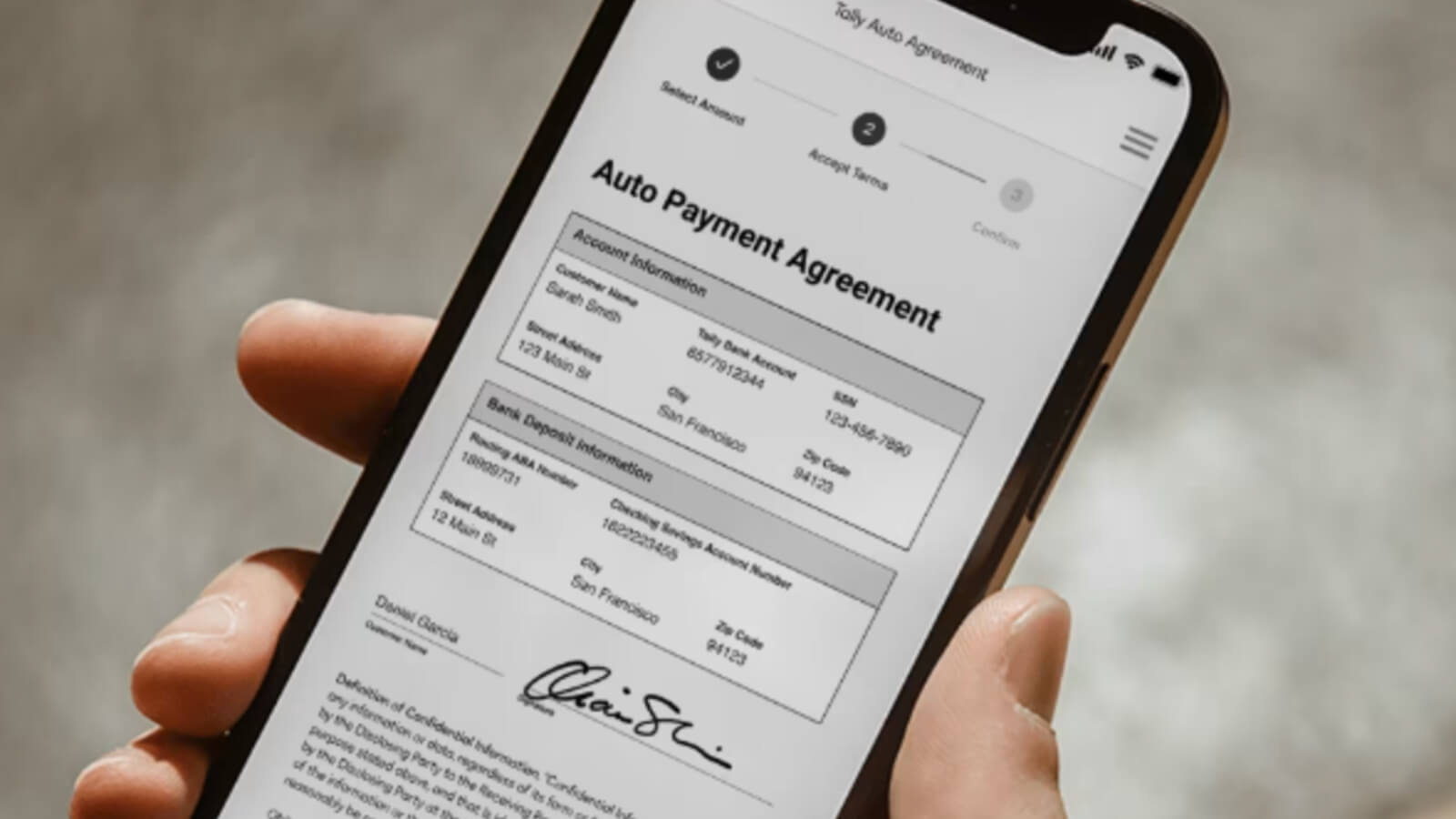
Here’s what the app can do for your practice:
- Your clients can sign advisory agreements, account applications, and IPS documents from their phones, tablets, or laptops.
- You can build templates for recurring documents (like new client onboarding packets or annual agreement renewals), to avoid starting from scratch every time.
- Every signature request comes with a timestamped, tamper-evident record, which is exactly what you want on file for compliance.
- You can send the same document to dozens of clients at once.
- DocuSign connects with Wealthbox, Salesforce, and major custodians (via native or Zapier integrations), so signed docs can be automatically tied back to the right client record.
- You can collect advisory fees or deposits directly within the signing workflow. (This works on higher-tier plans)
I know that often new account paperwork is the biggest friction point in onboarding a new client. With DocuSign, all that’s avoidable. It makes all the important docs already signed; you just need to check your inbox.
#7 QuickBooks for accounting & billing
QuickBooks is one of the most well-known accounting and bookkeeping platforms. It’s great for running your practice’s business side, tracking revenue, expenses, and profitability, so you know your firm’s numbers as well as you know your clients’.
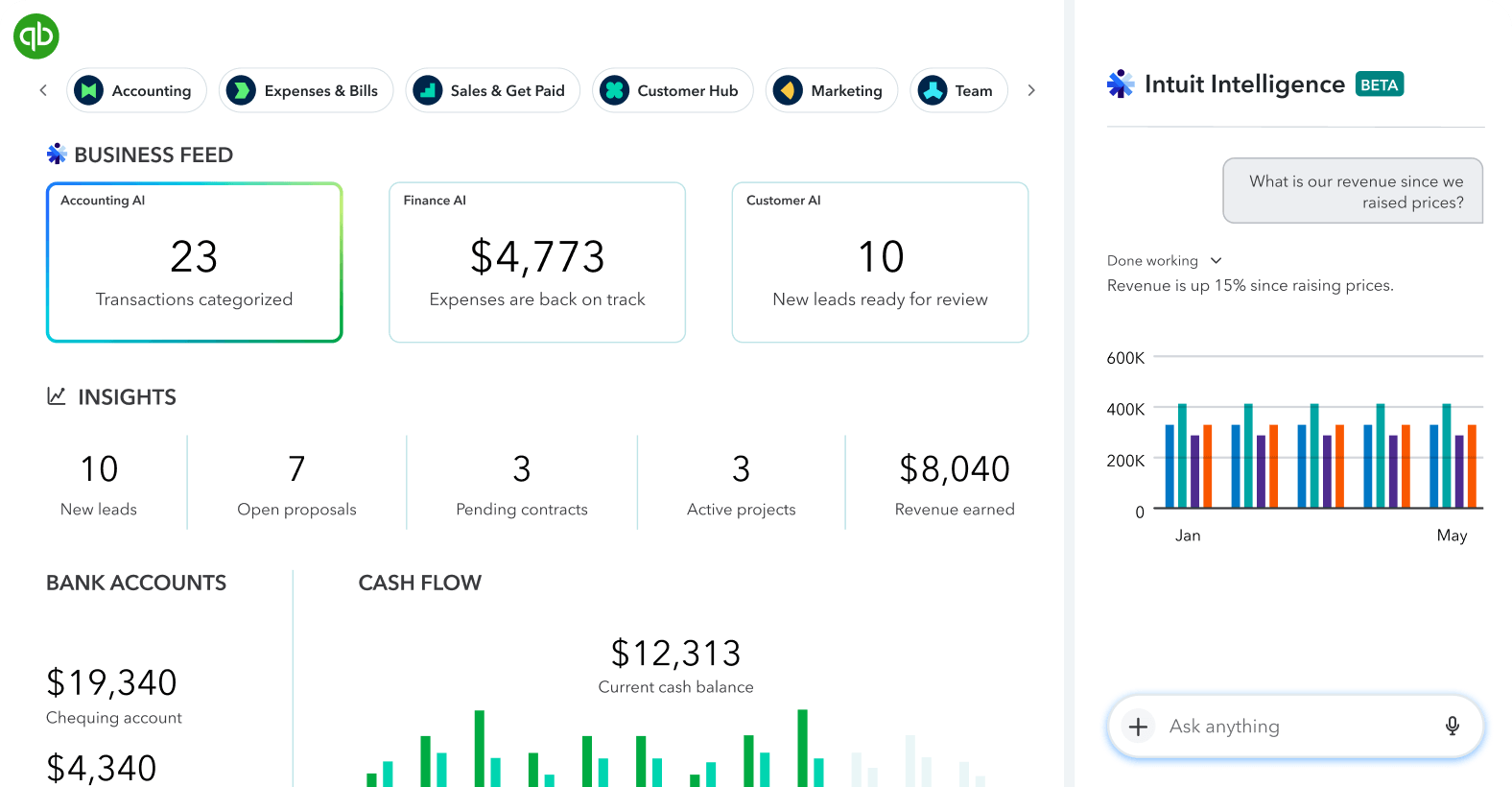
Here’s what you can expect from QuickBooks:
- You can send and track invoices for planning fees or retainers with automatic payment reminders.
- You can categorize business expenses (like software subscriptions, CE credits, and marketing spend) automatically as they hit your bank feed.
- If you work with contracted paraplanners or marketing help, you can generate and file 1099s.
- You can see how profitable your practice is overall or by month, and get more granular (like by service line) with some manual setup using classes or tags.
- You can connect your business accounts to automatically categorize and reconcile transactions.
- You can connect with 700+ apps, including payment processors and payroll.
You spend your days helping clients get their financial house in order. With QuickBooks, you can ensure your own firm’s books are just as good and ready for tax time.
#8 Dropbox for file storage & sharing
Dropbox is a cloud storage and file sharing platform that gives your practice a secure, centralized place to store client docs, tax returns, estate planning files, and financial plans.
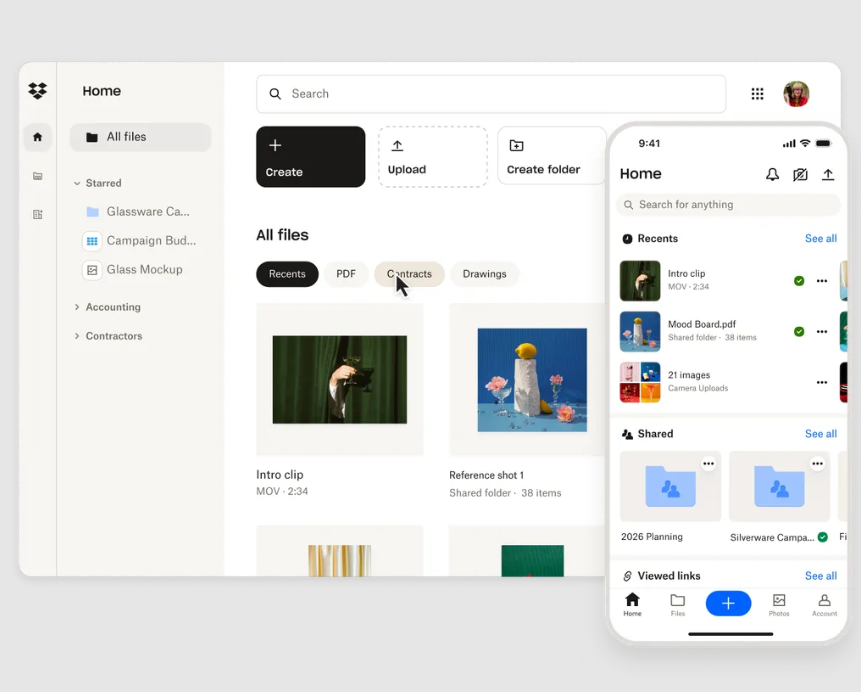
Here’s what makes this app so useful for advisory work:
- You can send sensitive client documents, like tax returns and account statements, with password protection and expiring links.
- You can add your firm’s logo to shared links for a more polished experience. (Please note that this doesn’t extend to file request pages, which always show the Dropbox logo.)
- You can recover previous versions of financial plans or proposals if something gets overwritten.
- You can collect documents from clients, like pay stubs, tax returns, and account statements, easily, with no back-and-forth.
- The app works alongside Wealthbox and other advisor tools to keep client documents linked to the right record.
- On higher plans, you can control who has access to which client folders across your team.
Dropbox keeps all your files organized, secure, and one search away instead of buried in dozens of email threads.
#9 Microsoft Teams for internal & client communication
Microsoft Teams is a collaboration and video conferencing app. It’s especially useful if your firm already runs on Microsoft 365 for email and Office apps.
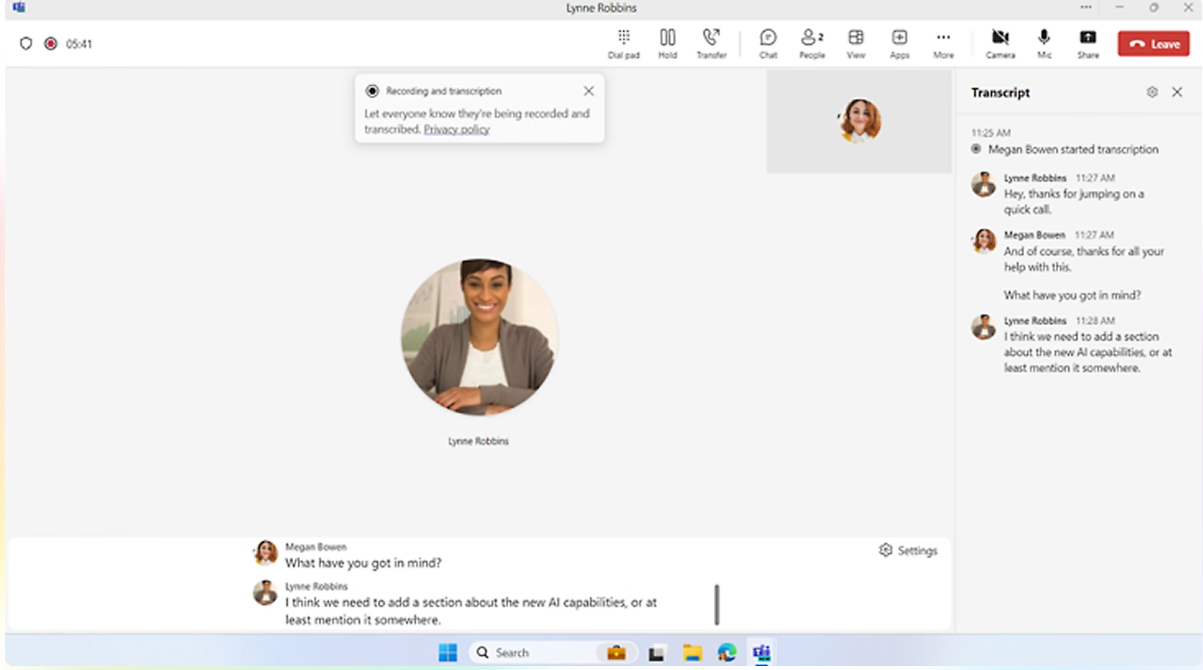
Here’s what Teams can do for your practice:
- You can host client reviews and internal team meetings, with recording and transcription for easy follow-up.
- You can keep conversations organized by client, project, or department instead of one group thread.
- You can co-edit proposals, client letters, or internal documents directly within a Teams channel.
- Since Teams is bundled with Outlook, Word, and Excel, it probably works well with your current workflow.
- With a Copilot add-on, you can automatically generate meeting notes and action items, so nothing gets lost after the call ends.
- You can bring clients or outside professionals (like a client’s attorney) into a specific conversation without giving them access to your entire system.
If your firm already uses the Microsoft ecosystem, Teams seems like the natural next step for internal collaboration and client-facing video calls. It’s a decent place where your client conversations won’t get lost.
#10 Superhuman for email acceleration
Superhuman is an AI-powered email client that is supposed to speed up your time in email. If you’re dealing with dozens of client questions, custodian notifications, and compliance CC’s daily, Superhuman might be for you.
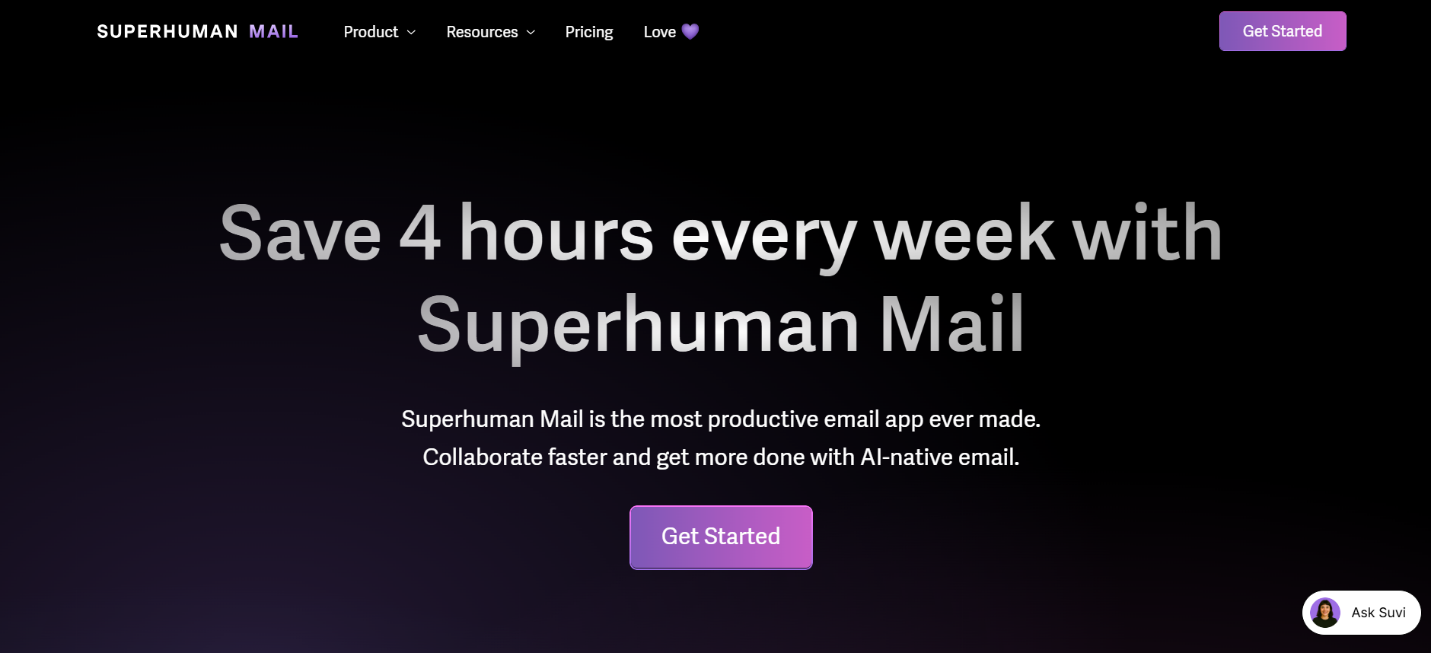
Here’s what the app offers:
- It automatically sorts email into categories (VIPs, newsletters, and everything else) so your client emails don’t get buried.
- You can compose, search, and archive using keyboard shortcuts, cutting the time spent clicking around your inbox.
- It creates AI drafts. You can get polished, on-brand draft replies for common client questions and then personalize them before sending.
- There’s the auto summarize option. You can get thread overviews, which are helpful when you need to re-read a 25-message chain.
- You can schedule sends for optimal open times and get reminders if a client hasn’t replied.
- On the Business plan, you can view and update HubSpot or Salesforce records directly from your inbox.
- You can create and use team-wide templates for common responses, like onboarding welcome emails and annual review confirmations.
All in all, Superhuman can help you get through email faster without missing the emails that actually matter.
#11 Any.do for task and life management
Any.do is a freemium, cross-platform task management app available on iOS, Android, desktop, and browsers. It combines to-do lists, calendar, reminders, and light team collaboration.
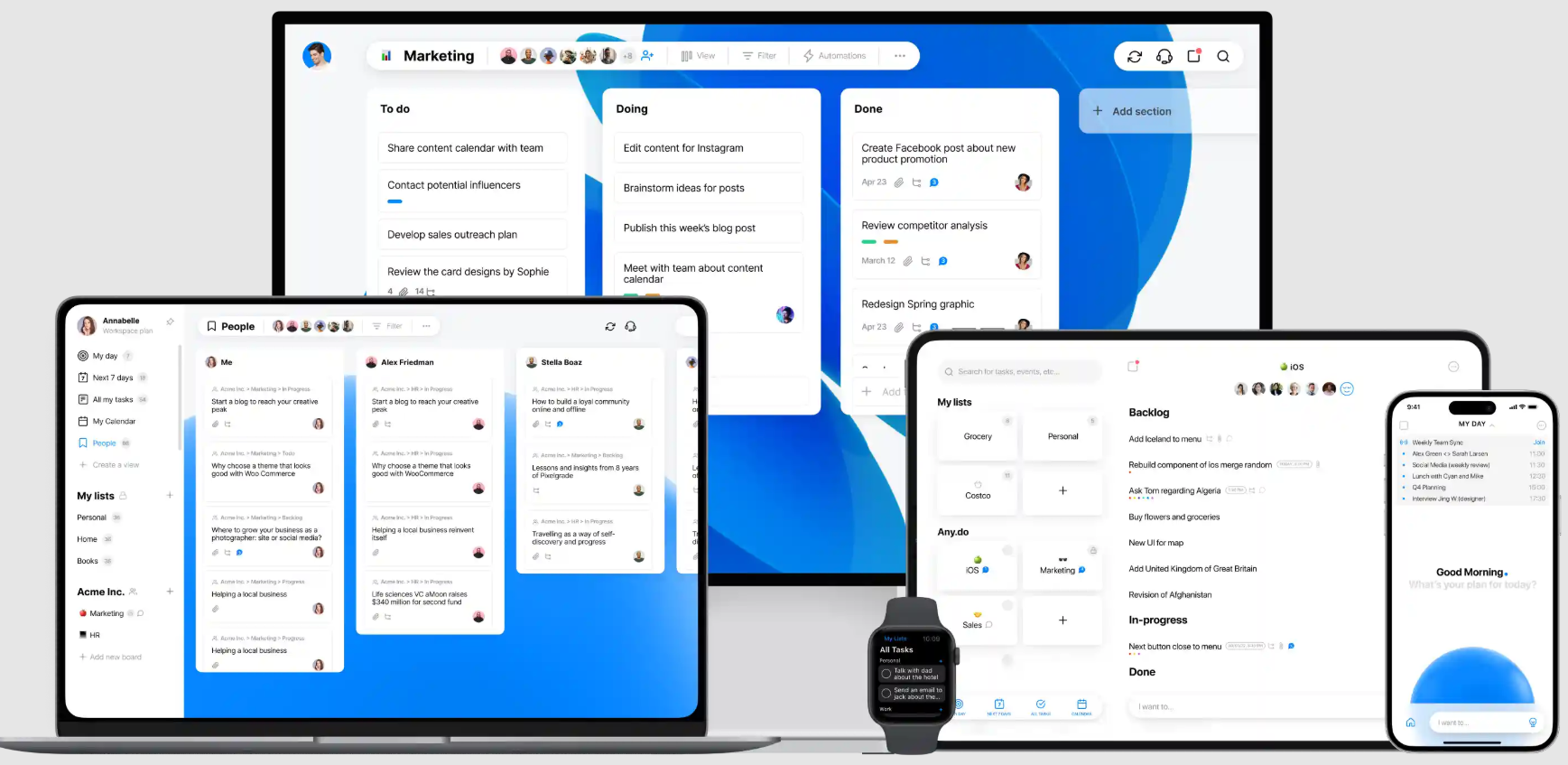
Here’s what the app offers you:
- You get a My Day planner view so you can see your day’s priorities, including client calls, follow-up tasks, and personal errands.
- You can use natural language to create tasks. For example, you can say “follow up with the Johnsons Friday at 2pm” and Any.do turns it into a scheduled, reminder-backed task.
- You get recurring and location-based reminders, which can be useful for quarterly account reviews or annual disclosure sends.
- The app syncs with Google Calendar and Outlook so your task list and meeting schedule live side by side.
- You can assign follow-up tasks to a paraplanner or associate advisor, with shared boards.
- You can connect Any.do to Slack, Gmail, and dozens of other tools to automatically generate tasks from client emails or CRM updates.
If your to-do lists tend to get a bit chaotic and you stall doing the tasks because it feels too complicated to jump between 4 different apps, Any.do can help. It can keep your professional and personal life under control.
#12 Brain.fm for deep work
Brain.fm is essentially a focus music app. It’s built around patented neuromodulation technology, designed to help your brain settle into a focused state faster. It’s so much more than a lo-fi beats playlist.
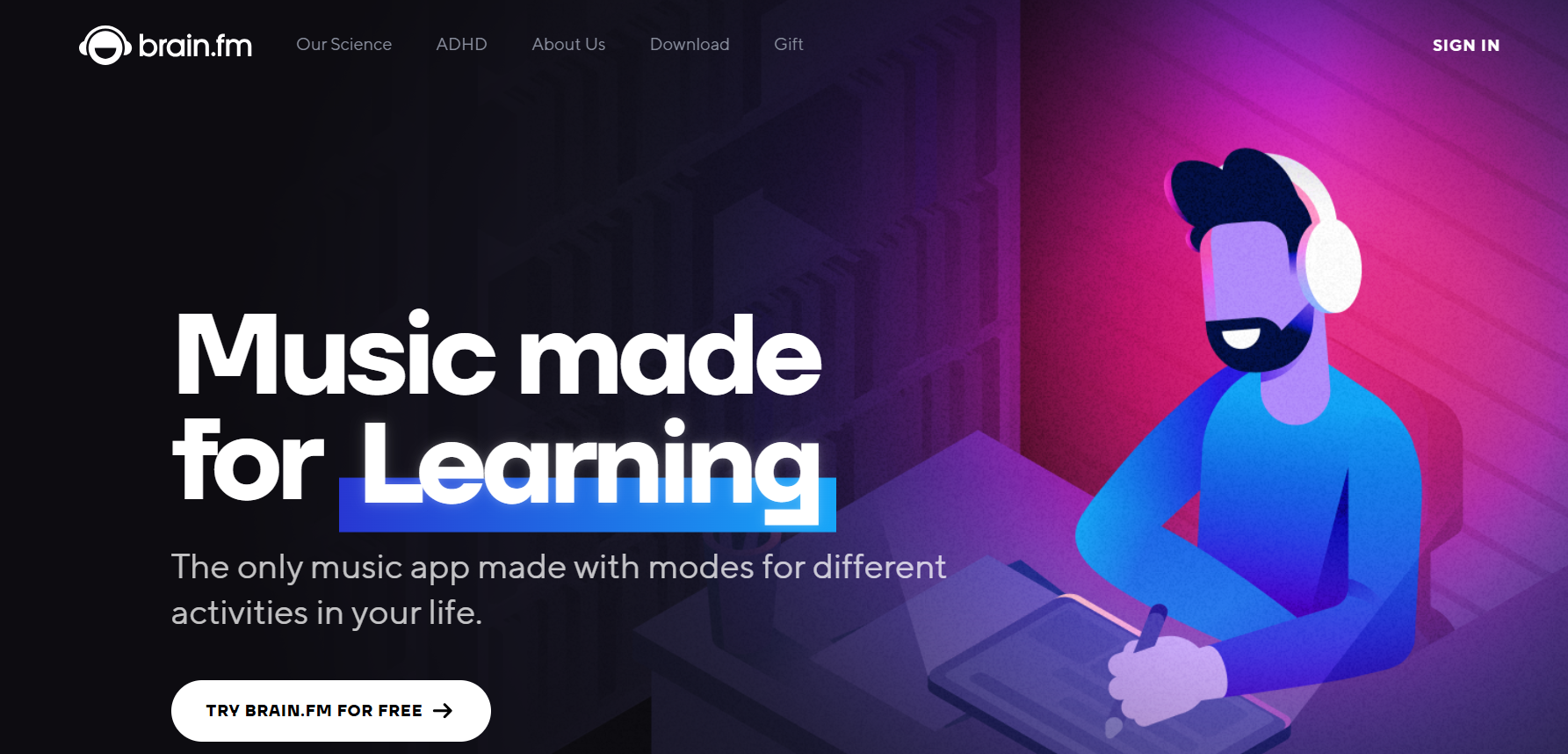
Here’s what the app can bring to your workday:
- You get Focus mode, which contains purpose-built tracks that filter out distracting high frequencies. This mode can be useful for building financial plans or preparing portfolio reviews.
- Built-in Pomodoro timer. This timer allows you to work in focused intervals with short breaks, which is useful for powering through a stack of client prep.
- Relaxation and sleep modes. If you can’t sleep before a big client presentation because your brain won’t stop running numbers, Brain.fm can help with that.
- You can use the app on web, iOS, Android, or desktop, so your focus session follows you from the office to your home desk.
- No headphones required. Unlike binaural beats, Brain.fm’s technology works without needing to wear headphones.
Financial planning is deep, detail-heavy work, and 1 Slack notification can undo 20 minutes of concentration. Brain.fm won’t stop the notifications from coming in, but it’ll help you get back into flow a lot faster once you silence them.
Wrapping up
If you made it this far, congratulations, dear reader. Either you genuinely care about running a more efficient practice, or you’re stalling on that stack of client reviews sitting in your inbox. No judgment either way.
If you’re gonna take one sentence from this article, let it be this one: you don’t need more software.
You just need the right software, so you can spend more time doing things you actually love and can bill for.
My advice is to start with time tracking, as it’s the foundation everything else builds on. Next, layer it with some CRM built for advisors, and fill in the rest based on where you’re at in your practice and how you’re feeling.
You already know which tool(s) to choose. I have no doubt in my mind that you got this. 💪
FAQs
Do financial advisors really need productivity tools, or can spreadsheets work fine?
Technically, you can run your whole book of business off spreadsheets. That said, the right tools save you time on compliance documentation, client onboarding, and scheduling, which spreadsheets can’t automate. They also make your practice look more polished to prospects who are comparing you to competitors and DIY investing apps. So, think of these productivity tools not as a necessity, but more about what your time is worth.
What’s the difference between billing AUM and billing hourly when it comes to tracking time?
If you bill hourly or by project, untracked time shows up directly as missing invoice dollars. If you bill AUM, untracked time shows up as lost capacity, meaning hours you could’ve spent prospecting or deepening client relationships instead. Either way, a time tracking tool like Memtime shows you exactly where your day goes so you can make that time count.
Which tool should a financial advisor start with if they can only add one right now?
Time tracking is the recommended starting point. It shows you where your hours actually go before you decide what else to automate. From there, a CRM built for advisors (like Wealthbox) is the next logical layer, since it centralizes your client relationships. Everything else can be added based on your specific gaps.
Are these tools expensive for a solo advisor or small practice?
Pricing varies a lot by tool and tier. Some, like Calendly and Any.do, offer free plans, while others, like RightCapital or Nitrogen, run several hundred dollars a month depending on the package. Most tools on this list offer a free trial, so you can test the fit before committing to a subscription.
Do these tools integrate with each other?
Most of them do integrate, though the depth varies. Some connections are native (like RightCapital and Nitrogen), while others run through Zapier (like Calendly and Wealthbox, or DocuSign and Salesforce). Before committing to a tool, check whether it integrates with your existing CRM, custodian, or planning software.

Aleksandra Mladenovic
Aleksandra Mladenovic is a copywriter and content writer with six years of experience in B2B SaaS and e-commerce marketing. She's a startup enthusiast specializing in topics ranging from technology and gaming to business and finance. Outside of work, Aleksandra can be found walking barefoot in nature, baking muffins, or jotting down poems.